
Seamless Transitions: The Comprehensive Guide to Migrating from Mailchimp to Campaign Monitor
In the competitive landscape of digital marketing, the platform you choose to manage your audience can dictate the efficiency, reach, and ultimately, the success of your campaigns. While Mailchimp has long been a household name in the email marketing sector, many small-to-medium-sized businesses are finding that as their needs evolve, they require more specialized tools. For those looking to transition, moving from Mailchimp to Campaign Monitor represents a strategic shift toward a platform optimized for intuitive design, robust deliverability, and focused customer support.
This article serves as a definitive guide for marketers navigating this migration, detailing the technical steps required to ensure data integrity and providing a strategic look at why this transition is becoming a common move for modern brands.
The Strategic Shift: Why Businesses Are Migrating
For over two decades, Campaign Monitor has occupied a unique niche in the email marketing ecosystem. While industry trends have shifted toward "all-in-one" omnichannel platforms—often bundling CRM, social media, and complex analytics into packages that can quickly become bloated and expensive—Campaign Monitor has doubled down on its core competency: professional-grade email marketing.
Core Value Propositions
The decision to migrate is rarely made on a whim. Businesses often cite several key drivers for choosing Campaign Monitor:
- Refined User Experience: Unlike platforms that prioritize complexity, Campaign Monitor focuses on a streamlined interface that allows marketers of all technical proficiencies to build sophisticated campaigns without a steep learning curve.
- Design Flexibility: With a library of mobile-responsive, highly customizable templates, users can maintain brand consistency across all devices without needing to hire a dedicated front-end developer.
- Deliverability and Support: In the world of email, reaching the inbox is the primary hurdle. Campaign Monitor distinguishes itself through proactive deliverability management and a human-centric support model that helps users troubleshoot issues in real-time.
- Cost-Efficiency: By avoiding the "omnichannel bloat," businesses often find they are paying for tools they actually use, rather than features they never touch.
Technical Chronology: A Step-by-Step Migration Guide
Moving a database of subscribers requires precision. A single misstep in mapping fields can lead to lost data or broken personalization tokens. Follow this chronological workflow to ensure your transition is seamless.
Phase 1: Data Extraction from Mailchimp
Before you can import your data, you must extract it from your current environment.
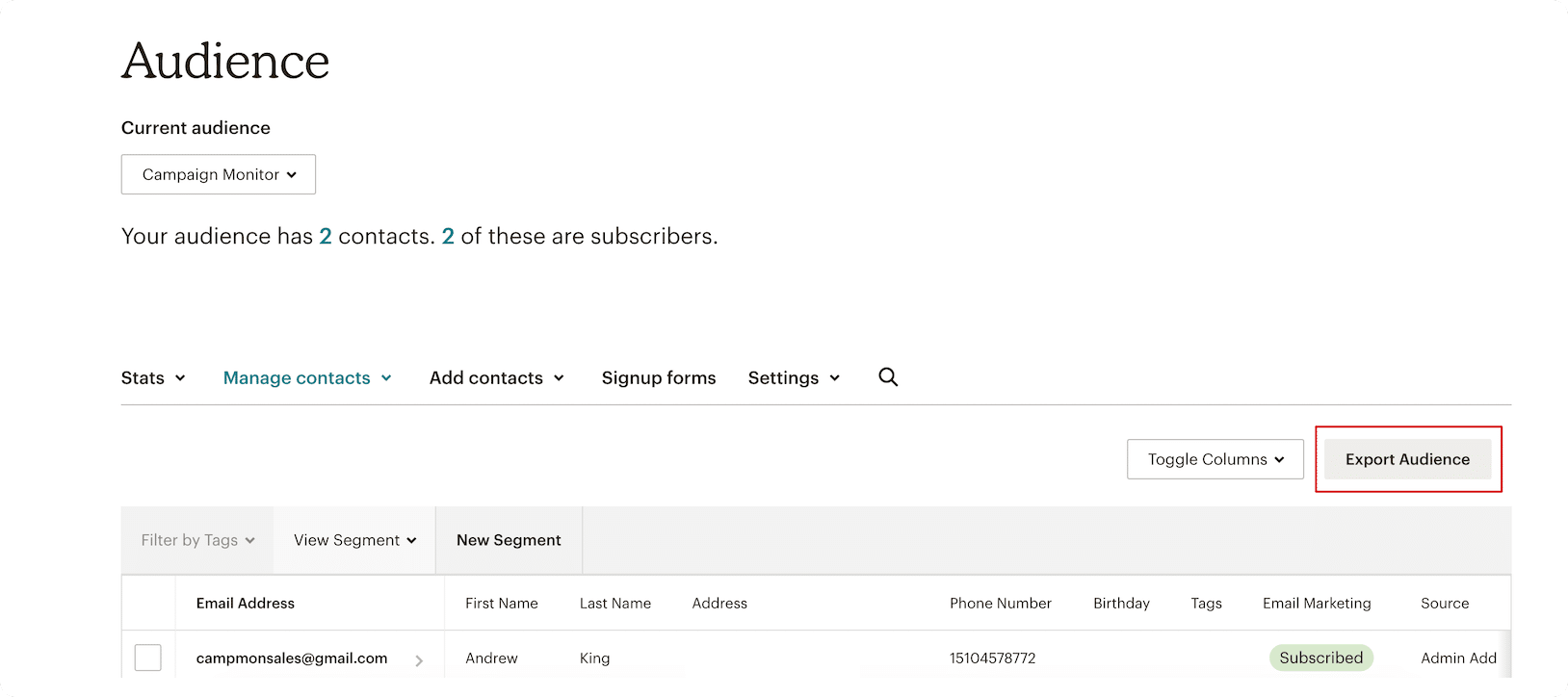
- Audience Selection: Log into your Mailchimp dashboard. Navigate to the "Audience" tab and select the specific list you wish to export.
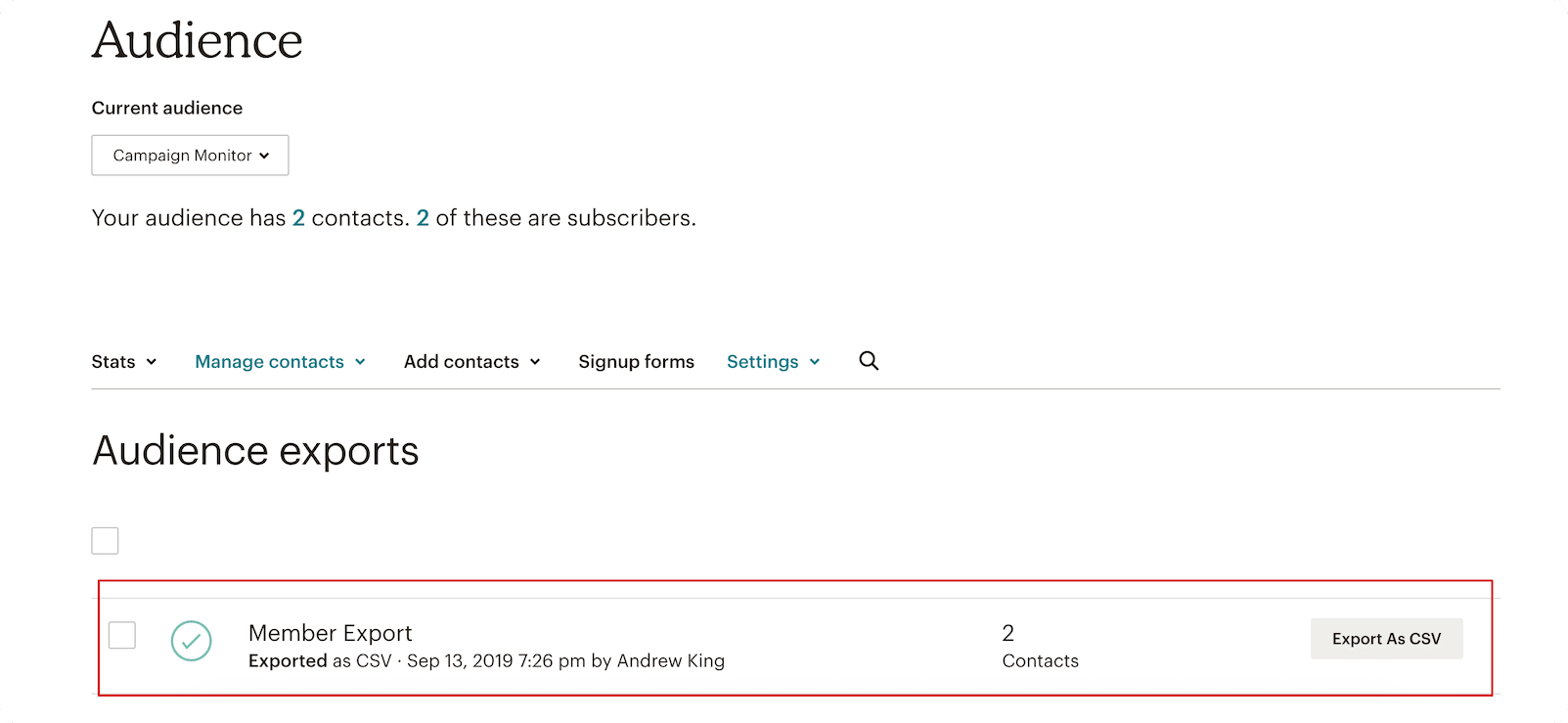
- The Export Command: Click the "Export Audience" button. Mailchimp will process your request, compiling your subscribers, tags, and custom field data.
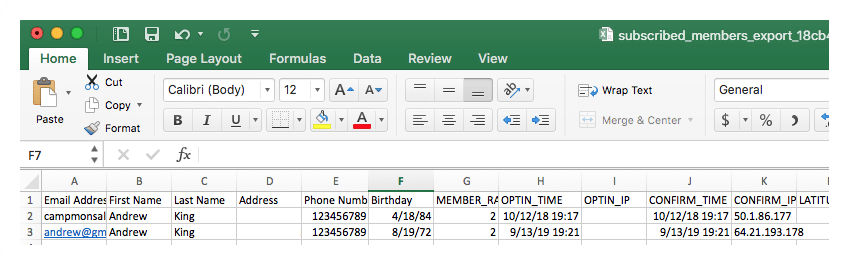
- CSV Generation: Once the system finishes, download the file as a CSV. For larger lists, this may take several minutes. Ensure the file remains uncorrupted by opening it in a spreadsheet application to verify that headers—such as email address, first name, and last name—are correctly formatted.
Phase 2: Preparing the Campaign Monitor Environment
Once you have your source data, it is time to set up your destination.
- Account Provisioning: Log into your Campaign Monitor account or sign up for a free trial to verify your settings before the final import.
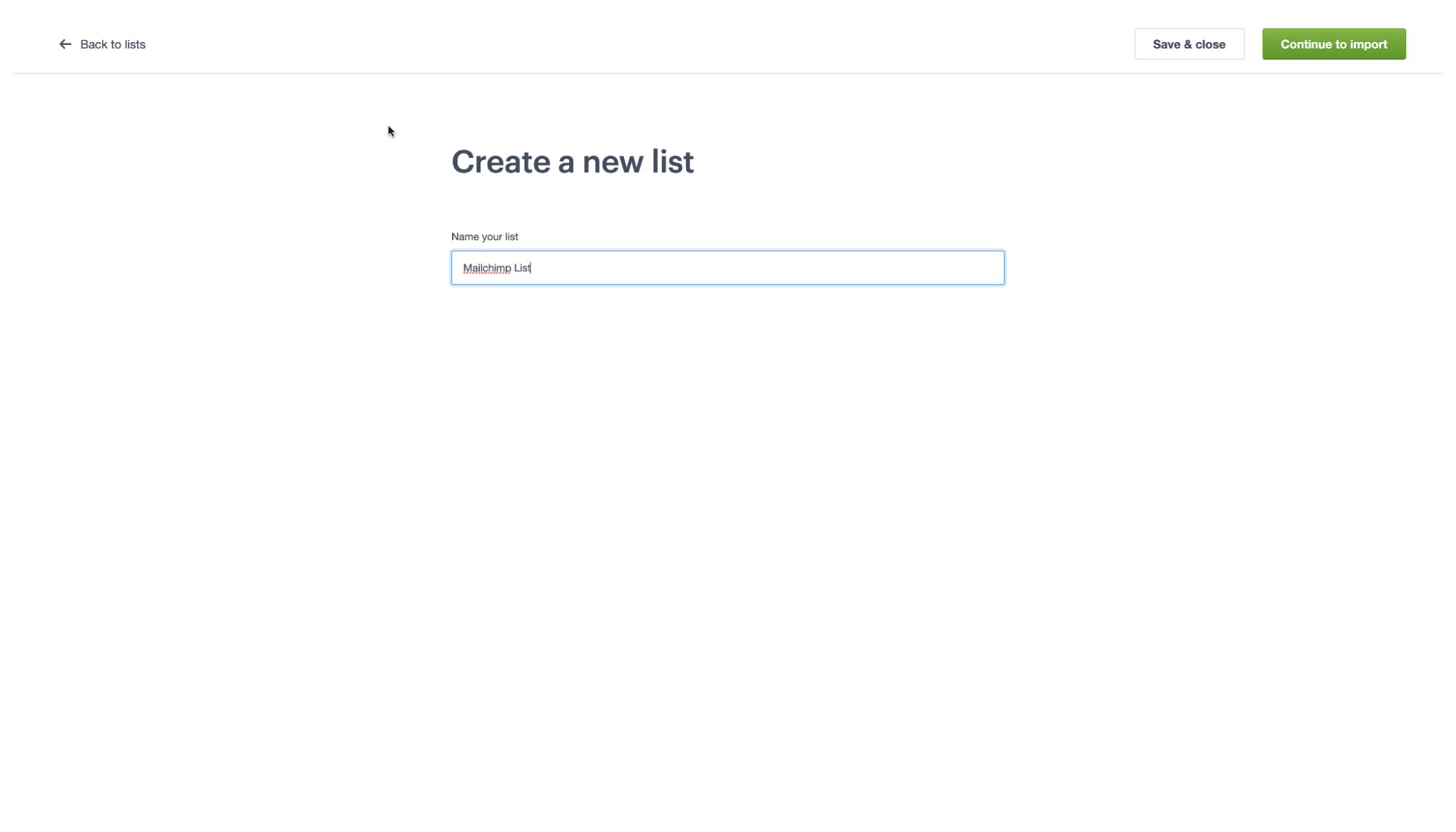
- List Creation: In the top menu, select "Lists & subscribers." Click "Create a list." You will be prompted to name your list; choose a naming convention that reflects the origin of these subscribers (e.g., "Mailchimp Migration – Q2").
Phase 3: The Import Process
This is the most critical juncture of the migration.
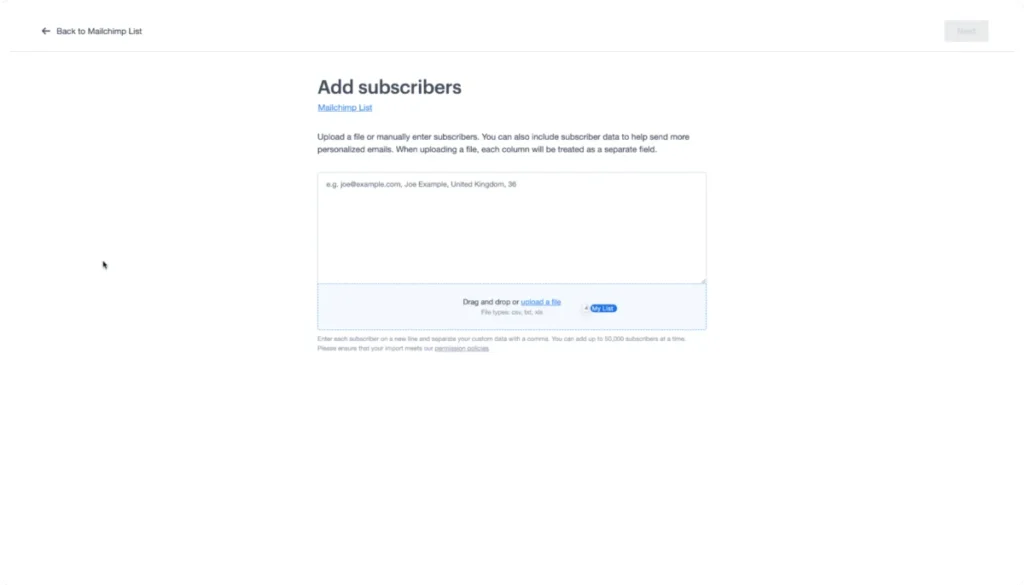
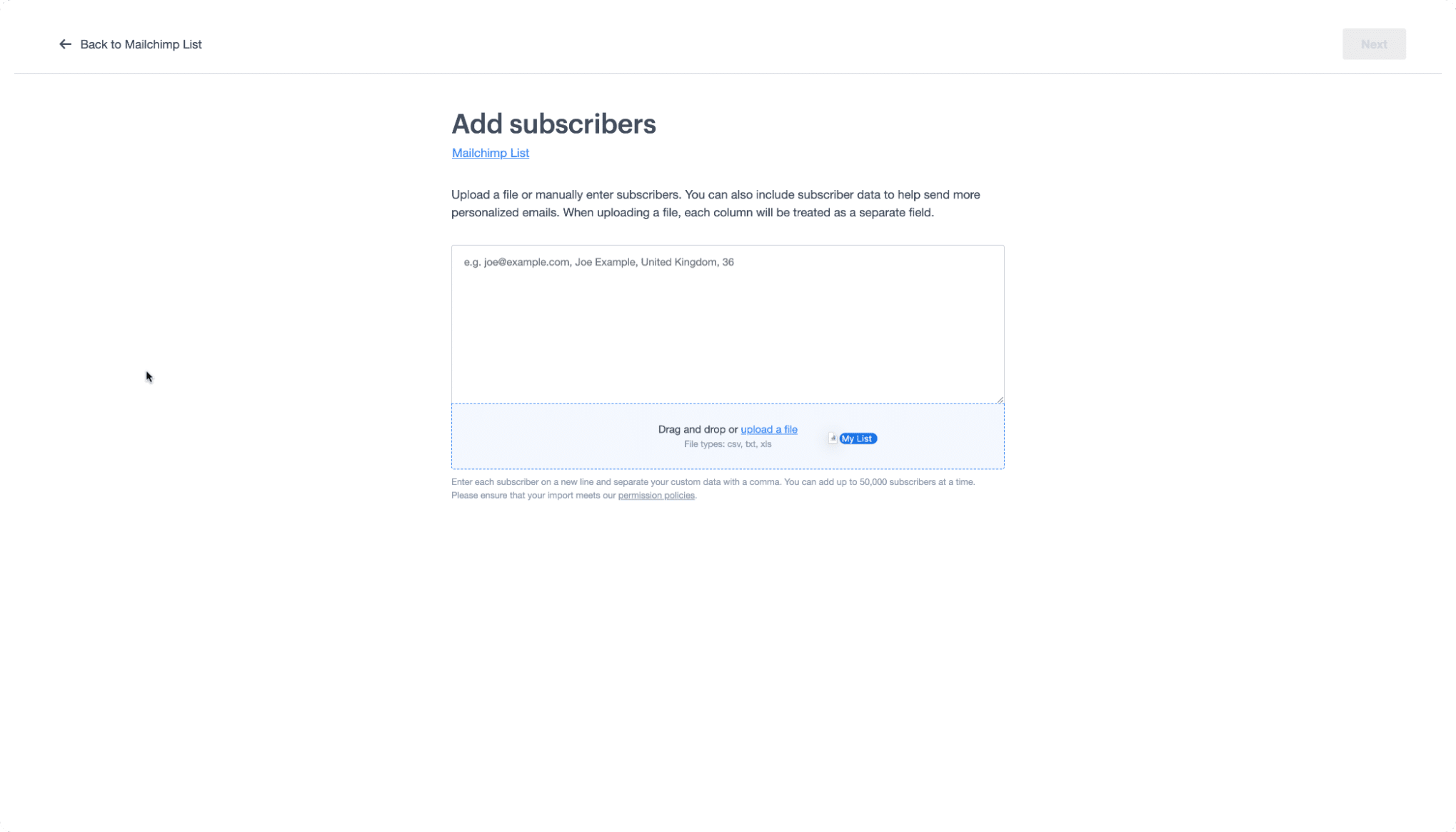
- Drag and Drop: Inside your newly created list, navigate to the import section. Drag your saved CSV file into the provided box.
- Field Mapping: The system will analyze your CSV headers. Campaign Monitor features an intelligent matching tool that will automatically map common fields like "Email" or "Name." If you have custom fields (formerly "tags" in Mailchimp), ensure these are mapped to the corresponding custom fields in Campaign Monitor to prevent data loss.
Decoding the Terminology: A Migration Glossary
One of the greatest challenges in switching software is the difference in vernacular. What one company calls a "Tag," another might call a "Custom Field." Understanding these linguistic nuances is essential for a smooth transition.
| Mailchimp Term | Campaign Monitor Equivalent | Definition |
|---|---|---|
| Audience | List | The primary repository for your contact data. |
| Subscribed Contact | Subscriber | An individual who has opted in to your marketing. |
| Tags | Custom Fields | Labels used to categorize and organize your data. |
| Groups | Segments | Sub-sections of your list based on specific behaviors or interests. |
By internalizing these differences, you can ensure that your automated workflows and segmentations remain functional after the migration.
Supporting Data: Ensuring Success
Migrating is not just about moving files; it is about maintaining your sender reputation. When you change platforms, your IP address—or the shared IP range—changes.
- Data Hygiene: Before importing to Campaign Monitor, use the migration as an opportunity to purge inactive subscribers or those with invalid email addresses. A clean list leads to higher open rates and better deliverability.
- The "Warm-Up" Period: When starting on a new platform, it is recommended to send smaller batches of emails to your most engaged subscribers first. This signals to ISPs (Internet Service Providers) that your traffic is legitimate and high-quality.
- Compliance Verification: Ensure that your opt-in records are intact. Moving platforms does not exempt you from GDPR or CAN-SPAM regulations; maintain your records of consent during the transition.
Official Perspectives and Expert Advice
The team at Campaign Monitor emphasizes that migration should be viewed as a "fresh start" rather than a simple data transfer. According to their internal documentation and support channels, the most successful migrations are those that take advantage of the platform’s advanced segmentation tools immediately upon arrival.
"Our goal is to ensure that the transition is invisible to the subscriber," says the Campaign Monitor support team. "By leveraging our ‘101’ training resources, users can move beyond simple list management and start utilizing our advanced automation tools that weren’t available in their previous environment."
Implications for Your Marketing Strategy
What does this migration mean for your bottom line?
- Increased Personalization: With better segmenting capabilities, you can move from "batch and blast" emails to highly targeted content that resonates with specific user personas.
- Operational Efficiency: Because the interface is more intuitive, your team will spend less time wrestling with the tool and more time crafting compelling copy and testing creative assets.
- Future-Proofing: By moving to a platform that specializes in email, you ensure that your marketing stack is robust, scalable, and prepared for the evolving standards of email security (such as BIMI and DMARC compliance), which Campaign Monitor supports natively.
Conclusion
Migrating your email marketing operation is a significant decision, but it is one that can yield substantial dividends in the form of improved performance and reduced operational friction. By following the systematic steps outlined in this guide—from careful data extraction to the strategic mapping of custom fields—you can move your audience to Campaign Monitor with confidence.
As digital landscapes continue to shift, your choice of tools remains your most important lever for growth. Whether you are a small business looking for simplicity or a growing brand seeking better deliverability, the path from Mailchimp to Campaign Monitor is well-trodden and designed to ensure that your marketing efforts continue without missing a single beat.
Editor’s Note: This article was updated for accuracy and freshness in May 2026. For specific technical assistance, please refer to the Campaign Monitor help center or contact their support desk directly.
Disclaimer: This blog provides general information and discussion about email marketing and related subjects. The content provided in this blog ("Content") should not be construed as and is not intended to constitute financial, legal, or tax advice. You should seek the advice of professionals prior to acting upon any information contained in the Content. All Content is provided strictly "as is" and we make no warranty or representation of any kind regarding the Content.
