

Mastering Data Attribution: A Comprehensive Guide to Tracking and Analyzing UTM Parameters in GA4
Last Modified: February 17, 2025

In the modern digital ecosystem, the ability to trace the precise origin of a website visitor is the cornerstone of effective marketing. Without granular visibility into traffic sources, businesses are effectively flying blind, unable to distinguish between a high-converting email campaign and a stagnant social media post. This is where Urchin Tracking Module (UTM) parameters become indispensable.

UTM parameters are specific text strings appended to URLs that act as digital breadcrumbs, feeding essential metadata into analytics platforms like Google Analytics 4 (GA4). While many marketers understand how to create these codes, a significant knowledge gap persists regarding how to effectively retrieve, filter, and interpret this data within the GA4 interface. This guide serves as a definitive resource for analysts and marketers aiming to master the "who, how, and what" behind their web traffic.
The Anatomy and Purpose of UTM Parameters
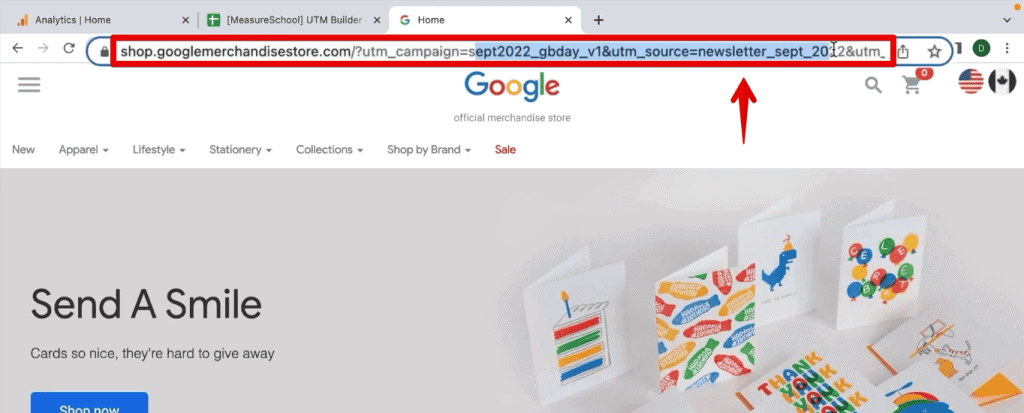
At their core, UTM parameters are simple key-value pairs added to the end of a URL. A typical link with these parameters looks like this: example.com/?utm_source=newsletter&utm_medium=email&utm_campaign=spring_sale.
When a user clicks such a link, GA4 captures these parameters, allowing marketers to bypass the limitations of "default" traffic attribution. For example, if a company runs concurrent campaigns on LinkedIn, Facebook, and Google Ads, standard analytics might group them all under a generic "Paid" channel. By utilizing UTM parameters, the marketer can granularly see that the LinkedIn campaign drove 40% more conversions than the Facebook equivalent, despite similar click-through rates.
Why Precision Matters
UTM parameters are best deployed for external traffic sources—such as email newsletters, guest blog posts, social media advertisements, and affiliate links. They provide a "true story" of user intent. By tagging links, organizations can:
- Isolate Performance: Identify exactly which specific creative or messaging strategy yielded the highest ROI.
- Optimize Budgeting: Reallocate marketing spend away from underperforming channels based on hard data rather than intuition.
- Improve UX: Understand which landing pages resonate with which audience segments.
Chronology of Setup: From Creation to Analysis
To effectively utilize UTM data, one must follow a structured workflow. The process begins long before the data hits your analytics dashboard.
1. Standardized Creation
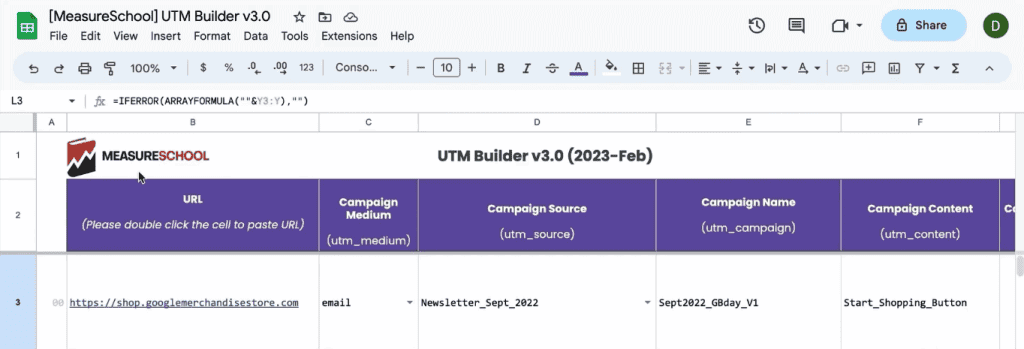
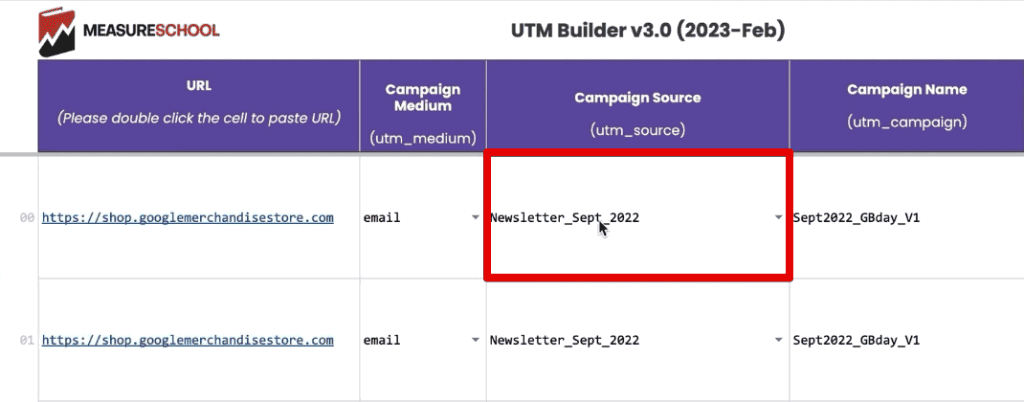
The first step is consistency. Tools like the Google Campaign URL Builder or custom internal spreadsheets are essential. Organizations should adhere to a strict naming convention—using lowercase letters and consistent delimiters (e.g., underscores instead of spaces) to prevent data fragmentation.
2. The Required Fields
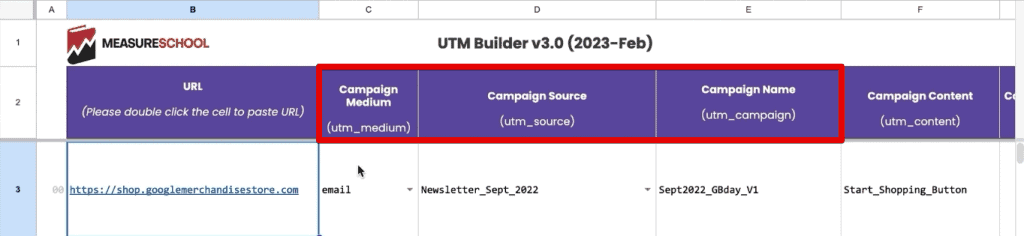
For GA4 to function optimally, every tracked URL should include the "Big Three":
- utm_source: The origin of the traffic (e.g., "newsletter").
- utm_medium: The marketing channel (e.g., "email").
- utm_campaign: The specific initiative (e.g., "september_2022_launch").
3. Optional Granularity
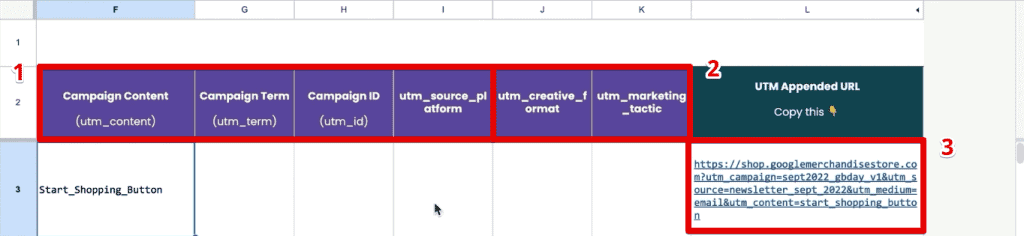
Additional parameters—such as utm_content (for A/B testing elements) and utm_term (for keyword tracking)—allow for deeper analysis. Note that while some parameters like utm_creative_format exist, they are not currently supported by GA4 reporting, making them extraneous for most users.
Navigating GA4: Standard vs. Exploration Reports
Once the traffic begins to flow, the data must be synthesized. There are two primary ways to view this information in GA4.
The Traffic Acquisition Report (Standard)
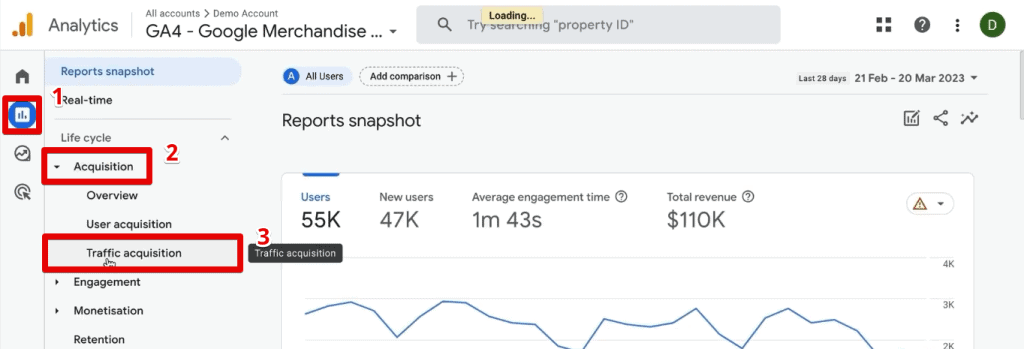
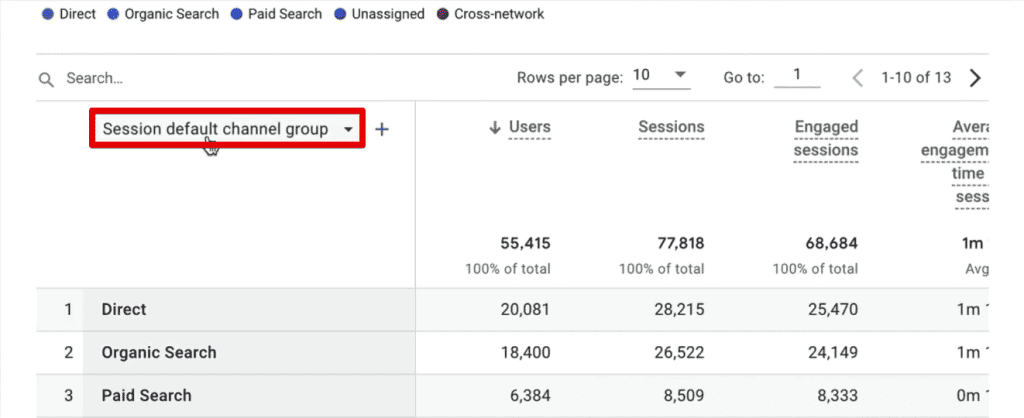
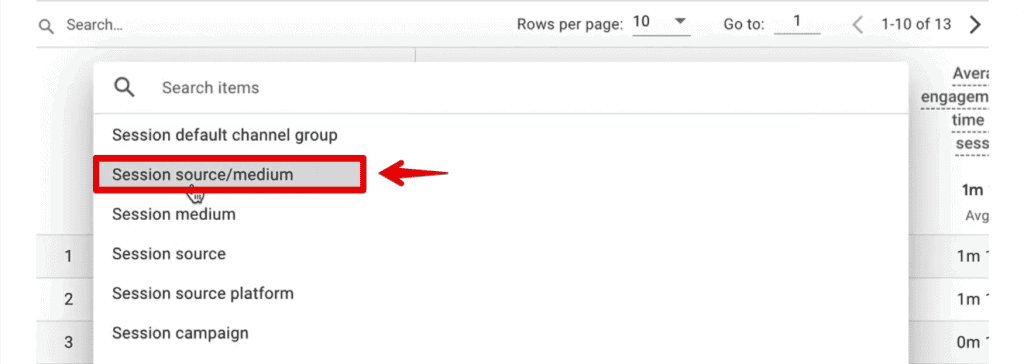
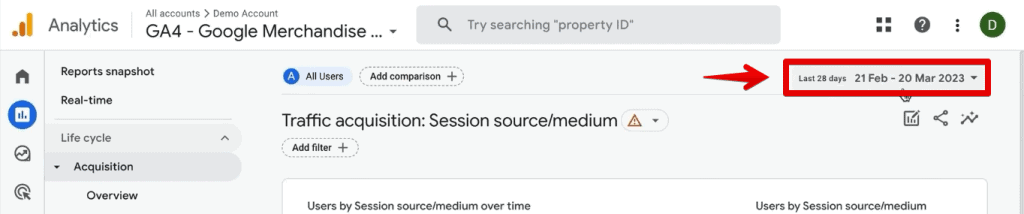
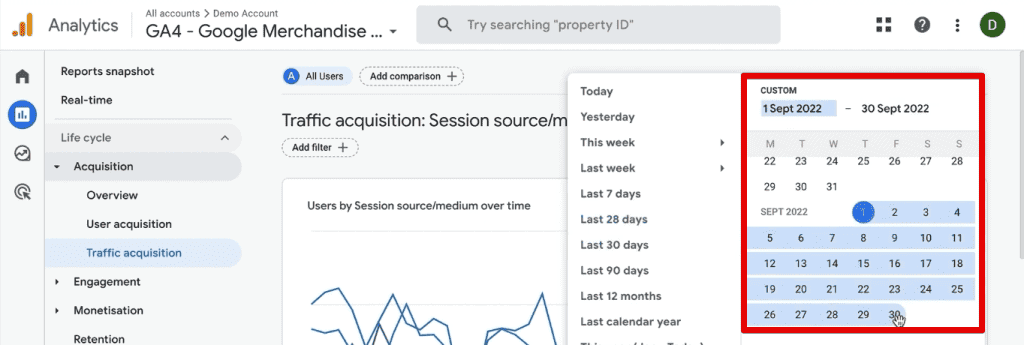
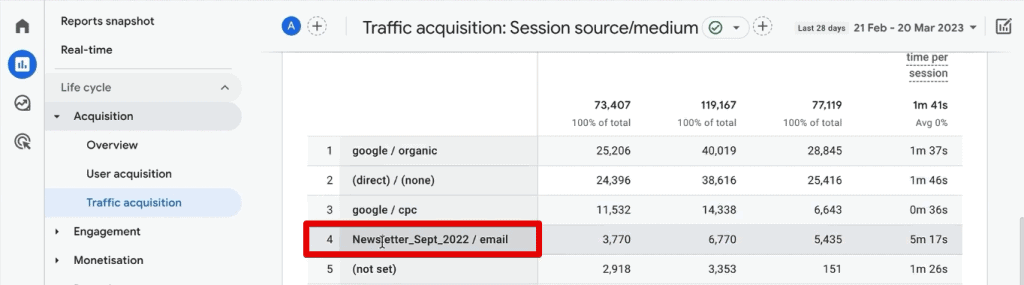
For quick, high-level insights, navigate to Reports > Acquisition > Traffic Acquisition. By default, the table displays the "Session default channel group." To reveal your UTM data, click the dimension dropdown and select Session source/medium.
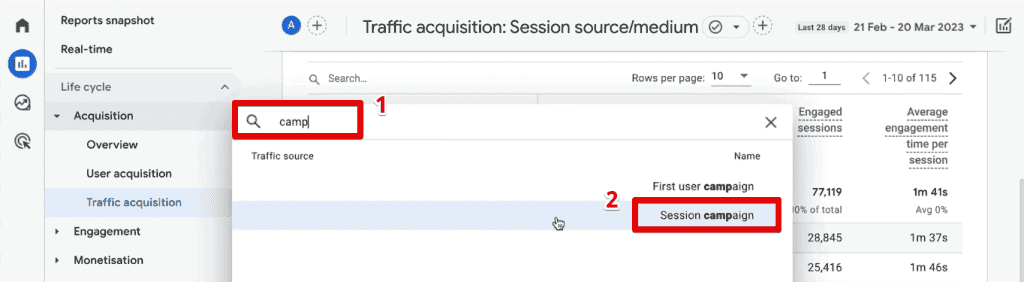
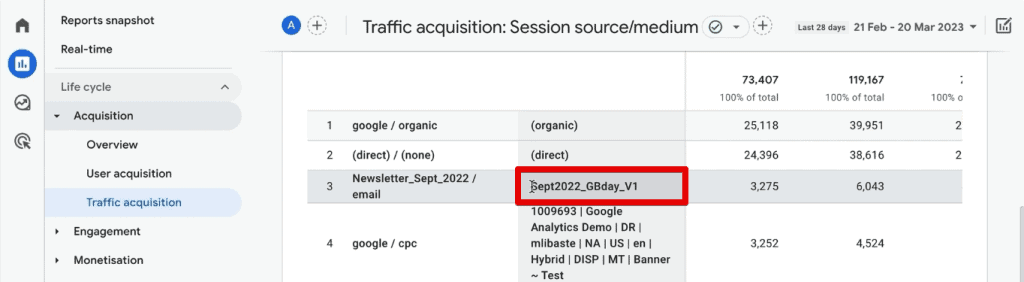
This view provides an immediate overview of how specific campaigns are performing. By adding a secondary dimension (using the "+" button) and searching for Session campaign, you can layer your data to see exactly which initiatives are driving the most sessions.
The Power of Exploration Reports
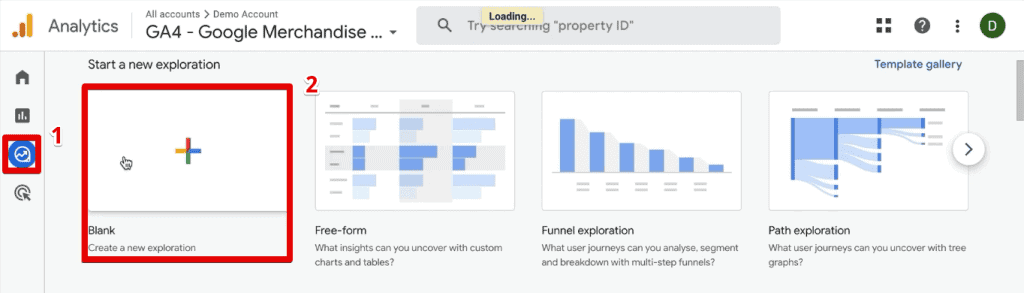
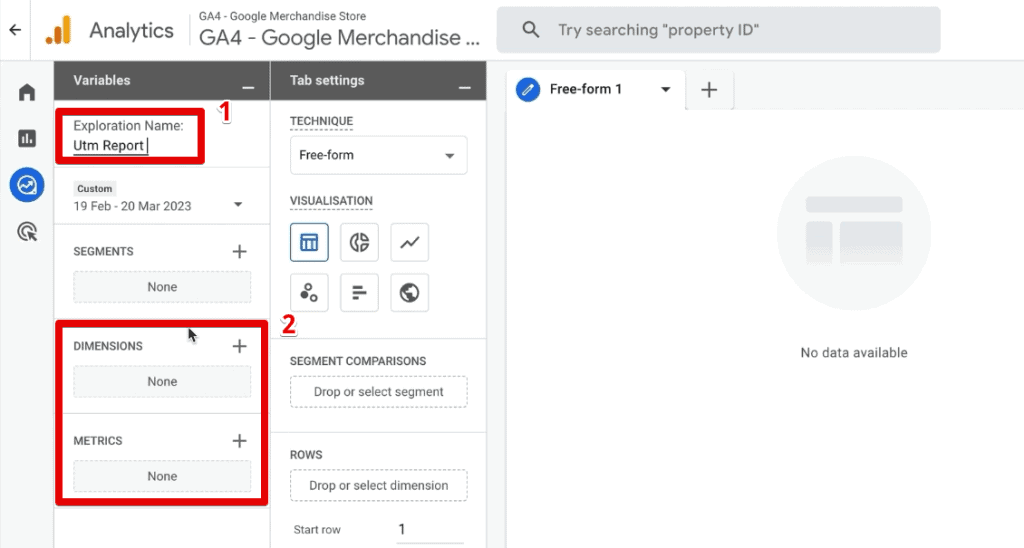
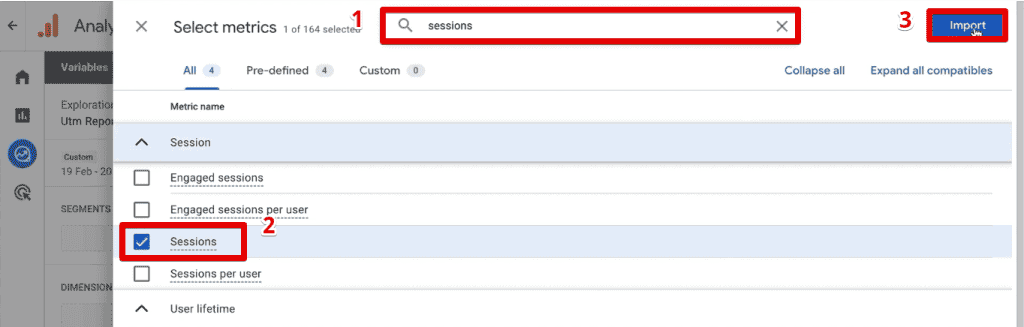
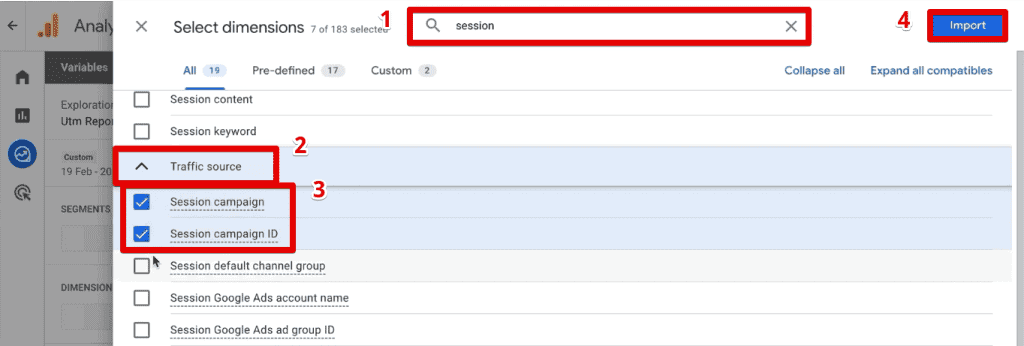
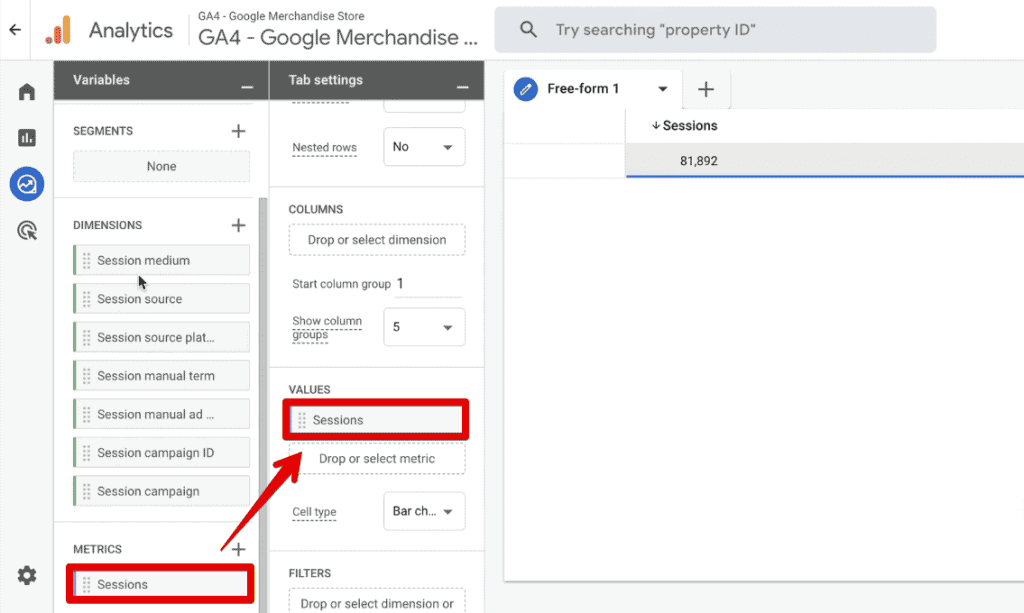
For complex analysis, standard reports often fall short. This is where Exploration Reports become the professional analyst’s primary tool. By creating a Blank report in the "Explore" tab, you gain the ability to drag and drop specific dimensions and metrics.
When building these reports, mapping your UTM parameters to GA4 dimensions is crucial. For instance:

utm_sourcemaps to Session source.utm_mediummaps to Session medium.utm_campaignmaps to Session campaign.
By adding these as rows and choosing Sessions or Transactions as your values, you can create a bespoke dashboard that filters out noise and highlights performance metrics specific to your campaign objectives.
Advanced Strategies: CRM Integration and Beyond
For enterprises, tracking data within GA4 is only half the battle. To achieve a 360-degree view, this data must often be integrated into Customer Relationship Management (CRM) systems.
Capturing Data in Hidden Fields
To track a lead’s journey from their first click to their eventual conversion, marketers often store UTM parameters in browser cookies. These values can then be passed into hidden fields in web forms. When a user submits their contact information, the CRM captures the specific UTM source, medium, and campaign associated with that lead. This allows sales teams to see not just that a lead signed up, but exactly which marketing activity triggered that sign-up.
Custom Dimensions
If the standard UTM parameters do not capture enough detail, GA4 allows for custom dimensions. By using Google Tag Manager (GTM), you can capture custom query parameters and send them to GA4 as distinct data points, providing even greater flexibility for complex campaign structures.
Implications of Misattributed Traffic
The most common failure in web analytics is the phenomenon of "Too Much Direct Traffic." If an organization reports that 30% of its traffic is "Direct," it is almost certainly a sign of broken tracking. When users click an un-tagged link, the analytics platform loses the referral context and defaults to "Direct/None."
Furthermore, Fragmented Traffic is a silent killer of ROI analysis. Because GA4 is case-sensitive, utm_source=Facebook and utm_source=facebook will be reported as two distinct entities. This creates a skewed view of performance and complicates data aggregation. The implication is clear: without a rigid, enforced internal naming policy, the value of your analytics data diminishes rapidly.
Summary and Professional Best Practices
Mastering UTM parameters in GA4 is a transition from basic observation to strategic analysis. It requires a commitment to:
- Consistency: Standardize your naming conventions across all departments.
- Documentation: Keep a central repository of all active UTM parameters.
- Exploration: Use the Exploration Reports feature to slice data in ways standard reports cannot.
- Integration: Move beyond analytics by passing UTM data into your CRM to bridge the gap between marketing clicks and actual revenue.
As the digital landscape becomes increasingly privacy-focused, the ability to collect and interpret first-party data through UTM parameters remains the most reliable way to measure the success of your digital investments. Whether you are conducting A/B testing on email banners or running global ad campaigns, the discipline you apply to your tagging today will dictate the clarity of your insights tomorrow.
