
Seamless Transitions: A Comprehensive Guide to Migrating Your Email Marketing from Mailchimp to Campaign Monitor
In the competitive landscape of digital marketing, the platform you choose to manage your audience can define the success of your outreach efforts. For many small businesses and growing enterprises, the journey often begins with Mailchimp. However, as business requirements evolve—demanding more specialized design tools, superior deliverability, or a more intuitive user interface—marketers frequently find themselves searching for a more robust alternative.
Campaign Monitor has emerged as a premier destination for those seeking to elevate their email marketing strategy. With over two decades of experience in the industry, the platform offers a streamlined, high-performance environment tailored for efficiency. If you are currently navigating the transition from Mailchimp to Campaign Monitor, this guide serves as your comprehensive roadmap to ensuring your marketing momentum remains uninterrupted.
The Strategic Shift: Why Businesses Are Choosing Campaign Monitor
The decision to migrate a database of subscribers is not one to be taken lightly. It requires careful planning and a clear understanding of the value proposition offered by the new platform. While several enterprise solutions focus on "omnichannel" expansion—often bloating their feature sets with unnecessary complexity and higher price points—Campaign Monitor maintains a laser focus on what matters most: email marketing excellence.
Core Advantages for Modern Marketers
- Mobile-First Design: In an era where the majority of emails are opened on mobile devices, Campaign Monitor’s library of responsive, customizable templates ensures your brand looks polished on every screen.
- Intuitive Tooling: Whether you are a novice creator or a seasoned automation expert, the platform’s interface is designed to reduce the learning curve, allowing you to build sophisticated campaigns in minutes.
- World-Class Deliverability: Behind every great campaign is a message that actually reaches the inbox. Campaign Monitor’s dedicated deliverability teams work tirelessly to ensure your sender reputation remains intact.
- Support-Centric Philosophy: Unlike platforms that hide behind automated chatbots, Campaign Monitor prides itself on providing human-led, friendly support, ensuring you are never left guessing during a critical campaign launch.
For those still sitting on the fence, the company offers a comprehensive free trial, allowing users to explore the interface, test the drag-and-drop builder, and experience the dashboard’s capabilities before committing to a paid plan.
The Migration Chronology: A Step-by-Step Execution Plan
Migrating your data is a straightforward process, provided you follow a systematic approach. By breaking the transition into manageable phases, you can ensure that your contact data, custom fields, and subscriber history are accurately preserved.
Step 1: Exporting Your Foundation
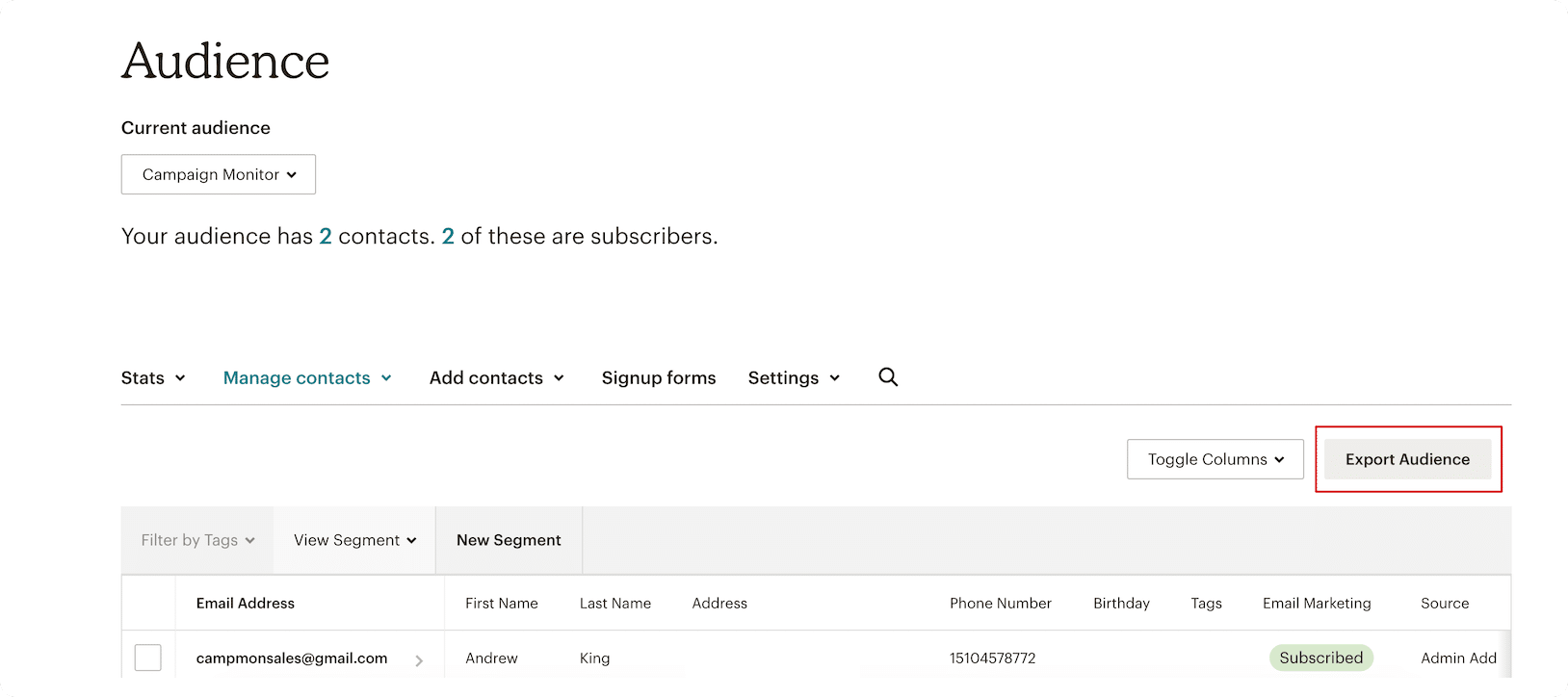
Your first task is to extract your current subscriber data from Mailchimp. Log into your account, navigate to your "Audience" tab, and select the specific segments you wish to migrate. Use the "Export Audience" feature. This initiates the creation of a compressed file containing your valuable subscriber information.
Step 2: The CSV Download
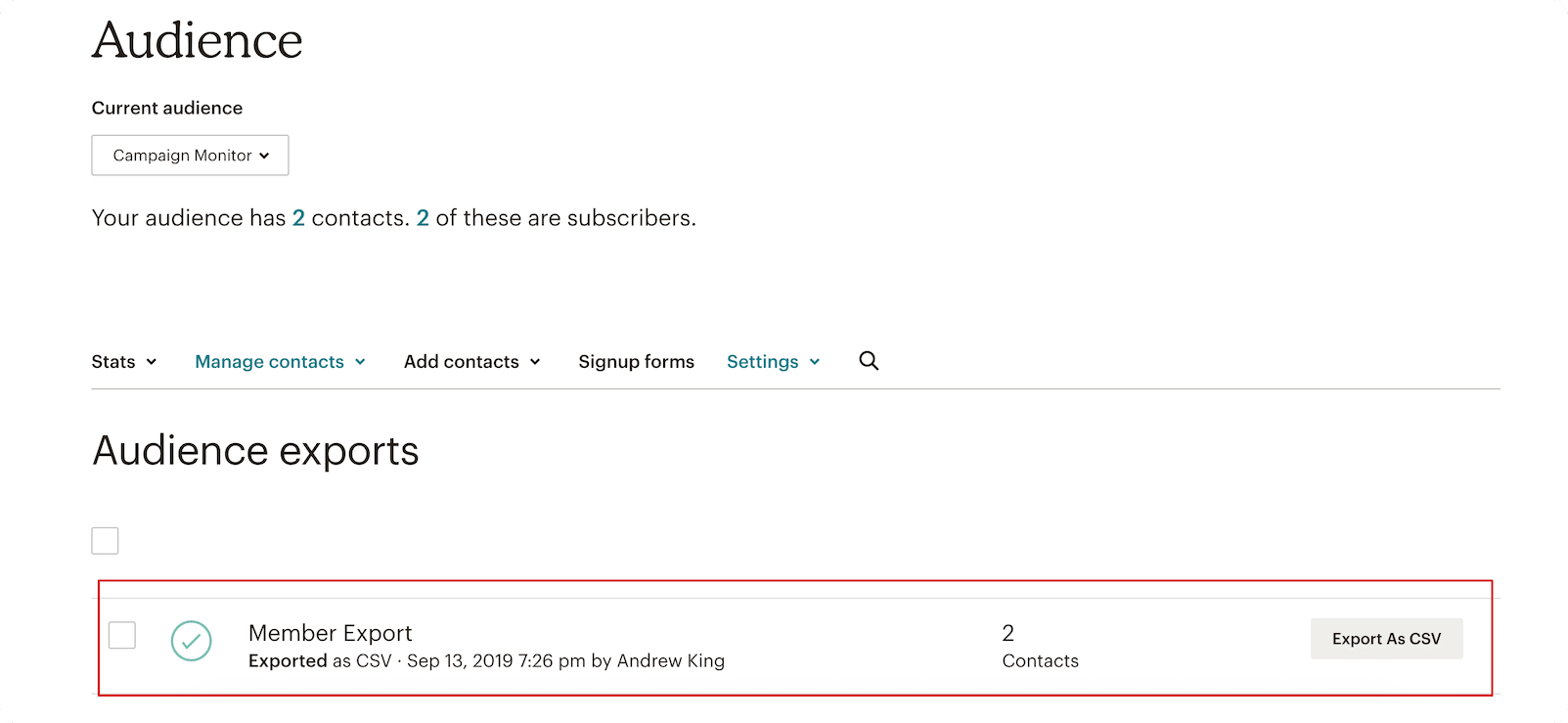
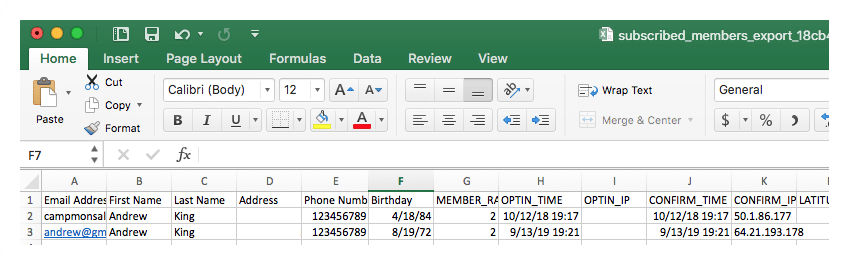
Once Mailchimp has finished processing your request, you will be prompted to download the data as a CSV file. Note that for larger audiences, this process may take a few minutes. Ensure you save this file in a secure, easily accessible folder. When opened, this file will serve as the source of truth for your new Campaign Monitor list.
Step 3: Initializing Your Campaign Monitor List
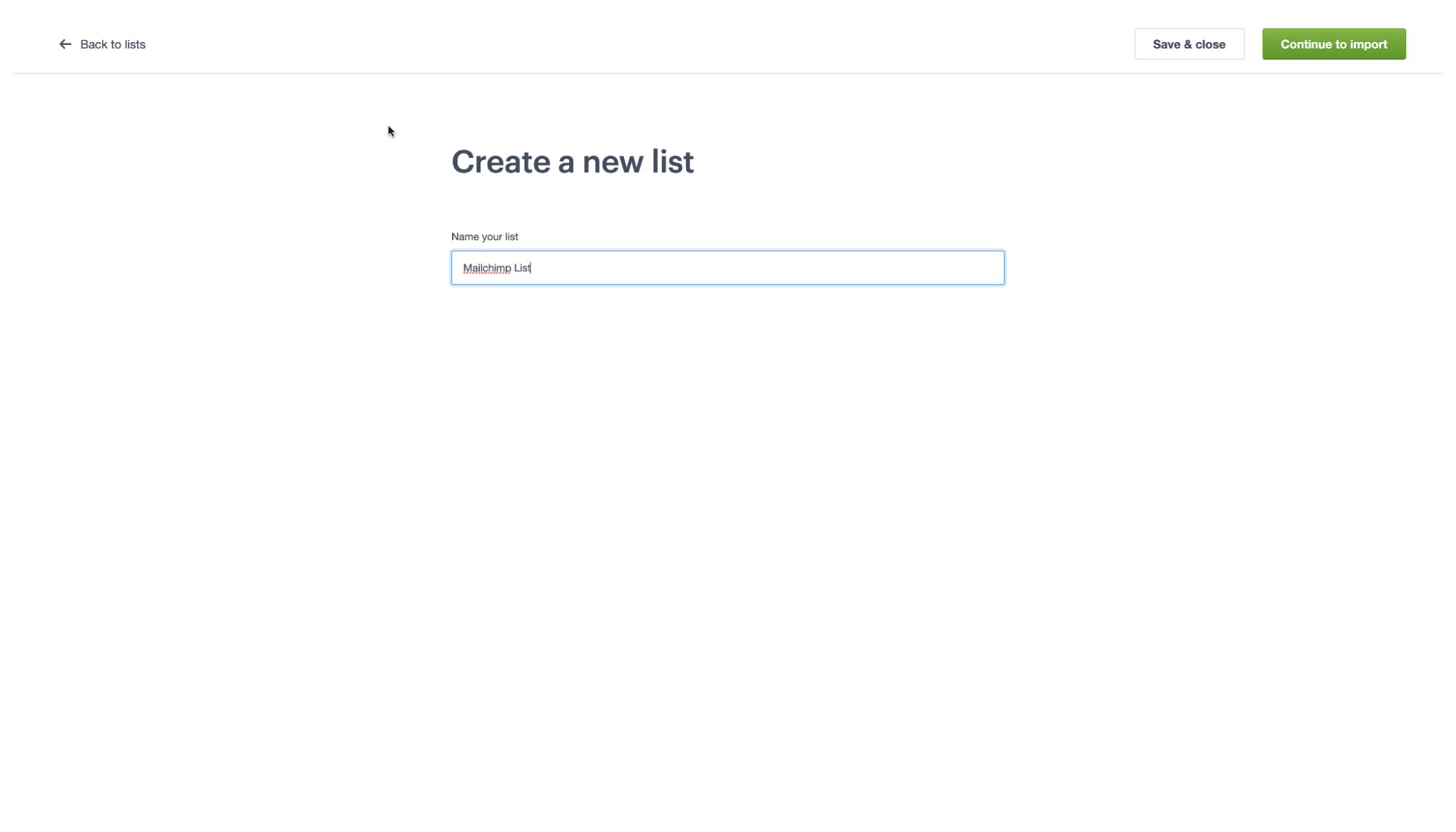
Navigate to your newly created Campaign Monitor account. From the top navigation menu, select "Lists & Subscribers." You will see a button labeled "Create a List." Click this, provide a descriptive name for your list, and proceed to the import screen. This phase sets the stage for your new, optimized marketing environment.
Step 4: The Import Process
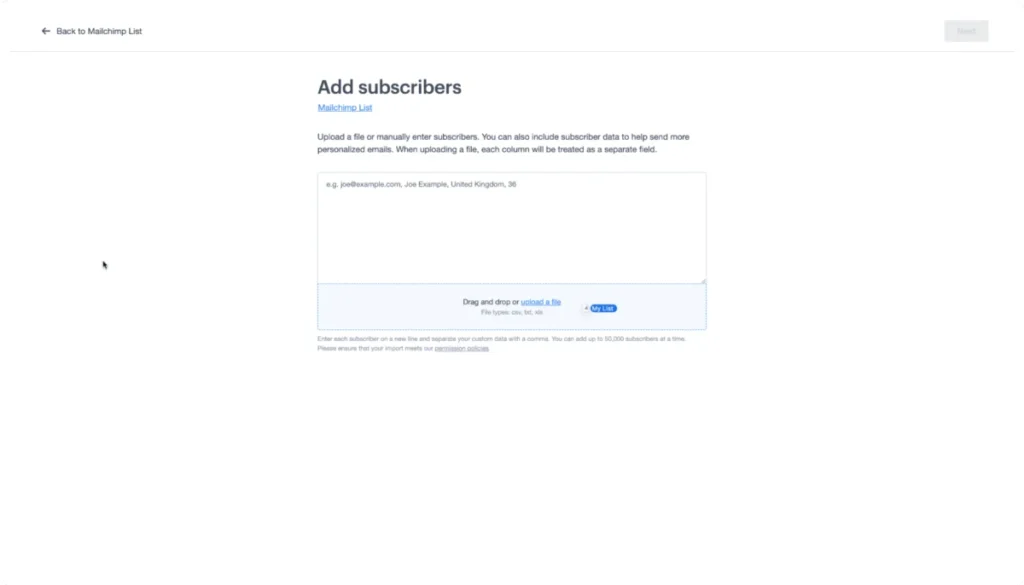
Campaign Monitor makes data ingestion effortless. Simply drag and drop your CSV file into the designated area on the import screen. The system will automatically begin parsing the data, cross-referencing your headers to ensure all information is accounted for.
Step 5: Data Mapping and Custom Fields
This is arguably the most critical step. You must map your existing CSV headers to the corresponding fields in Campaign Monitor. If you have previously defined custom fields within the platform, Campaign Monitor’s intelligent system will often detect and match these automatically, saving you significant manual effort. Once mapped, your contacts will be populated, and you are ready to begin sending.
Understanding the Linguistic Shift: A Migration Glossary
One of the most common hurdles during platform migration is the difference in terminology. What Mailchimp calls an "Audience," Campaign Monitor refers to as a "List." Below is a translation guide to help your team adjust to the new interface.
| Feature (Mailchimp) | Terminology (Campaign Monitor) | Definition |
|---|---|---|
| Audience | List | The primary repository where your subscriber data is stored. |
| Subscribed Contact | Subscriber | An individual who has opted into your mailing list. |
| Tags | Custom Fields | Labels used to categorize and organize contact data. |
| Groups | Segments | Sub-sections of your list based on behavior or preference. |
Understanding these nuances is essential for effective list management and reporting accuracy. For instance, while you may be accustomed to using "Tags" in Mailchimp, you will find that "Custom Fields" in Campaign Monitor offer the same, if not greater, flexibility for personalizing your communication.
Supporting Data and Industry Trends
Data migration is a significant undertaking, but it is often a necessary response to changing market conditions. Industry benchmarks suggest that small businesses that switch to more specialized, user-friendly email platforms see a 15-20% increase in productivity within the first quarter. By reducing the time spent navigating complex, non-email-related features, marketing teams can pivot their energy toward creative development, A/B testing, and strategy refinement.
Furthermore, deliverability rates—a primary driver for switching platforms—often see an immediate boost when moving to a platform like Campaign Monitor, which enforces strict compliance and proactive reputation management.
Official Guidance and Best Practices
Campaign Monitor maintains a robust knowledge base to support users through every step of the transition. Their official support documentation emphasizes the importance of cleaning your lists before importing them. "Migration is the perfect opportunity to prune inactive subscribers," suggests the Campaign Monitor editorial team. By scrubbing your list of bounce-prone or unengaged contacts during the move, you ensure a higher engagement rate from day one in your new account.
For those requiring visual assistance, the platform’s "Campaign Monitor 101" video series provides high-definition tutorials on everything from list segmentation to advanced automation workflows, ensuring that you can maximize the ROI of your email marketing efforts.
The Long-Term Implications of Your Migration
Switching your email service provider is more than a technical upgrade; it is a strategic repositioning of your brand’s voice. By moving to a platform that prioritizes the user experience and provides granular control over email design and list segmentation, you are investing in the long-term scalability of your marketing operations.
Strategic Benefits:
- Reduced Overhead: By focusing on an email-specific platform, you avoid paying for features you don’t use.
- Increased Personalization: With custom fields effectively migrated, you can leverage sophisticated segmentation to deliver highly relevant content to your audience.
- Future-Proofing: As your business grows, Campaign Monitor’s ability to scale with your list size ensures that your infrastructure will not become a bottleneck.
Final Considerations
Migrating from Mailchimp to Campaign Monitor is a well-trodden path for thousands of successful businesses. By following the steps outlined in this guide—from careful data export to precise field mapping—you can transition your audience with confidence.
Should you encounter any challenges, the Campaign Monitor support team and their extensive library of help articles stand ready to assist. As of May 2026, these processes have been refined to be as seamless as possible, ensuring that your transition is not just a change in software, but a step forward in your overall marketing effectiveness.
Disclaimer: This article provides general information regarding email marketing and platform migration. It does not constitute financial, legal, or tax advice. Always seek the advice of qualified professionals before making significant changes to your business infrastructure. All content is provided "as is," and no warranties are made regarding the specific outcomes of your migration.
