

Mastering Regular Expressions in Google Analytics 4: A Comprehensive Guide
Last Modified: February 17, 2025

Digital analytics has evolved significantly, shifting from simple data collection to complex, multi-layered insight generation. At the heart of this evolution lies a powerful tool that, while often intimidating to beginners, is essential for data precision: Regular Expressions, or RegEx.
For professionals who managed web traffic via Universal Analytics or implemented tracking through Google Tag Manager, RegEx was the "secret sauce" for capturing dynamic data. As the industry has transitioned to Google Analytics 4 (GA4), the syntax remains a critical competency. While GA4 offers a more modern interface, the ability to manipulate text data via RegEx is more relevant than ever. This guide explores the utility, implementation, and best practices of using RegEx within the GA4 ecosystem.
What is RegEx and Why Does It Matter?
At its core, a Regular Expression (RegEx) is a sequence of characters that forms a search pattern. Far predating the era of modern digital analytics, RegEx is a fundamental concept in computer science used to parse, validate, and manipulate text strings.
In the context of GA4, RegEx is the ultimate efficiency tool. Instead of manually creating individual filters for every variation of a URL or event parameter, a single, well-constructed RegEx string can capture hundreds of dynamic values simultaneously.
Why Use RegEx?
- Pattern Matching: It allows you to match complex strings that follow a specific structure, such as identifying all blog posts under a specific subdirectory.
- Efficiency: It reduces the need for manual data cleaning.
- Flexibility: It handles dynamic values (like query parameters or user IDs) that change frequently.
- Precision: It enables analysts to exclude "noise"—such as internal traffic or irrelevant referral domains—with surgical accuracy.
Understanding RegEx Match Types in GA4
Filtering in GA4 is heavily reliant on "Match Types." These conditions dictate how the system interprets your RegEx string. It is a common pitfall for analysts to overlook these, leading to unexpected data discrepancies.
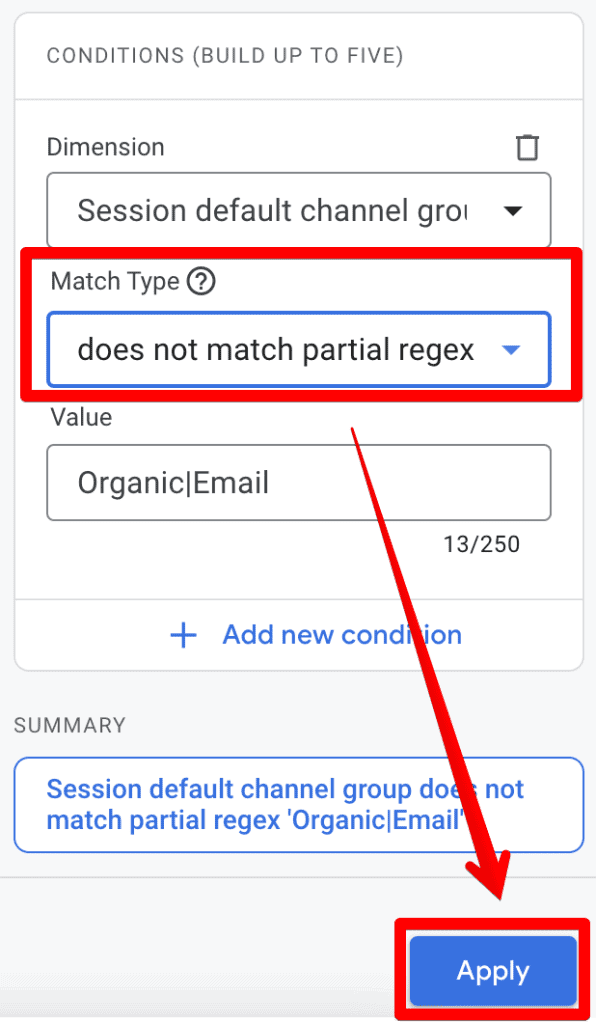
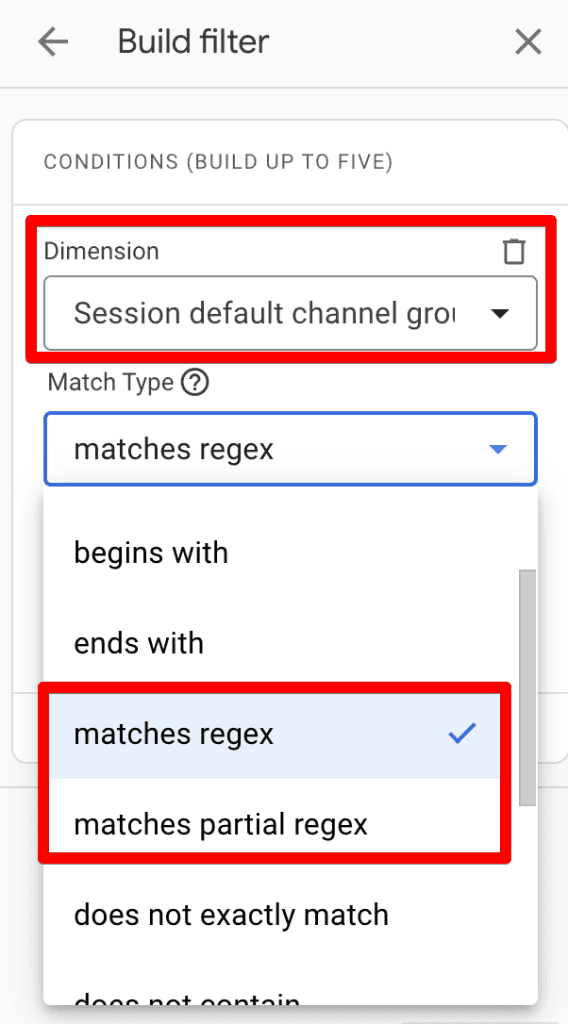
- Matches Regex: This is the standard "exact match" operator. It requires the entire string to conform to your pattern.
- Matches Partial Regex: This is often the more versatile option for beginners, as it looks for the pattern anywhere within the text string.
Crucial Note: By default, GA4 filter conditions are case-sensitive. If your RegEx is lowercase but your data includes uppercase parameters, the filter will fail. Always account for case variations unless your specific implementation guarantees uniform casing.
The Technical Reality: RE2 Syntax
GA4 utilizes the RE2 regex syntax. Unlike some "PCRE" (Perl-compatible) engines, RE2 is designed for safety and performance, preventing "catastrophic backtracking" which can slow down reporting. However, this comes with limitations:
- No support for "lookahead" or "lookbehind" assertions.
- Limited support for backreferences.
- Specific handling of non-greedy qualifiers.
Understanding these constraints is vital for high-level data engineering within the GA4 platform.
Where Can You Deploy RegEx in GA4?
RegEx isn’t a "one-size-fits-all" tool; it is embedded throughout the GA4 interface to assist in data governance and reporting.
1. Standard Reports
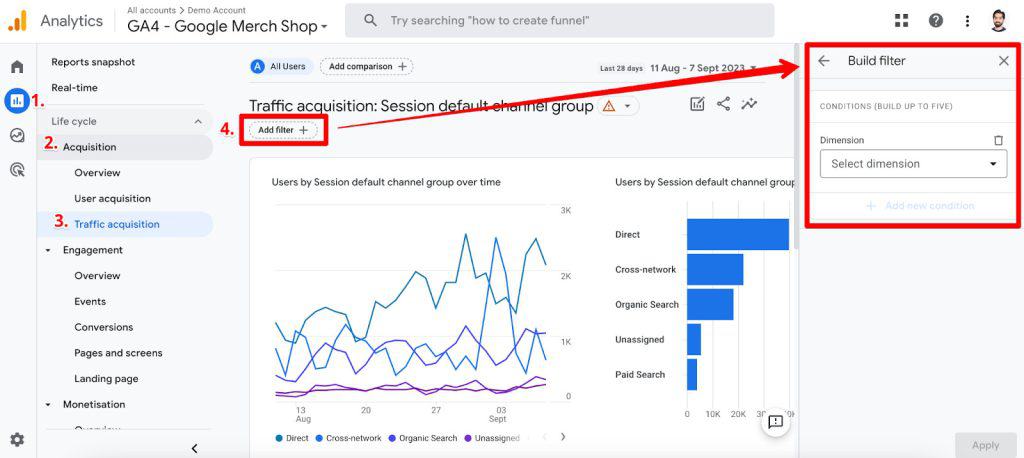
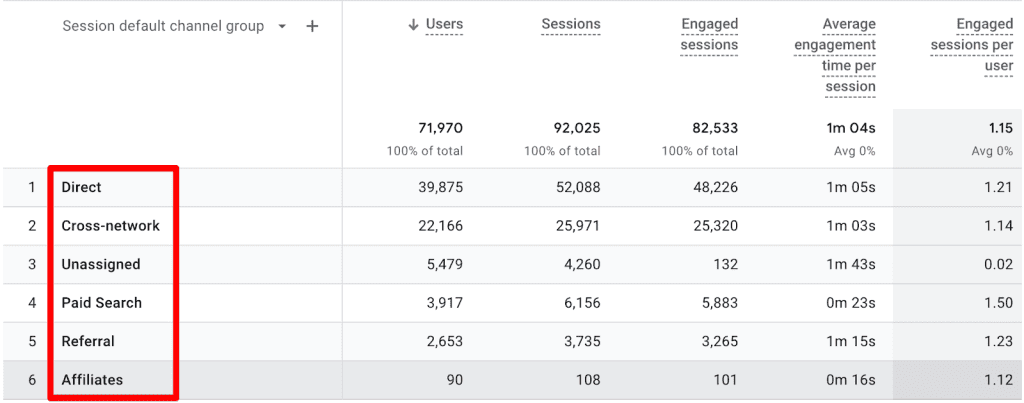
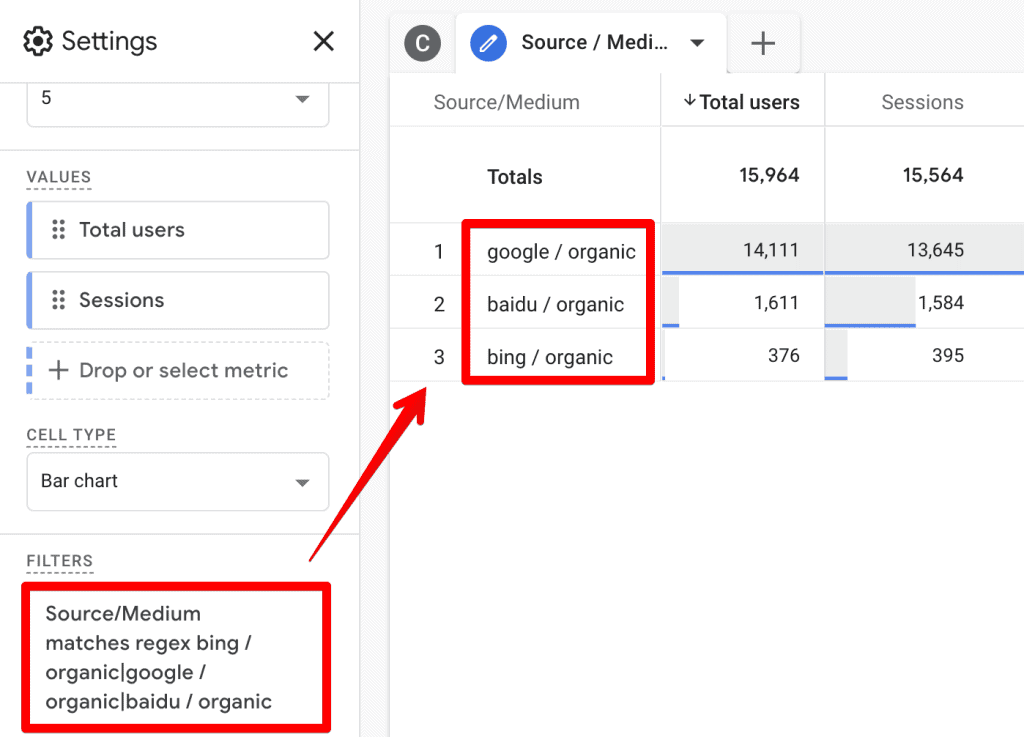
Standard reports offer a "Filter" option at the top of the interface. This is the most common place to use RegEx. By selecting "matches regex" or "matches partial regex," you can quickly isolate specific segments of your traffic.
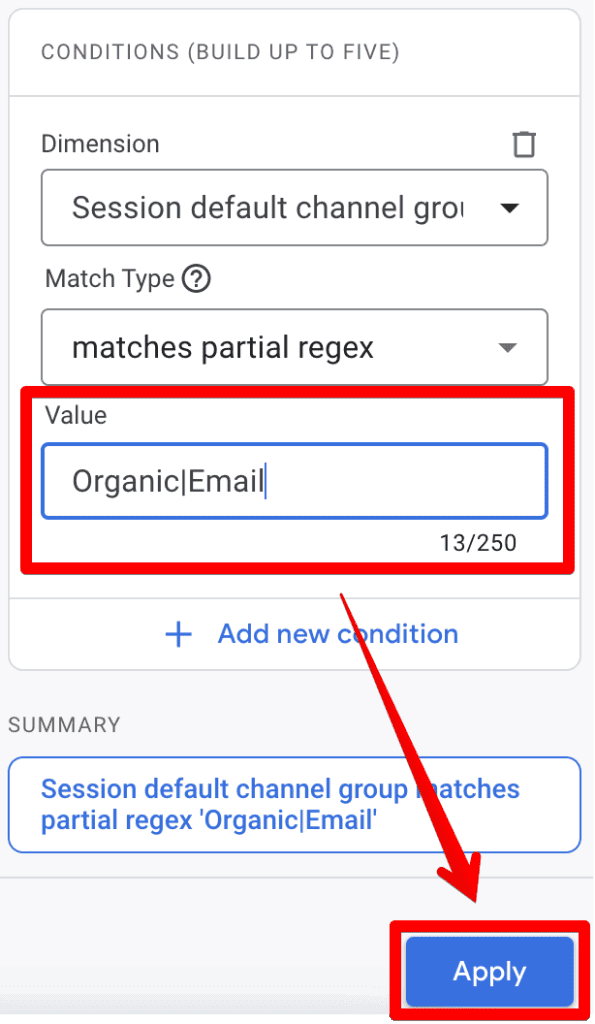
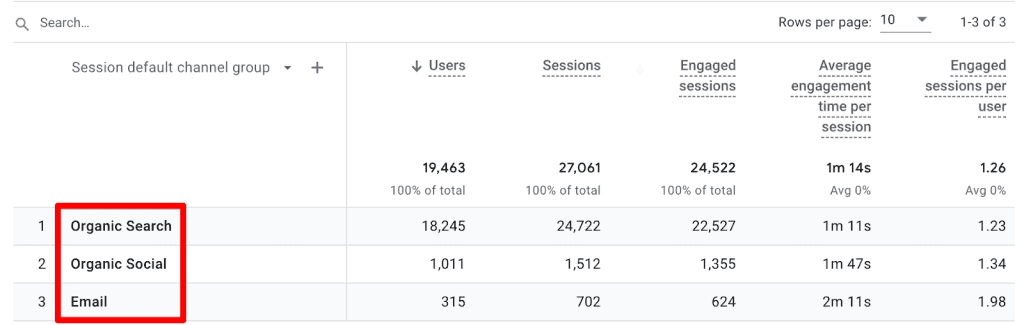
- Use Case: If you want to see performance for organic traffic and email campaigns simultaneously, applying a filter with the value
organic|email(using the pipe as an "OR" operator) allows you to aggregate this data instantly.
2. Explorations
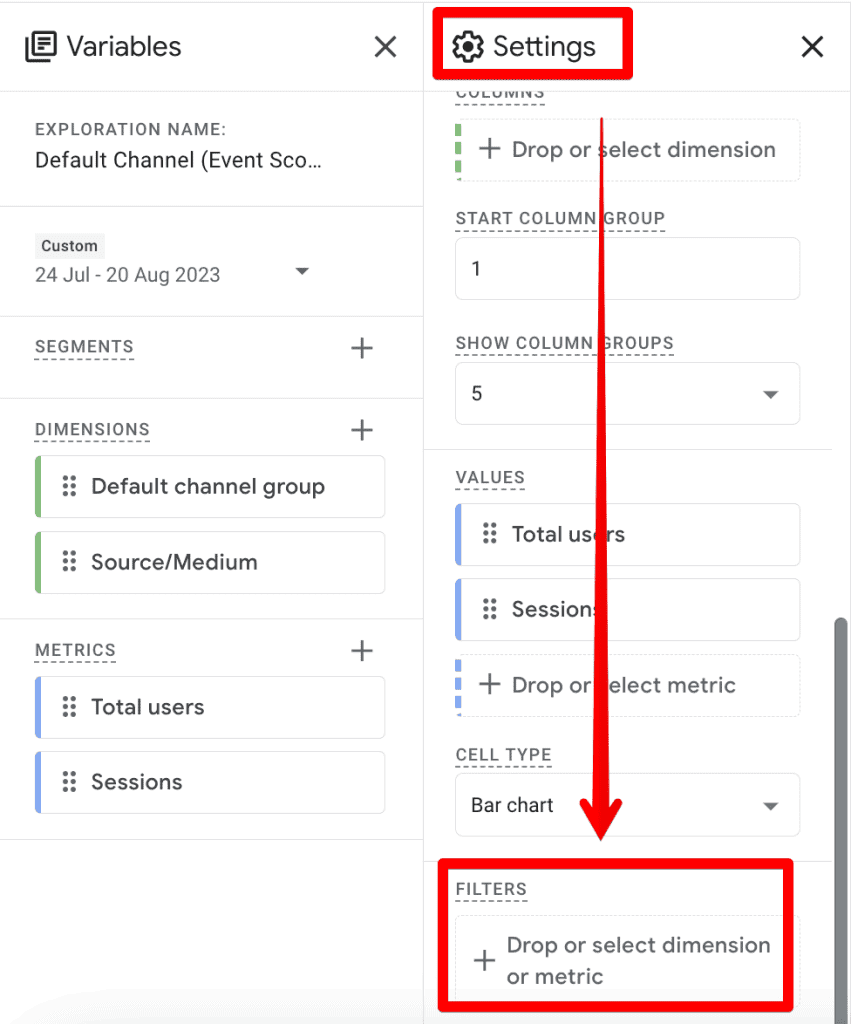
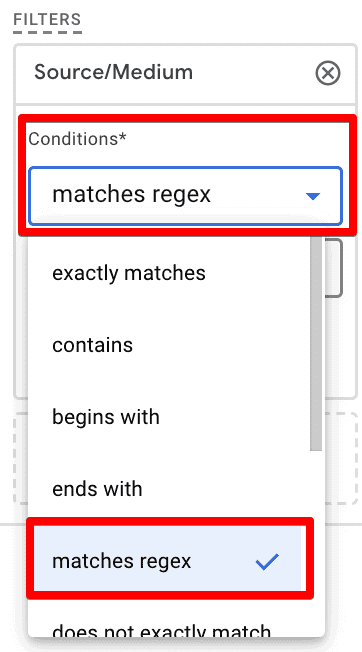
Explorations represent the advanced analytics layer of GA4. While the filter interface here is powerful, it lacks "partial match" options for certain dimensions. Consequently, you must often use full-string matching or specific patterns to capture data. Because of this limitation, it is recommended to test your regex thoroughly before applying it to critical exploration reports.
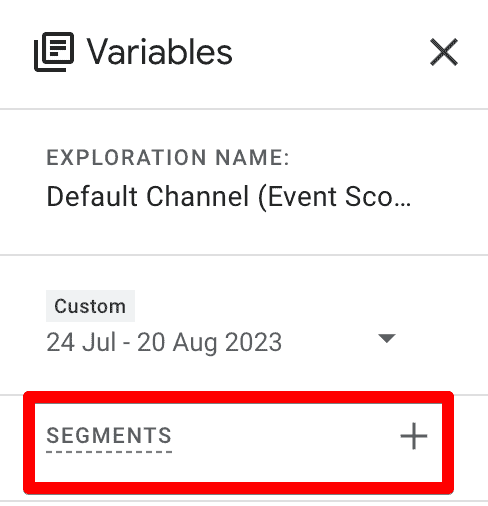
3. Audiences and Segments
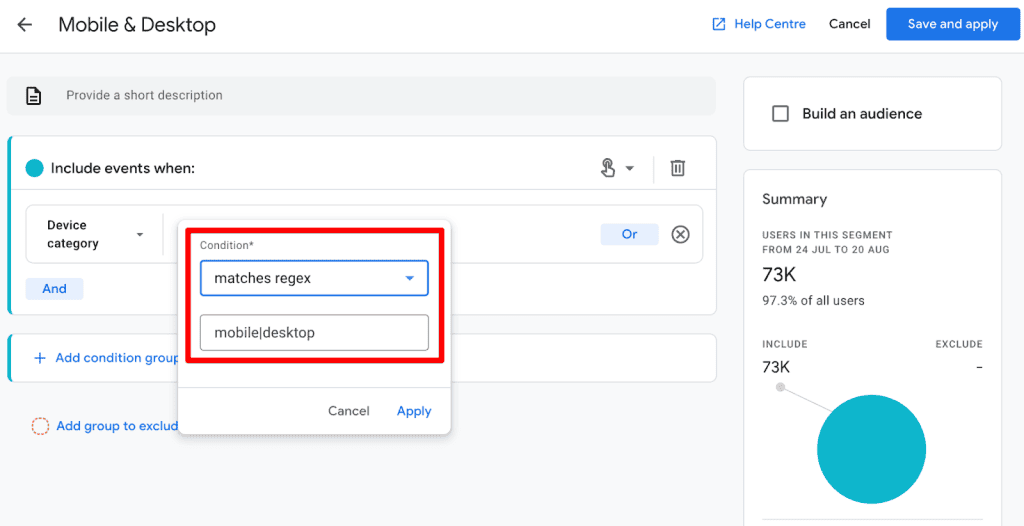
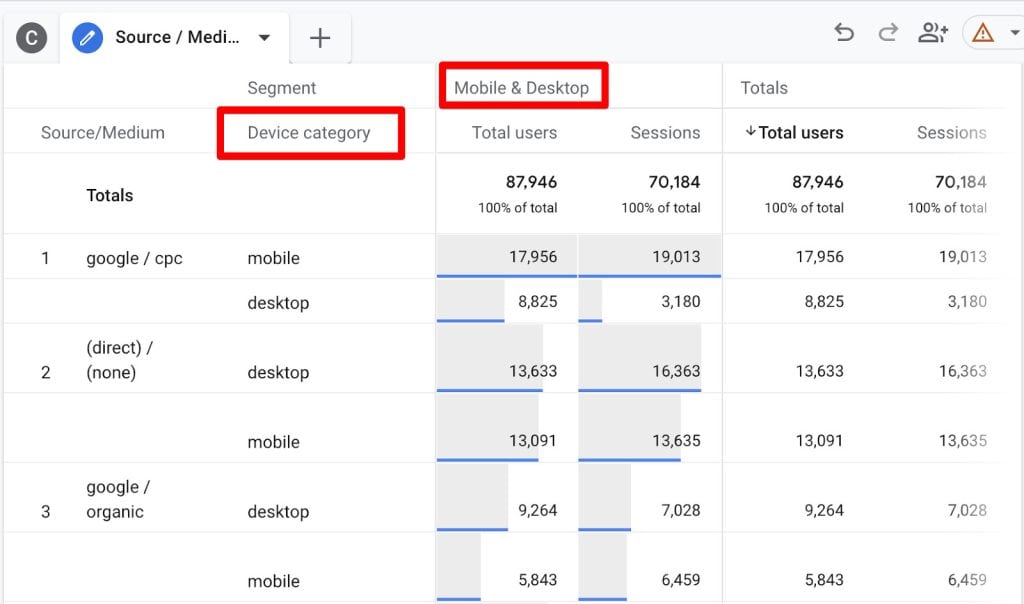
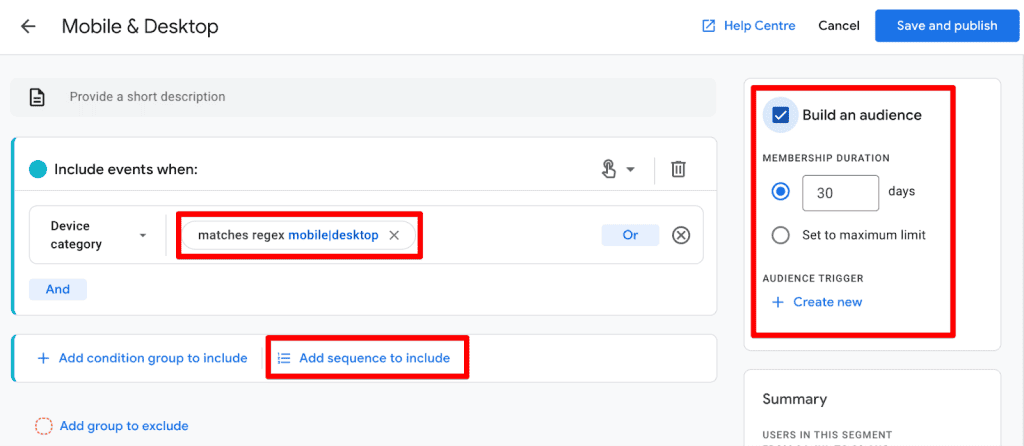
When building audiences for remarketing, RegEx allows for the creation of complex segments based on event parameters or user properties. For example, if you want to create an audience of users who visited a specific set of product categories, RegEx provides the logic to group those distinct URLs into one audience definition.
4. Internal Traffic and Unwanted Referrals
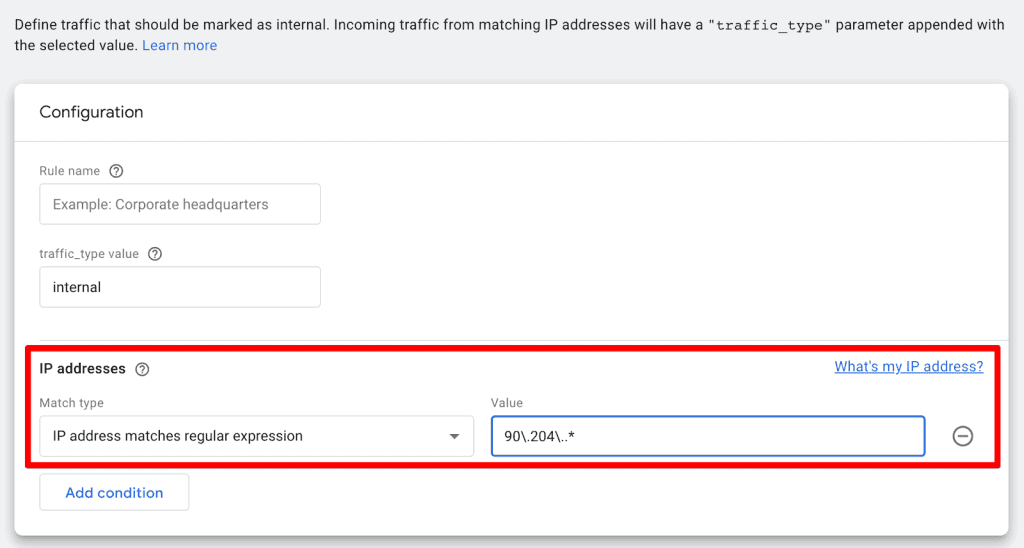
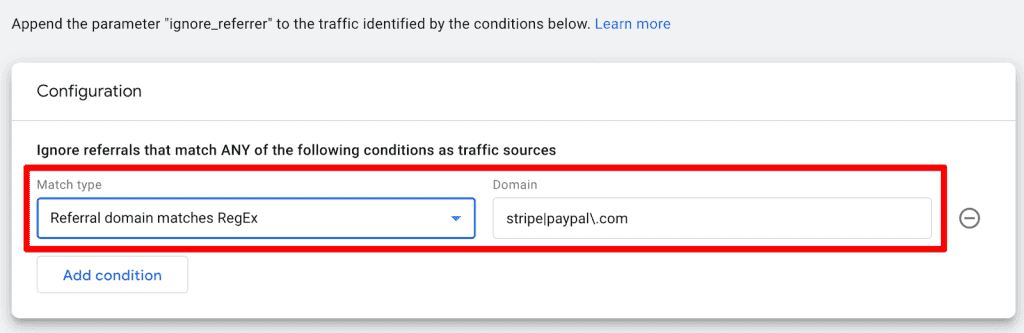
One of the most practical uses for RegEx is cleaning your data stream. Under Admin > Data Streams > Configure tag settings, you can define internal traffic and list unwanted referrals.
- Internal Traffic: Use RegEx to match ranges of IP addresses (e.g.,
^192.168..*). - Unwanted Referrals: Exclude payment gateways like Stripe or PayPal by using a string like
stripe|paypal.com. This prevents your referral reports from being polluted by your own payment processing tools.
5. Event Creation and Modification
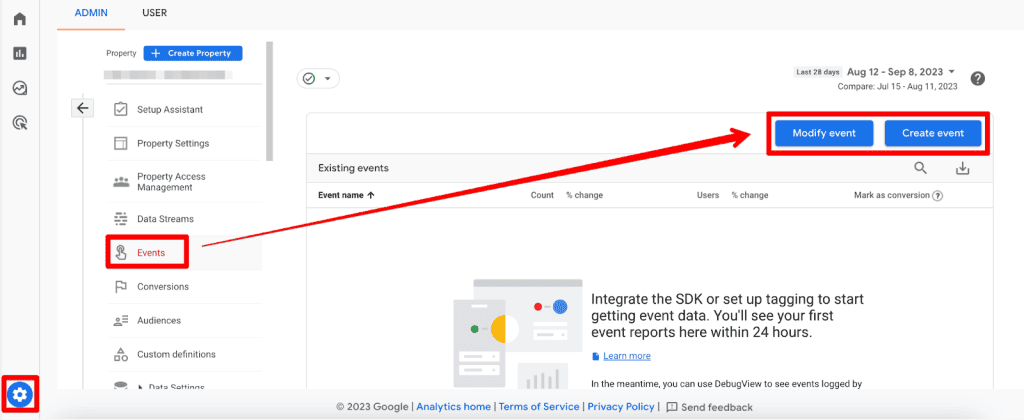
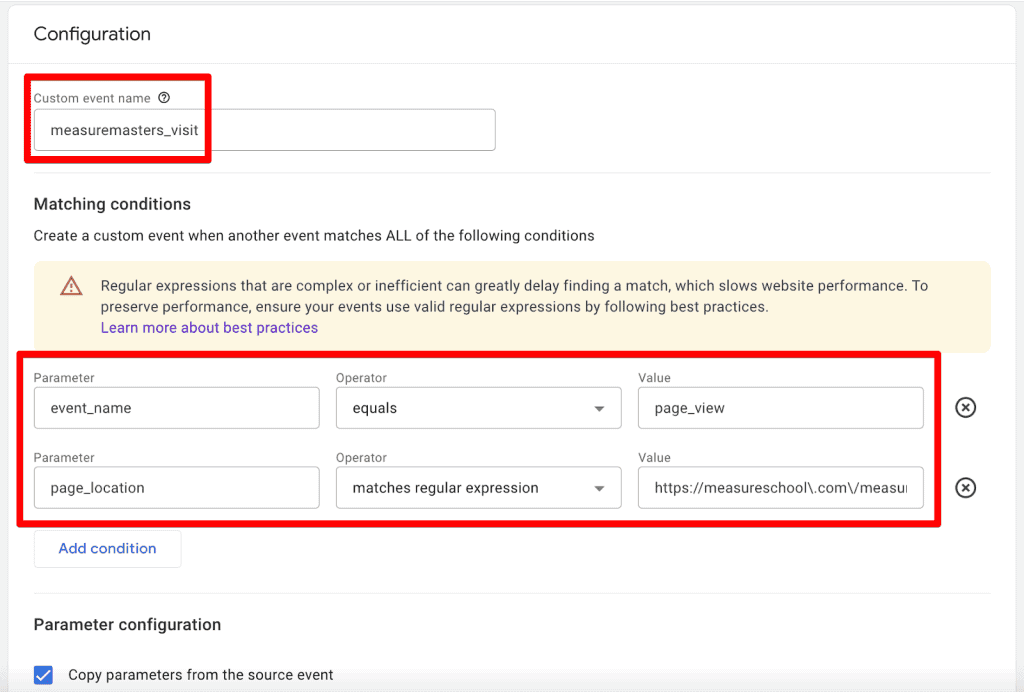
GA4 allows you to create or modify events on the fly. If you want to trigger a custom event—such as measuremasters_visit—whenever a specific URL pattern is hit, you can define that trigger using RegEx.

Common RegEx Characters: A Quick Reference
To become proficient, you need a foundational understanding of these key characters:
| Character | Description |
|---|---|
. (Dot) |
Matches any single character. |
| (Pipe) |
The "OR" operator. |
^ (Caret) |
Matches the start of a string. |
$ (Dollar) |
Matches the end of a string. |
|
Escapes a character (e.g., . to match a literal dot). |
* (Asterisk) |
Matches zero or more occurrences of the previous element. |
+ (Plus) |
Matches one or more occurrences of the previous element. |
? |
Makes the previous element optional. |
Best Practices for GA4 RegEx
To ensure your analytics remain clean and actionable, follow these professional best practices:
- Test Before You Deploy: Never assume a regex is correct. Use tools like RegEx101.com. Set the "flavor" to Golang (which is the basis for the RE2 engine used by Google) to ensure your syntax is compatible with GA4’s requirements.
- Avoid Over-Complexity: If a simple "contains" or "equals" match achieves your goal, don’t use RegEx. Overly complex expressions are harder to debug and prone to error.
- Comment Your Logic: If you are working in a team environment, keep a documentation sheet of what your complex RegEx strings are intended to capture.
- Use Anchors: Use
^and$to anchor your expressions when you need exact matches. This prevents "false positives" where a substring match accidentally grabs data you didn’t intend to include.
Implications and Future Outlook
The reliance on RegEx in GA4 signifies a shift toward more technical data management. As organizations collect larger datasets, the ability to define granular segments through text patterns will separate high-performing analysts from the rest.
While some users hope for a more intuitive, non-technical filtering system in future Google updates, RegEx remains the "industry standard" for flexibility. The current implementation in GA4—while limited in certain UI areas—is robust enough for enterprise-level data processing.
Conclusion
Regular Expressions are a powerful ally in the world of GA4. They enable you to do more with less, providing a scalable way to filter, segment, and refine your data. While the learning curve can be steep, the investment of time will yield significant dividends in the accuracy and depth of your reporting.
Begin by experimenting with simple patterns, use external testing tools like RegEx101, and always verify your results against non-filtered data. As you master these patterns, you’ll find that you can unlock insights that were previously hidden in the noise of your raw data.
How are you leveraging RegEx in your daily GA4 reporting? Share your favorite patterns in the comments below.
