
Mastering UTM Parameters in Google Analytics 4: A Comprehensive Guide to Data-Driven Marketing
Last Modified: February 17, 2025
In the modern digital ecosystem, the ability to trace the origin of a website visitor is not just a luxury; it is a fundamental requirement for any serious marketing strategy. While Google Analytics 4 (GA4) provides robust automated tracking, the nuance of a specific marketing campaign often requires granular insight. This is where Urchin Tracking Module (UTM) parameters become indispensable.

Despite their popularity, many marketers struggle to bridge the gap between "tagging" their links and actually visualizing the resulting data within the GA4 interface. This guide serves as a definitive resource for understanding, implementing, and analyzing UTM parameters to unlock the true narrative behind your web traffic.
Main Facts: What Are UTM Parameters and Why Do They Matter?
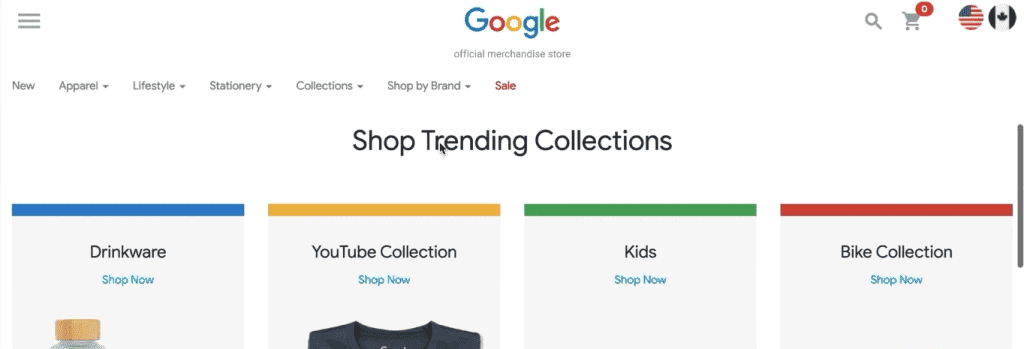
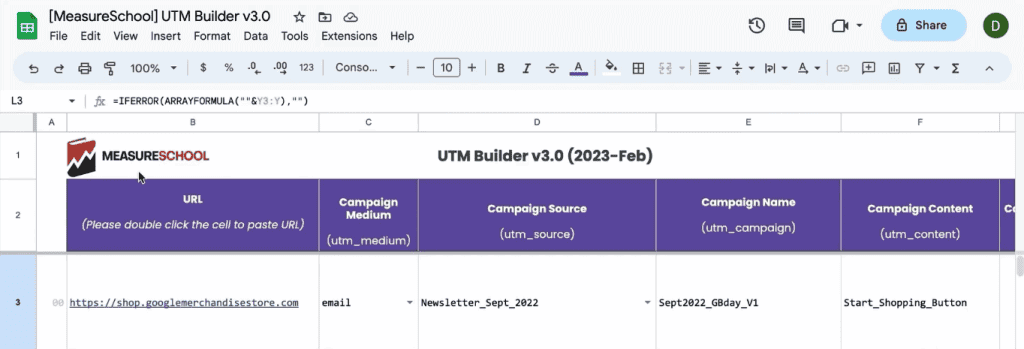
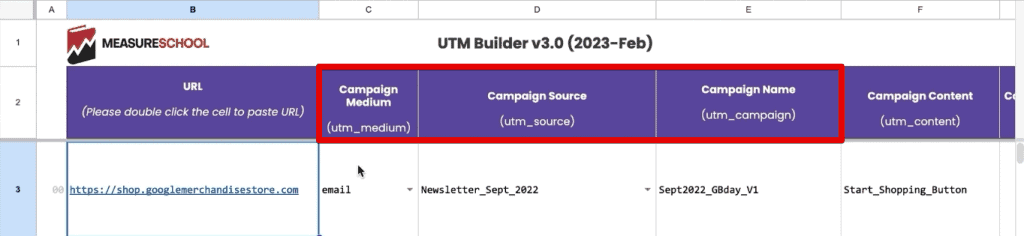
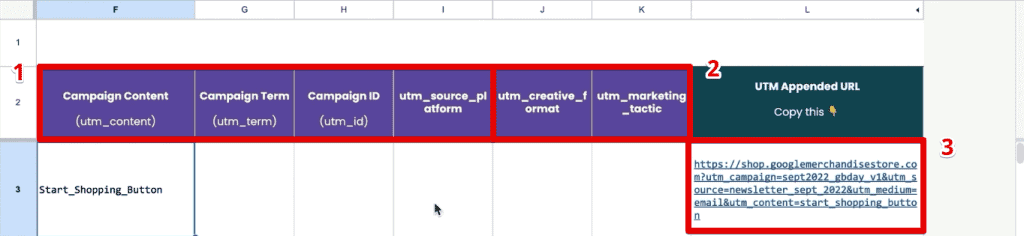
At their core, UTM parameters are simple text strings appended to the end of a URL. They act as "digital tags" that pass specific information to Google Analytics about the source, medium, and intent of a click. A typical URL with UTMs might look like this: example.com/?utm_source=newsletter&utm_medium=email&utm_campaign=spring_sale.
The "Who, How, and What" of Traffic
When a user clicks a link containing these tags, GA4 extracts the data and stores it, allowing you to see exactly which campaign, ad placement, or email blast drove the traffic.
Why this is crucial:
- Uncovering the "Dark" Traffic: Without UTMs, traffic from an email or a social media post might be lumped into "Direct" or "Organic" traffic. This obscures your ROI.
- Campaign Precision: If you are running ads on Facebook, LinkedIn, and Google simultaneously, UTMs allow you to isolate performance metrics for each platform, rather than looking at a monolithic block of data.
- Behavioral Attribution: By understanding which specific creative assets (defined by
utm_content) or keywords (utm_term) lead to conversions, you can optimize your budget allocation in real-time.
Chronology: The Lifecycle of a UTM Tagged Link
To effectively manage UTM data, one must understand the journey of the link from creation to analysis.
Phase 1: Creation and Standardization
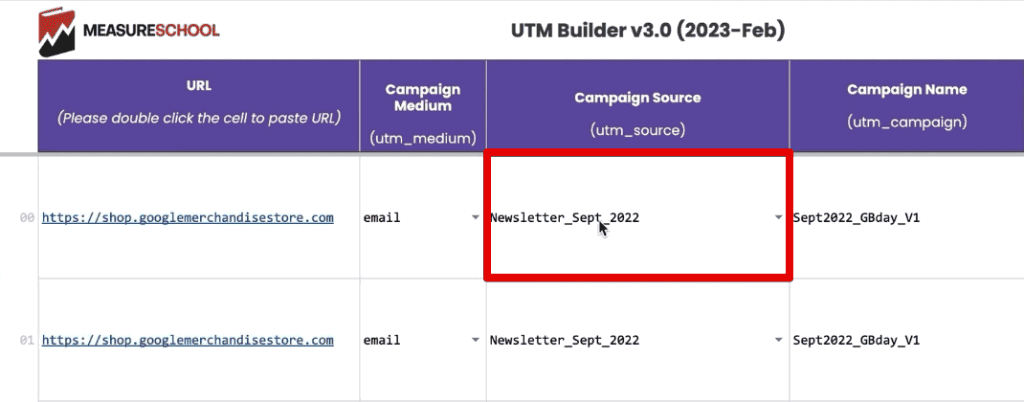
Before a link is even shared, it must be created. Tools like the Google Campaign URL Builder or internal spreadsheets are standard. Best practice dictates:
- Use consistent naming:
newsletterandEmailare not the same in GA4’s eyes. Choose a convention and stick to it. - Lowercase everything: GA4 is case-sensitive.
Facebookandfacebookwill appear as two distinct sources. - The "Big Three": Always include
utm_source,utm_medium, andutm_campaign. These are mandatory for basic reporting.
Phase 2: The Click and Capture
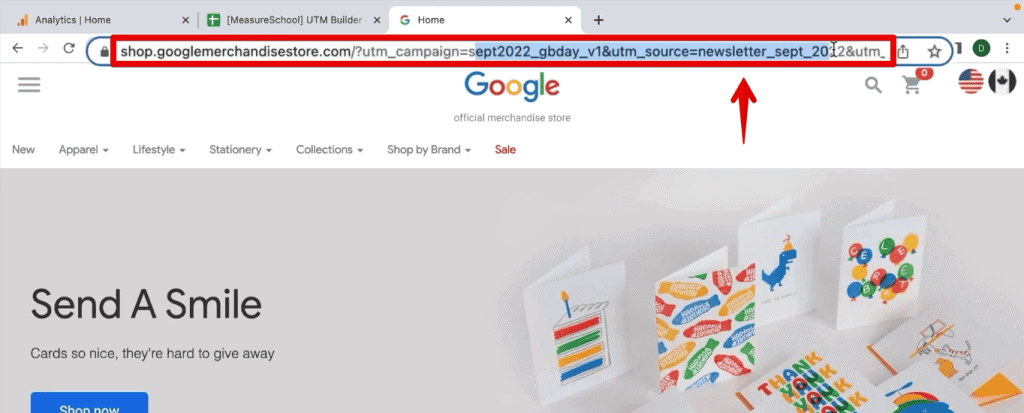
Once a user clicks the link, the browser sends the UTM data to your website. GA4’s tracking code automatically detects these parameters and associates the subsequent session with the campaign metadata provided in the URL.
Phase 3: Analysis in the GA4 Interface
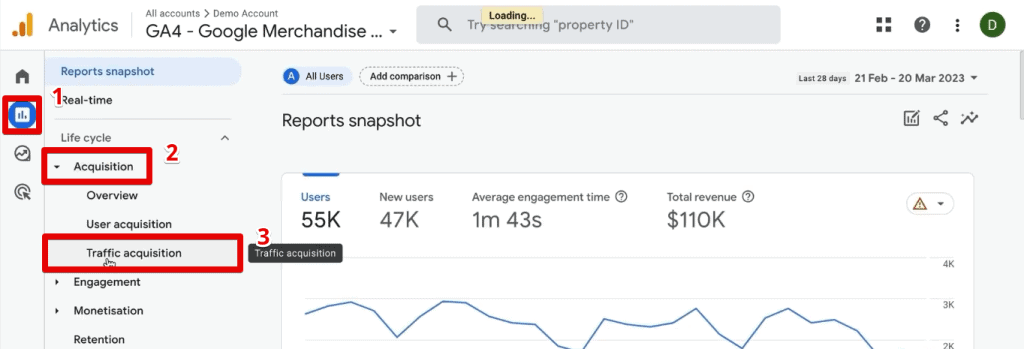
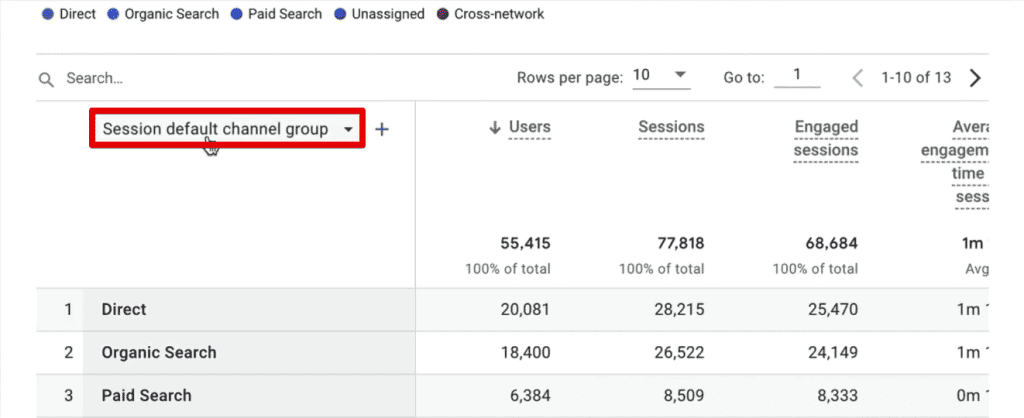
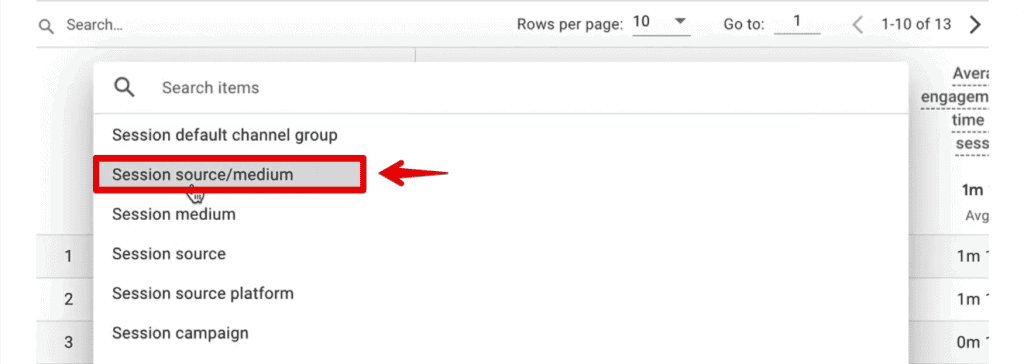
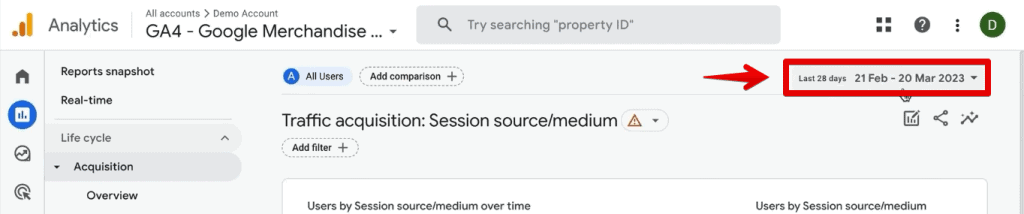
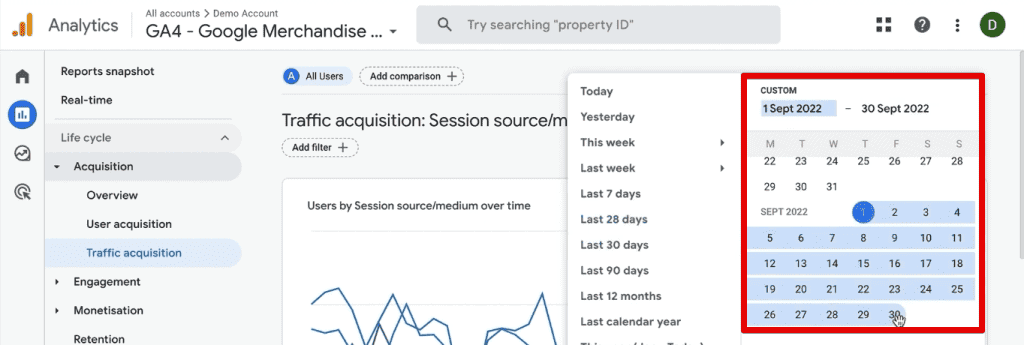
This is the stage where most marketers falter. GA4 does not always put your UTM data front and center in the default reports. Users must navigate to Reports > Acquisition > Traffic Acquisition and manually change the primary dimension to Session source/medium to start seeing their tags in action.
Supporting Data: Navigating the GA4 Ecosystem
Standard Reports vs. Exploration Reports
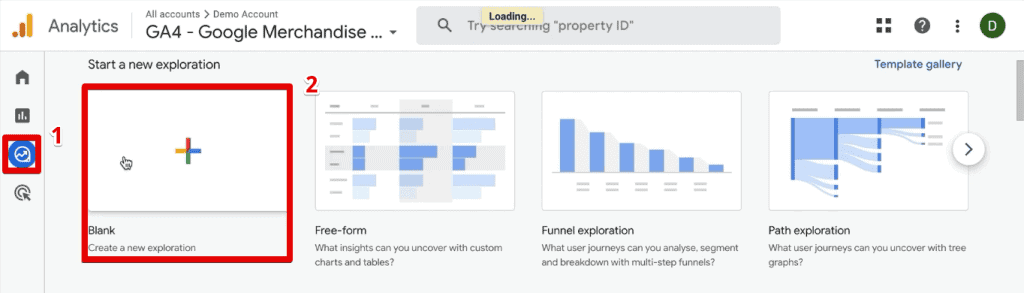
For quick snapshots, the standard Traffic Acquisition report is sufficient. However, for deep-dive analysis, the Exploration module is the gold standard.
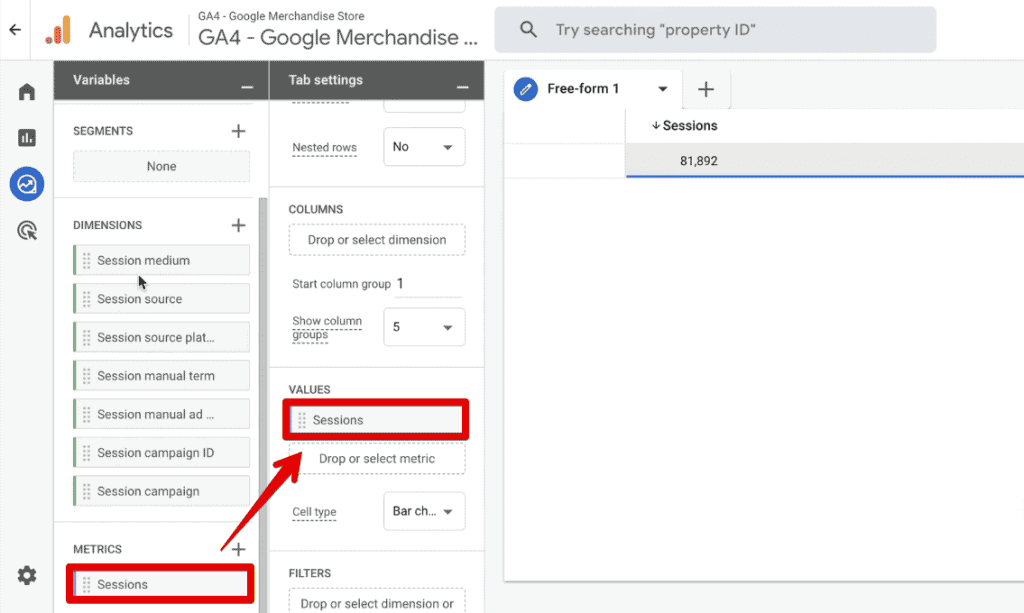
The Mapping Cheat Sheet
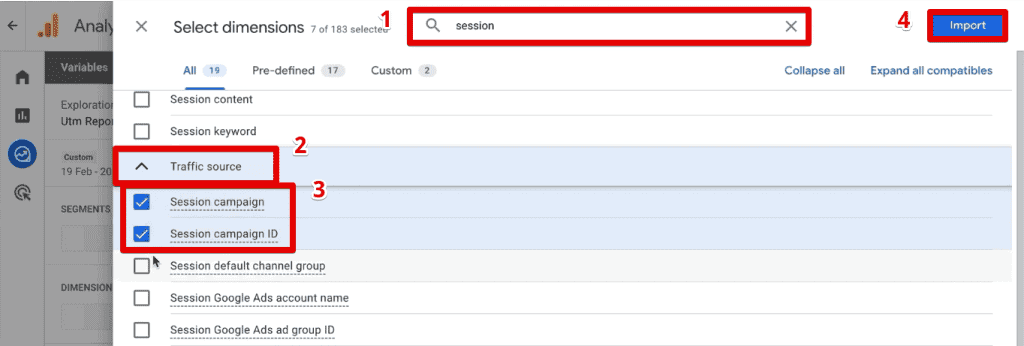
If you are building custom reports in GA4, you must know how UTM parameters translate into GA4 dimensions:
| UTM Parameter | GA4 Dimension |
|---|---|
utm_id |
Session campaign ID |
utm_source |
Session source |
utm_medium |
Session medium |
utm_campaign |
Session campaign |
utm_term |
Session manual term |
utm_content |
Session manual ad content |
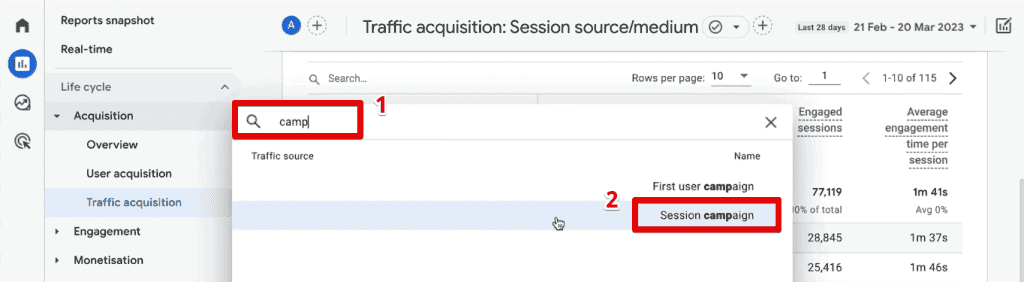
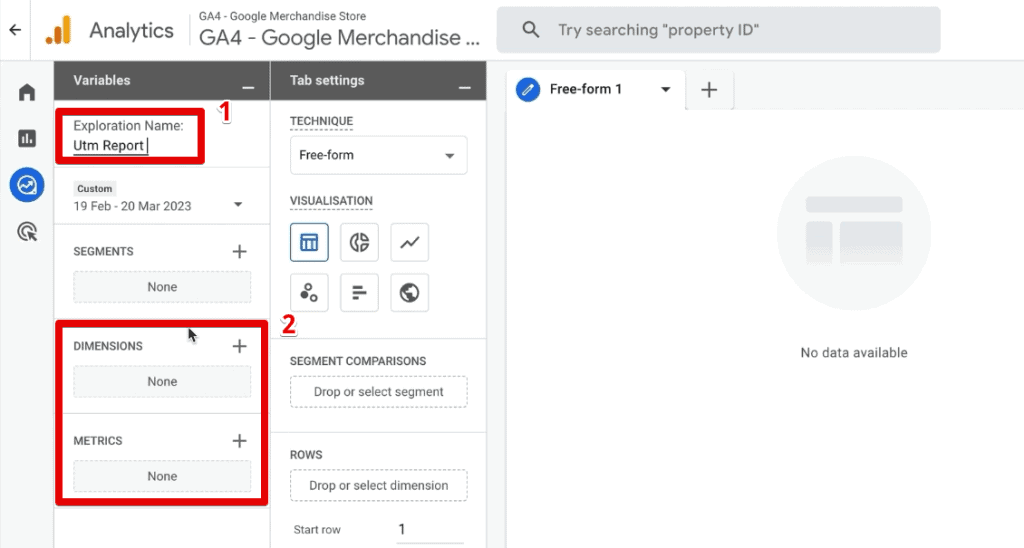
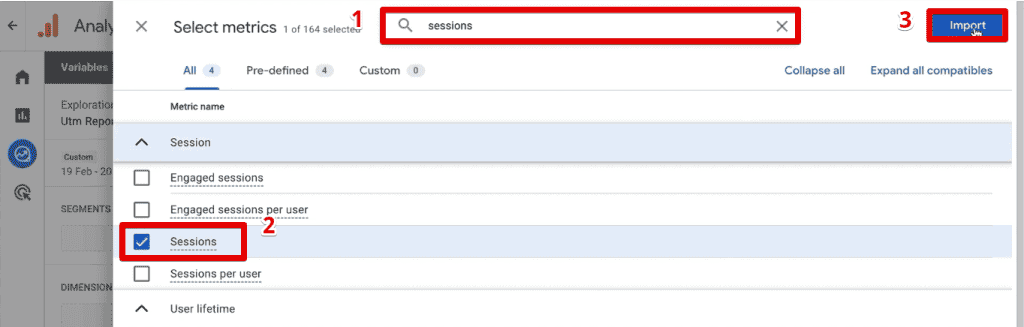
By creating a "Blank" exploration report, you can drag and drop these dimensions into your workspace, allowing for a level of data granularity that standard reports cannot provide.
Official Responses and Best Practices
Google’s official documentation emphasizes that while UTM parameters are a powerful tool, they should be used exclusively for external links. Using UTMs for internal navigation on your own website is considered a "best practice violation" as it causes the existing session to end and a new one to begin, effectively ruining your bounce rate and session duration data.
Troubleshooting Misattributed Traffic
A common issue reported by analysts is the "Direct Traffic" inflation. If more than 25-30% of your traffic is labeled as "Direct," it is a red flag that your marketing team is likely failing to use UTM parameters on key referral channels.

- The Fix: Ensure every link shared on social media, affiliate sites, or email campaigns is tagged.
- Fragmented Data: If your report shows
Facebook,facebook, andfb_adsas separate sources, you must implement a strict internal naming convention policy to ensure data cleanliness.
Implications: Advanced Strategies for the Modern Marketer
Bridging the CRM Gap
For businesses with complex sales funnels, tracking a user on the website is only half the battle. The true implication of UTM usage lies in CRM integration. By using cookies to capture UTM parameters and passing them into hidden form fields, you can track a lead all the way from the initial "click" on a Facebook ad to the final "closed-won" deal in your CRM.
Segmentation and Audience Building
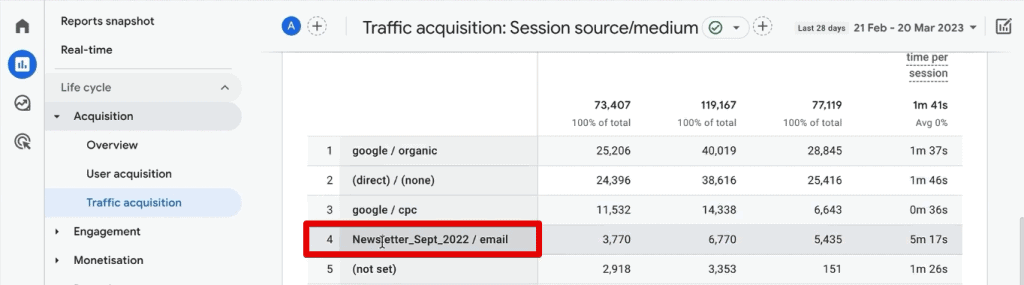
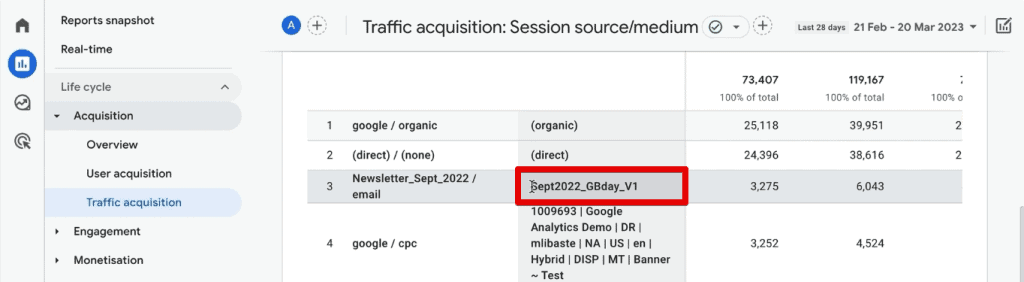
The most advanced use case for UTM parameters in GA4 is the creation of Segments. By right-clicking a specific data point in an Exploration report—such as a specific newsletter version—you can "Create Segment from Selection."
This segment can then be used to:
- Compare performance: View the conversion rates of two different ad variants side-by-side.
- Remarketing: Export these segments to Google Ads to create highly targeted retargeting audiences based on the specific campaign they engaged with.
The Power of Visualization
The Exploration tool isn’t just for tables. By switching the visualization to a "Line Chart" or "Scatter Plot," you can visualize the impact of your campaigns over time. This is critical for identifying seasonal trends or determining the "shelf-life" of a specific marketing campaign.
Final Thoughts: The Road Ahead
UTM parameters are the bedrock of performance marketing. They turn ambiguous "web traffic" into a roadmap of user intent and campaign efficacy. While GA4 may present a steep learning curve, the ability to "slice and dice" your data using exploration reports and segments is what separates amateur marketers from data-driven professionals.
Key Takeaways for Success:
- Standardize: Never create a link without a defined, team-wide convention.
- Explore: Stop relying solely on standard reports; build custom explorations to answer specific business questions.
- Integrate: Use hidden form fields to bridge the gap between your website analytics and your CRM.
By mastering these techniques, you ensure that every dollar spent on marketing is accounted for, allowing you to double down on what works and cut what doesn’t. Whether you are managing a small blog or an enterprise eCommerce store, these principles remain the same: Measure everything, but analyze with purpose.
Which UTM parameter do you find most difficult to track? Have you integrated your UTM data with a CRM yet? Let us know in the comments, and continue your journey toward analytics mastery.
