
Seamless Transition: A Comprehensive Guide to Migrating from Mailchimp to Campaign Monitor
In the fast-evolving landscape of digital marketing, the choice of an email service provider (ESP) can define the success of a brand’s outreach strategy. While many small businesses begin their journey on platforms like Mailchimp, growing operational needs often drive marketers toward more specialized, streamlined solutions. For those considering a pivot, transitioning to Campaign Monitor offers a sophisticated, user-centric alternative designed to prioritize deliverability and design excellence.
This guide provides a professional roadmap for migrating your audience, ensuring that your transition is seamless, data-secure, and operationally efficient.
The Strategic Shift: Why Marketing Professionals are Migrating
Over the past two decades, the digital marketing ecosystem has become increasingly crowded. Many legacy platforms have pivoted toward "all-in-one" omnichannel suites, often leading to bloated interfaces and escalating subscription costs that may not align with the needs of a focused email marketer.
Campaign Monitor has maintained a steadfast commitment to email-first architecture. By focusing on mobile-responsive, highly customizable templates and robust, intuitive tools, the platform caters to marketers who value precision over broad, unnecessary feature sets.
Core Benefits of the Campaign Monitor Ecosystem
- Intuitive Design Tools: A drag-and-drop builder that allows for professional, brand-consistent emails without requiring HTML expertise.
- Deliverability Excellence: Industry-leading infrastructure that ensures your communications land in the inbox, not the spam folder.
- Personalization Engines: Advanced segmentation capabilities that allow brands to treat every subscriber as an individual, rather than a data point.
- Unmatched Support: Access to a team of experts dedicated to the nuances of email deliverability and troubleshooting.
For those curious about the platform’s capabilities, Campaign Monitor provides a risk-free environment through their free trial, allowing users to stress-test the platform with their own data before committing to a paid tier.
Chronology: A Step-by-Step Migration Workflow
Migrating your audience is a critical operational task. To minimize the risk of data loss or service disruption, follow this standardized five-step procedure.
Step 1: Exporting Your Foundation from Mailchimp
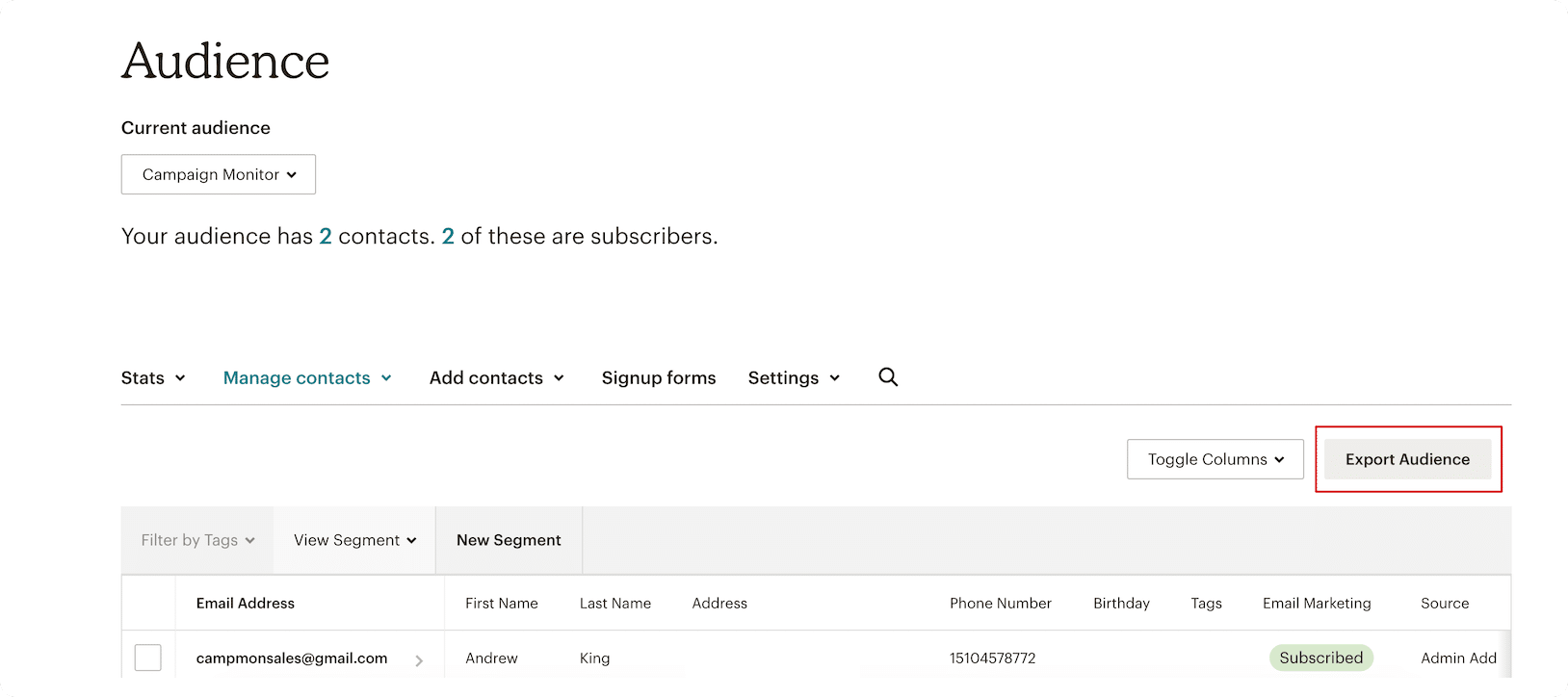
Your audience is the lifeblood of your marketing strategy. Begin by logging into your Mailchimp dashboard. Navigate to the "Audience" tab, select the specific list you wish to migrate, and choose the "Export Audience" function. This ensures you are capturing the most current version of your contact list.
Step 2: Preparing Your Data for Portability
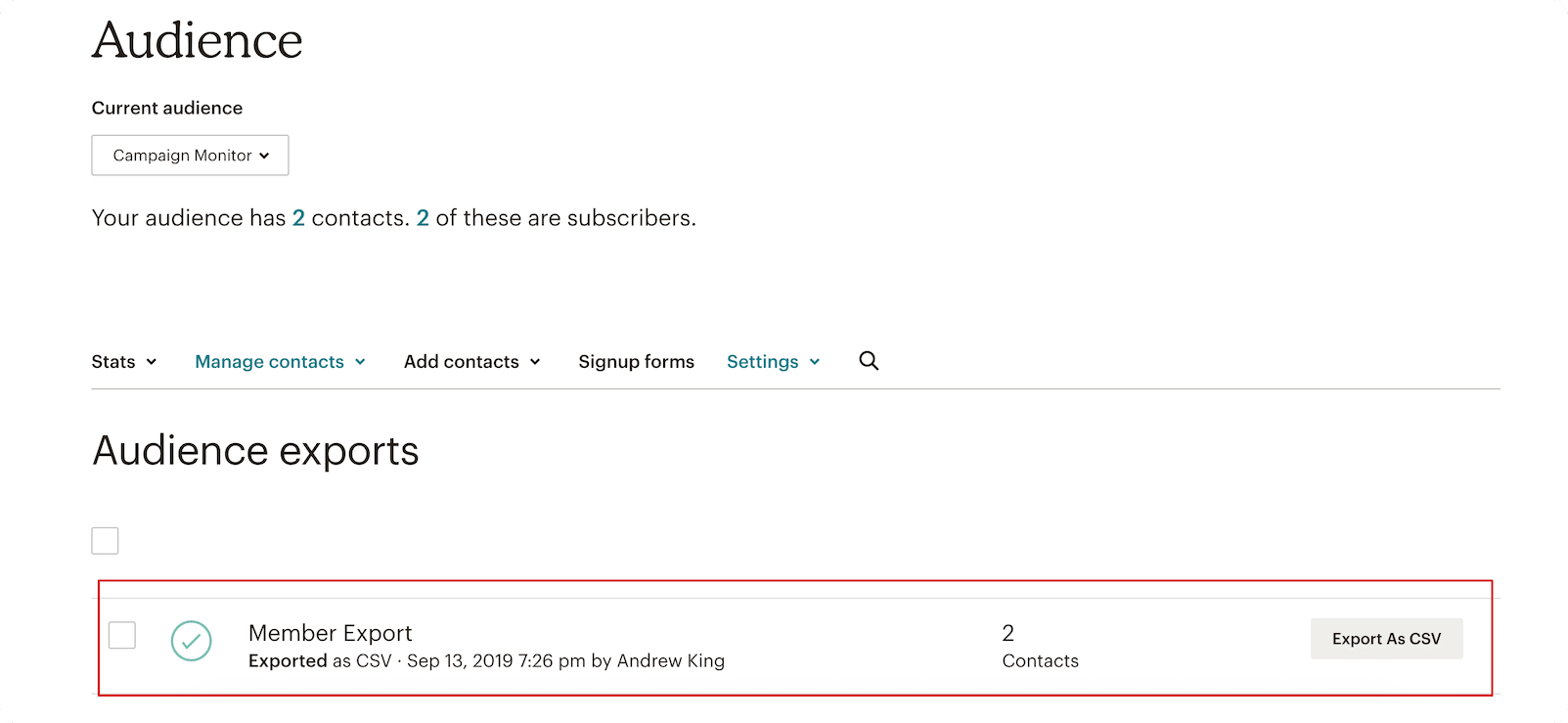
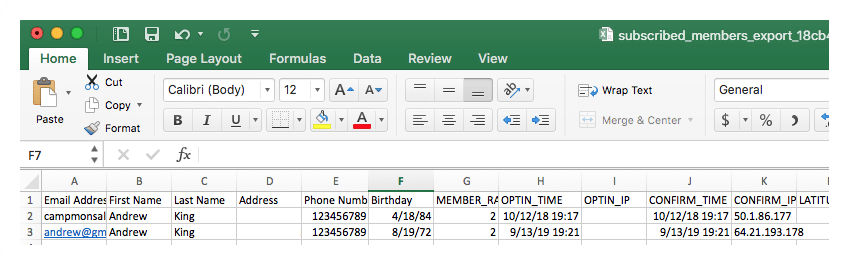
Once the export is initiated, Mailchimp will prepare a CSV (Comma-Separated Values) file. If your list is substantial, this process may take a few minutes. Download this file to a secure, local drive. Before uploading, it is a professional best practice to open the CSV file to audit the data, ensuring headers are clean and contact information is correctly formatted.
Step 3: Initializing Your New Environment
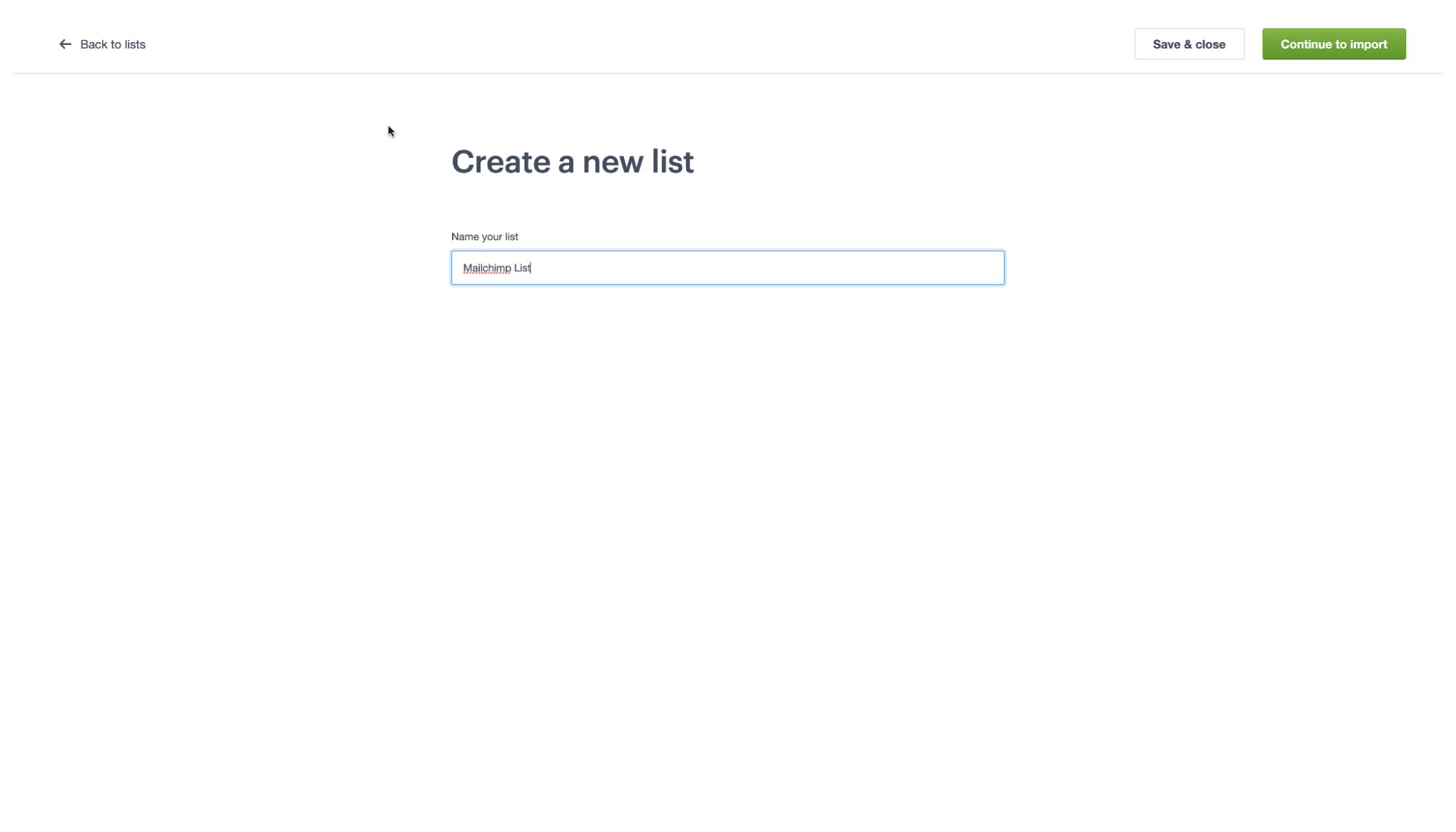
Log into your Campaign Monitor account. If you haven’t established an account, sign up to gain access to the dashboard. Once authenticated, navigate to the "Lists & Subscribers" menu. Select "Create a List," provide a descriptive name for your audience, and proceed to the import module.
Step 4: Seamless Data Import
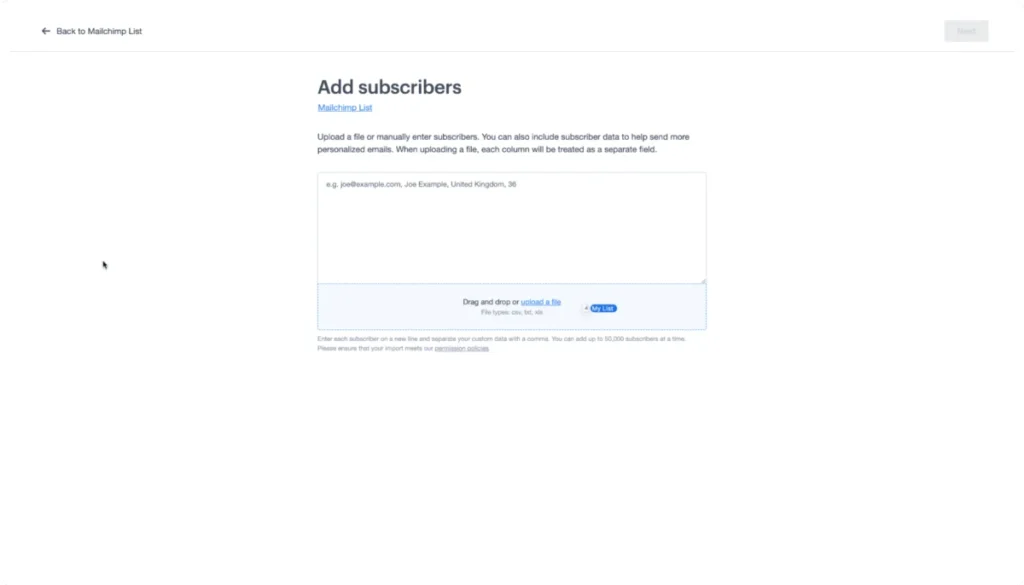
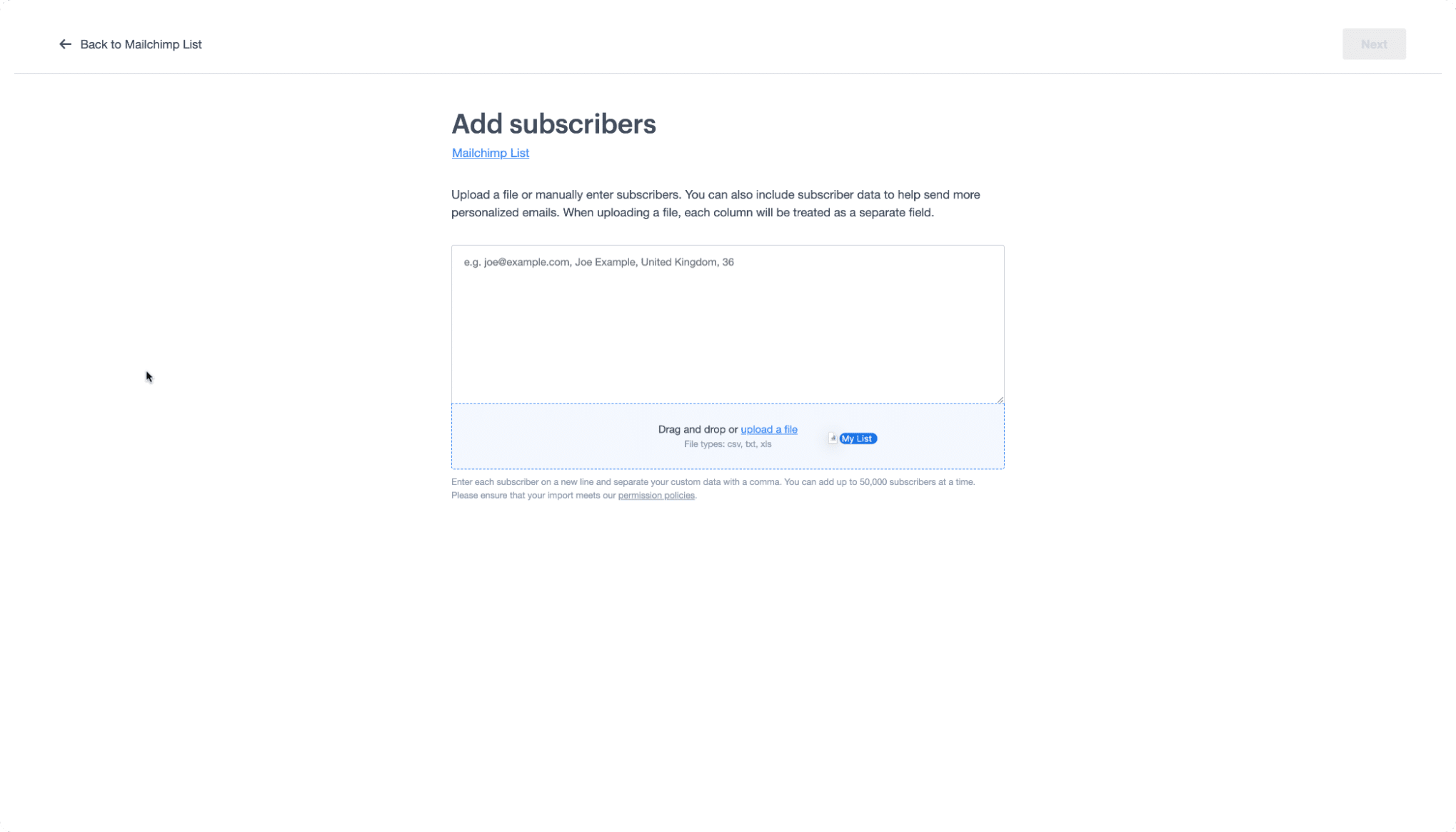
Campaign Monitor’s interface is designed for drag-and-drop simplicity. Locate your saved Mailchimp CSV file and drag it directly into the import window. The platform will automatically begin parsing the data, ensuring that your subscribers are mapped to the correct system fields.
Step 5: Mapping and Finalizing
The final hurdle involves field mapping. If your Mailchimp list contains custom attributes (such as sign-up dates or specific interest tags), you must map these to the corresponding custom fields in Campaign Monitor. If your headers align logically, the system will often perform this step automatically. Once confirmed, your migration is complete, and your audience is ready for your next campaign.
Translating the Lexicon: Migration Glossary
A major hurdle in switching platforms is the difference in nomenclature. Understanding these terms ensures you don’t lose track of your segmentation strategy during the move.
| Mailchimp Term | Campaign Monitor Equivalent |
|---|---|
| Audience | List |
| Subscribed Contact | Subscriber |
| Tags | Custom Fields |
| Groups | Segments |
Deciphering the Differences
- Lists vs. Audiences: While Mailchimp groups contacts into "Audiences," Campaign Monitor stores data in "Lists." This structural shift allows for cleaner data management.
- Tags vs. Custom Fields: Tags in Mailchimp serve to organize contacts; in Campaign Monitor, this same functionality is achieved through "Custom Fields," which offer deeper integration with dynamic content.
- Groups vs. Segments: The most important distinction for advanced marketers is that "Groups" are now "Segments." This is where your sophisticated, interest-based targeting will live.
Supporting Data and Technical Considerations
When moving large databases, technical hygiene is paramount. Marketing professionals should consider the following before initiating a bulk migration:
- Data Scrubbing: Use the migration as an opportunity to remove hard bounces or unengaged users from your list. Importing clean data improves your sender reputation immediately.
- Consent Verification: Ensure that your migrated data remains compliant with GDPR, CCPA, and other regional data privacy regulations.
- Authentication Protocols: Once your list is imported to Campaign Monitor, ensure that your SPF, DKIM, and DMARC records are updated in your DNS settings. This is a vital step in maintaining high deliverability rates post-migration.
Official Perspective and Support
The team at Campaign Monitor emphasizes that migration is not just a technical act, but a strategic upgrade. By moving to a platform that avoids the "all-in-one" bloat, businesses can refocus their energy on high-impact creative content rather than struggling with complex platform navigation.
For those requiring further assistance, the Campaign Monitor Help Center serves as an extensive repository of documentation. Additionally, for visual learners, the Campaign Monitor 101 video collection provides guided tutorials on advanced features, such as building automated customer journeys and designing responsive email layouts.
Implications of the Migration
Switching ESPs is a significant decision that carries long-term implications for your brand’s bottom line.
Operational Efficiency
By consolidating your workflow into a specialized tool, your marketing team will likely experience a reduction in "tool fatigue." The intuitive interface of Campaign Monitor allows for faster turnaround times on newsletters, automated flows, and transactional emails.
Financial Impact
Moving away from platforms that charge for "omnichannel features" you may not be using allows for better budget allocation. Many businesses find that by paying only for the email features they actually utilize, they can reinvest those savings into better design assets, higher-quality content, or expanded advertising reach.
Long-term Scalability
As your business grows, the need for robust, reliable email marketing becomes even more pronounced. By establishing your infrastructure on a platform built for scalability and high-volume deliverability, you ensure that your marketing engine can handle the growth of your subscriber base without requiring constant, disruptive re-tooling.
Editor’s Note: This article was updated in May 2026 to ensure all technical steps and terminology reflect current platform updates.
Disclaimer: This blog provides general information and discussion about email marketing and related subjects. The content provided in this blog ("Content") should not be construed as, and is not intended to constitute, financial, legal, or tax advice. You should seek the advice of professionals prior to acting upon any information contained in the Content. All Content is provided strictly "as is," and we make no warranty or representation of any kind regarding the accuracy or utility of the information provided herein.
