
Master Your Workflow: The Definitive Guide to Content Calendar Tools for 2026
In an era where the global content marketing industry is projected to hit a staggering $107 billion in 2026, the demand for precision, speed, and cross-channel synergy has never been higher. For modern marketing teams, the question is no longer if they should use a content calendar tool, but which one will provide the competitive edge necessary to survive in an increasingly noisy digital landscape.
As marketers grapple with "content exhaustion"—with 58% of professionals reporting feelings of overwhelm in recent industry surveys—the transition from fragmented spreadsheets to centralized content operating systems has become an existential necessity. Whether you are a solopreneur managing a personal brand or an enterprise lead orchestrating multi-regional campaigns, selecting the right software is the difference between chaotic reactive posting and a strategic, scalable content engine.

The Evolution of Content Management: What Are These Tools?
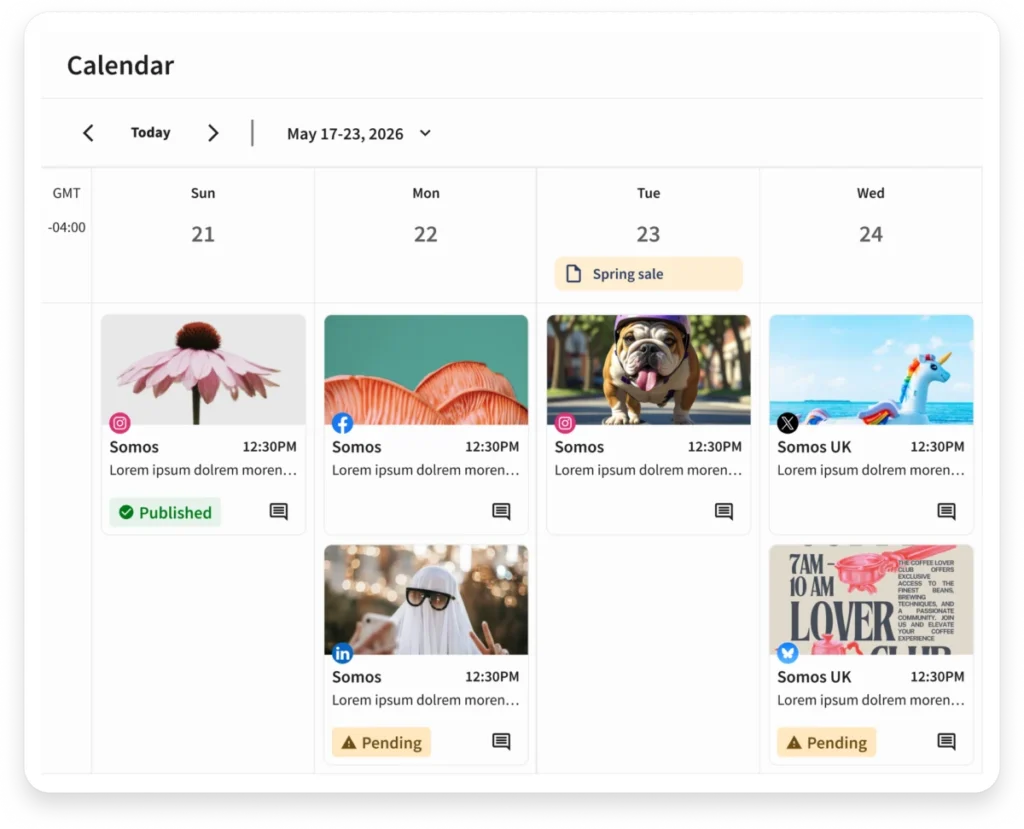
Content calendar tools, or content management platforms, are the command centers for your digital presence. They act as the singular source of truth for planning, scheduling, producing, and distributing content across a diverse ecosystem of blogs, social media channels, email newsletters, and video platforms.
Carolina Horna, a Freelance Creative Director and Brand Strategist with over a decade of experience in the social media trenches, emphasizes that the shift away from manual documentation is a professional imperative. "Using a dedicated tool as opposed to a Google Doc or spreadsheet adds a level of organization and clarity that is hard to achieve without it," Horna notes. "With a content calendar tool, I’m able to see my strategy come to life, maintain my content pillar distribution, and collaborate easily with my team."

Content Calendar vs. Social Media Calendar: Understanding the Scope
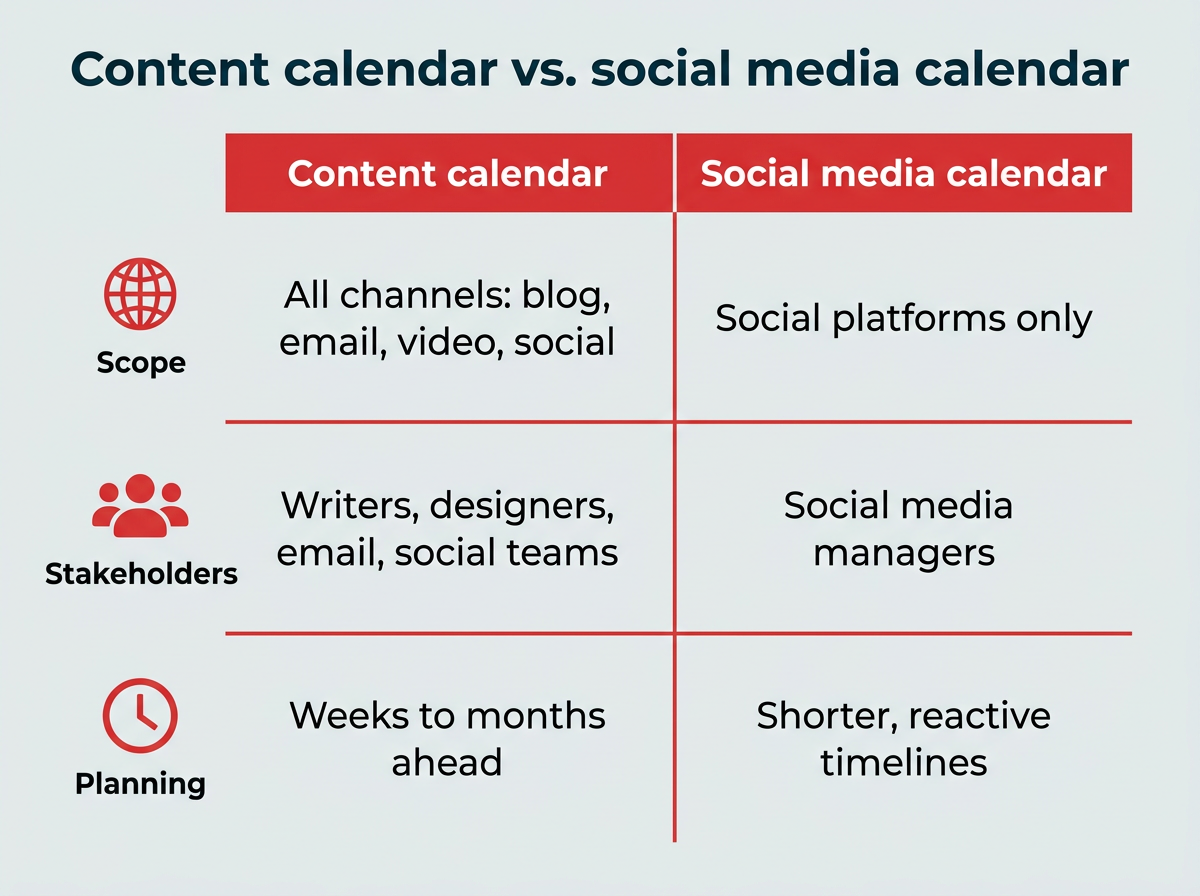
While often used interchangeably, there is a distinct functional difference between a general content calendar and a social media-specific scheduler. A content calendar is a holistic tool; it provides a high-level view of your entire marketing output, including long-form blog articles, white papers, podcast episodes, and email campaigns.
A social media calendar, by contrast, is a specialized subset. It focuses on the granular details of engagement: platform-specific aspect ratios, character counts, hashtag optimization, and native scheduling across TikTok, LinkedIn, Instagram, and Facebook. For teams that only manage social, a dedicated social media tool suffices. However, for organizations managing complex omnichannel funnels, a broad-spectrum content calendar is essential for maintaining brand alignment.
The ROI of Organization: Why You Need a Centralized System
The move toward centralized content management is driven by more than just tidiness. It is a response to the dual pressures of flatlined marketing budgets and the rapid integration of Generative AI.
According to recent data from Gartner, marketing budgets have plateaued at roughly 7% of overall company revenue. Consequently, CMOs are under immense pressure to prove ROI. By centralizing content, teams achieve several critical objectives:
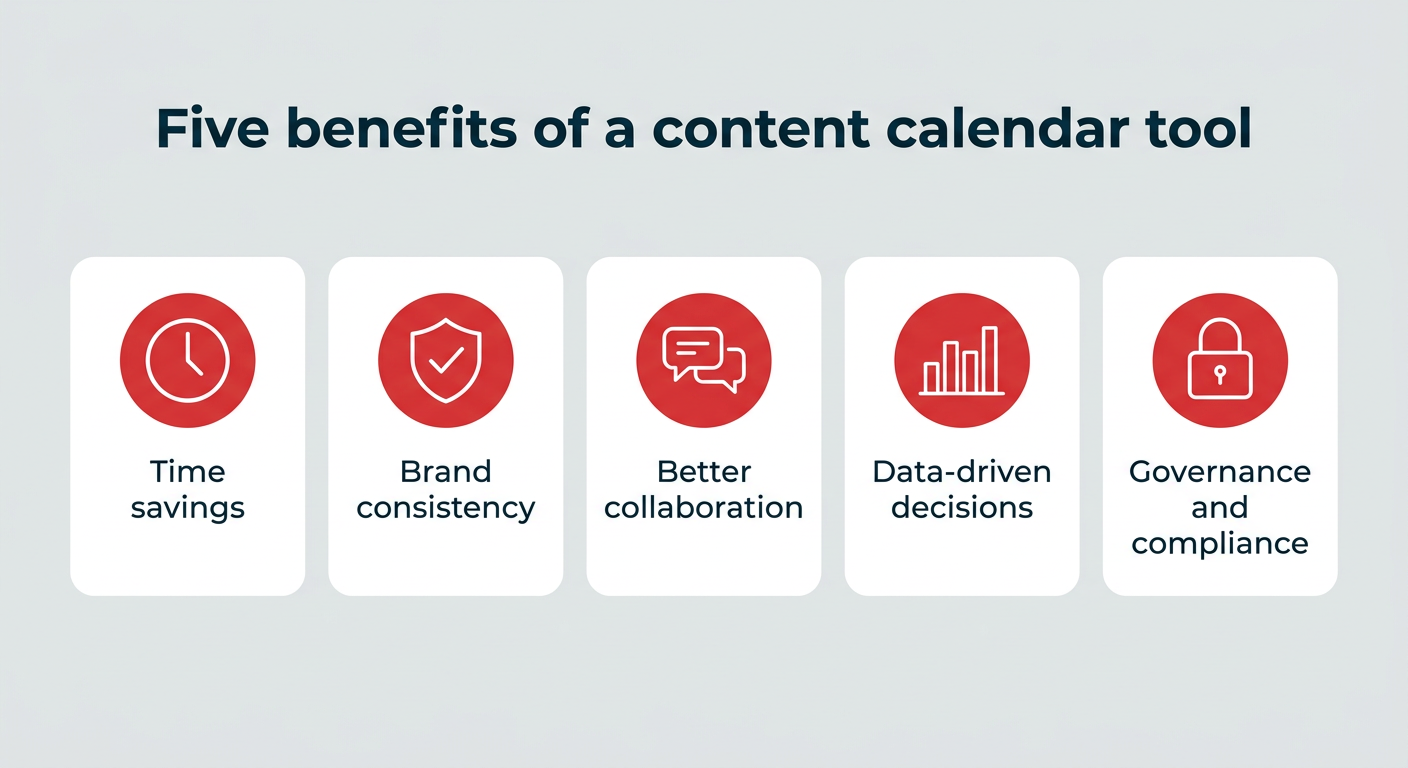
- Operational Efficiency: Reducing the "context switching" that drains productivity.
- Brand Governance: Ensuring that every post, regardless of who created it, adheres to brand guidelines and legal compliance.
- Data-Driven Iteration: Connecting content performance metrics directly back to revenue and pipeline generation.
- Collaboration at Scale: Eliminating the "approval bottleneck" by automating review cycles.
Key Features: A Checklist for Evaluation
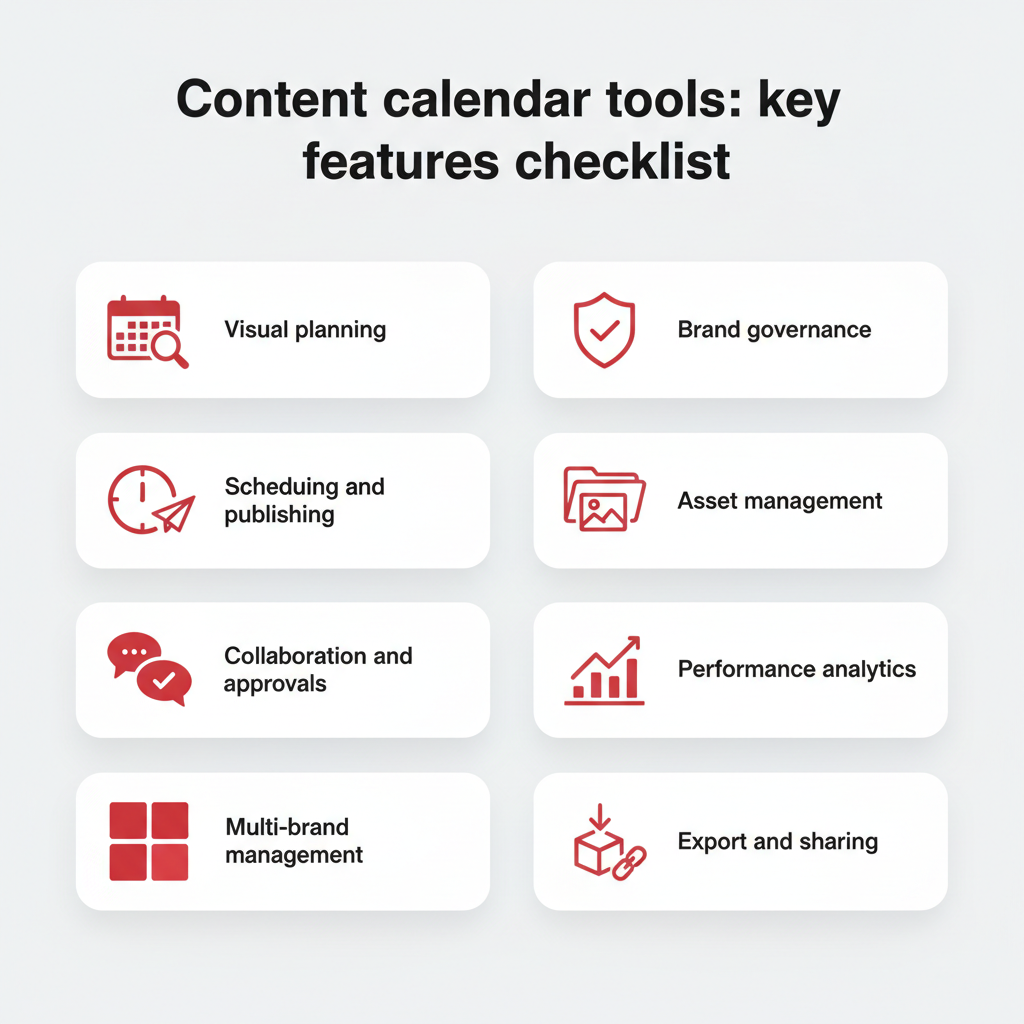
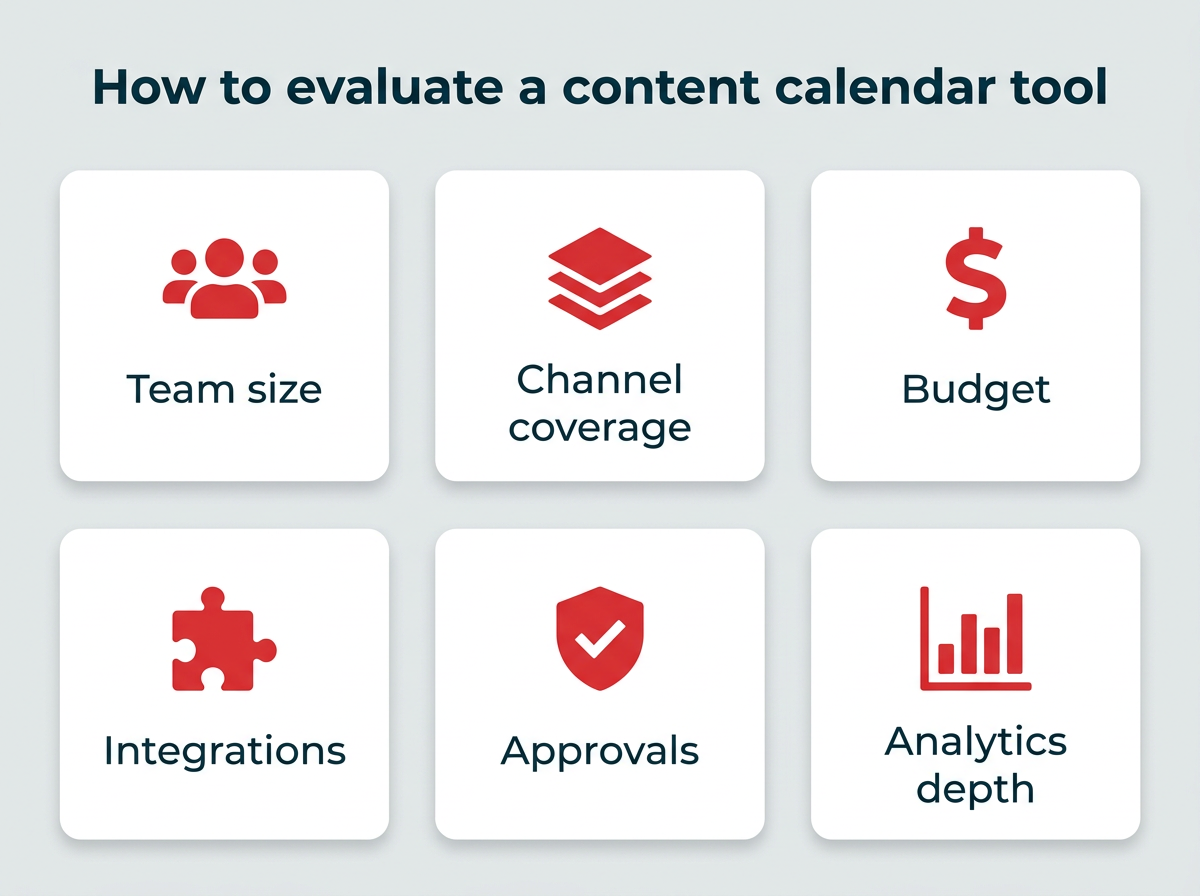
When vetting potential software in 2026, don’t just look for a calendar grid. Look for features that solve your team’s specific bottlenecks. According to industry experts, your evaluation criteria should include:
- Multi-View Functionality: The ability to toggle between Kanban boards (for production), Gantt charts (for timelines), and traditional calendars.
- Role-Based Permissions: Ensuring that team members only see the content relevant to their specific tasks.
- Automated Approval Workflows: A digital paper trail for sign-offs to ensure compliance.
- AI-Assisted Orchestration: Tools that assist in drafting, ideation, and repurposing content.
- Integration Ecosystems: Seamless connectivity with your existing tech stack (CRMs like Salesforce, design tools like Canva, and analytics suites).
As Horna suggests, "I’ve created sections in my content forms that correspond to copywriting and design requirements. These are then filtered into separate spreadsheets for copywriters and designers. It’s a game-changer because team members only have to go to one place to see which content needs their expertise."
Chronology of Setup: Implementing Your Tool in 30 Days
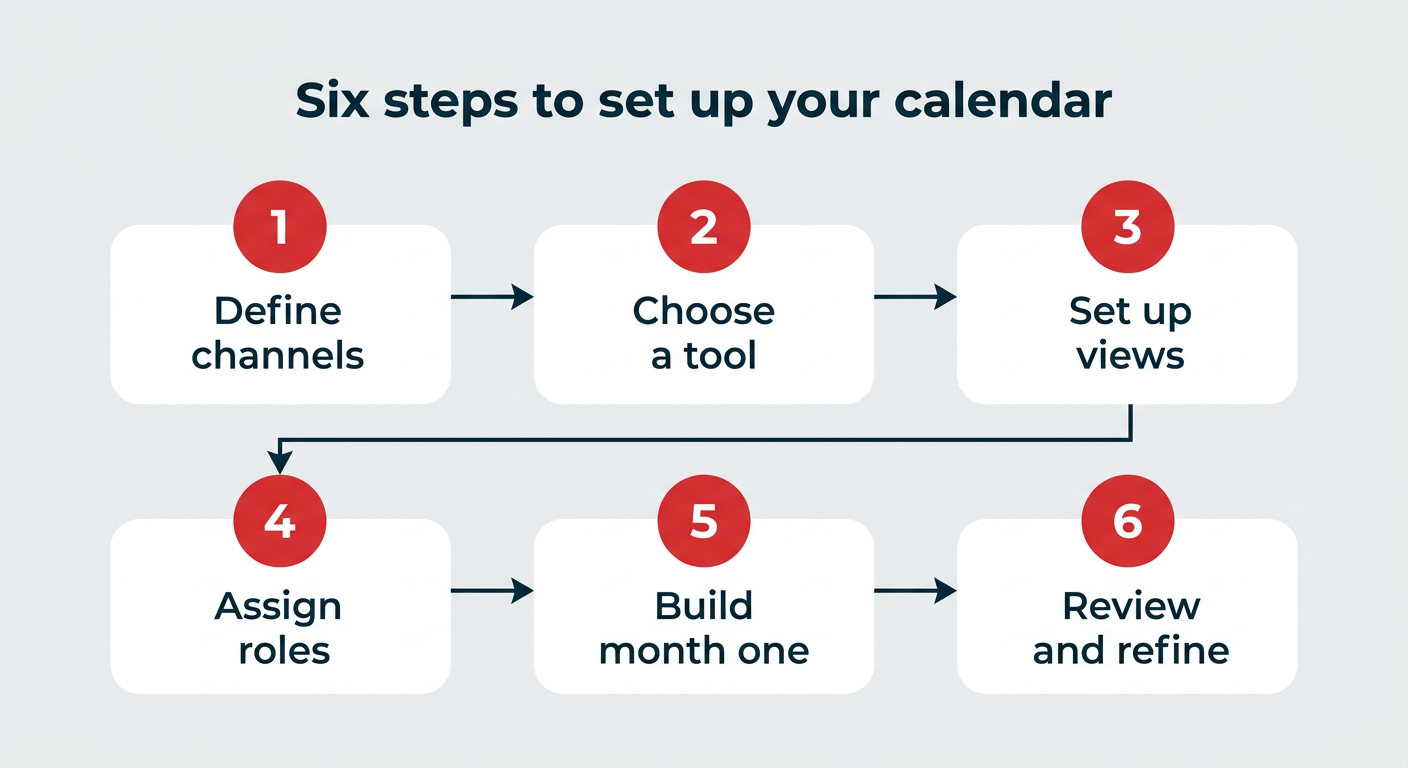
Successfully adopting a new content tool is an exercise in change management. To ensure a smooth transition, follow this proven six-step framework:
- Phase 1 (Week 1): Define your channels and taxonomy. Clearly list every platform and content format you utilize. This will dictate your tagging structure.
- Phase 2 (Week 2): Select and audit. Choose a tool that fits your current headcount. Avoid the "feature bloat" of enterprise tools if you are a small team, but don’t handicap your future growth by choosing something too simple.
- Phase 3 (Week 3): Structure and Views. Build your custom workflows. Create a "Planning" view for strategy and a "Production" view for daily tasks.
- Phase 4 (Week 4): Onboarding. Assign roles and permissions. Set up your approval chains clearly to prevent confusion.
- Phase 5 (Ongoing): Build your first month. Start with "evergreen" content and scheduled campaigns, leaving room for reactive, trend-based posts.
- Phase 6 (Review): Conduct a 30-day post-mortem. Analyze what content types are slipping and where the communication breakdown is occurring.
The 2026 Landscape: Top Tools Compared
The market is saturated with options, but they generally fall into four categories:
1. The All-in-One Social Operating Systems
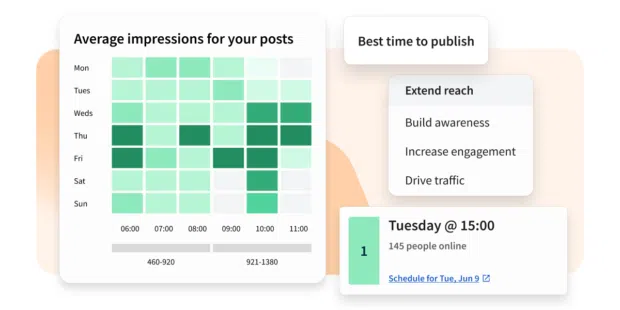
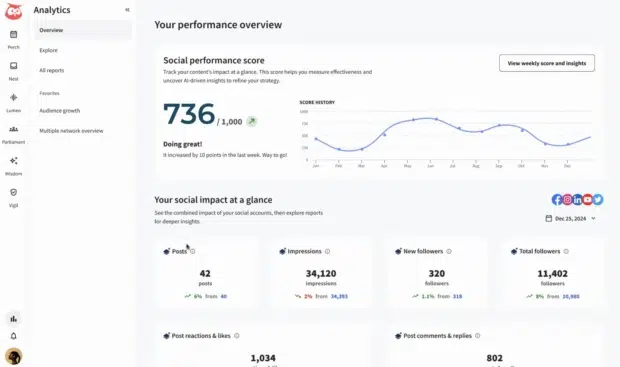
Hootsuite remains the gold standard for enterprise and mid-to-large marketing teams. By combining scheduling, listening, AI-powered drafting (via Wisdom), and robust analytics, it removes the need for fragmented third-party add-ons. For teams managing multiple brands or regions, the governance and compliance features are unmatched.
2. The Collaboration-First Specialists
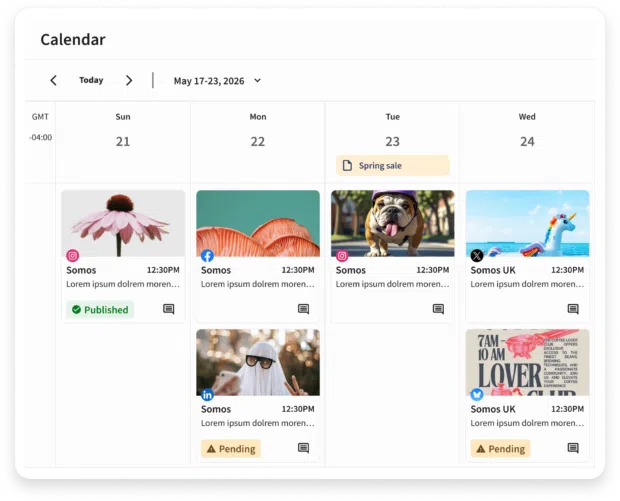
Planable stands out for agencies. Its visual-first interface allows clients to comment directly on posts, making the sign-off process incredibly intuitive for non-technical stakeholders.
3. The Project Management Powerhouses
Asana, Monday.com, and ClickUp are ideal for teams that prioritize workflow management. While they may lack native social publishing, they are exceptional for tracking the "behind-the-scenes" production of content, such as briefs, revisions, and cross-departmental dependencies.
4. The Flexible "Blank Canvas" Tools
Notion and Airtable offer unparalleled customization. For teams with unique workflows or those who need to manage non-social assets alongside their social calendar, these tools allow you to build a bespoke database that functions exactly how your team thinks.
Implications for the Future of Marketing
The move toward these tools represents a fundamental shift in how marketing teams operate. We are moving away from the era of the "lone creator" and into the era of the "content systems architect."
As Generative AI becomes more deeply embedded in these platforms, the role of the marketer will shift further toward strategy and curation. The software will handle the scheduling, the formatting, and even the preliminary drafting. The human element will be increasingly focused on high-level brand narrative, audience sentiment analysis, and the synthesis of cross-channel data.
Expert Consensus: Final Advice
If you are feeling overwhelmed, start small. The "perfect" tool does not exist—the best tool is the one your team will actually use every day.
If you manage a small team and need simplicity, Buffer or Later provide excellent, low-friction entry points. If you are scaling and need to prove ROI to leadership, look toward Hootsuite or HubSpot for their integrated analytics capabilities.
Ultimately, the goal of a content calendar tool is to provide peace of mind. By removing the guesswork, the manual updates, and the "where is that file?" emails, you free up your team to do what they do best: create content that resonates, builds community, and drives business results in an increasingly complex digital world.
