
The Definitive Guide to Mastering Facebook Post Scheduling: Efficiency, Strategy, and Growth
In the fast-paced world of digital marketing, consistency is the currency of engagement. For social media managers and business owners, the ability to maintain a presence on Facebook without being tethered to a keyboard 24/7 is not just a luxury—it is a operational necessity. Learning how to schedule a post on Facebook is the foundational skill that separates chaotic, reactive posting from a strategic, high-impact content roadmap.

By moving away from manual, real-time publishing and embracing a scheduling workflow, you reclaim valuable hours each week. More importantly, you gain the ability to align your content delivery with the specific moments your audience is most active, significantly boosting your reach and engagement metrics.

The Strategic Importance of Scheduling
Scheduling your content is about more than just convenience; it is about precision. When you plan your posts in advance, you transform your social media presence from an afterthought into a deliberate communication strategy.
Key benefits of a planned publishing schedule include:
- Operational Efficiency: By batch-creating content, you enter a "flow state," allowing you to maintain high creative standards while saving days of manual effort over the course of a month.
- Global Reach: Scheduling allows you to publish content during the peak activity hours of your audience, even if those hours fall outside of your own working time zone.
- Strategic Consistency: An empty feed is a silent brand. Scheduling ensures that your audience hears from you regularly, which is vital for algorithm favorability.
- Data-Driven Timing: Rather than guessing when to post, scheduling allows you to leverage historical performance data to hit the "sweet spot" of user activity.
Navigating the Tools: Meta Business Suite vs. Third-Party Solutions
The ecosystem for social media management is bifurcated between native tools provided by Meta and enterprise-grade third-party platforms like Perch by Hootsuite.

The Native Route: Meta Business Suite
For small businesses or solopreneurs focusing exclusively on Facebook and Instagram, Meta Business Suite is a powerful, cost-effective starting point. It is integrated directly into the platform, providing a seamless experience for those who do not require cross-platform management.
How to schedule in Meta Business Suite:
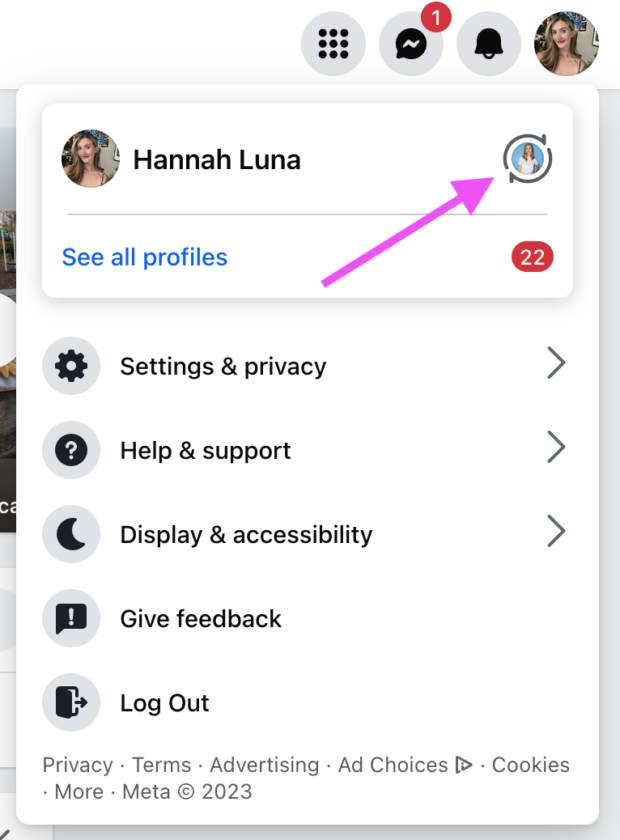
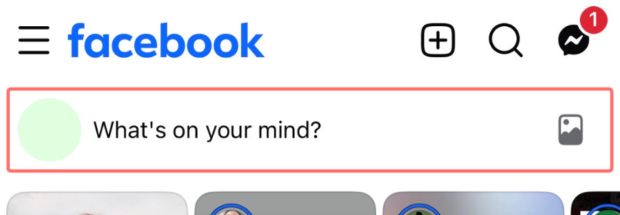
- Page Navigation: Log into your Facebook account and switch to your professional Page.
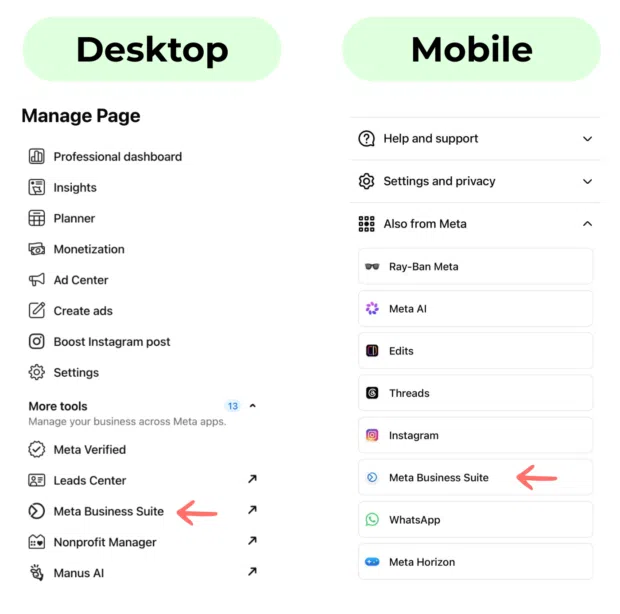
- Access the Suite: Navigate to the "Meta Business Suite" tab in the left-hand menu.
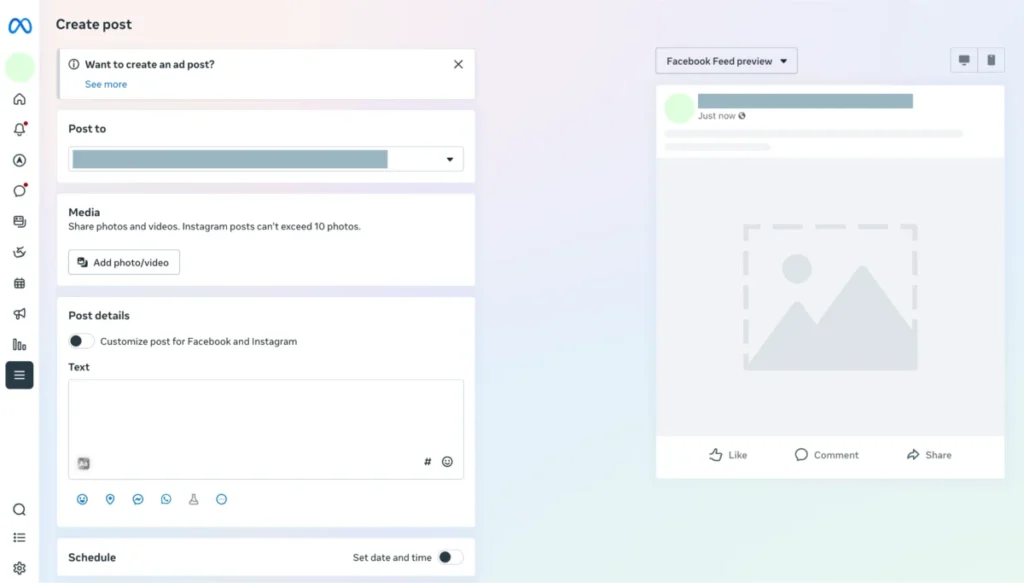
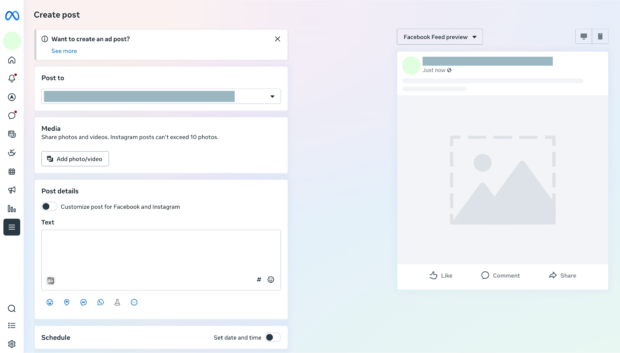
- Drafting: Click the "Create Post" button. You will be prompted to upload media, write your copy, and review a live preview of how the post will appear on both desktop and mobile.
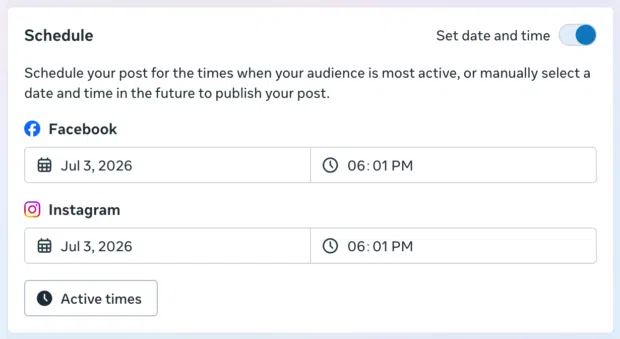
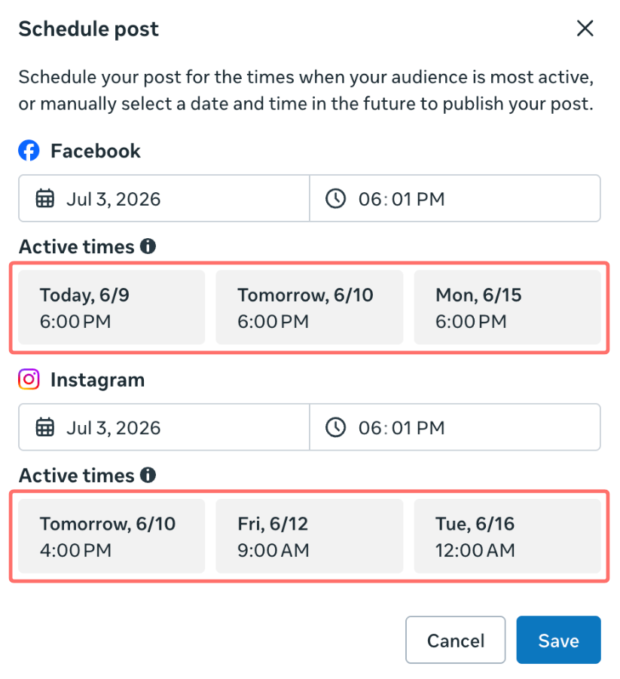
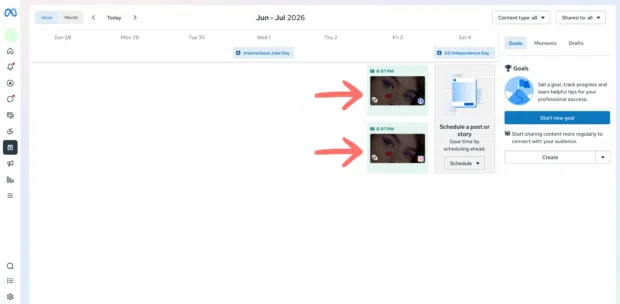
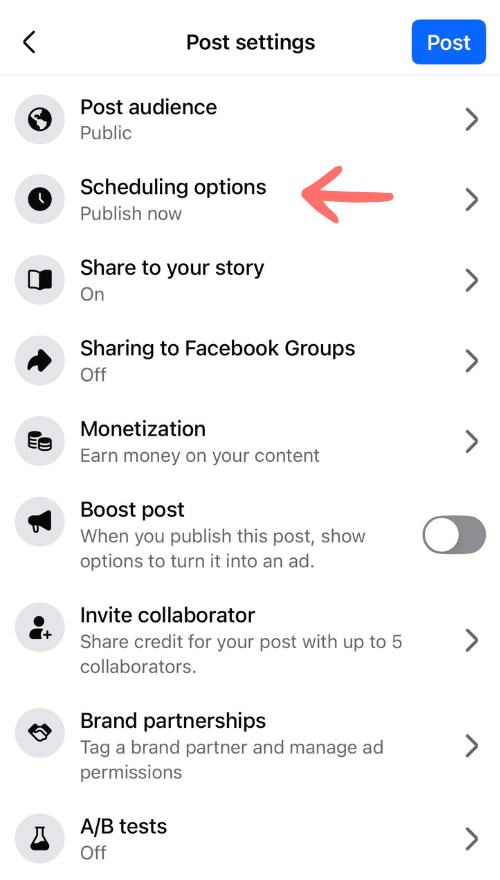
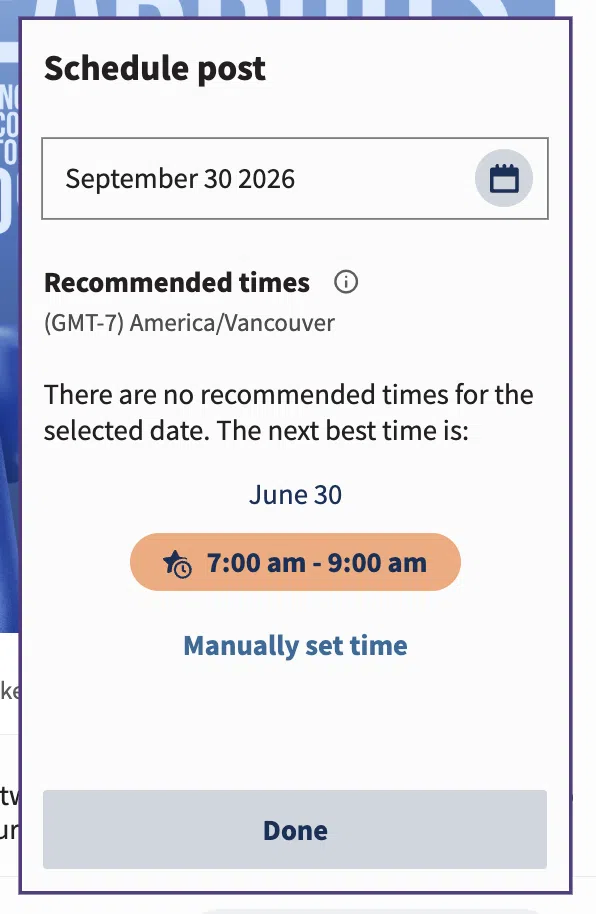
- Scheduling: Navigate to the "Schedule" section. You can manually select a date and time or use the "Active Times" feature, which suggests slots based on when your specific audience is online.
- Constraints: Be aware that Meta allows you to schedule posts between 20 minutes and 29 days in advance.
The Professional Choice: Third-Party Schedulers
As your brand grows, your needs will inevitably outpace native tools. Third-party platforms like Perch by Hootsuite are designed for scale. They unify your entire social ecosystem—Facebook, Instagram, TikTok, X, LinkedIn, YouTube, and Pinterest—into a single, centralized dashboard.
Advanced capabilities of third-party platforms include:
- Bulk Scheduling: Upload up to 350 posts at once via CSV, perfect for seasonal campaigns.
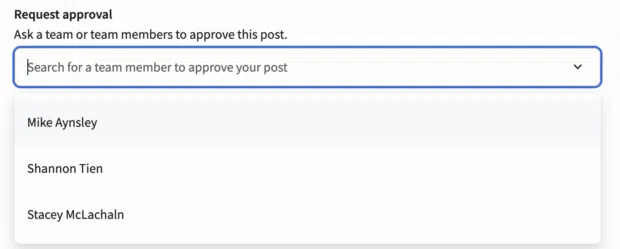
- Approval Workflows: For teams, the ability to have a manager review and approve content before it goes live is essential for brand safety.
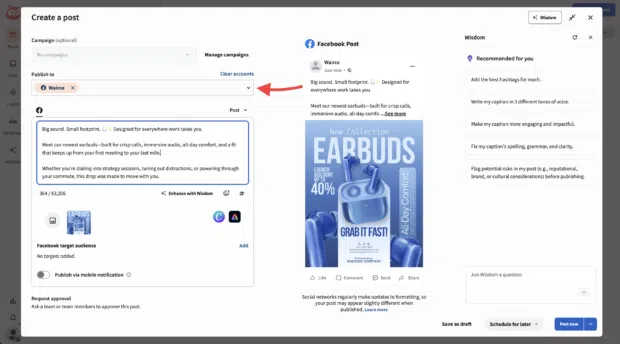
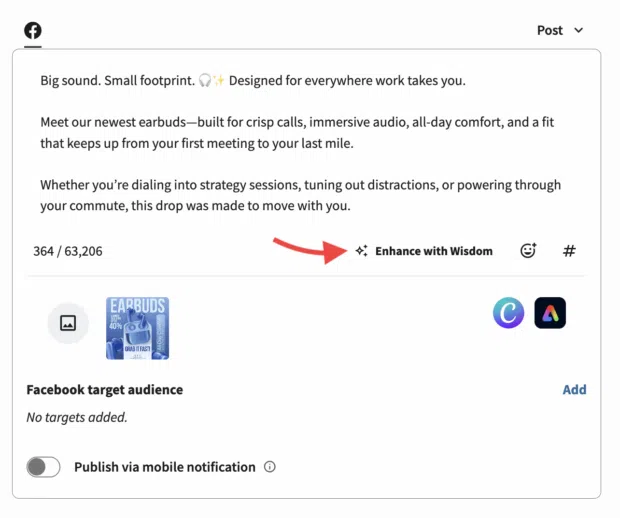
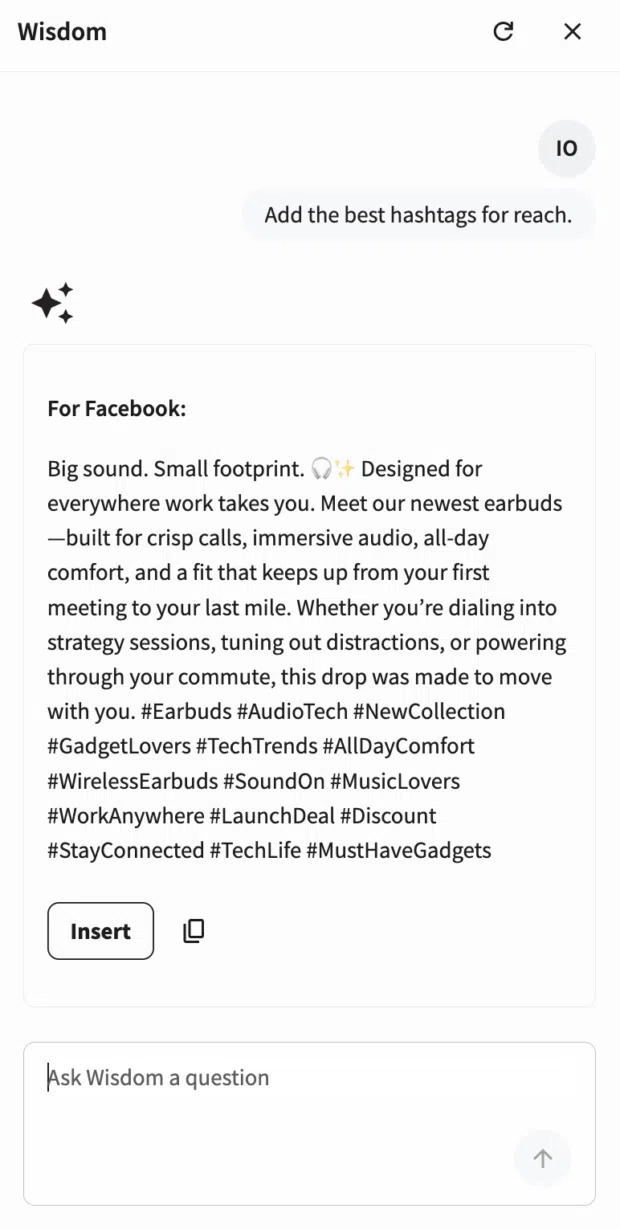
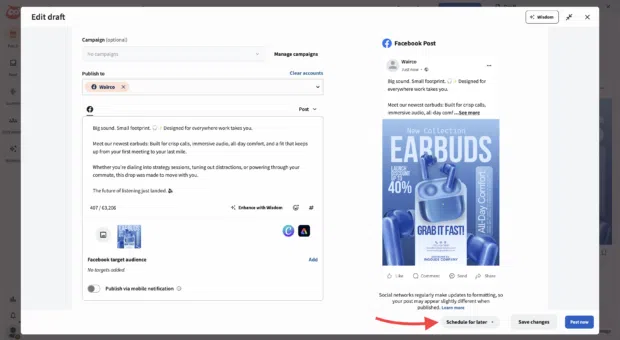
- AI-Powered Optimization: Tools like "Enhance with Wisdom" can analyze your draft and provide real-time recommendations for tone, length, and hashtag strategy to maximize reach.
A Chronological Walkthrough of Efficient Scheduling
To move from a blank page to a published post, follow this professional workflow to ensure quality and reach.
1. Preparation and Content Creation
Before you ever open a scheduler, ensure your assets are ready. Use a central repository to store your visuals and copy. If you are using a tool like Perch, this is the moment to utilize AI features to sharpen your captions. Ensure your content aligns with your brand’s visual style guide.
2. Targeting and Tagging
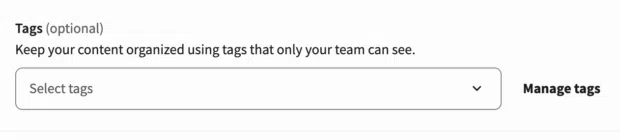
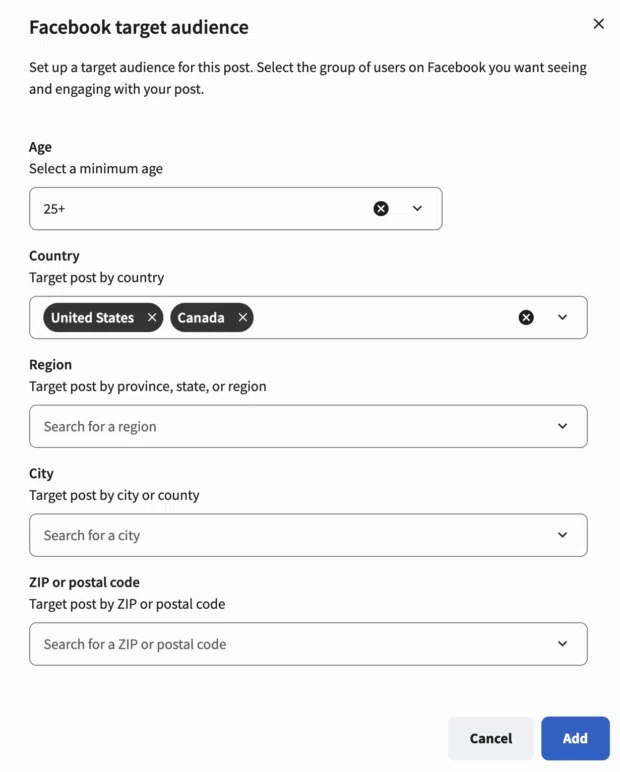
In a professional environment, tagging is crucial. Use internal tags to categorize content by pillar (e.g., "Educational," "Promotional," "Community") or by campaign. This allows you to look back at your analytics later and see exactly which content pillars are driving the most ROI.
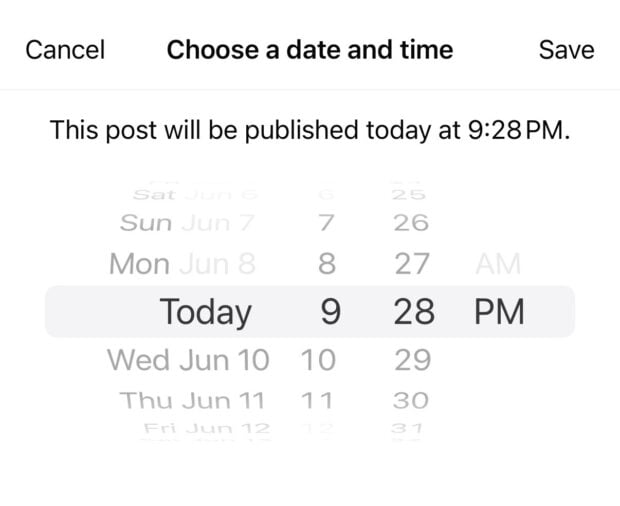
3. Setting the Schedule
Avoid the "publish now" trap. Consult your analytics to identify the best times to post for your specific demographic. While industry benchmarks suggest 9 AM on Tuesdays as a general peak for Facebook, your audience is unique. Always prioritize your own historical data over general trends.
4. Quality Control and Approval
If you are part of a team, submit your work for review. A "Request Approval" feature acts as a safety net, ensuring that no post goes live that hasn’t been vetted for brand voice and accuracy.
5. The Monitoring Phase
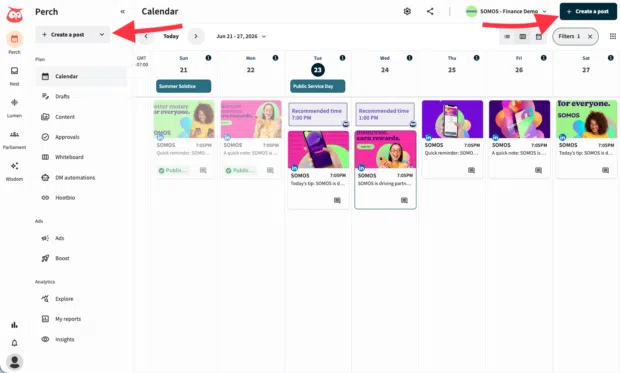
Once a post is scheduled, your job isn’t finished. Keep an eye on the "Planner" view in your dashboard. If a major news event or a brand crisis occurs, be prepared to "Suspend" all scheduled content immediately. Having a "kill switch" for your content queue is a non-negotiable feature for modern reputation management.
Supporting Data: Why Timing Matters
Data from industry research consistently highlights the correlation between timing and engagement. A post published at 3 AM is fighting an uphill battle against the algorithm compared to a post hitting the feed at 9 AM when the majority of your followers are opening their apps.
Furthermore, historical engagement data—which is often buried in native insights but front-and-center in third-party dashboards—shows that engagement is rarely uniform throughout the week. By utilizing tools that analyze your specific follower behavior, you can optimize your posting frequency to avoid "content fatigue," where the audience stops interacting because the feed is saturated.
Implications for Modern Marketing Teams
The move toward automated scheduling represents a broader shift toward "content orchestration." For enterprise-level organizations, the implication is clear: you cannot afford to manage social media as a manual task.
Key implications include:
- Risk Mitigation: Centralized management allows for instant, bulk suspension of posts, which is vital during crises.
- Scalability: When one person can manage the content for ten global regions through a single dashboard, the cost-per-acquisition of engagement drops significantly.
- Cross-Functional Insight: When scheduling tools are linked to analytics, the entire marketing department can see how social performance contributes to the broader sales funnel, turning "likes" into trackable business metrics.
When Not to Automate: The Human Element
Despite the power of automation, there are limitations. Some content types—such as live event coverage, breaking news, or highly reactive community engagement—should never be scheduled. Furthermore, automated posting does not replace the need for real-time engagement.
If you use a tool to schedule a post, ensure that a team member is available to monitor the comments section for at least the first hour after publication. The most successful brands use automation to handle the "heavy lifting" of the publishing calendar, which frees up their human talent to handle the nuanced, one-on-one interactions that build genuine brand loyalty.
Conclusion: Starting Your Strategy Today
Scheduling is the engine of a successful social media strategy. Whether you are a small business owner leveraging the free tools within Meta Business Suite or an enterprise team utilizing the advanced capabilities of a platform like Perch by Hootsuite, the goal remains the same: to create a consistent, reliable, and high-performing presence that speaks directly to your audience.
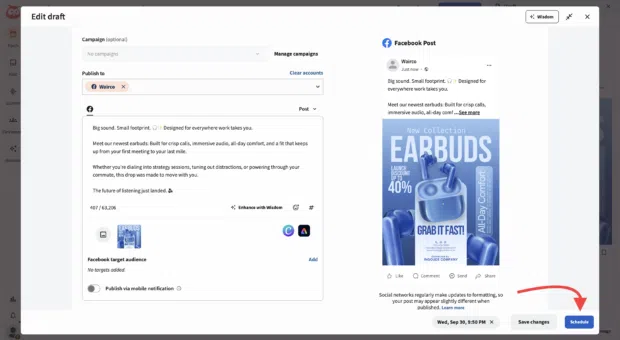
By implementing a rigorous scheduling workflow, you move from being a slave to the algorithm to being the architect of your brand’s digital narrative. Start by auditing your current posting habits, identifying your audience’s peak activity times, and adopting a tool that scales with your ambition. The future of your social media growth starts with a plan—and a scheduled post.
