

Seamless Transition: A Comprehensive Guide to Migrating Your Email Marketing from Mailchimp to Campaign Monitor
In the competitive landscape of digital marketing, the platform you choose to house your subscriber data is more than just a software subscription—it is the engine behind your customer relationships. For many small business owners and marketing professionals, Mailchimp has long been the default starting point. However, as business needs evolve and the demand for more specialized, user-friendly, and cost-effective tools grows, many are finding that a pivot is necessary.
Transitioning from one email service provider (ESP) to another is often viewed as a daunting technical hurdle. Yet, migrating your audience to Campaign Monitor is a streamlined, efficient process designed to ensure your marketing efforts continue without missing a beat. This guide serves as your definitive roadmap to making that switch.
Main Facts: Why the Shift?
For over two decades, Campaign Monitor has cemented its reputation as a powerhouse in the email marketing sector, specifically catering to the nuanced needs of small-to-medium enterprises. While industry trends have seen many platforms bloating their service offerings with complex omnichannel features—often driving up costs for users who simply need a reliable email solution—Campaign Monitor has maintained a steadfast focus on the core of email marketing.
The decision to migrate is frequently driven by the need for:
- Intuitive Design: Access to high-quality, mobile-optimized templates that require zero coding knowledge.
- Cost Efficiency: Eliminating the "omnichannel tax" by paying only for the tools your business actually utilizes.
- Deliverability and Support: A dedicated infrastructure designed to ensure your messages land in the inbox, backed by a support team that understands the specific challenges of small business growth.
If you are considering this migration, the primary fact to keep in mind is that your data ownership remains yours. Exporting your contacts from Mailchimp is a standard, user-initiated process, and importing them into a new system like Campaign Monitor is a secure, straightforward operation.
The Chronology of Migration: A Step-by-Step Walkthrough
The technical migration process is broken down into five distinct phases. By following this sequence, you ensure data integrity and minimize the risk of losing subscriber history or custom field data.
Step 1: Exporting Your Audience from Mailchimp
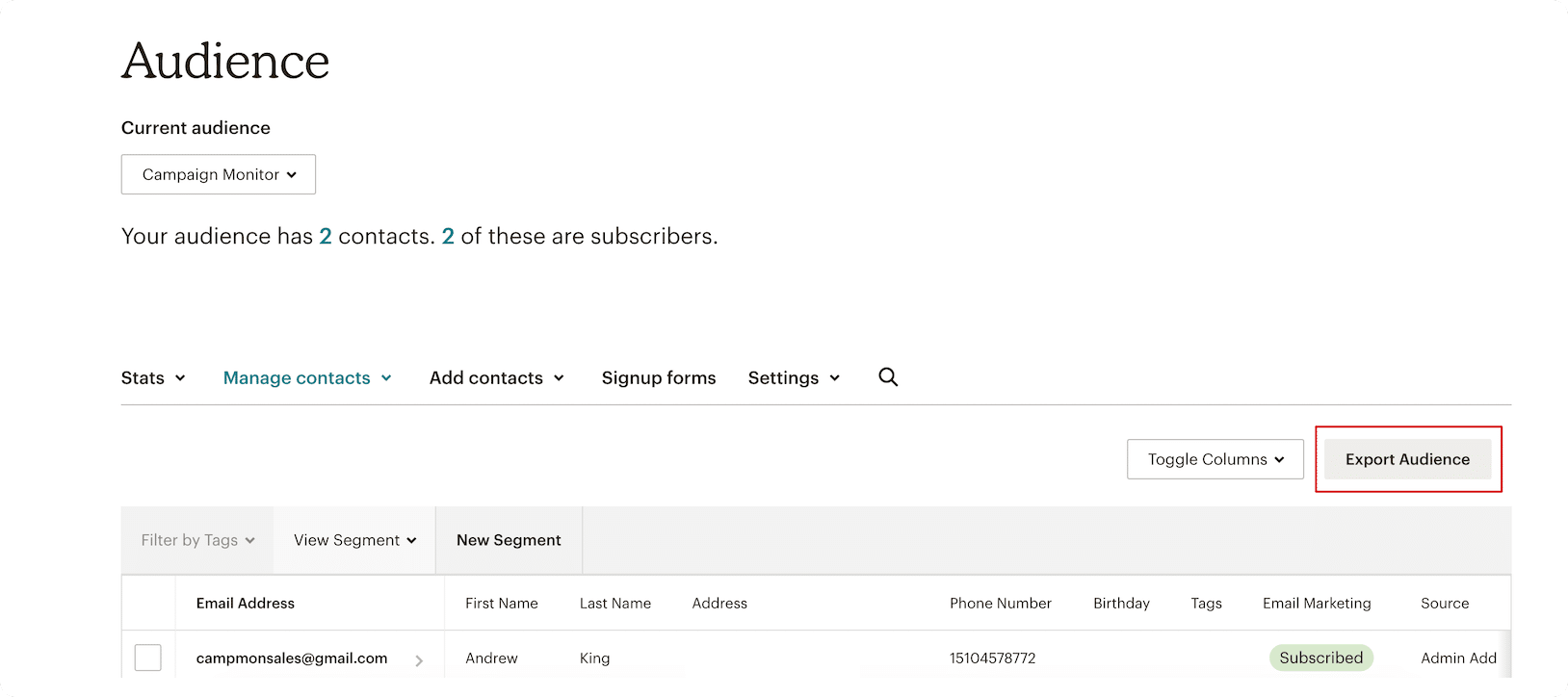
Your first task is to secure a clean backup of your data. Log into your Mailchimp account and navigate to your audience dashboard. Select the specific audience you wish to migrate. Within the menu options, choose "Export Audience." Mailchimp will prepare a compressed archive containing your contact data, including active subscribers, unsubscribed users, and any relevant metadata you have attached to these profiles.
Step 2: Preparing Your CSV File
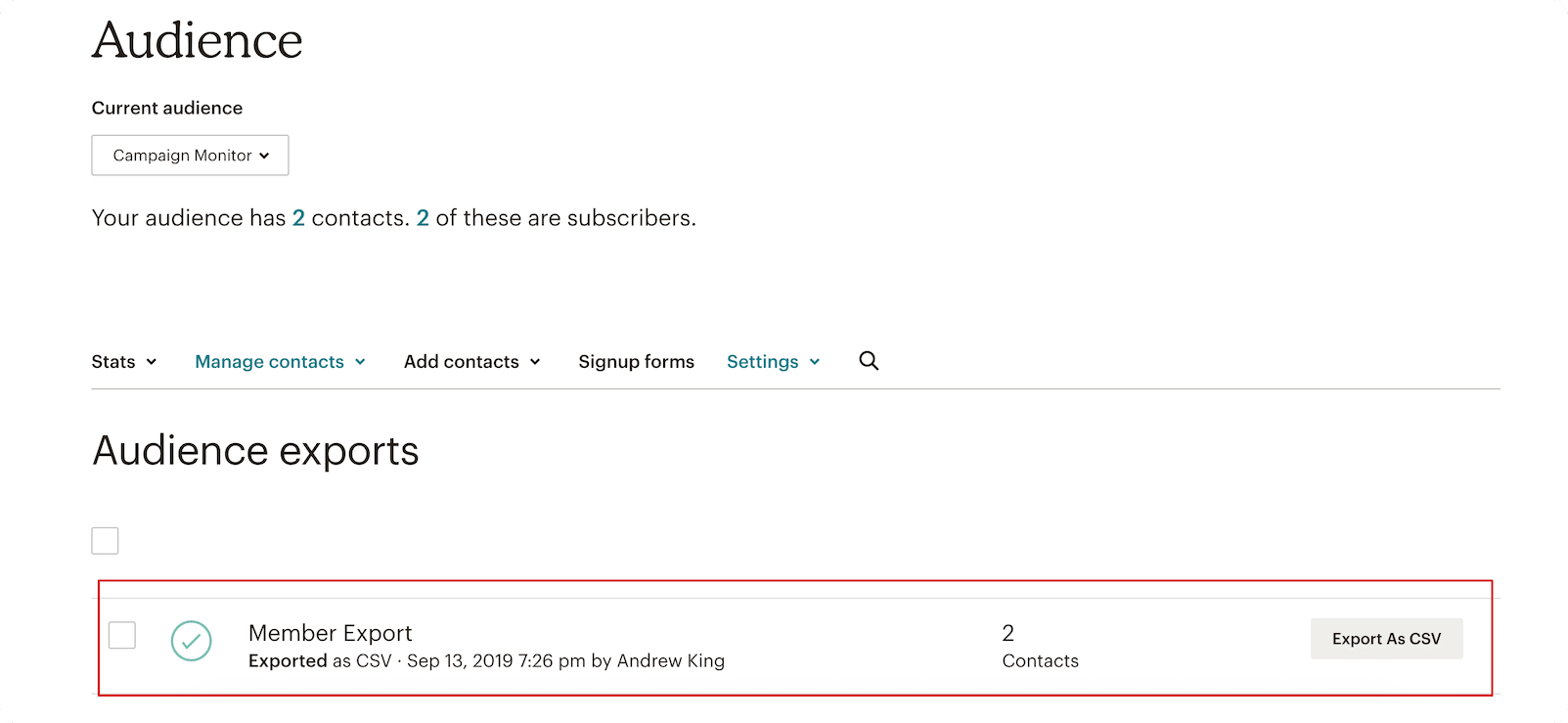
Once Mailchimp has finished processing your request, download the CSV file to your local machine. This file is the "bridge" between your old platform and the new. It is vital to keep this file intact; do not attempt to reformat it in a spreadsheet editor unless you are absolutely certain you are not breaking the data structure, as this can cause mapping errors during the import process.
Step 3: Setting the Foundation in Campaign Monitor
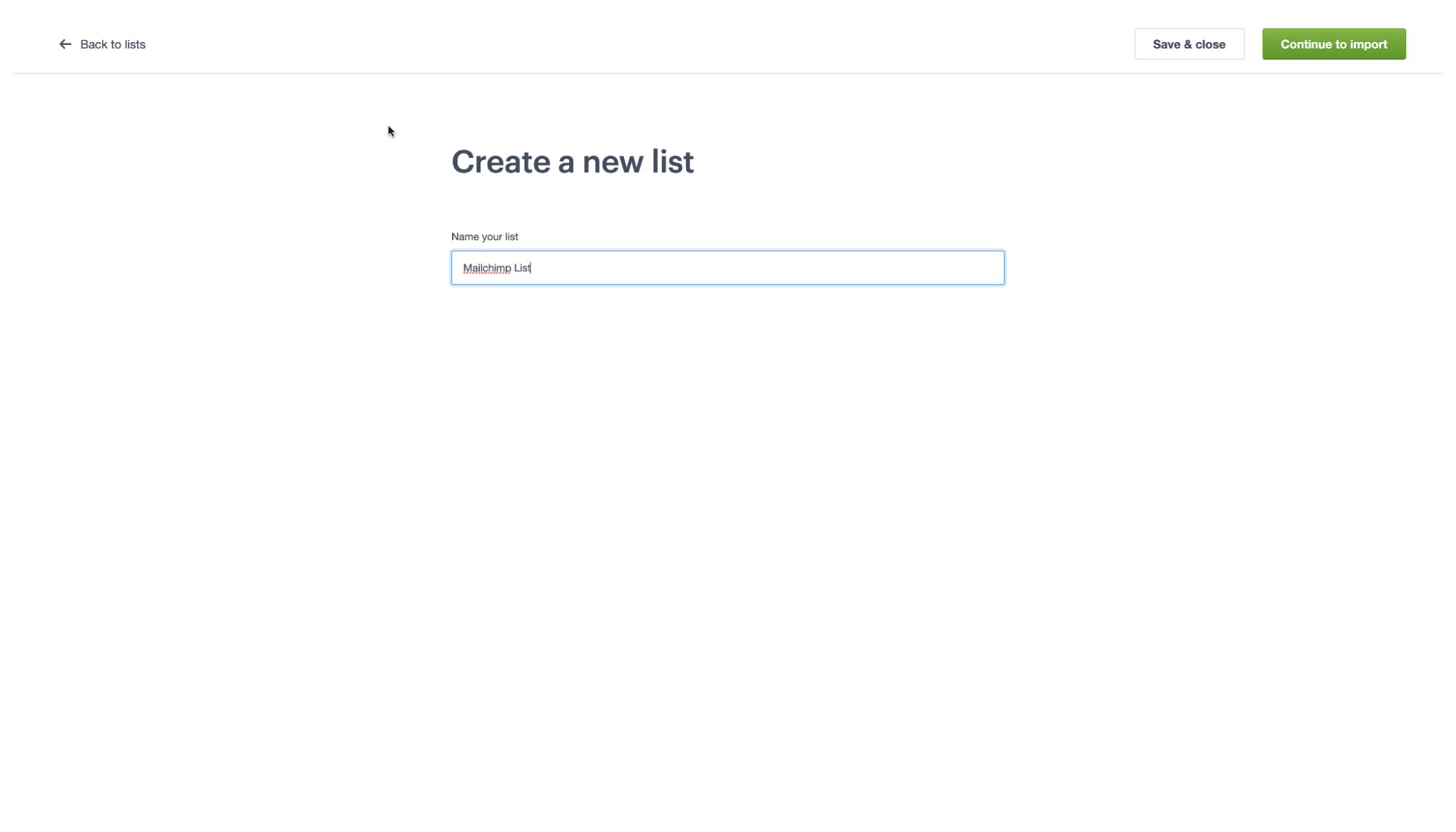
With your file ready, log in to your Campaign Monitor account. If you are new to the platform, taking advantage of the free trial is a recommended "test drive" to ensure the interface aligns with your workflow. Once logged in, navigate to the "Lists & Subscribers" tab. Creating a new list acts as the container for your incoming data. Once named, select "Continue to Import."
Step 4: The Import Process
The migration interface in Campaign Monitor features a drag-and-drop mechanism. Simply move your saved CSV file from your desktop into the designated upload area. The system will immediately begin parsing the data.
Step 5: Mapping Your Customer Data
This is the most critical step for maintaining data intelligence. You will be prompted to map your CSV columns (e.g., "First Name," "Subscription Date," "Custom Tags") to the corresponding fields in Campaign Monitor. If you have already set up custom fields within Campaign Monitor, the system will often auto-detect and match these fields for you, ensuring that your personalization tokens—such as using a customer’s name in a subject line—continue to function perfectly after the move.
Understanding the Translation: A Migration Glossary
One of the greatest points of friction during a platform migration is the change in terminology. While the core concepts remain the same, different providers use different labels. To ensure a smooth transition, reference this guide:
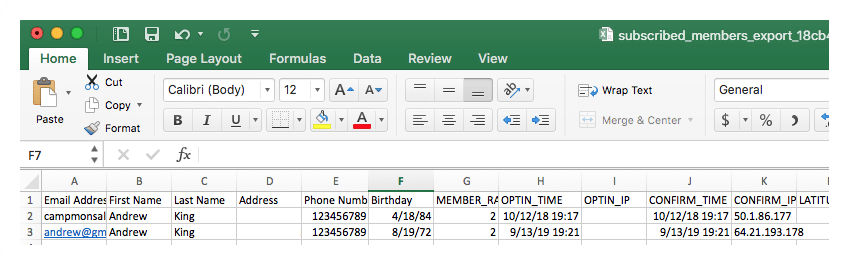
- Audiences vs. Lists: In Mailchimp, your database is called an "Audience." In Campaign Monitor, this is simply referred to as a "List."
- Subscribed Contacts vs. Subscribers: Your active audience members are known as "Subscribers" in the Campaign Monitor ecosystem.
- Tags vs. Custom Fields: Mailchimp uses "Tags" to label and organize users. In Campaign Monitor, these are uploaded as "Custom Fields," which provide even greater flexibility for segmentation.
- Groups vs. Segments: Mailchimp "Groups" allow for internal sorting. In Campaign Monitor, this functionality is managed through "Segments," allowing you to filter your list based on specific subscriber behaviors or profile data.
Supporting Data and Strategic Implications
Operational Efficiency
Migrating to a platform that prioritizes email-first workflows can lead to significant time savings. Data indicates that marketers who switch to platforms with more intuitive template editors spend 30% less time on the production of a single campaign. By migrating, you aren’t just moving data; you are upgrading your operational velocity.
Deliverability and Compliance
One of the most important implications of switching is the "warm-up" period for your new domain reputation. When moving a large list, it is best practice to send to your most engaged subscribers first. This signals to ISPs (Internet Service Providers) that your move is legitimate and that your content remains high-quality, thereby protecting your sender score.
Financial Impact
For many, the shift to Campaign Monitor is a strategic financial move. By avoiding the "all-in-one" pricing models that include expensive social media management or CRM tools that small businesses might not need, companies can redirect those funds back into their core email marketing budget—potentially increasing their overall ROI through more frequent or better-segmented campaigns.
Official Perspective and Support
"Migrating is not just a technical necessity; it’s an opportunity to clean your list and optimize your strategy," says the Campaign Monitor support team. The platform emphasizes that every migration is backed by a robust knowledge base and a dedicated support team.
Whether you are navigating the nuances of list hygiene or trying to understand the best way to utilize segments for a new automation flow, resources like the Campaign Monitor 101 video series are designed to bridge the gap between "beginner" and "pro." For those who encounter roadblocks, the official support portal remains available to provide real-time assistance, ensuring that no business owner feels left in the dark during the transition.
Conclusion: Moving Forward
The choice to migrate from Mailchimp to Campaign Monitor is a proactive step toward refining your marketing stack. By following the steps outlined in this guide—from the initial export of your CSV file to the careful mapping of your customer data—you can ensure a seamless transition that preserves your hard-earned subscriber relationships.
The digital landscape is constantly changing, and your tools should be able to keep pace. By choosing a platform that prioritizes the craft of email marketing, you position your business to not only reach the inbox but to foster genuine, lasting connections with your audience. As you settle into your new dashboard, remember that the goal of this migration is not just a change of scenery, but an enhancement of your ability to communicate effectively with those who matter most: your customers.
Editor’s note: This guide was reviewed and updated in May 2026 to reflect the latest interface updates and ensure maximum accuracy for all users.
