
Mastering the Transition: A Comprehensive Guide to Migrating from Mailchimp to Campaign Monitor
In the competitive landscape of digital marketing, the platform you choose to host your email strategy can be the difference between a high-converting campaign and a missed opportunity. While Mailchimp has long been a household name in the industry, many businesses—particularly those scaling their operations—are increasingly seeking more streamlined, intuitive alternatives. Campaign Monitor has emerged as a premier destination for marketers who value performance, deliverability, and user-friendly design over bloated, omnichannel complexity.
Migrating your subscriber lists from one platform to another is a critical operational task. To ensure your marketing efforts continue without a beat, this guide provides a deep dive into the strategic benefits of switching to Campaign Monitor and a technical, step-by-step roadmap for a seamless transition.
Why Marketers Are Shifting Gears: The Campaign Monitor Advantage
For over two decades, Campaign Monitor has remained steadfast in its commitment to providing a powerful yet accessible email marketing ecosystem. As the industry has shifted toward complex, multi-faceted platforms that often come with bloated pricing models and unnecessary features, Campaign Monitor has focused on what matters most: the inbox.
Streamlined Efficiency and Design
Unlike platforms that prioritize building an "all-in-one" solution at a premium price point, Campaign Monitor prioritizes the user experience. Its suite of mobile-ready, highly customizable email templates allows even novice marketers to create professional-grade campaigns in minutes. This focus on design aesthetics ensures that your brand identity remains consistent and visually compelling across all devices.
Deliverability and Support
One of the most critical factors in email marketing is deliverability—the ability to land in the inbox rather than the spam folder. Campaign Monitor has cultivated a reputation for world-class deliverability, supported by a dedicated team of experts. When you choose to migrate, you aren’t just getting software; you are gaining a partner committed to the success of your outreach.
The "Test Drive" Philosophy
Commitment in the SaaS space can be daunting. To alleviate the pressure of switching, Campaign Monitor offers a free trial, allowing marketers to import their data, build a template, and test the platform’s robust reporting tools before making any financial investment.
Chronology of the Migration Process: A Step-by-Step Technical Guide
Moving your audience data is a precise task. Following this chronological workflow will minimize the risk of data loss and ensure your segments and custom fields are accurately reflected in your new environment.
Phase 1: Preparation and Extraction
The first step is the secure extraction of your existing data from Mailchimp.
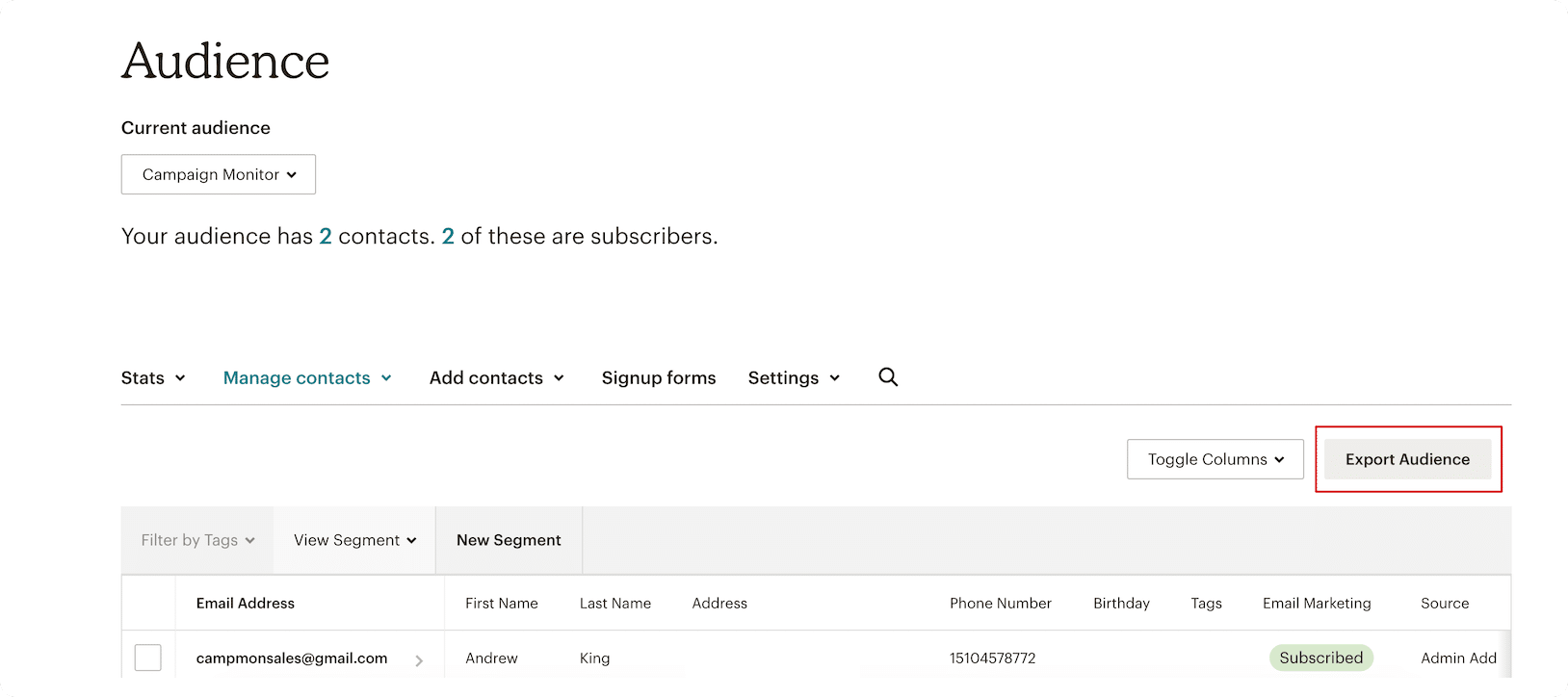
- Audience Selection: Log into your Mailchimp dashboard and navigate to the "Audience" tab. Select the specific lists you wish to migrate.
- The Export: Click the "Export Audience" button. Mailchimp will process your data request.
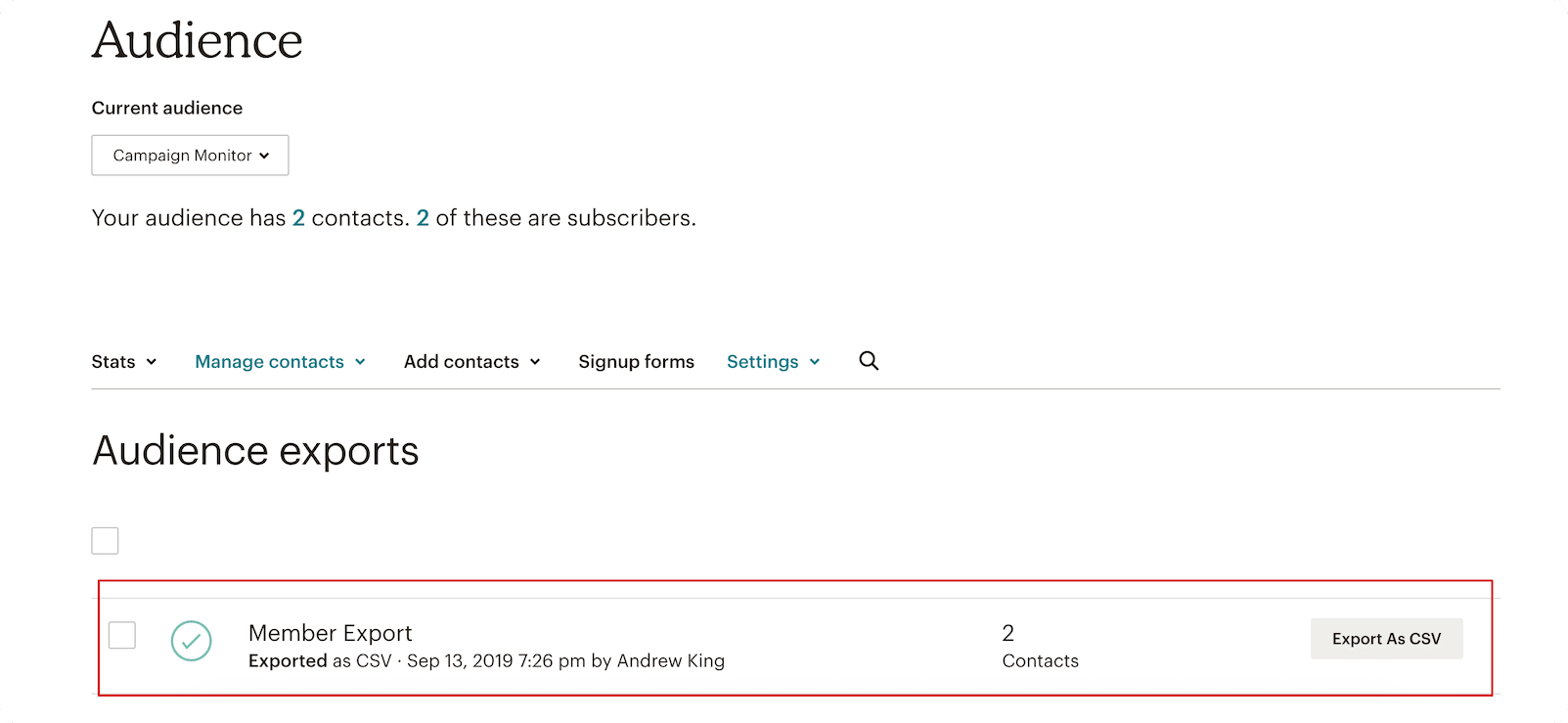
- Download: Once the process is complete, you will be prompted to download a CSV file. For large lists, this process may take a few moments. Ensure you have saved this file in a secure, easily accessible folder on your workstation.
Phase 2: Platform Integration
Once your data is safely in a CSV format, it is time to initialize your Campaign Monitor account.
- Account Setup: If you haven’t already, sign up for a Campaign Monitor account.
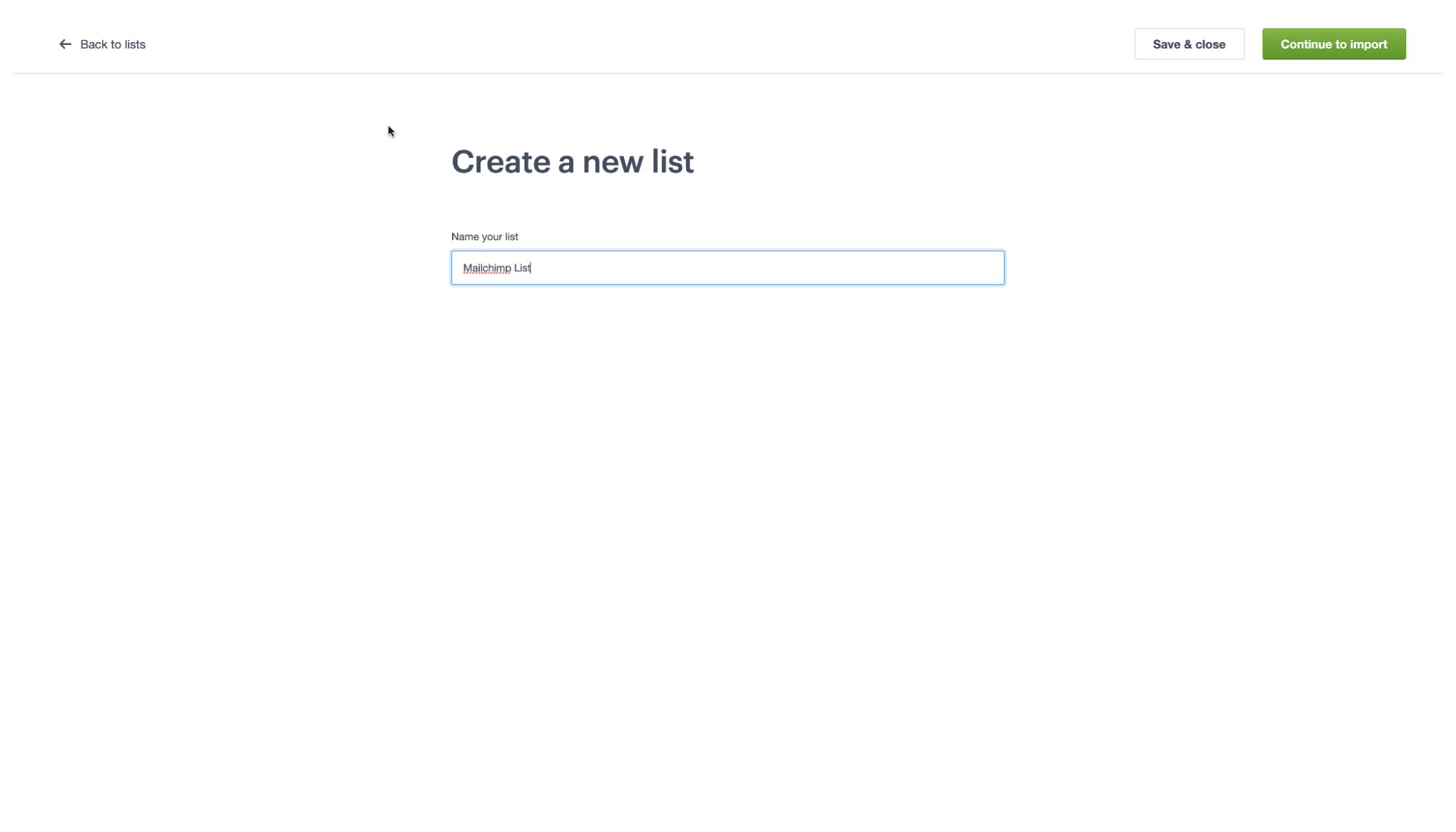
- List Creation: Within the Campaign Monitor dashboard, navigate to the "Lists & Subscribers" tab. Select "Create a new list." Assign your list a clear, descriptive name—such as "Newsletter Subscribers – 2026"—and proceed to the import screen.
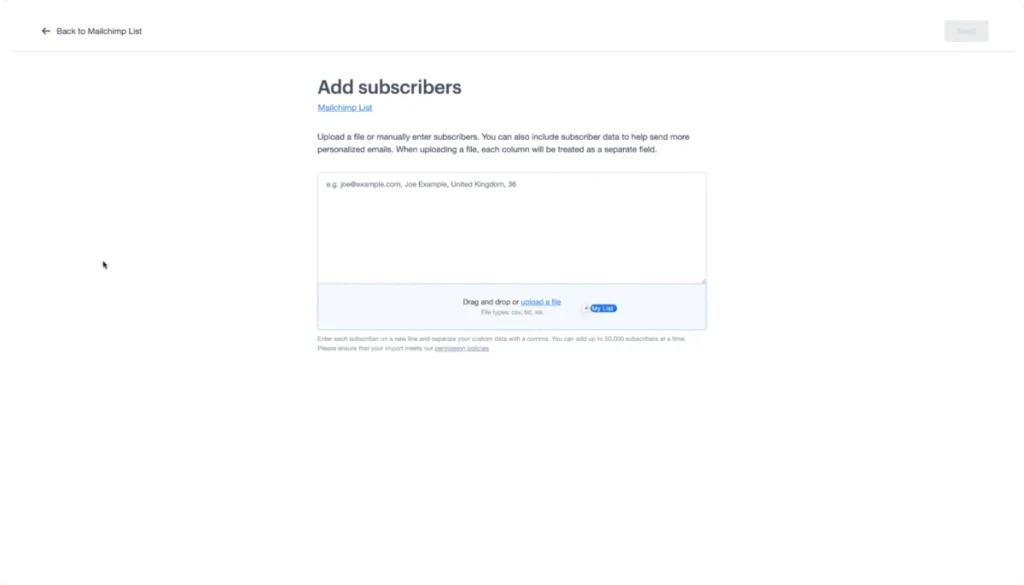
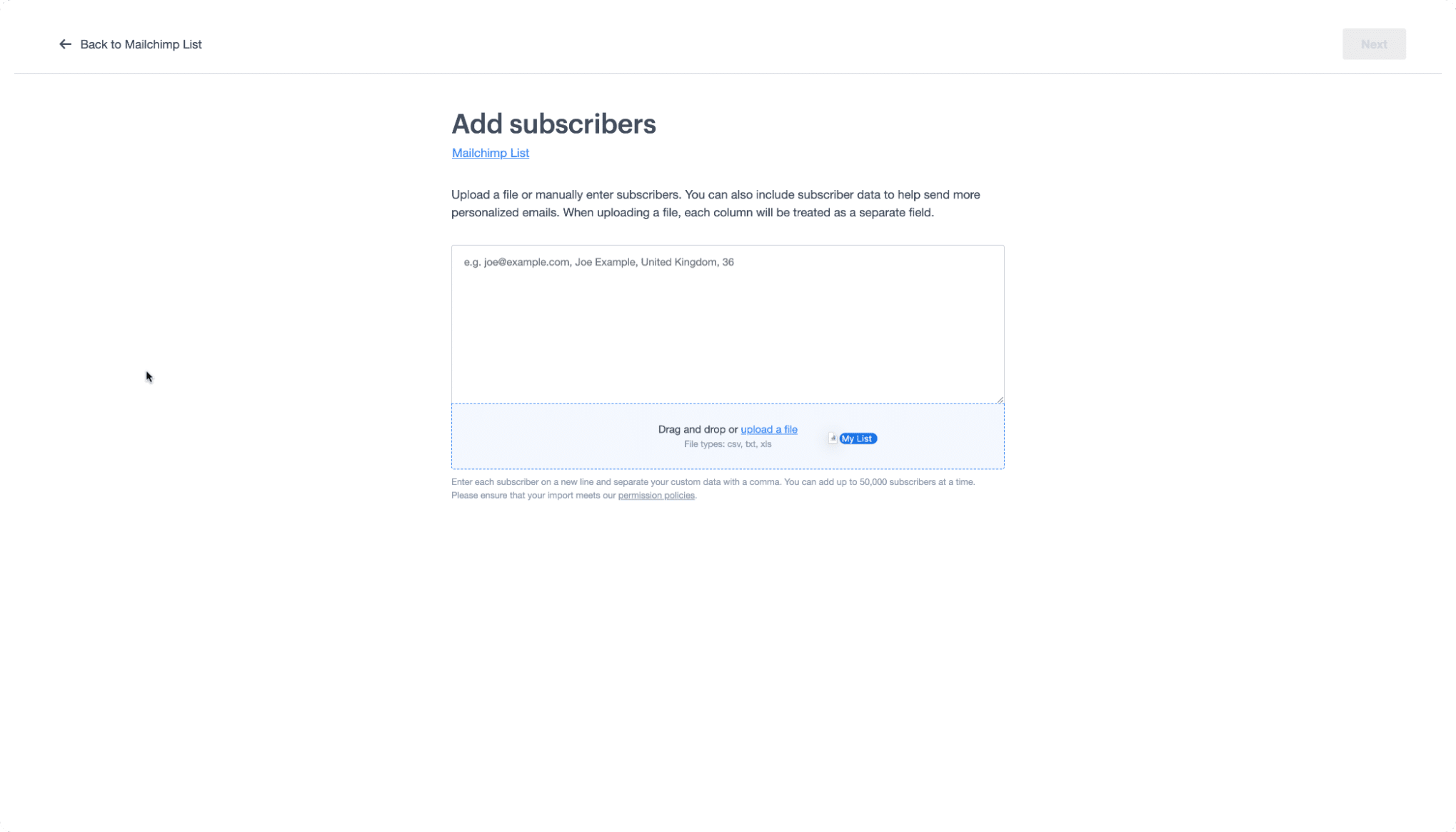
- Data Import: Drag and drop your downloaded CSV file into the designated upload area. The system will automatically parse the headers of your document.
Phase 3: Field Mapping and Validation
This is the most critical phase of the migration. You must map your Mailchimp columns to the corresponding fields in Campaign Monitor.
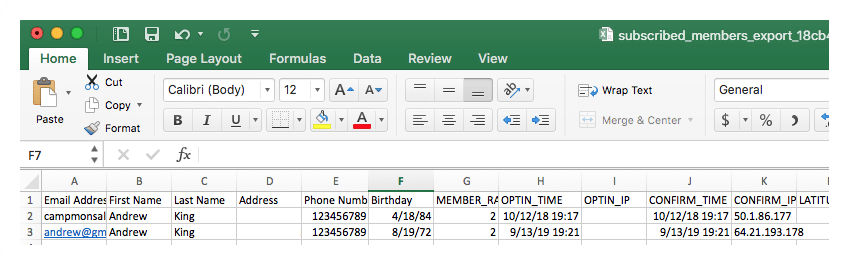
- Smart Mapping: Campaign Monitor’s system is designed to recognize common headers (like "First Name" or "Email"). If you have established custom fields in your new account that match your CSV headers, the system will attempt to automate the matching process.
- Manual Verification: Always perform a spot-check. Ensure that your tags and custom attributes are correctly aligned to prevent data fragmentation.
Supporting Data: Understanding the Terminology Gap
One of the most common hurdles in migrating platforms is the "language barrier" between systems. Every email service provider (ESP) uses unique nomenclature. To prevent confusion, use this glossary to translate your existing strategy into the Campaign Monitor lexicon.
| Mailchimp Term | Campaign Monitor Equivalent | Definition |
|---|---|---|
| Audience | List | The core container for your subscriber data. |
| Subscribed Contact | Subscriber | An active user who has opted into your communications. |
| Tags | Custom Fields | Labels used to categorize and organize subscriber data. |
| Groups | Segments | Dynamic subsets of your list based on user behavior or interests. |
Official Perspectives and Best Practices
Industry experts emphasize that a migration is more than just moving rows and columns; it is an opportunity to "cleanse" your data. Before importing your CSV into Campaign Monitor, take the time to remove inactive subscribers or hard bounces.
According to the Campaign Monitor support team, maintaining high list hygiene is the most effective way to protect your sender reputation. When you move to a new platform, you have a blank slate; treat it as an opportunity to implement a more robust tagging and segmentation strategy that may have been cumbersome or difficult to manage in your previous tool.
Implications: What This Means for Your Marketing Future
Transitioning to a new email service provider has significant long-term implications for your business.
1. Improved ROI
By leveraging Campaign Monitor’s simplified toolset, teams often report a decrease in the time spent on "campaign production." This allows marketing staff to focus more on strategy, A/B testing, and content creation rather than troubleshooting technical limitations.
2. Enhanced Data Ownership
By moving away from platforms that emphasize "omnichannel" lock-in, you regain control over your data architecture. Campaign Monitor’s transparent approach to data management ensures that your subscriber information remains portable and easy to manage via their robust API.
3. Scalable Growth
As your business grows, so does the complexity of your messaging. With the segmentation capabilities offered by Campaign Monitor, you can transition from "batch-and-blast" marketing to highly personalized, automated customer journeys that drive higher engagement and, ultimately, higher revenue.
Conclusion
Migrating from Mailchimp to Campaign Monitor is a strategic move that favors efficiency, deliverability, and focused marketing. By following the steps outlined in this guide—from the initial CSV extraction to the final mapping of custom fields—you can ensure a seamless transition that protects your hard-earned audience data.
Whether you are a small business owner looking to simplify your marketing stack or a digital strategist aiming to improve your deliverability rates, the move to Campaign Monitor provides the tools necessary to elevate your email marketing efforts. If you encounter any challenges, the extensive library of resources available on the Campaign Monitor help center ensures that you are never left without guidance.
Editor’s note: This guide was updated for accuracy and freshness in May 2026. Always ensure you have a current backup of your subscriber data before initiating any migration process.
Disclaimer: This article provides general information and discussion about email marketing and related subjects. The content provided should not be construed as and is not intended to constitute financial, legal, or tax advice. You should seek the advice of professionals prior to acting upon any information contained herein. All content is provided strictly "as is" and we make no warranty or representation of any kind regarding the accuracy or reliability of the information provided.
