

Master Lead Attribution: A Comprehensive Guide to Tracking UTM Sources in ActiveCampaign
In the modern digital marketing landscape, data is the currency of growth. Yet, for many businesses, a critical "attribution gap" remains: the inability to connect a high-intent sale or webinar registration back to the original marketing touchpoint. When a user visits your site, leaves, and returns later to convert, the original context of their arrival is often lost.

Bridging this gap is not just a technical challenge—it is a financial imperative. By injecting source information directly into your CRM, such as ActiveCampaign, you empower your sales and marketing teams to make data-backed decisions regarding budget allocation and campaign ROI. This guide explores a professional, robust framework for tracking lead sources using UTM parameters, Google Tag Manager (GTM), and custom hidden form fields.
The Core Challenge: Why Attribution Matters
The primary obstacle in lead tracking is the ephemeral nature of web traffic. When a user arrives at your landing page, they are often accompanied by a query string containing UTM parameters—those essential tags that tell you the source, medium, campaign, content, and term associated with the visit. However, once the user navigates to a second page or returns at a later date, that URL query string vanishes.
If you fail to capture this data during the initial visit, you lose the ability to perform accurate "first-touch" or "last-touch" attribution. Without this data in your CRM, your reporting remains siloed. By storing these parameters in your CRM’s user profile, you transform static contact records into actionable intelligence, allowing you to backtrack conversions to their origin with surgical precision.
Chronology of Implementation
To achieve seamless tracking, we must follow a precise, multi-stage workflow. This process involves preparing your CRM, configuring your web forms, and deploying intelligent tracking via Google Tag Manager.
1. Creating Custom Fields in ActiveCampaign
Before we can capture data, we must create the digital containers for it.
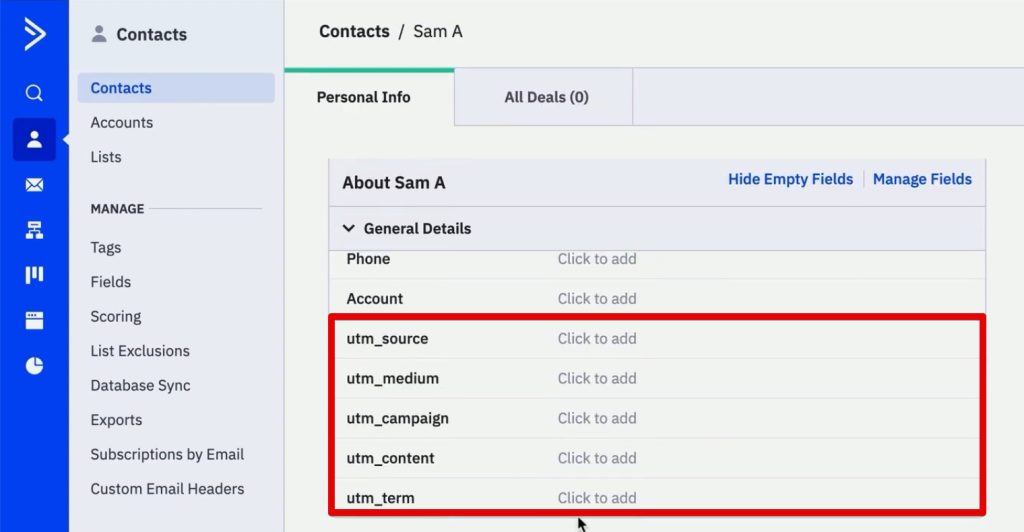
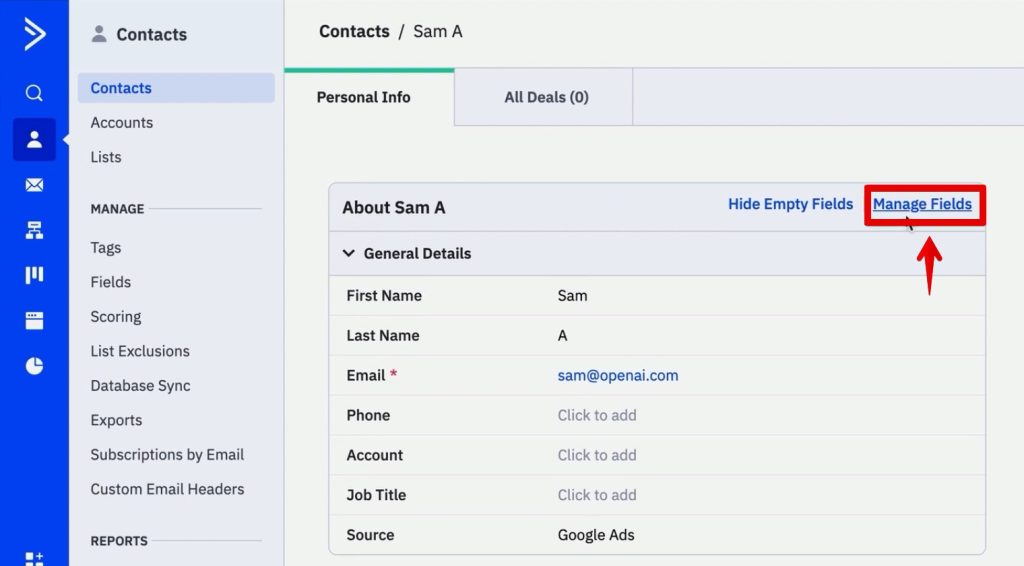
- Navigate to the Contacts section in ActiveCampaign and click Manage Fields.
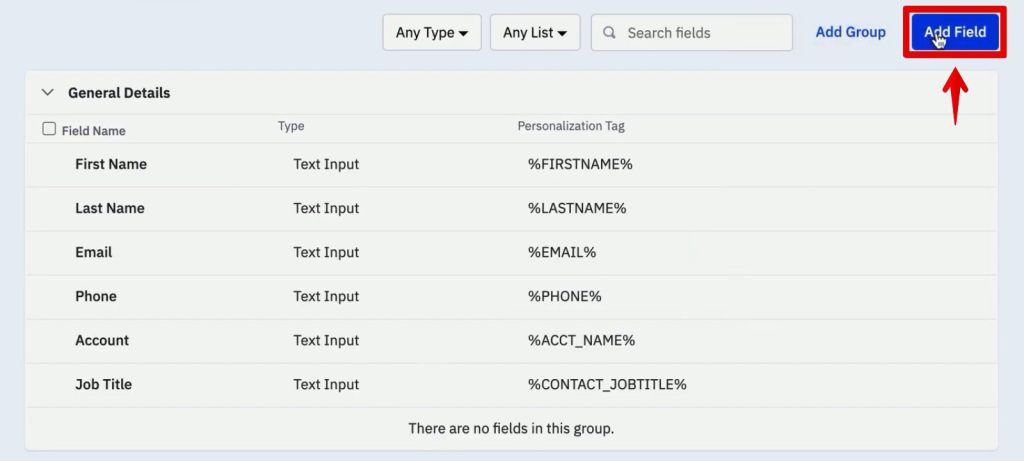
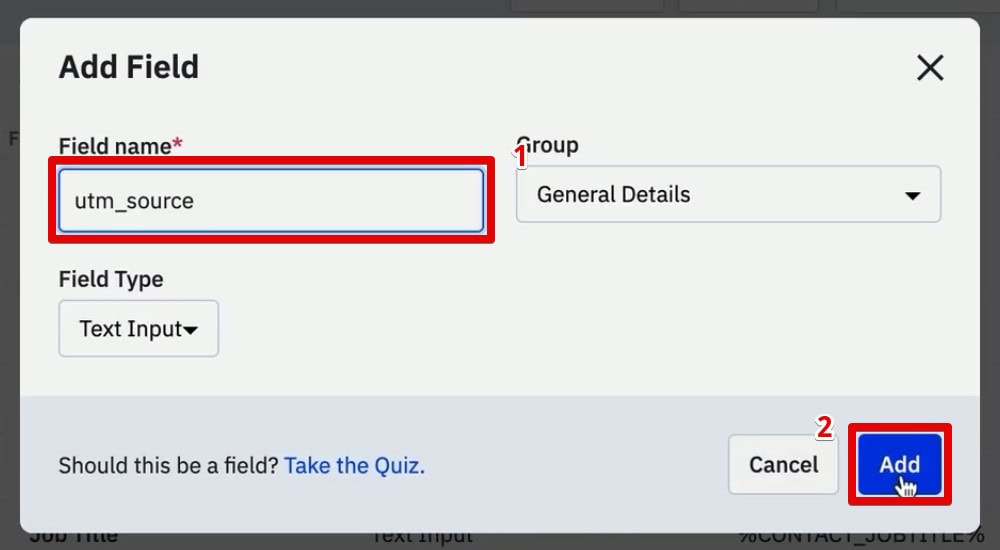
- Select Add Field to create a new custom field. Label it
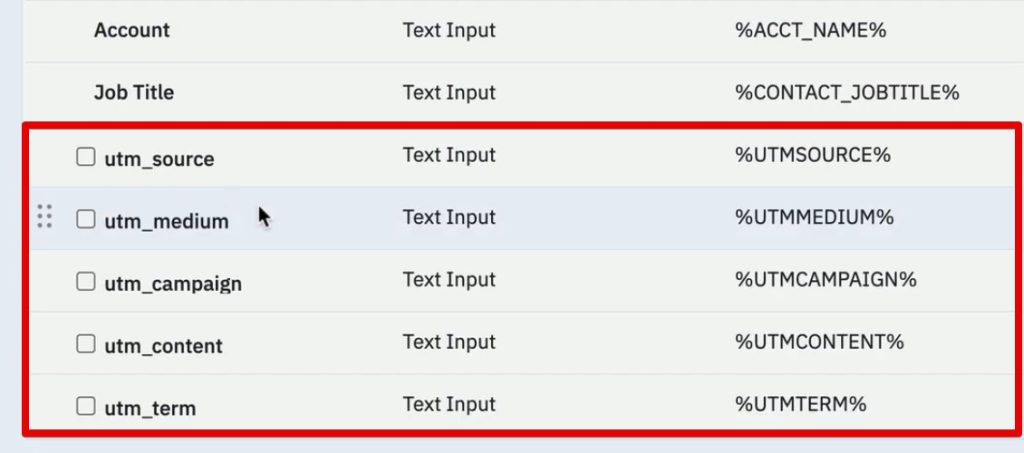
utm_source. - Repeat this process for the remaining standard parameters:
utm_medium,utm_campaign,utm_content, andutm_term.
Once these fields are active, they will appear in every contact profile, providing a dedicated space for your attribution data. While you could manually input this information, our goal is to automate this via your signup forms.
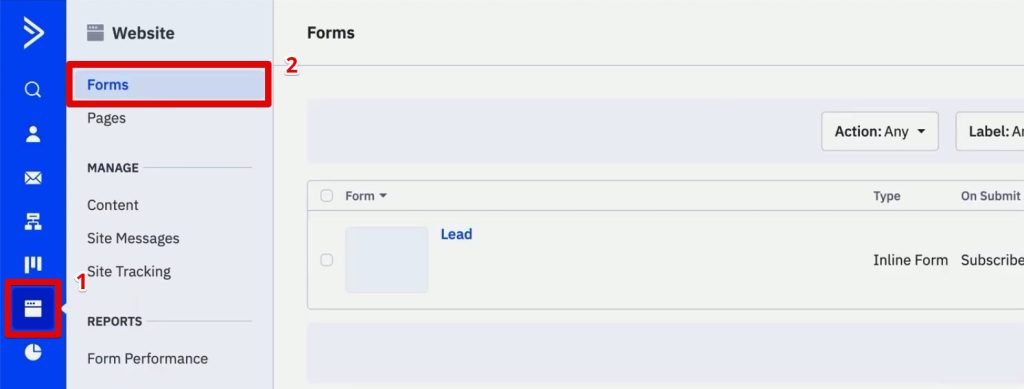
2. Form Configuration and Hidden Fields
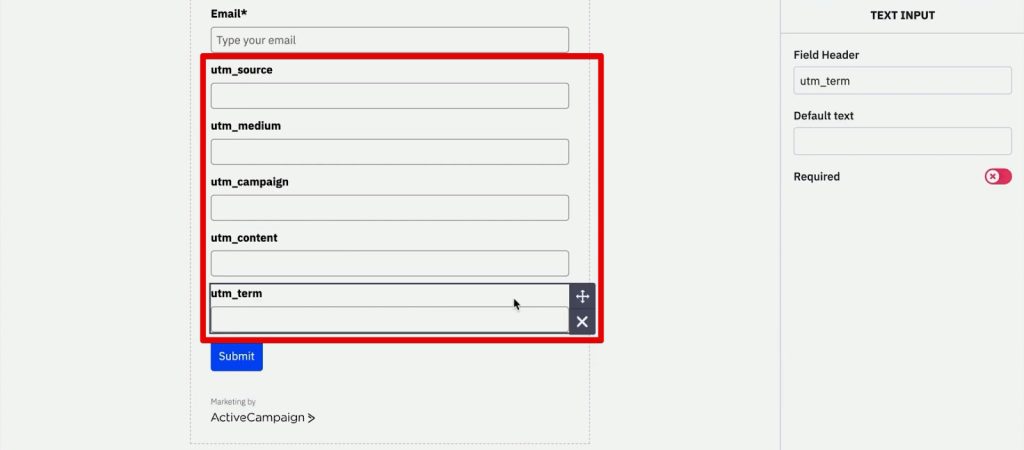
Next, navigate to Website > Forms to create a new Inline Form. Configure the form to subscribe users to a specific list (e.g., "Leads").
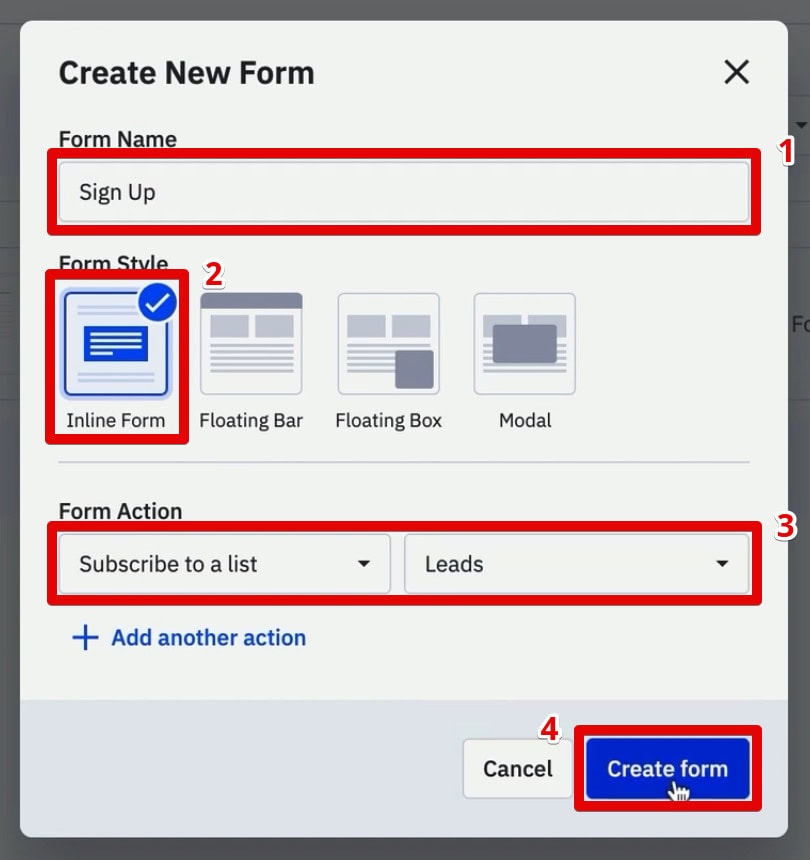
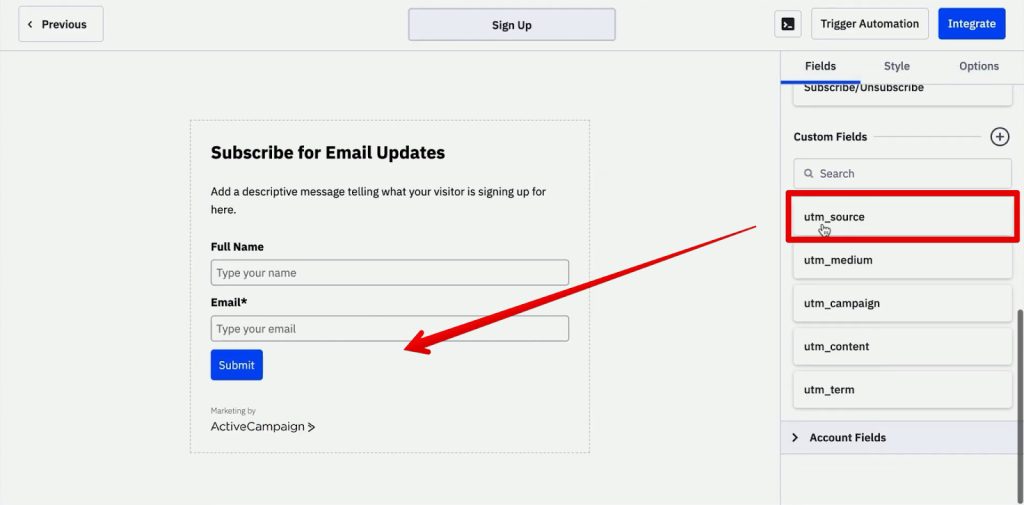
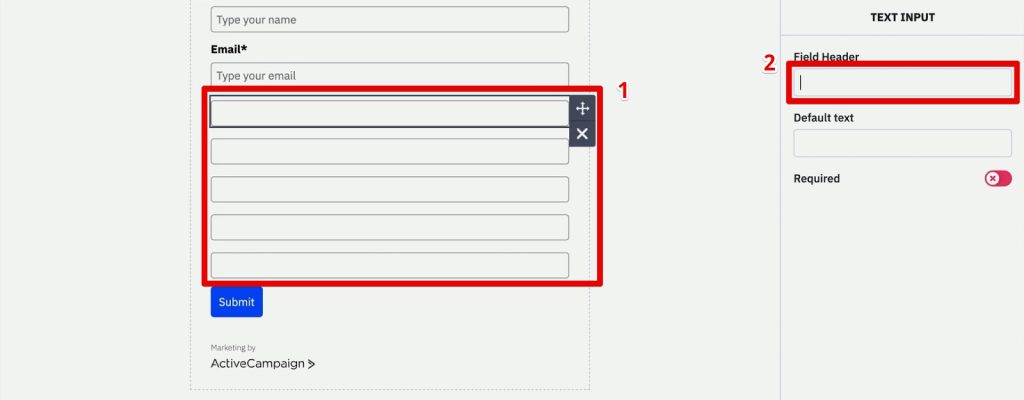
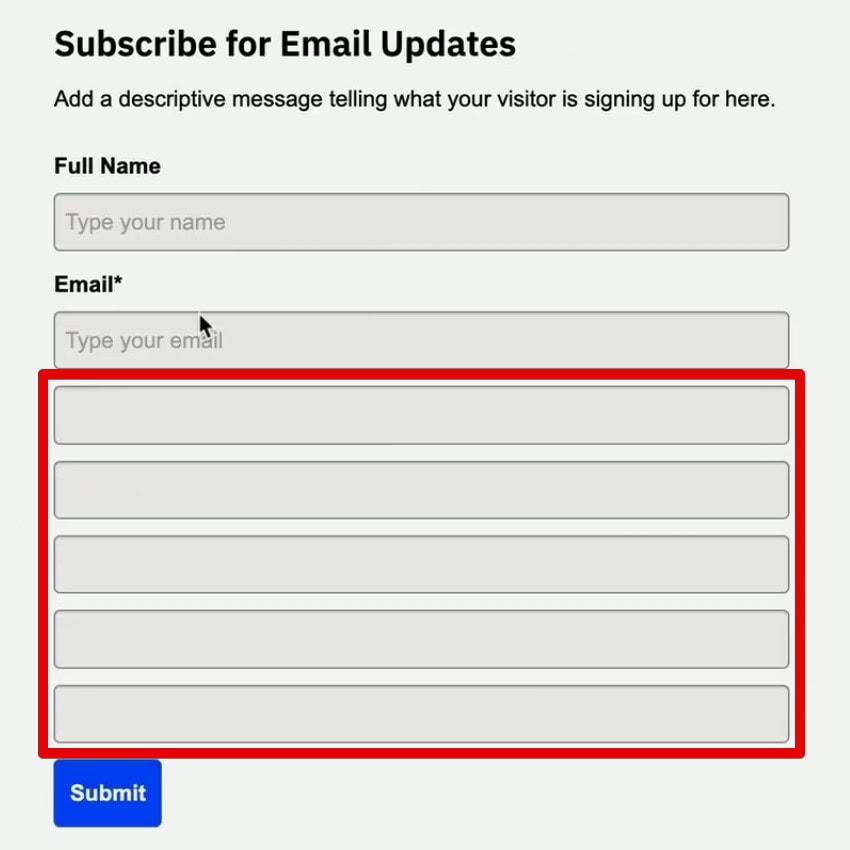
- Drag and drop the newly created UTM fields into the form.
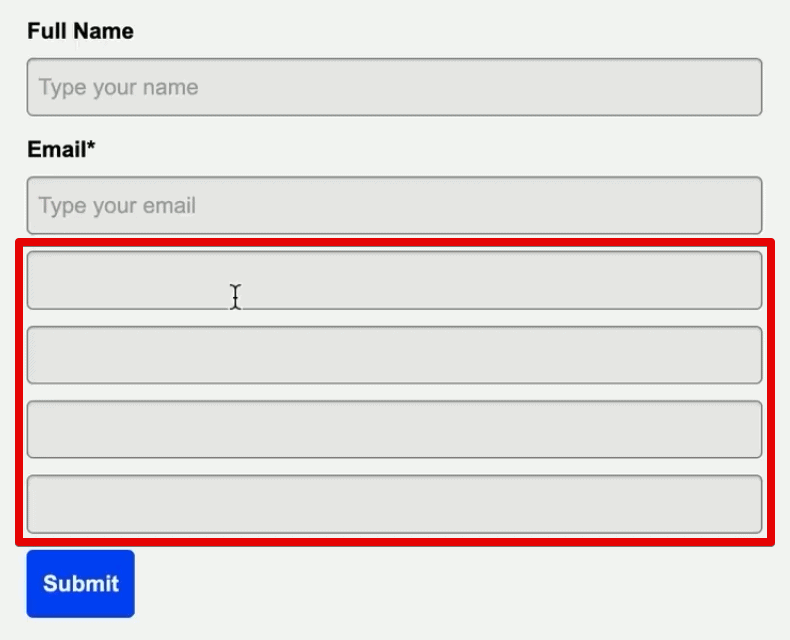
- Remove the field headers to ensure a clean user interface.
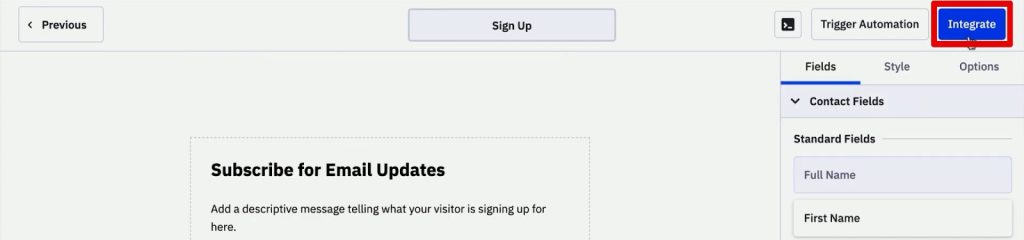
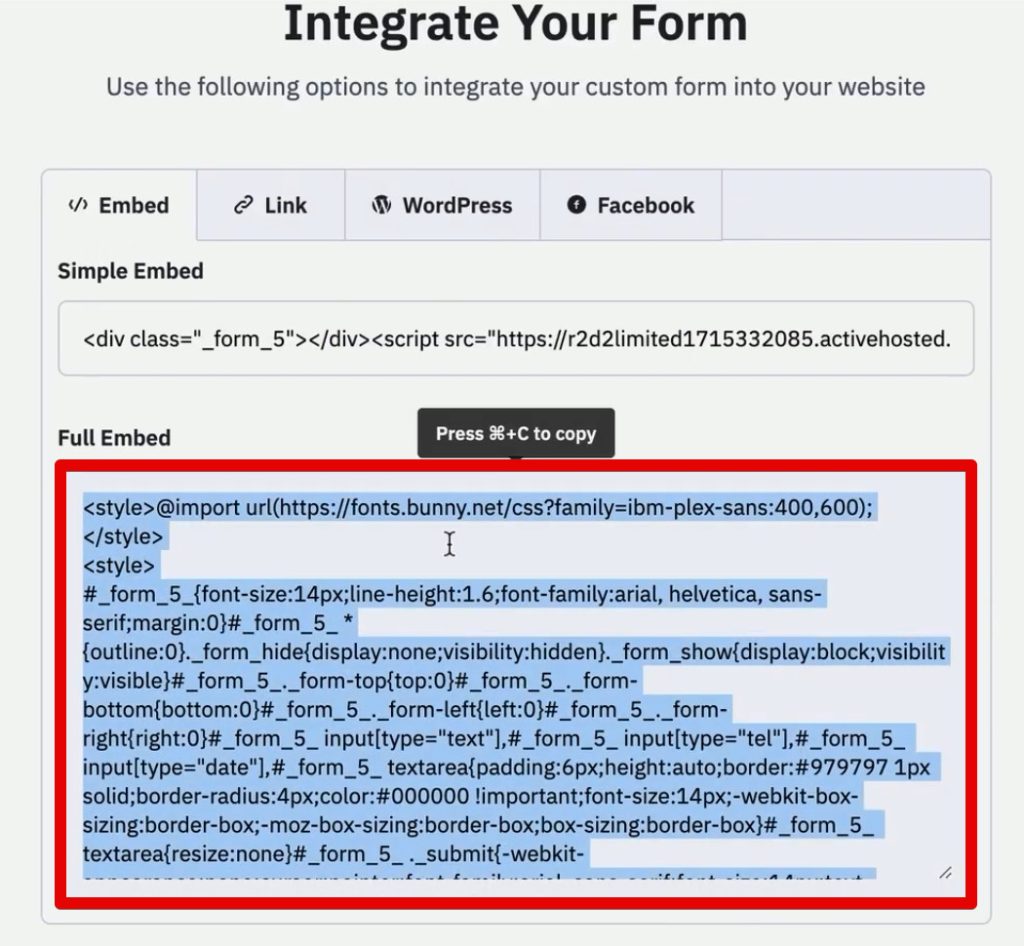
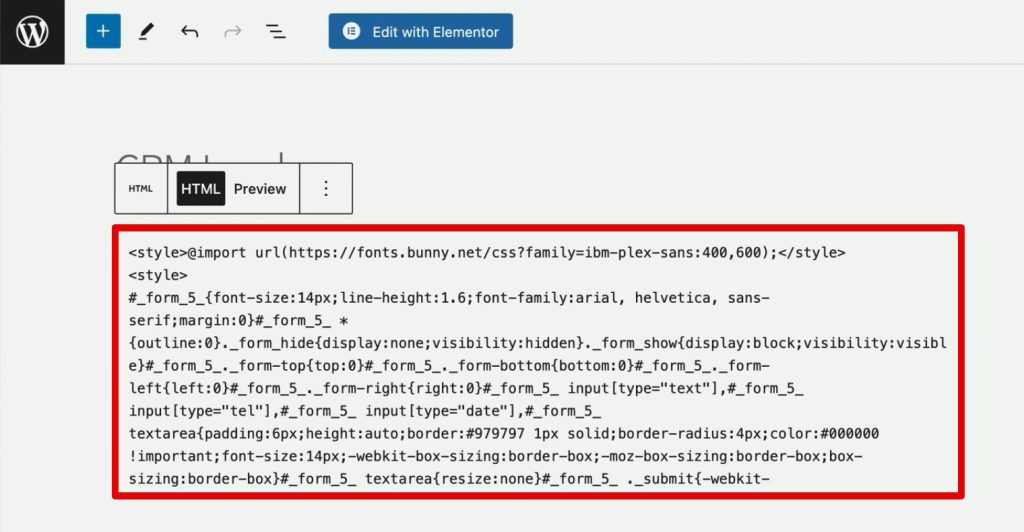
- Integrate the form into your website by copying the embed HTML code.
Pro Tip: While the fields are currently visible to the user, we will modify the HTML to hide them, ensuring the user experience remains uncluttered while the backend captures the data.
3. Hiding Fields with Precision
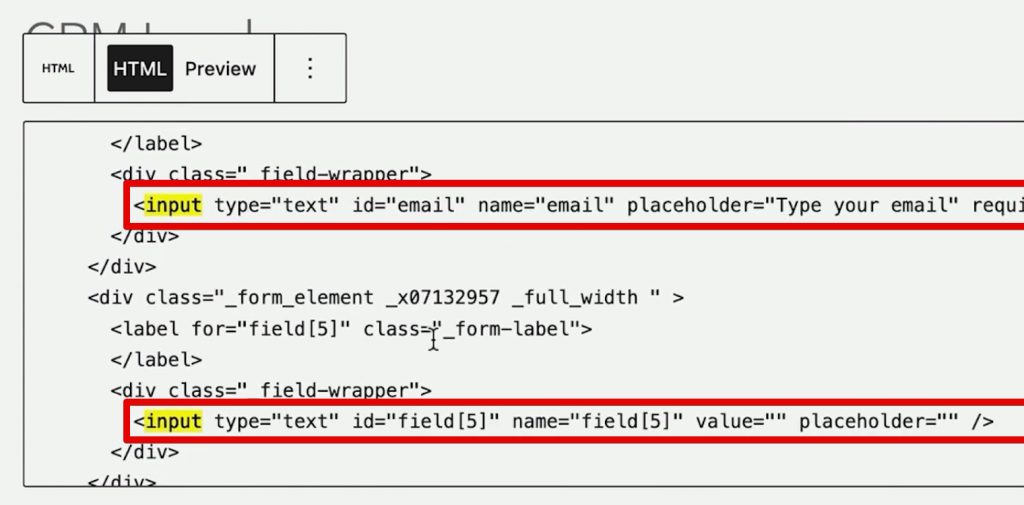
To ensure the form remains user-friendly, we must hide the UTM inputs.
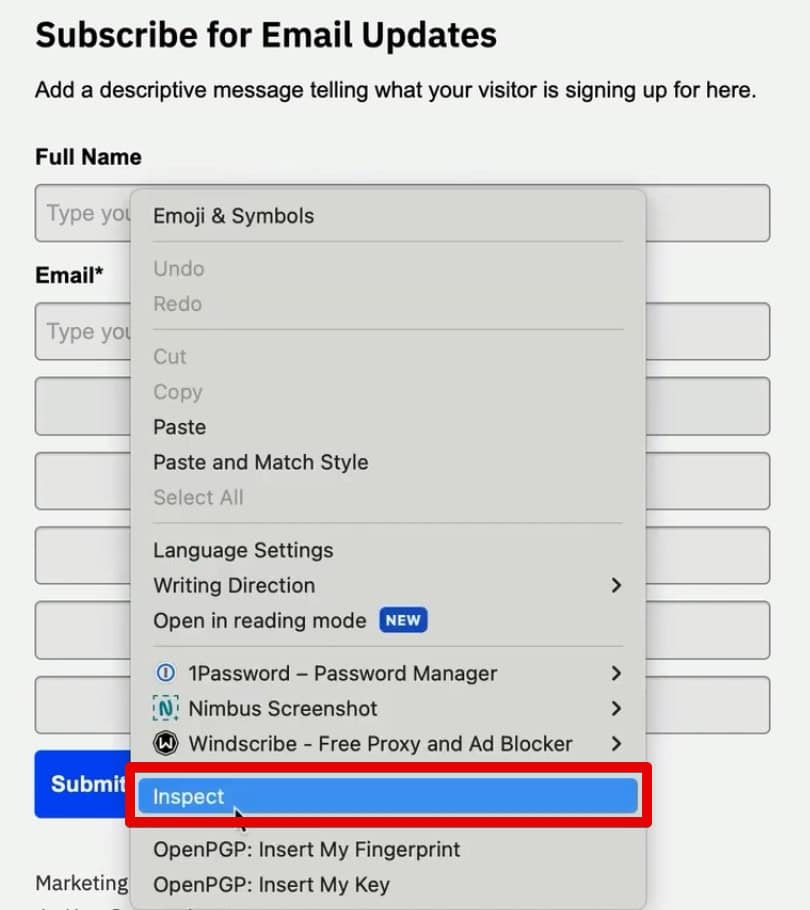
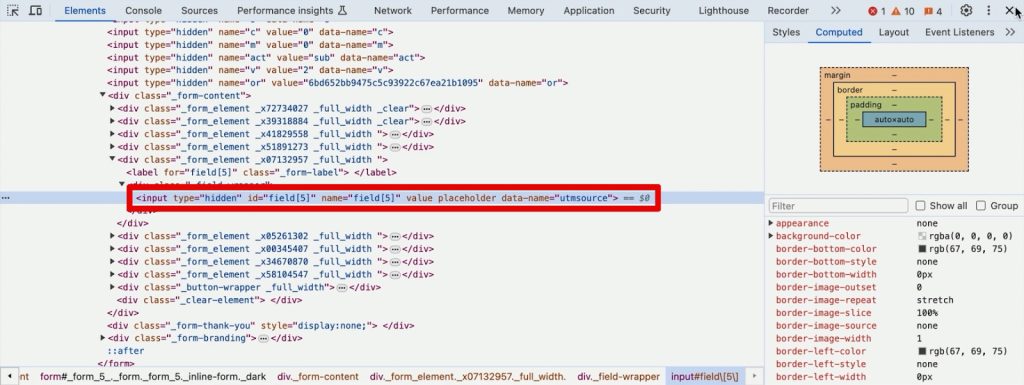
- Use Chrome Developer Tools to inspect the form fields on your live page.
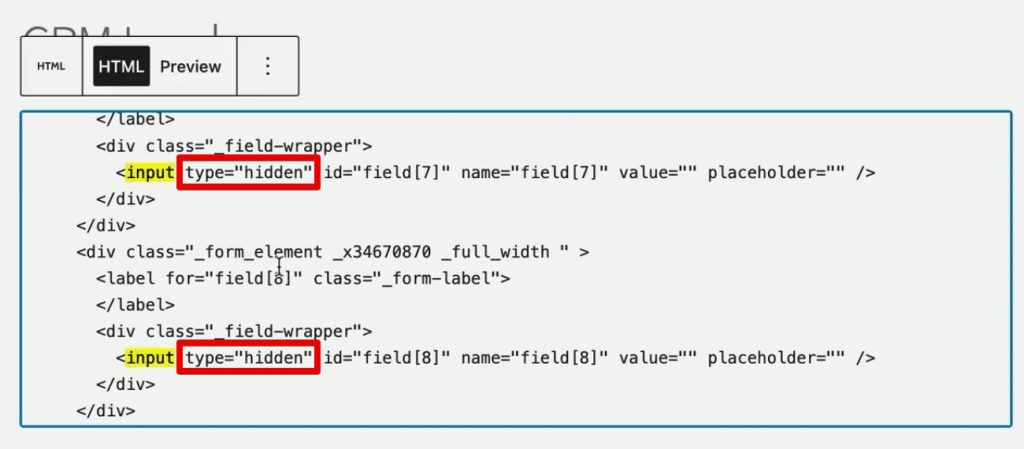
- Locate the input tags and change their
typeattribute fromtexttohidden. - Verify the update by checking the live page—the fields should disappear from view while remaining present in the underlying HTML code.
Capturing Data: The Role of 1st-Party Cookies
Since query strings disappear upon navigation, we must use 1st-party cookies to "remember" the source information for the duration of the session.
Setting the Cookie via GTM
- In GTM, create a new Custom HTML Tag.
- Paste a script designed to read the URL query string and save it as a cookie.
- Set the trigger to fire on Page View events where the
Page URLcontainsutm_medium.
This ensures that the moment a user lands on your site, their marketing source is locked into a browser cookie, preserving the attribution data even as they navigate through your site’s architecture.
Populating the Hidden Fields
Once the cookie is set, we need a mechanism to transfer this data into the hidden fields when the user reaches your sign-up form.
- Create a second Custom HTML Tag in GTM.
- Use a script that parses the cookie and maps the values to the corresponding form fields using CSS selectors.
- Set this tag to trigger on DOM Ready, ensuring the form is fully loaded before the script attempts to inject the data.
Supporting Data: Verification and Testing
Testing is the most critical phase of the deployment. Before finalizing, use the GTM Preview Mode to simulate the user journey:
- Enter your website URL with appended UTM parameters.
- Navigate to a sub-page to confirm the URL query string drops but the cookie remains.
- Navigate to the form page and check the Application tab in your developer tools. You should see the
source_querycookie populated with your UTM data. - Finally, fill out the form, submit it, and check the ActiveCampaign contact profile. If configured correctly, the UTM fields will be pre-filled with the exact data from the initial landing.
Official Perspectives and Best Practices
Industry experts emphasize that relying solely on browser-based tracking is becoming more difficult due to privacy regulations and the deprecation of 3rd-party cookies. However, by using 1st-party cookies and direct server-side integration via your CRM, you ensure compliance and data longevity.
Furthermore, integrating Click IDs (like gclid for Google Ads or fbclid for Meta) alongside standard UTM parameters allows for Offline Conversion Tracking. This is the gold standard for high-end digital marketing, as it allows you to feed conversion data back into ad platforms, optimizing your bidding strategies based on actual lead quality rather than mere clicks.
Implications for Future Growth
Implementing this infrastructure has three major implications for your business:
- Optimized Budgeting: You will finally know which channels yield high-value customers versus those that only generate low-intent leads. This allows you to cut wasted ad spend and double down on high-ROI channels.
- Sales Alignment: Your sales team will have immediate context when a lead enters the CRM. Knowing that a lead came from a specific "Whitepaper Download" campaign via "LinkedIn" allows for a more personalized, effective sales pitch.
- Scalability: Once this system is in place, it becomes a repeatable asset. Whether you run one campaign or fifty, your attribution framework will scale automatically, providing consistent data without manual intervention.
The Evolution of Attribution
As you grow, consider the limitations of manual implementation. If you find yourself managing complex CSS selectors or struggling with cross-domain tracking, specialized tools like the SourceLink App are designed to streamline this process. These tools eliminate the need for manual script maintenance, ensuring that your attribution data remains accurate as your website structure changes.
Conclusion
Tracking lead sources in ActiveCampaign is more than a technical task; it is a fundamental shift toward data-driven marketing. By leveraging the power of Google Tag Manager, 1st-party cookies, and hidden form fields, you can close the attribution gap that plagues so many modern businesses.
While the setup requires attention to detail—particularly regarding CSS selectors and trigger configuration—the payoff is immense. You gain the ability to see the full customer journey, from the first click to the final sale. As you move forward, continue to refine your tracking, experiment with new parameters, and always prioritize the integrity of your CRM data.
What UTM information do you find most critical for your sales team? Are you tracking Click IDs for offline conversion optimization? Share your experiences and questions in the comments, and continue to build a more measurable, transparent marketing machine.
