
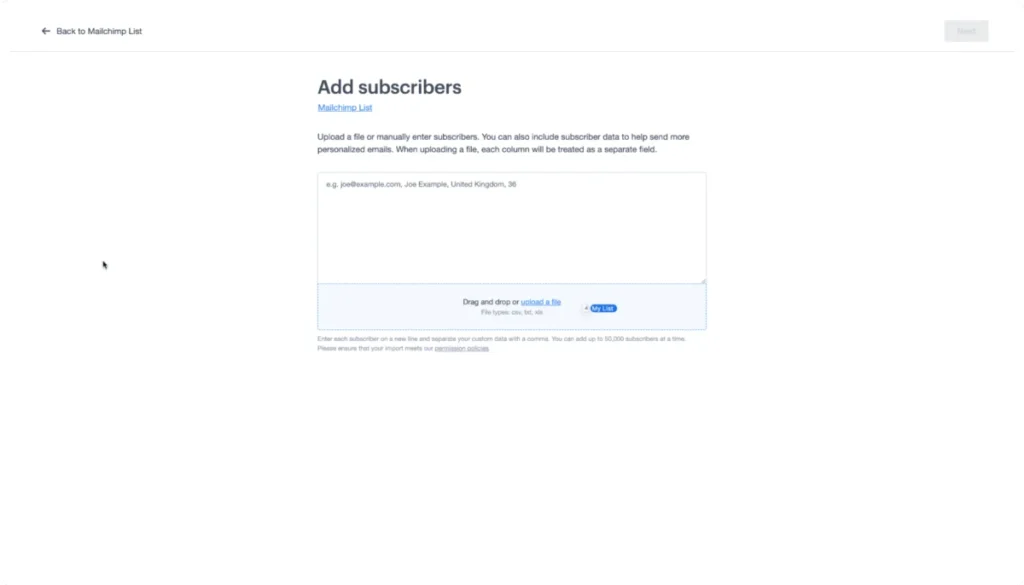
Navigating the Shift: A Comprehensive Guide to Migrating from Mailchimp to Campaign Monitor
In the competitive landscape of digital marketing, the choice of an Email Service Provider (ESP) is a foundational decision that dictates the efficiency, scalability, and ultimate success of a brand’s outreach. For businesses that have outgrown their current infrastructure or are seeking a more streamlined approach to email automation, migration is a common, albeit daunting, prospect.
If you are a Mailchimp user currently evaluating your options, you are not alone. As businesses evolve, many find themselves migrating to platforms like Campaign Monitor to take advantage of specialized tools, simplified user interfaces, and high-performance deliverability. This guide serves as your definitive roadmap to executing a seamless transition, ensuring that your marketing efforts continue without missing a beat.
The Strategic Shift: Why Migrate to Campaign Monitor?
For over two decades, Campaign Monitor has remained a cornerstone for small to medium-sized enterprises (SMEs) seeking high-impact email marketing solutions. While the broader market has seen a trend toward “all-in-one” omnichannel platforms—often at the expense of simplicity and increased cost—Campaign Monitor has doubled down on the core competency of email.
Core Value Propositions
- Purpose-Built Email Tools: Unlike bloated platforms that try to be everything to everyone, Campaign Monitor prioritizes mobile-ready, highly customizable templates that allow for brand consistency without needing a degree in web development.
- Intuitive Design: The platform is engineered for marketers of all experience levels. Whether you are a solo entrepreneur or part of a growing marketing team, the interface reduces the learning curve, allowing for quicker campaign deployment.
- Deliverability and Support: In an era where getting into the inbox is harder than ever, Campaign Monitor provides dedicated deliverability teams and responsive support, acting as a partner rather than just a software vendor.
For those curious about the transition, the platform offers a free trial, allowing stakeholders to test the environment with their own data before committing to a paid plan.
The Migration Chronology: A Step-by-Step Execution Plan
Migrating an audience is a technical task that requires precision to ensure no data is lost during the transfer. Follow this chronological process to ensure a successful import.
Phase 1: Data Extraction from Mailchimp
The migration begins within your existing Mailchimp account.
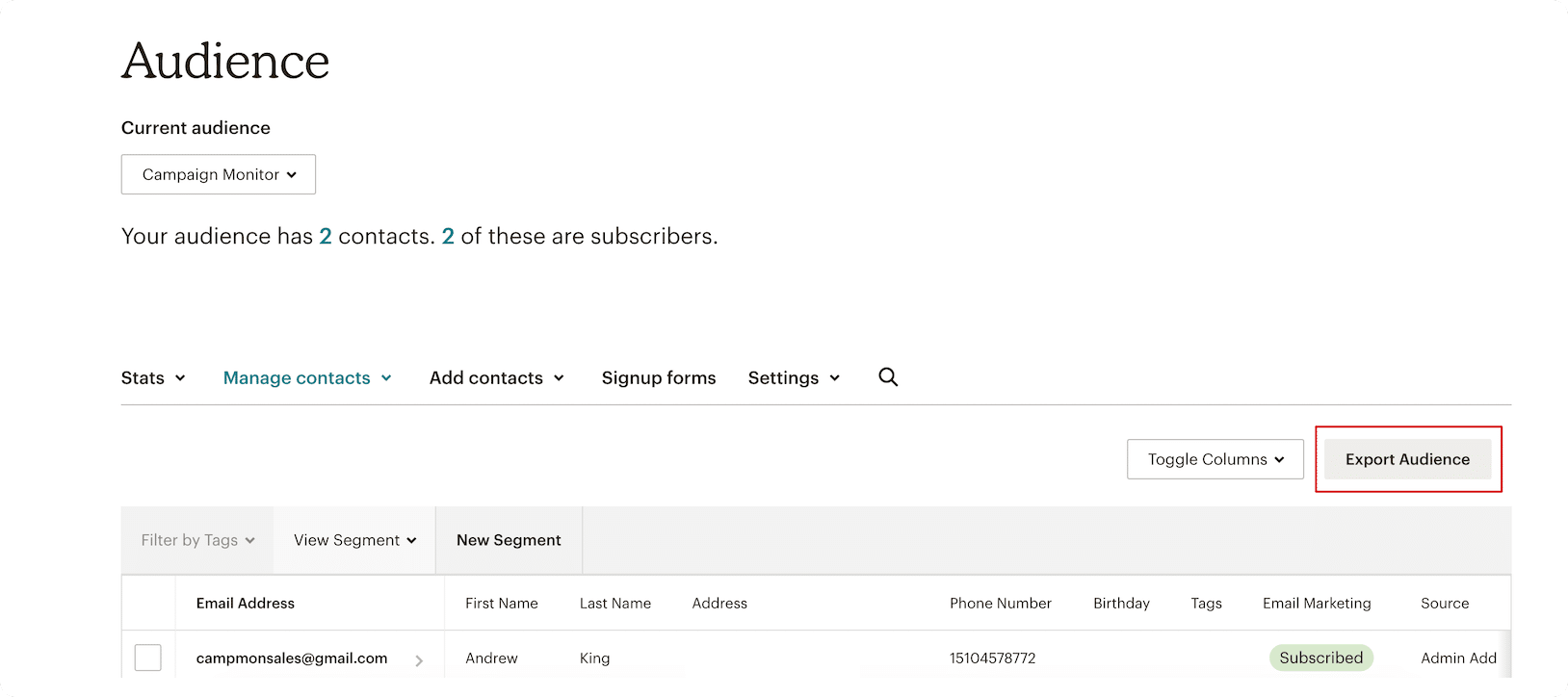
- Audience Selection: Log into your Mailchimp dashboard and navigate to your audience list. You must choose the specific audiences you wish to migrate.
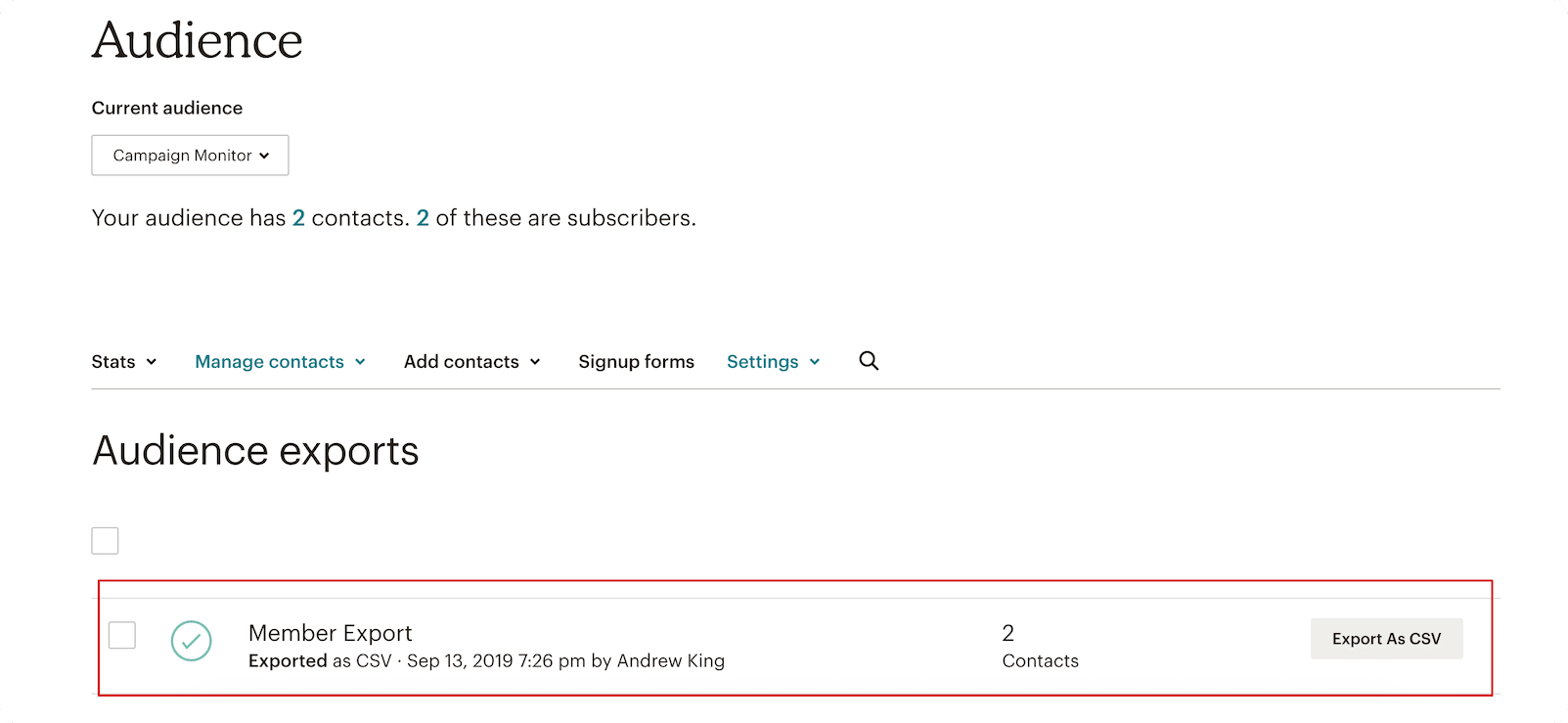
- Exporting: Select the “Export Audience” function. This will prompt Mailchimp to generate a snapshot of your current subscriber list, including all associated metadata and custom tags.
- CSV Conversion: Once the system finishes the export, you must download the file as a Comma-Separated Values (CSV) file. Be aware that if your list consists of tens of thousands of subscribers, Mailchimp may take a few minutes to finalize the export file.
Phase 2: Preparing for the New Environment
Once the data is securely on your local drive, it is time to establish your new home in Campaign Monitor.
- Account Provisioning: Create your account via the Campaign Monitor portal.
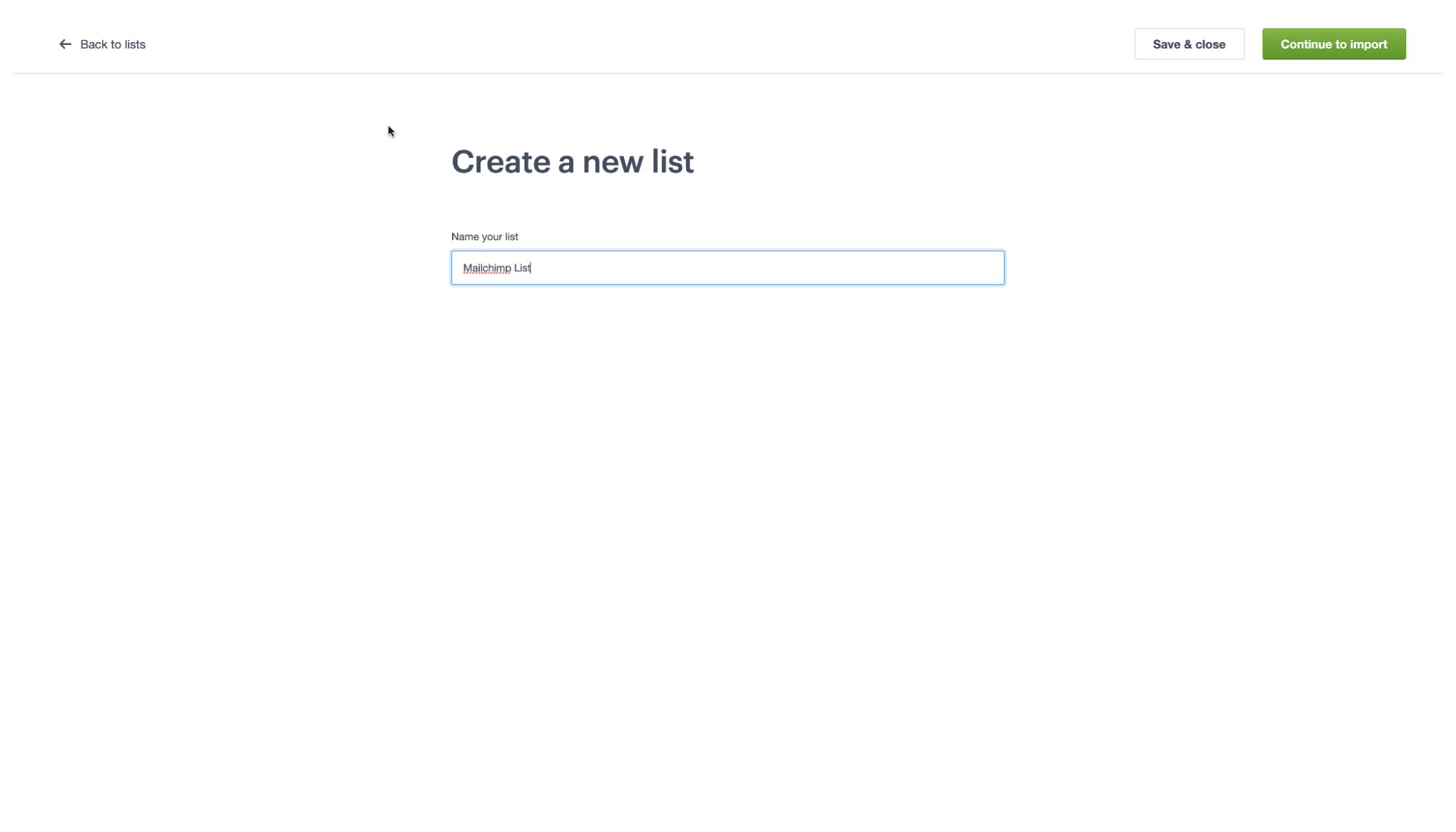
- Initializing the List: Navigate to the "Lists & Subscribers" tab. Select "Create a new list." Naming this list clearly—for instance, "Imported Mailchimp Master List"—is essential for maintaining data hygiene.
- The Import Workflow: With your new list created, select the "Import" option. Campaign Monitor provides a drag-and-drop interface where you can upload the CSV file you previously exported from Mailchimp.
Phase 3: Data Mapping and Validation
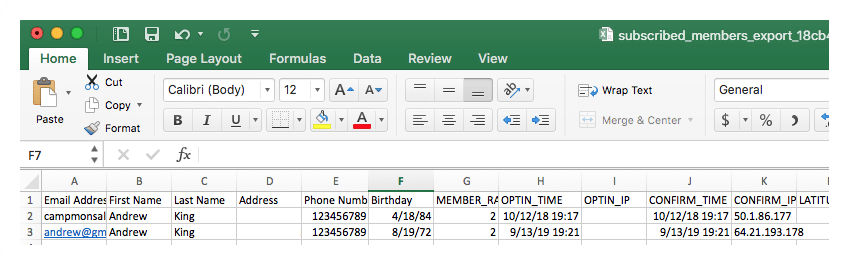
This is the most critical technical step. Because different ESPs use different internal labels for data, you must map your CSV columns to the corresponding fields in Campaign Monitor.
- Automated Matching: If your CSV headers match the default fields in Campaign Monitor (such as "Email Address," "First Name," or "Last Name"), the system will automatically map these for you.
- Manual Mapping: For custom data points—such as purchase history or specific user preferences—you will need to ensure they align with the custom fields you’ve set up in your new environment.
Understanding the Terminology Shift: A Glossary for Migration
One of the primary friction points during migration is the variance in platform vocabulary. To make the transition easier, we have compiled a glossary to help you "translate" your existing Mailchimp knowledge into the Campaign Monitor ecosystem.
| Mailchimp Term | Campaign Monitor Equivalent | Definition/Note |
|---|---|---|
| Audience | List | The primary container for your subscriber data. |
| Subscribed Contact | Subscriber | A user who has opted-in to receive communications. |
| Tags | Custom Fields | Used to label and organize contacts based on specific attributes. |
| Groups | Segments | Sub-sections of your list based on behavior or interests. |
Understanding these nuances prevents common errors, such as failing to import segments correctly or losing your existing tagging structure during the upload process.
Implications of Switching Your ESP
Migrating is more than a technical exercise; it is a strategic move that carries several implications for your business operations.
Data Integrity and Compliance
When moving from one platform to another, you must ensure that your "Unsubscribed" list is migrated correctly. In many jurisdictions, such as those governed by GDPR or CAN-SPAM, failing to import your suppression list (the list of people who have opted out) could lead to sending emails to people who have explicitly revoked consent. Always ensure you export your unsubscribed contacts from Mailchimp and import them as a "Suppression List" in Campaign Monitor to maintain legal compliance.
Deliverability Performance
Moving to a new platform may temporarily affect your sender reputation. It is recommended to perform a "warm-up" of your IP address if you have a massive list. Send your first few campaigns to your most active, engaged segments. This signals to ISPs (Internet Service Providers) that you are a legitimate sender, which helps maintain high deliverability rates as you transition to the new infrastructure.
Financial Considerations
While Campaign Monitor offers competitive pricing, the move may change your monthly burn rate. Because Mailchimp and Campaign Monitor utilize different billing metrics (some based on contacts, others based on volume), it is prudent to analyze your anticipated send volume against the new pricing tiers to ensure the transition is fiscally sound.
Official Guidance and Best Practices
Campaign Monitor maintains a robust library of resources to assist in this transition. Beyond this guide, users are encouraged to visit the Campaign Monitor 101 video collection, which provides visual walkthroughs for more advanced features like automation and journey mapping.
If you encounter specific issues during the import process—such as malformed CSV files or character encoding errors—the Campaign Monitor Help Center offers detailed troubleshooting articles that address common hurdles encountered by migrating users.
Conclusion
Migrating your email marketing operations is a significant undertaking, but it is often a necessary one to ensure your business remains agile and capable of delivering high-quality, personalized experiences to your customers. By following a structured approach—exporting with care, mapping data accurately, and respecting the differences in terminology—you can ensure a seamless transition to Campaign Monitor.
Remember that this process is an opportunity to perform a "spring cleaning" of your data. Before importing, consider removing inactive subscribers or cleaning up your segments to improve your engagement rates from day one. With the right preparation, you will find that the move to Campaign Monitor not only simplifies your workflow but also provides the robust toolkit necessary to scale your marketing efforts effectively in the years to come.
Disclaimer: This article provides general information regarding email marketing migration. The content is not intended as financial, legal, or tax advice. We recommend consulting with a professional before making major structural changes to your digital marketing stack.
