
Demystifying Unique Visitors: A Deep Dive into Google Analytics 4 User Metrics
Last Modified: March 26, 2025
In the modern digital landscape, data is the lifeblood of business strategy. However, the sheer volume of metrics—Total users, active users, new users, returning users, and session counts—can be overwhelming. For many marketers and site owners, the transition to Google Analytics 4 (GA4) has brought not only a new interface but a fundamentally different way of calculating what constitutes a "visitor."
To conduct a meaningful analysis, one must move beyond surface-level numbers and understand the underlying definitions. This guide explores the mechanics of unique visitors in GA4, why the numbers often shift, and how to interpret these metrics for actionable business intelligence.

The Core Concept: What are Unique Visitors in GA4?
At its simplest level, a visitor is an individual who accesses your website or application via a specific device. A "unique" visitor is a person counted only once, regardless of how many times they return during a set timeframe. This uniqueness is the cornerstone of audience measurement.
However, the reality of cross-device behavior complicates this. If a user visits your site on a smartphone and then on a desktop, are they one unique visitor or two? In Google Analytics 4, there is no singular metric labeled "Unique Visitor." Instead, Google provides Total Users and Active Users.
Total vs. Active Users: The Distinctions
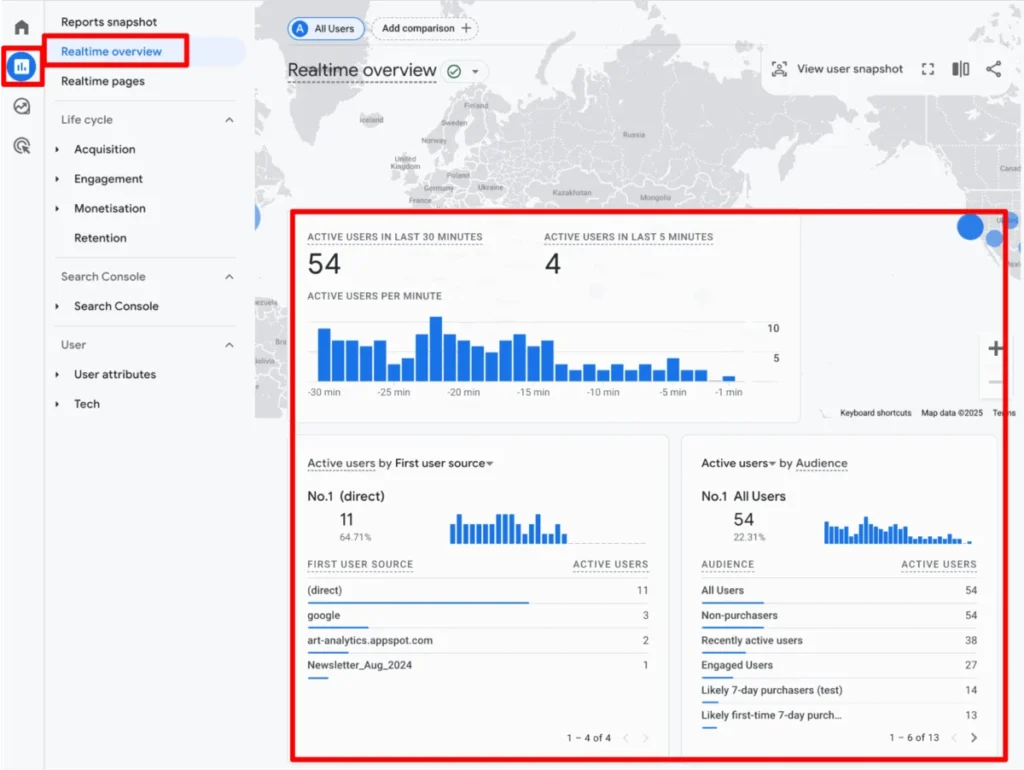
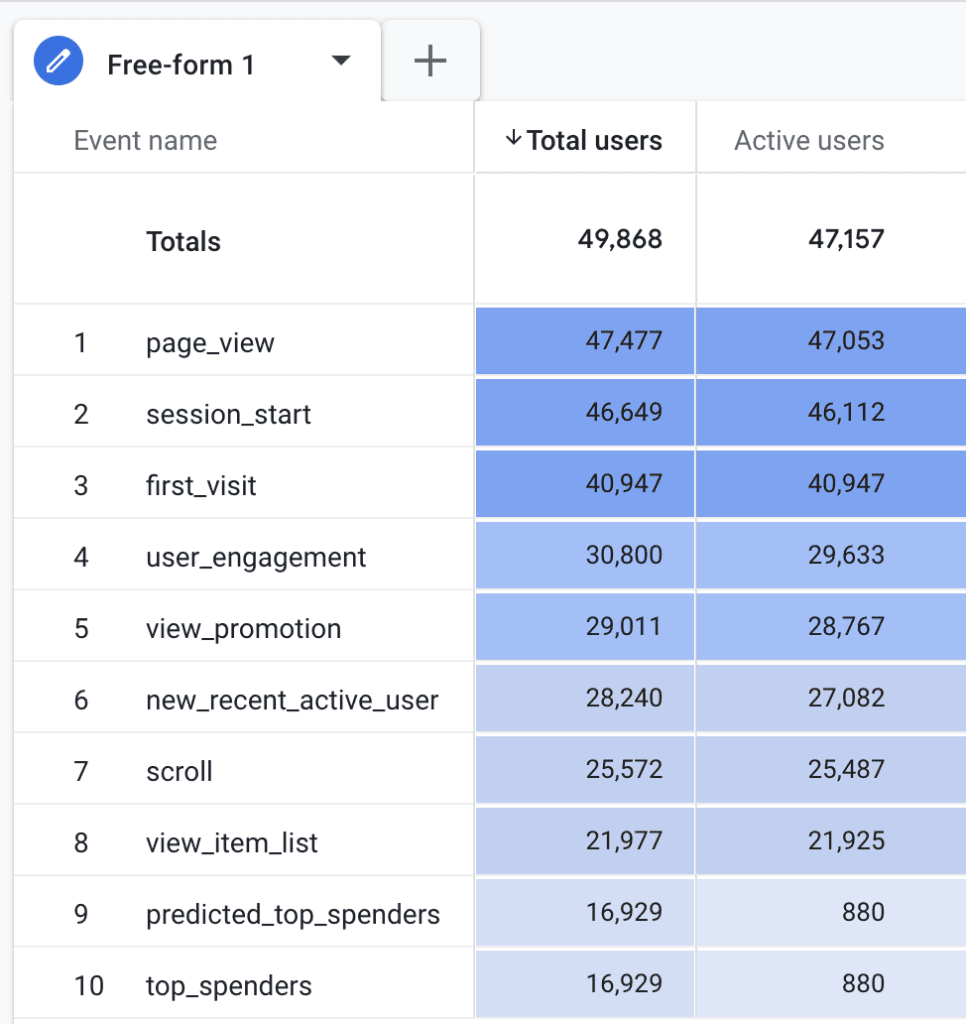
- Total Users: Defined by Google as the unique users who trigger any event on your site during a specific date range. Whether it is a page view or a custom event like a "form submission," the triggering of that event registers the user.
- Active Users: This is the metric GA4 prioritizes. An active user is someone who has "engaged" with your site. Engagement occurs if a session lasts longer than 10 seconds, has a conversion event, or includes at least two page views.
Because the criteria for an "active" user are relatively broad, the numbers for Total and Active users often overlap significantly. In most standard reports, GA4 defaults to Active Users, as it provides a more accurate reflection of genuine intent versus accidental "bounce" traffic.
How GA4 Tracks Identity: The Mechanics of the Client ID
To track these users, Google utilizes a "Client ID" (CID)—a unique identifier stored in a first-party cookie named _ga. This identifier acts as a digital fingerprint for a specific browser instance.
The Lifecycle of a Cookie
By default, the _ga cookie has a two-year expiration. However, this is not a hard rule. Privacy-focused browsers and regulatory environments (such as GDPR or CCPA) often truncate this lifespan. For instance, on iOS devices, browser limitations can reduce the lifespan of these cookies to as little as 24 hours.
When a cookie expires or is cleared by the user, the next visit is recorded as a "new" user. It is critical to note that the Client ID is not a "User ID." While a Client ID tracks a browser instance, a User ID (if implemented) can track a person across multiple devices and browsers, provided they are logged into your system.
Navigating the GA4 Interface: Where to Find User Data
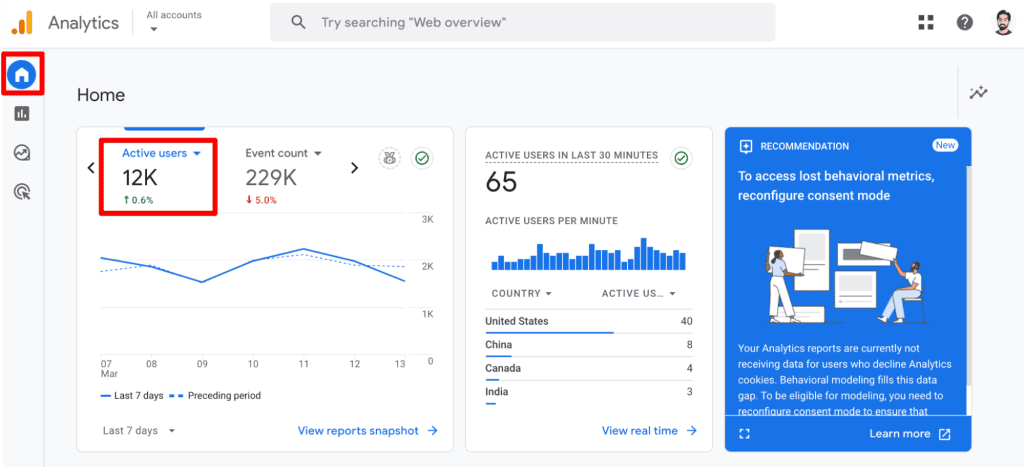
GA4 provides a wealth of reporting views. Understanding where to look is the first step in effective data management:
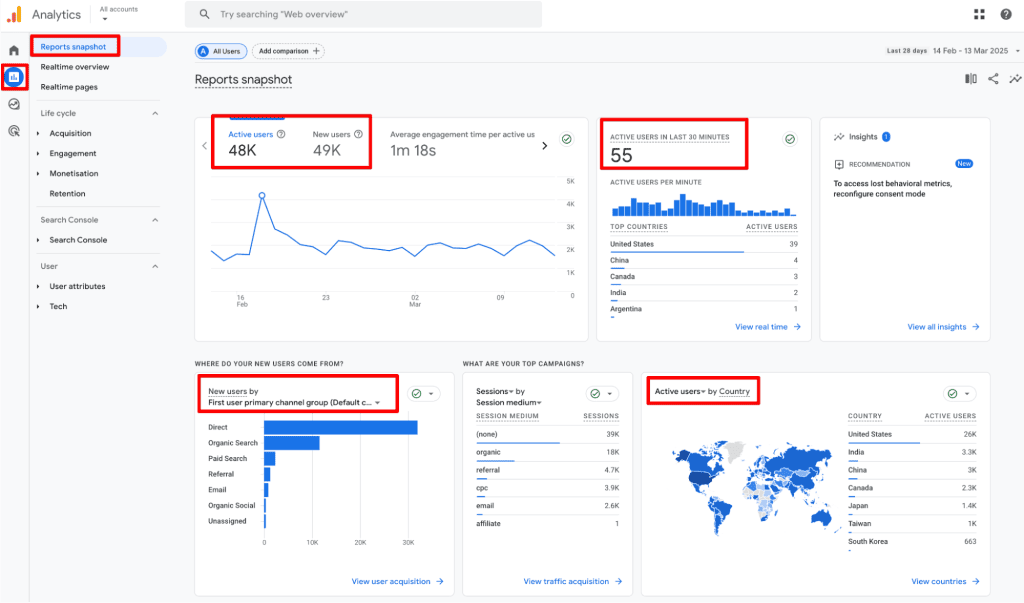
- Reports Snapshot: Provides a high-level view of Active and New users.
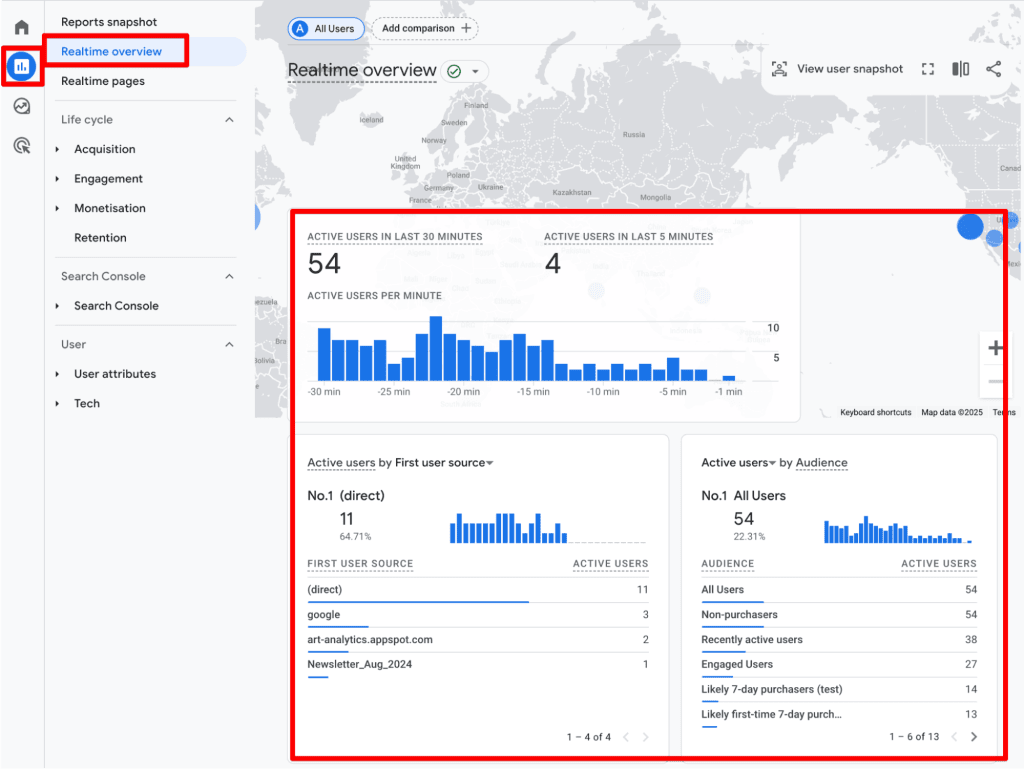
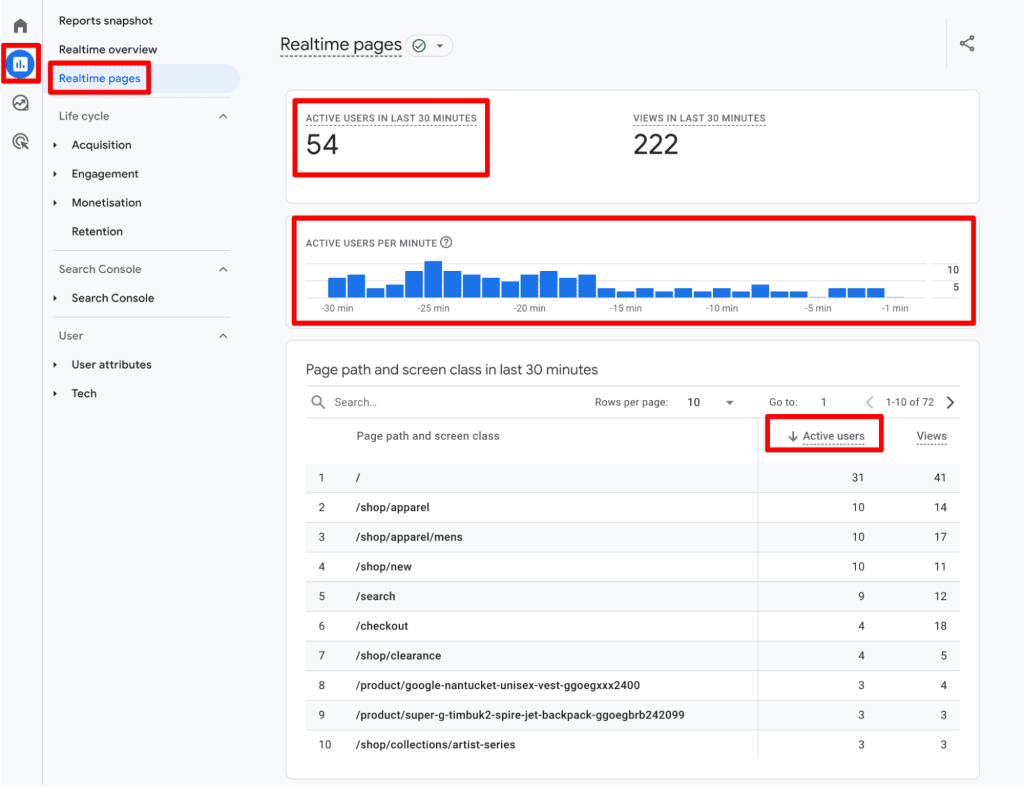
- Realtime Overview: Monitors user activity in the last 30 minutes, allowing for immediate feedback on campaigns or technical issues.
- Acquisition and Engagement Cards: Essential for understanding where your users originate and how they interact with your content.
- Explorations: For advanced users, the "Explore" tab allows for custom, granular reports that standard dashboards cannot provide.
Best Practices for Data Integrity
To ensure your data remains a reliable foundation for decision-making, consider these professional standards:
1. Avoid Double-Counting
If you have installed GA4 both via a plugin and directly through Google Tag Manager (GTM), you will likely experience "event inflation." Regularly audit your tag configuration to ensure that events are not firing multiple times for a single action.
2. Leverage Custom Insights
Data anomalies—such as a sudden, unexplained spike in traffic—are common. Set up "Custom Insights" within GA4 to receive automated alerts. This ensures that you aren’t waiting until the end of the month to discover a tracking failure.
3. Understand the Limits of Summation
A common mistake is attempting to manually sum users across different days or dimensions. Because a user who visits on Monday and again on Wednesday is counted as one unique user for the week, adding the daily totals will lead to an inflated, inaccurate count. Only aggregate data within the native GA4 interface or via tools like BigQuery, which account for de-duplication.
4. Segmenting for Strategy
Segmentation is the difference between "knowing" and "doing." By breaking down your user base into segments—such as traffic source, device type, or geographic location—you can tailor your content and acquisition strategies. If you notice your "New" users are high but "Returning" users are low, your focus should shift from top-of-funnel acquisition to retention and remarketing.
Limitations: What the Data Doesn’t Tell You
Even with sophisticated tracking, GA4 has inherent limitations:
- Cookie Deletion: Users who regularly clear their cache or use "Incognito" mode will appear as new users every time they return.
- Ad Blockers: Many modern ad-blocking extensions prevent tracking scripts from firing, leading to an undercount of actual human traffic.
- The "New vs. Returning" Paradox: A user can be both "New" and "Returning" within a broad date range. Do not attempt to add these two metrics together to reach a "Total User" count, as it will lead to double-counting.
- Cross-Device Attribution: Without a robust User ID implementation, GA4 cannot effectively link a user’s mobile and desktop sessions, potentially leading to an inflated user count.
Implications for Business Strategy
The transition to GA4 represents a shift from "vanity metrics" (total hits) to "value metrics" (engaged sessions). For businesses, this means that the focus should be on the quality of the visitor.
If your marketing department is chasing "Total Users" but ignoring "Active Users," you are likely optimizing for low-intent traffic. By prioritizing Active User metrics, you can identify which marketing channels actually drive meaningful engagement, which content types lead to conversions, and where your user experience (UX) is failing.
Final Thoughts
Understanding unique visitors is not merely a technical exercise—it is an exercise in business intelligence. Whether you are analyzing retention cohorts or debugging tracking issues, the goal remains the same: to turn fragmented data points into a cohesive narrative about your customers.
As you continue to refine your analytics setup, remember that the "perfect" number does not exist. Instead, focus on consistency, trends, and actionable insights. By acknowledging the limitations of cookie-based tracking and focusing on engagement-based metrics, you position your organization to make data-informed decisions that drive long-term growth.
Have you encountered unexpected discrepancies in your user counts? Share your experiences and questions in the comments below, and let’s keep the conversation going.
