
From Mailchimp to Campaign Monitor: A Comprehensive Guide to Migrating Your Email Ecosystem
For many small businesses, the choice of an email service provider (ESP) is a foundational decision that shapes the trajectory of their digital marketing strategy. While platforms like Mailchimp have long dominated the market with broad, omnibus features, a growing number of marketers are finding that their evolving needs—specifically regarding focus, deliverability, and user-centric design—are better served by specialized solutions like Campaign Monitor.
If you are considering a transition, you are not alone. Migrating your data is often perceived as a daunting technical hurdle, but with the right process, it can be a seamless transition that allows you to hit the ground running. This guide provides a deep dive into why brands are making the switch and the precise, step-by-step methodology for executing a clean, effective migration.
The Strategic Shift: Why Brands Are Moving to Campaign Monitor
The digital marketing landscape has become increasingly crowded, with many legacy platforms pivoting toward “all-in-one” suites that include website builders, social media management, and complex CRM integrations. While these tools offer breadth, they often come at the expense of simplicity and specialized email performance.
Campaign Monitor has maintained a laser focus on the email channel for over two decades. By avoiding the temptation to become an everything-to-everyone platform, they have doubled down on the core competencies that small businesses value most:
1. Intuitive Design and Personalization
In an era where consumer attention spans are shrinking, the ability to create visually striking, mobile-ready emails is non-negotiable. Campaign Monitor offers a suite of drag-and-drop tools that allow users of all experience levels to build professional-grade campaigns without requiring a background in HTML or graphic design.
2. Deliverability and Support
Deliverability is the invisible backbone of email marketing. If your emails land in the spam folder, the most creative design in the world is useless. Campaign Monitor distinguishes itself through robust, proactive deliverability teams that work to ensure your messages reach the inbox. Furthermore, their commitment to accessible, human-led support ensures that when questions arise, they are resolved with urgency.
3. Cost-Efficiency
As platforms grow in complexity, their pricing models often become opaque and prohibitive. By keeping their focus on email marketing, Campaign Monitor provides a streamlined cost structure, allowing businesses to pay for the tools they actually use rather than a bloated suite of omnichannel features that may never be utilized.
Chronology of a Successful Migration
Migration is not merely about moving files; it is about ensuring data integrity. Whether you have 500 subscribers or 50,000, the process follows a logical, linear progression.
Phase 1: Preparation and Extraction
The first step in any migration is the audit of your current data. Before you export from Mailchimp, take a moment to clean your lists. Remove hard bounces, inactive subscribers, and duplicate entries. This "spring cleaning" ensures that you aren’t paying to migrate "dead weight" into your new environment.
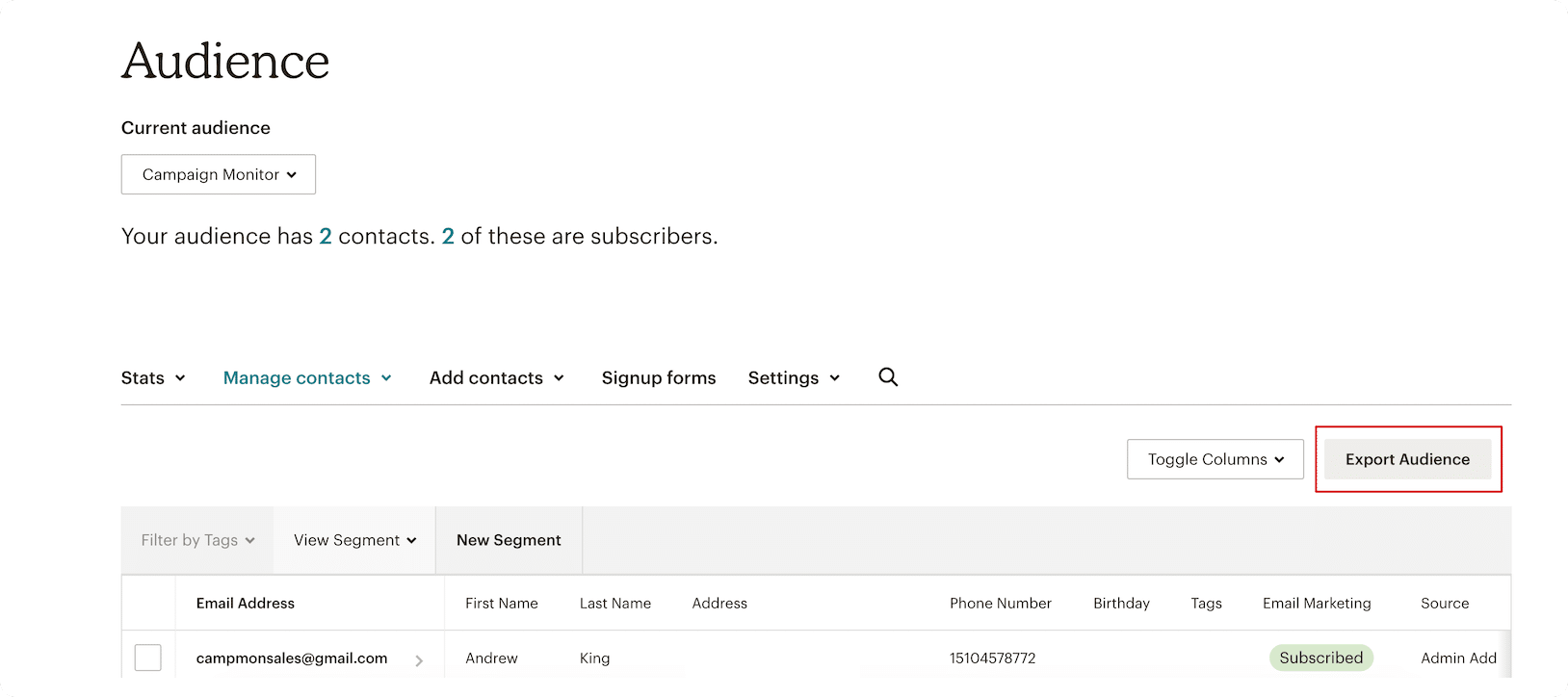
Step 1: Exporting from Mailchimp
Log into your Mailchimp dashboard and navigate to your audience management section. Select the specific audiences you wish to migrate. By selecting the “Export Audience” function, you initiate the creation of a compressed file containing your subscriber metadata.
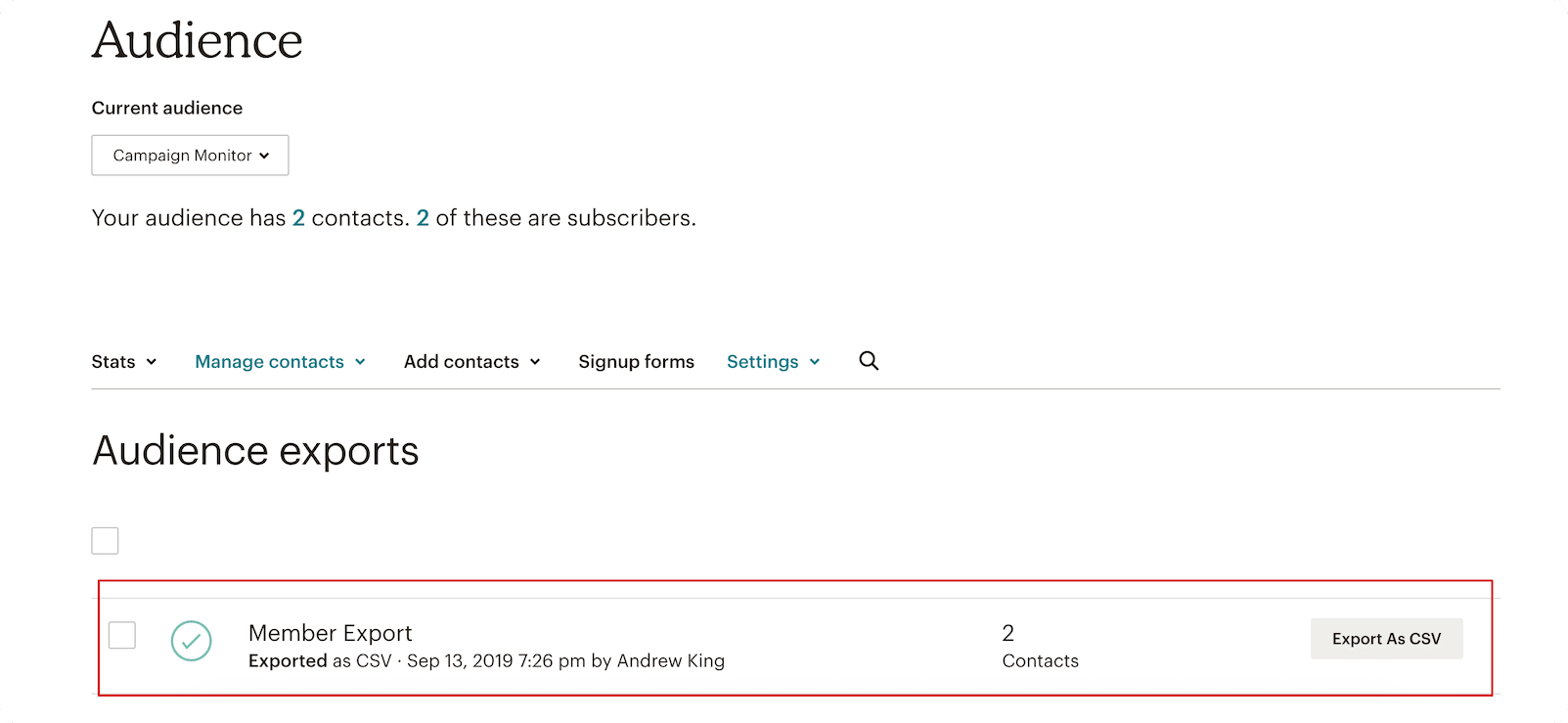
Step 2: Securing the CSV
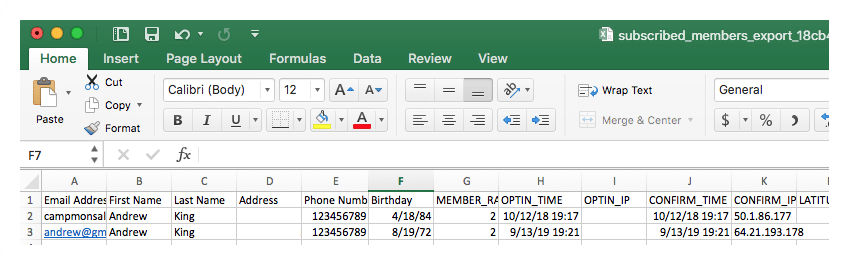
Once Mailchimp processes the export, you will be prompted to download the data as a CSV file. For larger lists, this may take several minutes. Once downloaded, open the file in Excel or Google Sheets to verify that your headers (e.g., Email, First Name, Last Name, Custom Fields) are correctly formatted.
Phase 2: Configuration in the New Environment
Once you have your clean data, you must prepare the "receiving end" in Campaign Monitor.
Step 3: Establishing Your New Home
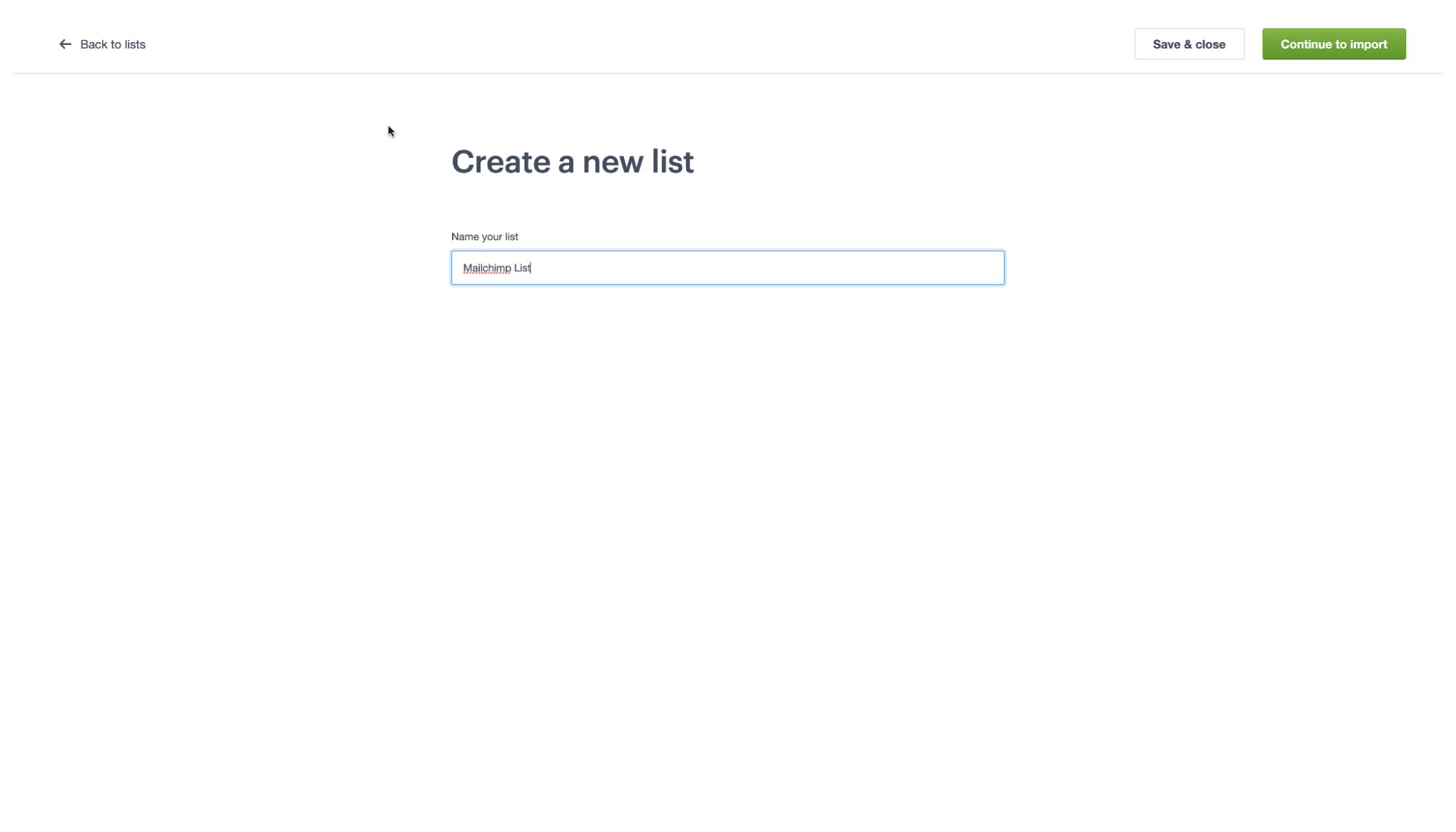
Log into your Campaign Monitor account. If you are new to the platform, the free trial environment allows you to configure your lists before committing to a paid plan. Once logged in, navigate to the “Lists & Subscribers” tab. Creating a new list is straightforward: name your list according to your internal categorization standards and click “Continue to Import.”
Phase 4: Mapping and Execution
The final phase is the technical synchronization of your data.
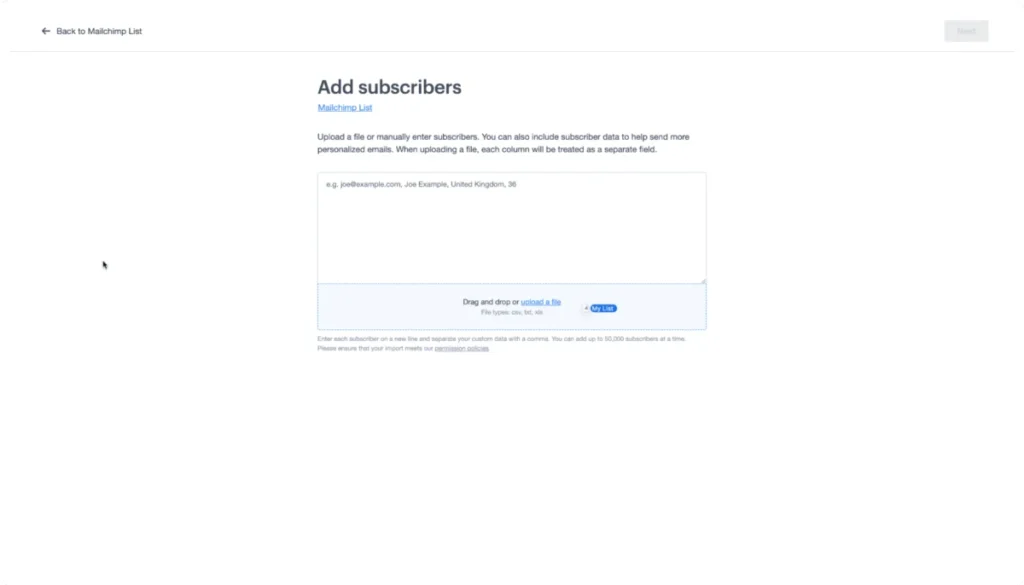
Step 4: The Import Process
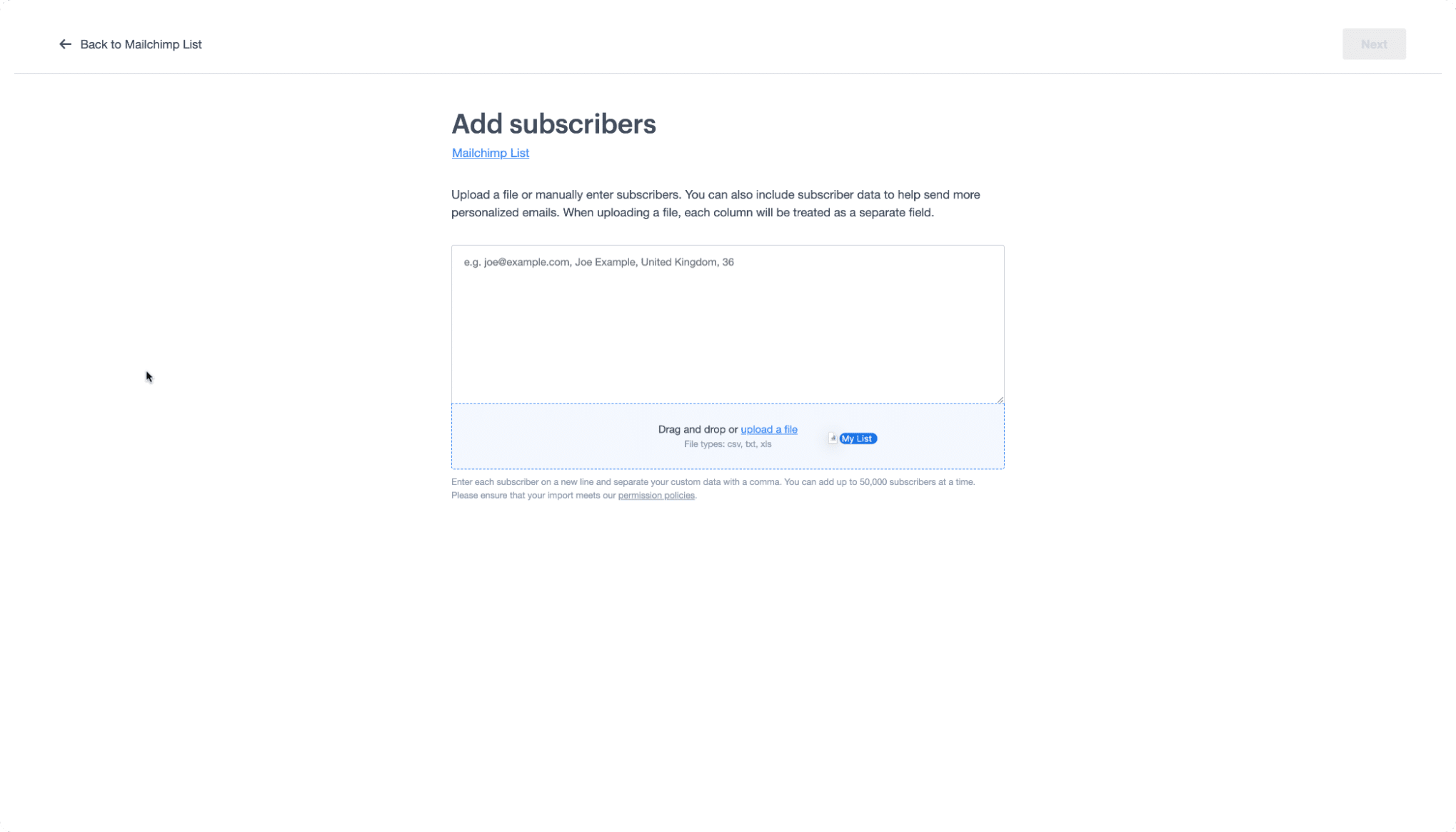
Drag and drop your prepared CSV file into the Campaign Monitor upload field. The platform’s ingestion engine will immediately begin parsing the data.
Step 5: Field Mapping
This is the most critical technical step. You must map your Mailchimp headers to the corresponding fields in Campaign Monitor. If your list includes custom data (such as "Join Date" or "Customer Segment"), ensure these are mapped to existing or newly created custom fields in Campaign Monitor. If the headers match, the system will often auto-populate these links, saving you significant time.
Understanding the Taxonomy: A Migration Glossary
One of the greatest points of friction during a transition is the variation in terminology between providers. To navigate the new interface with confidence, use this translation guide to understand how Campaign Monitor maps to your previous experience in Mailchimp.
| Mailchimp Term | Campaign Monitor Term | Functional Context |
|---|---|---|
| Audience | List | The primary container for your subscriber data. |
| Subscribed Contact | Subscriber | An individual who has opted into your mailing list. |
| Tags | Custom Fields | Labels used to categorize or store specific user data. |
| Groups | Segments | Dynamic subsets of a list based on behavior or interests. |
Understanding these distinctions is essential for maintaining your segmentation strategy. For example, if you relied heavily on "Groups" in Mailchimp to target specific demographics, you will want to recreate those structures as "Segments" in Campaign Monitor immediately following the import to ensure your upcoming campaigns remain highly targeted.
Supporting Data: The Impact of Proper Migration
According to recent industry benchmarks, brands that perform a thorough list migration—including the mapping of behavioral data and preferences—experience a 15–20% higher engagement rate in their first three campaigns compared to those who simply perform a "blind" import.
By taking the time to map your tags to custom fields, you ensure that your personalization tokens (such as "Hi [Name]") continue to function perfectly. Furthermore, the act of migrating provides an opportunity to re-verify your sender authentication records (SPF, DKIM, and DMARC) in the new platform, which is a vital step for maintaining high deliverability rates post-transition.
Official Perspective and Support
"Our goal is to ensure that the transition to our platform is as frictionless as possible," says the Campaign Monitor engineering team. "We understand that your audience is your most valuable asset. That is why we have built our import tools to handle the heavy lifting, allowing marketers to focus on content rather than database management."
For users who encounter complex hurdles—such as migrating complex API-driven workflows or multi-layered automation sequences—Campaign Monitor offers a robust library of resources. Their Campaign Monitor 101 video collection and dedicated migration support pages serve as a comprehensive knowledge base.
Implications for Your Marketing Future
Migrating to a new platform is more than a technical task; it is a strategic reset. It provides a clean slate to re-evaluate your email cadence, refine your segmentation, and adopt a more focused approach to your marketing communications.
As you settle into the Campaign Monitor ecosystem, you will find that the reduction in "feature noise" allows for a more creative approach to storytelling. With the migration complete, you can begin to leverage the platform’s advanced testing tools, reporting suites, and integration capabilities to drive higher ROI.
The transition is a momentary effort that pays dividends in the form of improved deliverability, a more intuitive workflow, and a better experience for your subscribers. By following this guide, you ensure that your transition is not only successful but serves as the starting point for a more effective and profitable era of email marketing.
Disclaimer: This article provides general information regarding email marketing migration. It should not be construed as legal, financial, or technical advice. Users are encouraged to consult with their own IT professionals before making significant changes to their marketing infrastructure.
