
Seamless Transition: A Comprehensive Guide to Migrating from Mailchimp to Campaign Monitor
In the fast-evolving landscape of digital marketing, the tools you choose to communicate with your audience define your brand’s reach and efficiency. While Mailchimp has long been a household name in email marketing, many small-to-medium businesses are finding that their evolving needs—often requiring more specialized, user-friendly, and dedicated email solutions—are better served by platforms like Campaign Monitor.
Migrating your subscriber lists from one platform to another might seem like a daunting technical hurdle. However, the process is remarkably straightforward when approached with the right roadmap. This guide provides an exhaustive walkthrough for transitioning your marketing operations from Mailchimp to Campaign Monitor, ensuring your engagement strategies continue without a single beat of downtime.
The Strategic Shift: Why Businesses Are Moving to Campaign Monitor
For over two decades, Campaign Monitor has carved out a niche by focusing on what truly matters to email marketers: high deliverability, intuitive design, and robust support. While the industry has seen a push toward bloated, all-in-one "omnichannel" platforms—which often drive up costs and complexity—Campaign Monitor has maintained a steadfast commitment to email excellence.
Core Advantages for Modern Marketers
- Design-First Philosophy: With a library of mobile-ready, highly customizable templates, Campaign Monitor allows brands to maintain a professional aesthetic without requiring advanced coding skills.
- Simplified User Experience: The platform is engineered to support marketers of all experience levels, removing the friction often associated with complex automation workflows.
- Dedicated Support and Deliverability: In the world of email, if your message doesn’t hit the inbox, the design doesn’t matter. Campaign Monitor’s infrastructure is built to prioritize deliverability, backed by a support team that understands the nuances of email protocols.
For businesses looking to refine their focus and optimize their return on investment, the switch is often more than a technical migration; it is a strategic alignment with a platform designed specifically for the email marketer.
Chronology of Migration: A Step-by-Step Execution Plan
To minimize disruption, follow this chronological workflow to move your data from Mailchimp’s ecosystem to your new home in Campaign Monitor.
Step 1: Exporting Your Audience from Mailchimp
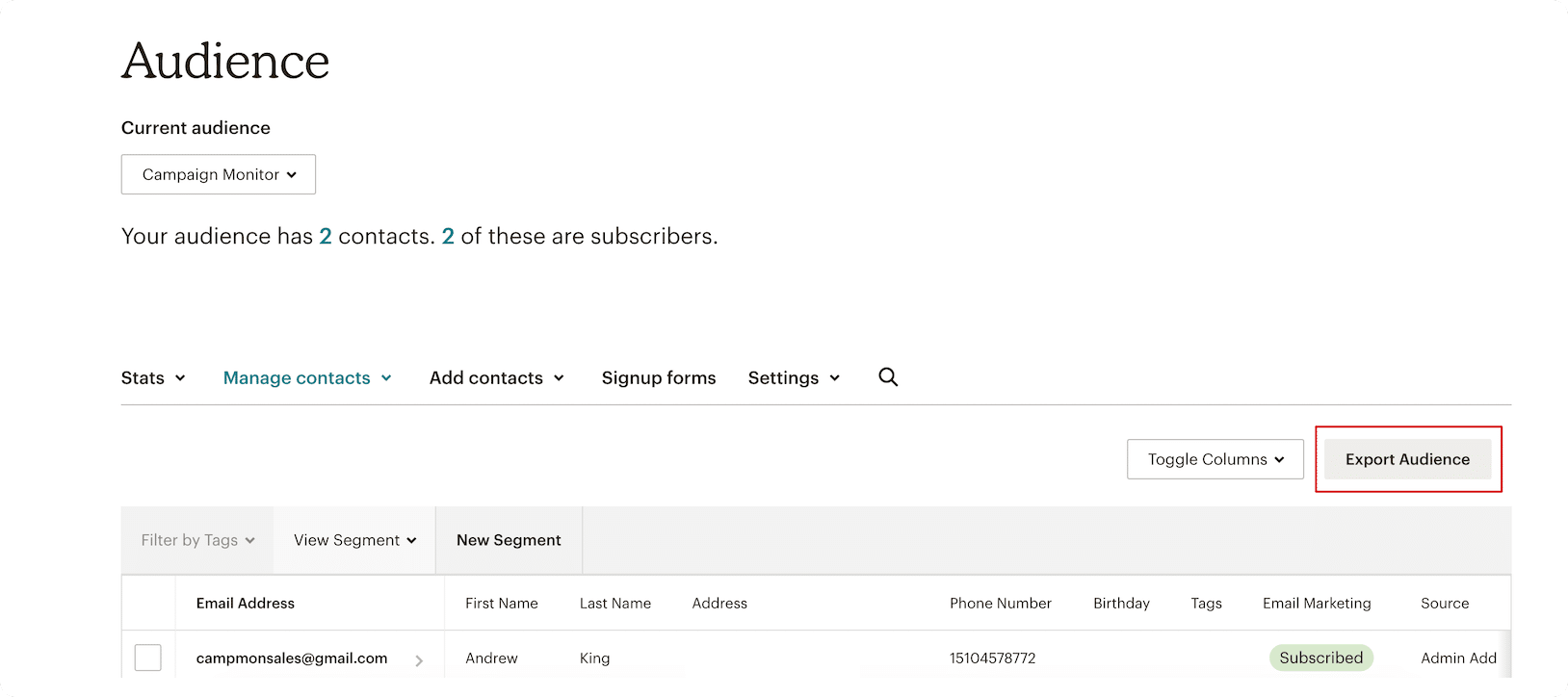
Before you can move your data, you must extract it from your current provider. Log into your Mailchimp dashboard, navigate to your "Audiences" section, and select the specific list you wish to migrate. Locate the "Export Audience" button. Mailchimp will process your request, compiling your subscribers, tags, and data points into a downloadable file.
Step 2: Preparing Your Data for Import
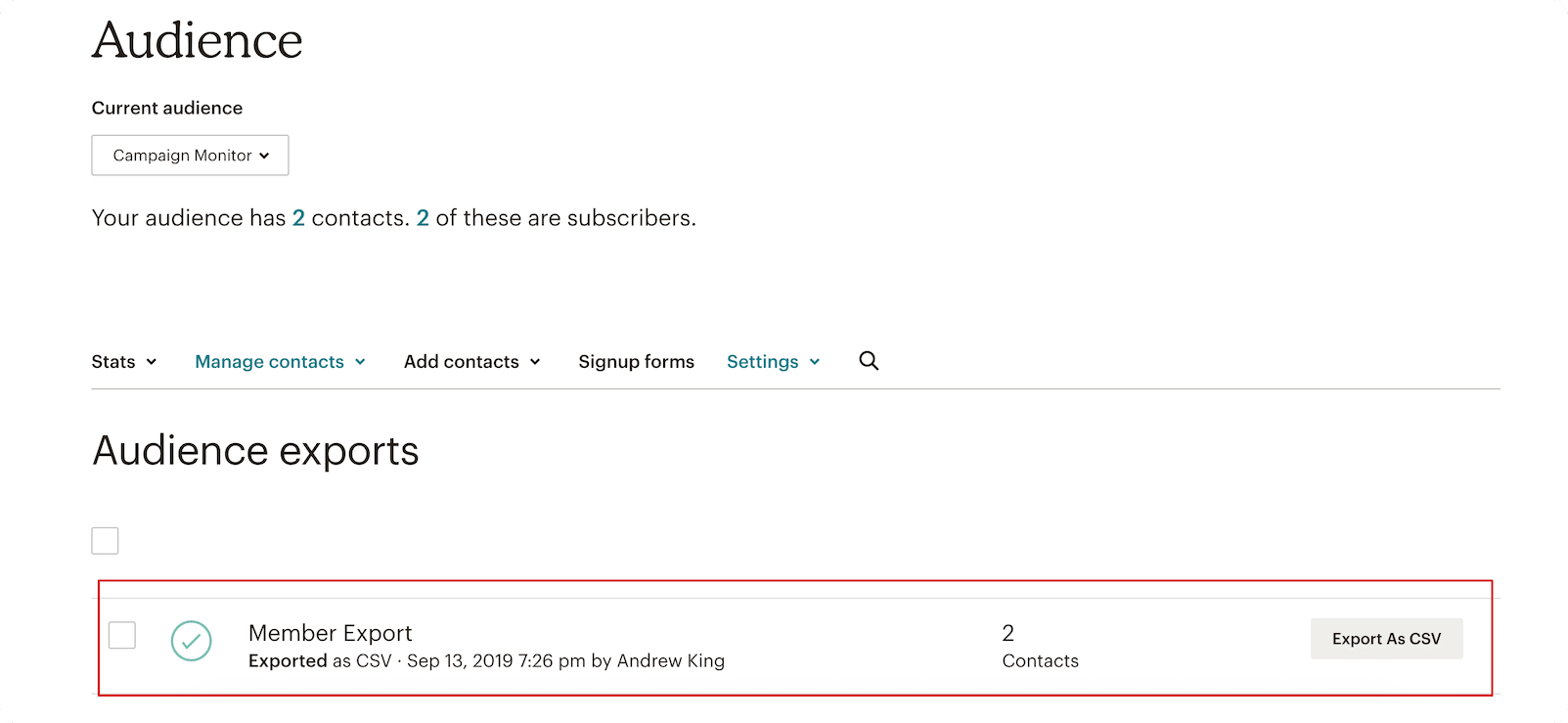
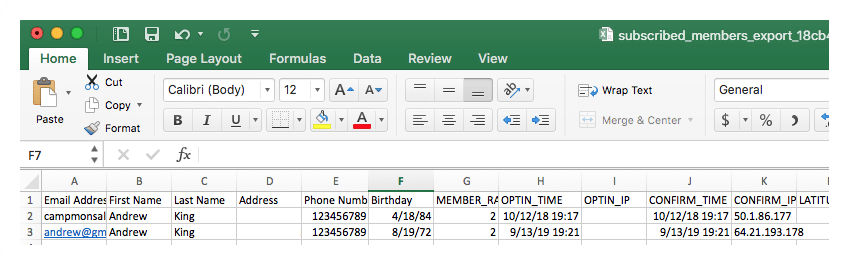
Once Mailchimp generates your file, download it in CSV (Comma Separated Values) format. Depending on the size of your audience, this generation process may take a few minutes. Once downloaded, take a moment to inspect the file. You will see columns representing subscriber emails, names, and any additional metadata or tags you previously tracked. Ensure this file is saved in a location you can easily access during the upload phase.
Step 3: Initializing Your Campaign Monitor Account
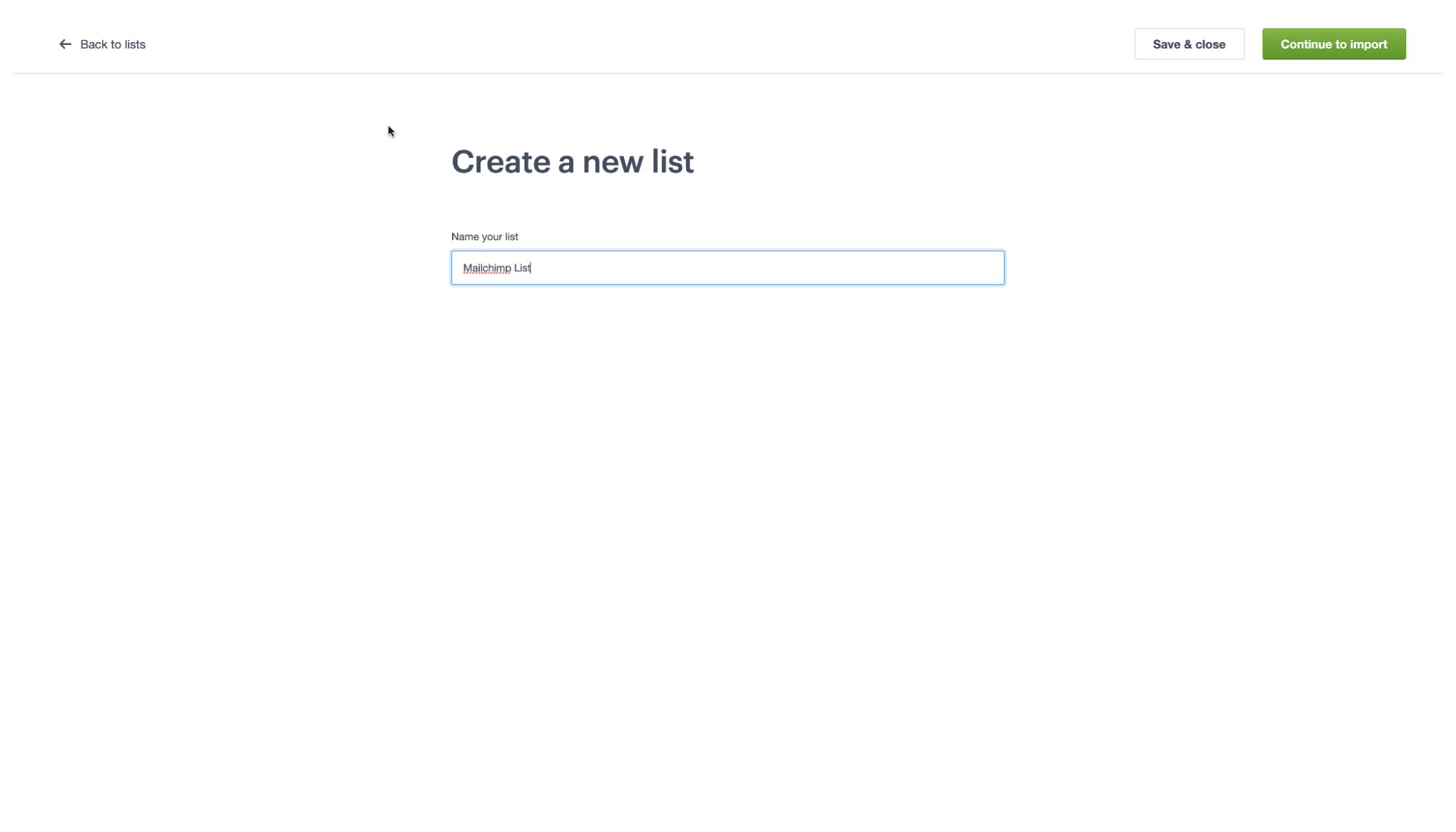
Head over to the Campaign Monitor website. If you are not yet a subscriber, the platform offers a free trial, allowing you to import your lists and test the waters before committing to a paid plan. Once your account is active, navigate to the "Lists & Subscribers" tab. Select "Create a list," name it according to your internal naming convention, and select "Continue to import."
Step 4: Importing and Mapping Data
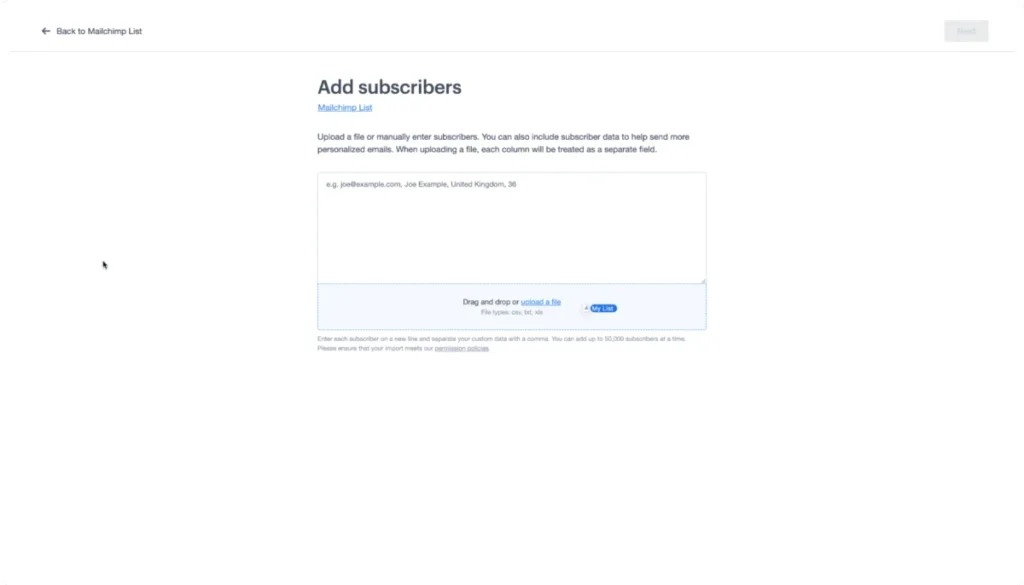
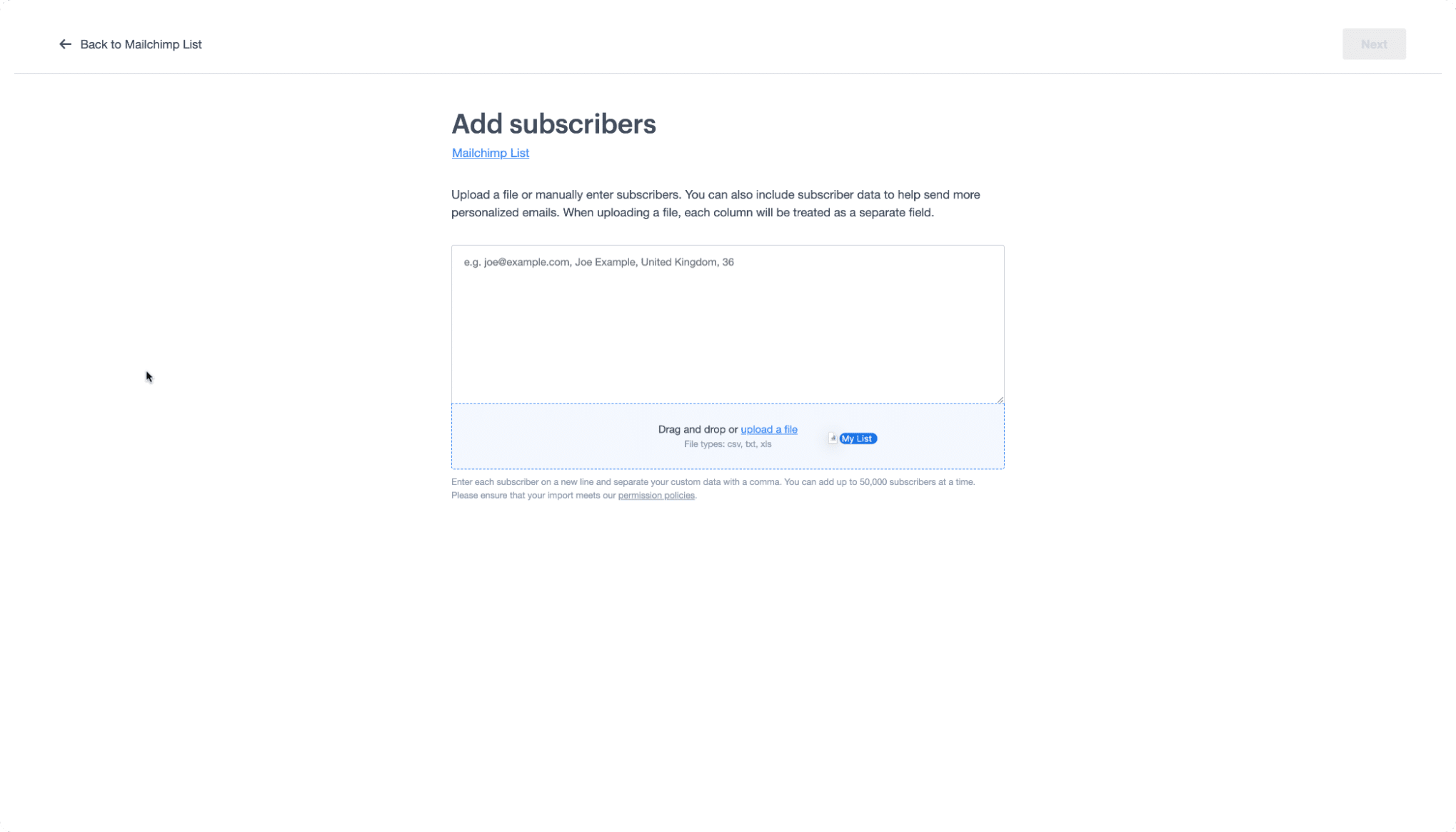
This is the most critical stage of the migration. You will be prompted to upload the CSV file you downloaded from Mailchimp. Simply drag and drop the file into the designated area.
Once uploaded, Campaign Monitor will trigger the field-mapping process. You must match the columns from your Mailchimp CSV to the corresponding fields in your new list. If you have already set up custom fields in your new account, the platform’s intelligent mapping tool will often recognize them automatically. If not, a manual mapping process ensures that your contact data—such as birthdays, location, or purchase history—is correctly preserved.
The Migration Glossary: Translating Your Terminology
One of the most common points of friction during a migration is the difference in platform nomenclature. What Mailchimp calls a "tag," another platform might call a "custom field." To assist in your transition, refer to the following translation table:
- Audience vs. List: Mailchimp uses the term "audience" to describe a group of subscribers. In Campaign Monitor, these are referred to as "lists."
- Subscribed Contact vs. Subscriber: The individual who has opted into your mailing list is a "subscribed contact" in Mailchimp and a "subscriber" in Campaign Monitor.
- Tags vs. Custom Fields: Mailchimp’s system of labeling contacts for organization is known as "tags." These are imported as "custom fields" in Campaign Monitor.
- Groups vs. Segments: If you are used to grouping your audience based on interests, you will find these functionalities under the "Segments" feature in Campaign Monitor.
Supporting Data and Technical Considerations
Data integrity is the paramount concern during any migration. When moving thousands of subscribers, it is vital to account for your "unsubscribed" and "non-subscribed" contacts.
- Unsubscribed Contacts: These are individuals who previously opted in but have since opted out. It is essential to carry this list over to your new provider to ensure you remain compliant with global anti-spam regulations (such as GDPR or CAN-SPAM). You do not want to accidentally email someone who has already requested to be removed.
- Non-Subscribed Contacts: These are customers who have interacted with your brand or store but have not yet opted into marketing communications. Many businesses choose to migrate these contacts as a "suppression list" or as a secondary database to nurture into future subscribers.
Official Perspective: Ensuring Compliance and Success
In an official statement regarding user migrations, the Campaign Monitor technical support team emphasized the importance of data hygiene. "When you transition between platforms, you have a unique opportunity to clean your data," a spokesperson noted. "Don’t just move your lists; prune them. Remove inactive or bounced addresses before importing them to your new, high-deliverability account. This ensures your sender reputation remains strong from day one."
The company also points to their "Campaign Monitor 101" video series as an essential resource for those who are new to the platform’s interface. The goal of these resources is to ensure that the transition is not merely a change of software, but an upgrade in capability.
Implications of the Move
The decision to migrate from Mailchimp to Campaign Monitor carries significant implications for your long-term marketing strategy.
Financial Impact
Moving to a platform that avoids the "omnichannel" trap often results in a more predictable monthly spend. Because Campaign Monitor focuses on the core competencies of email marketing, you are not paying for extraneous features that your business may not currently require.
Operational Efficiency
By consolidating your workflow into a more streamlined tool, your marketing team can reduce the time spent on administrative tasks. The intuitive nature of the Campaign Monitor dashboard means that training new team members becomes faster, and the time-to-market for new email campaigns is significantly reduced.
Long-Term Deliverability
Perhaps the most significant implication is the long-term health of your sender reputation. Platforms that prioritize deliverability tools and provide proactive support help ensure that your carefully crafted content avoids the spam folder. In an era where digital noise is at an all-time high, the ability to consistently land in the primary inbox is the ultimate competitive advantage.
Final Thoughts: A Smooth Path Forward
Migrating your email marketing platform is a significant step, but it is one that can pay dividends in the form of improved performance, lower stress, and a better experience for your subscribers. By following this systematic approach—from exporting your CSV files to mapping your fields and familiarizing yourself with the platform’s terminology—you can ensure the transition is seamless.
Remember, the goal is not just to move your data, but to position your brand for future growth. Whether you are a small business owner looking to automate your first welcome sequence or a seasoned marketer managing complex segments, the tools are ready. If you encounter any hurdles along the way, the extensive support documentation provided by Campaign Monitor serves as a safety net, ensuring you are never truly on your own.
Disclaimer: This article provides general information regarding email marketing migration. It should not be construed as legal, tax, or financial advice. We recommend consulting with your internal IT or compliance team before making significant changes to your data management infrastructure.
