
Mastering the Art of Timing: The Ultimate Guide to Scheduling TikTok Posts for Maximum Impact
In the hyper-fast world of short-form video, timing is not just a tactical detail—it is a competitive advantage. For brands and creators, the ability to deliver content precisely when an audience is most receptive can be the difference between a video going viral and one that disappears into the feed.

As TikTok continues to dominate the social media landscape, the demand for sophisticated scheduling tools has surged. While TikTok has introduced native features to assist with content management, many professionals are turning to external management suites to bypass limitations and gain deeper strategic control. This guide explores the mechanics of scheduling, the tools required to scale, and the data-driven strategies needed to master the algorithm in 2025.

The Evolution of TikTok Content Management
The growth of TikTok from a casual entertainment app to a primary marketing channel for businesses of all sizes has necessitated a shift in how content is published. In the early days, "live" posting was the standard. Today, the professionalization of the platform requires a more deliberate, organized approach.
For many, the primary challenge is the "10-day rule." TikTok’s native scheduling tool within TikTok Studio allows creators and business accounts to queue content up to 10 days in advance. While sufficient for small-scale campaigns, this window often fails to meet the needs of enterprise teams, agencies, or creators managing complex content calendars for long-term brand building. This limitation has paved the way for third-party social media management platforms—such as Hootsuite—which offer extended scheduling windows, cross-platform synchronization, and advanced analytics.
How to Schedule Your Content: A Step-by-Step Breakdown
Depending on your business scale and technical requirements, you have two primary avenues for scheduling: the native TikTok Studio interface or integrated third-party platforms.

Method 1: Utilizing TikTok Studio (Desktop)
TikTok Studio is the platform’s internal command center, designed for creators and businesses to manage their presence without needing third-party software.
- Preparation: Ensure your account is upgraded to a "Creator" or "Business" profile. This is a non-negotiable step to unlock the publishing dashboard.
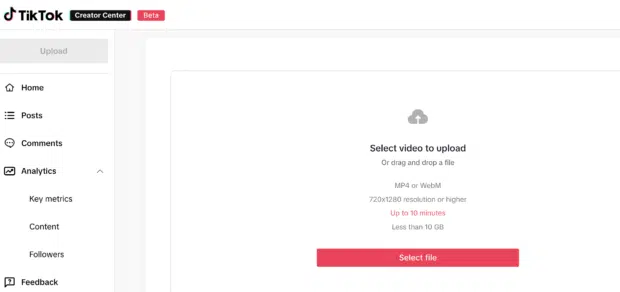
- The Upload Process: Access TikTok.com on a desktop browser. Navigate to the "Upload" button.
- Optimization: Upload your video file (up to 10 minutes in length, under 10GB). This is the stage where you should finalize your captions, hashtags, and cover images.
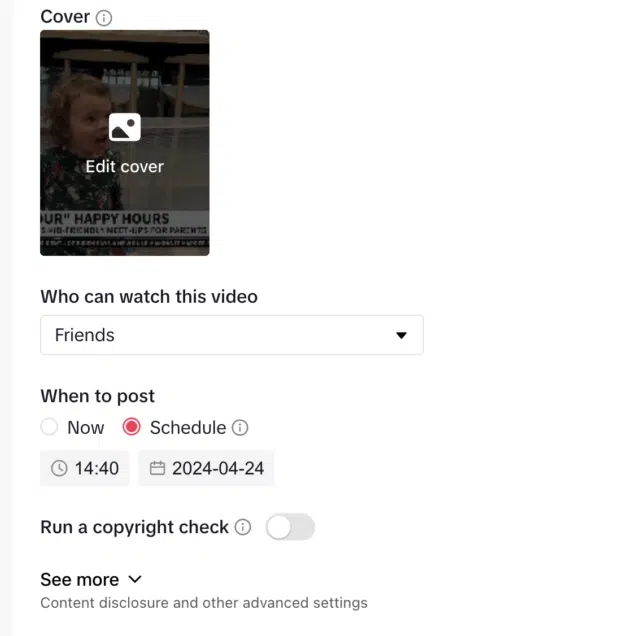
- Privacy and Compliance: Utilize the built-in copyright check tools and content disclosure toggles to ensure your video meets community guidelines before it ever goes live.
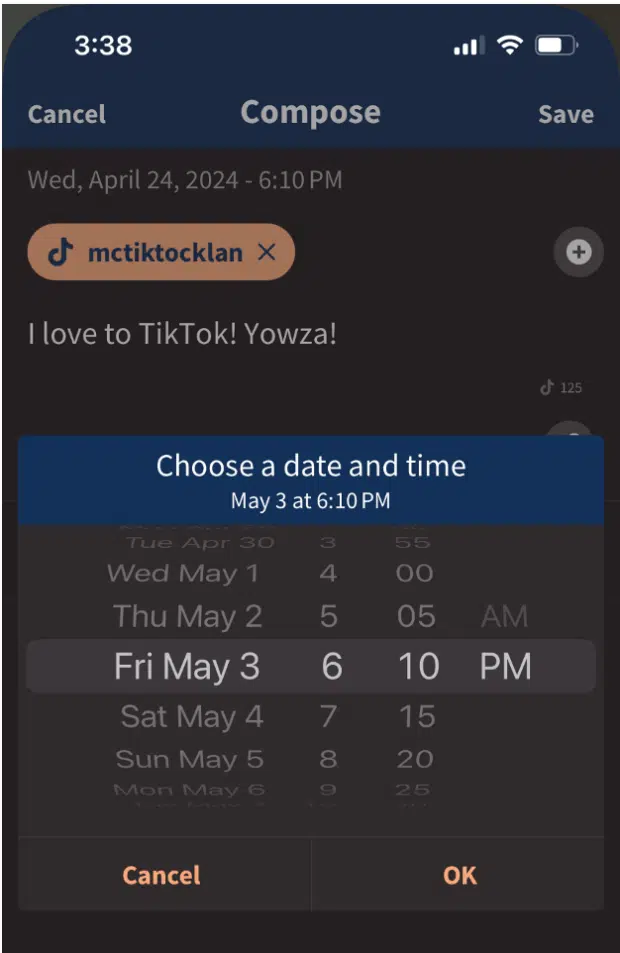
- Scheduling: Under the "When to Post" section, select "Schedule." You will be prompted to pick a date and time within the 10-day window. Once confirmed, the post is locked in and will auto-publish at your designated moment.
Method 2: Enterprise-Level Management via Third-Party Tools
For brands managing multiple accounts or long-term content cycles, third-party tools are the industry standard. Using a platform like Hootsuite allows for a "set it and forget it" strategy that extends far beyond the 10-day native limit.
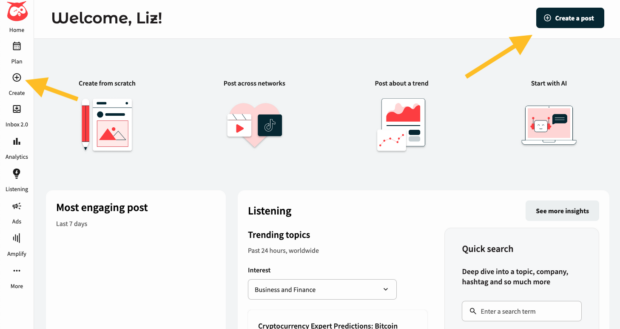
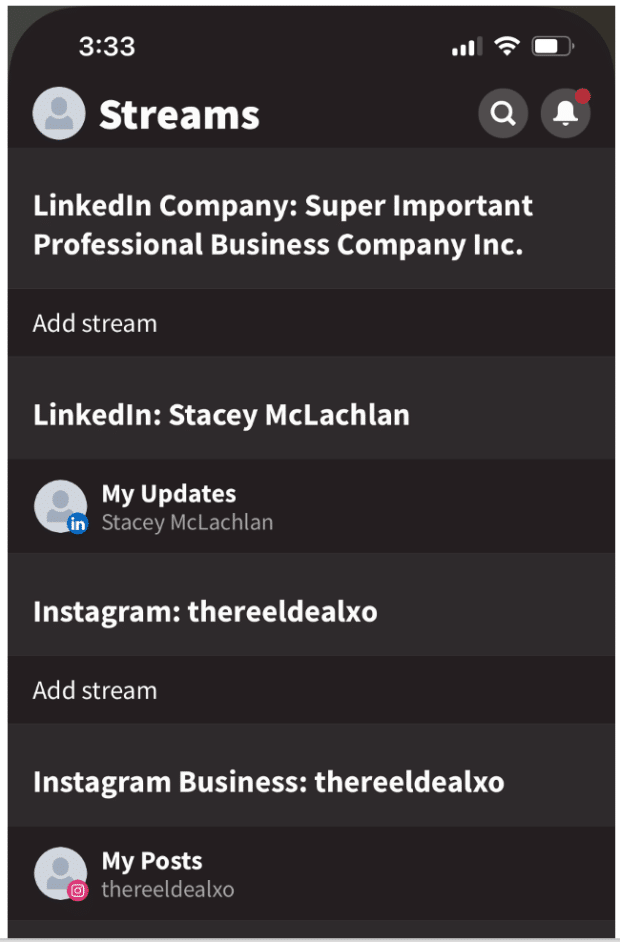
- Centralized Connection: Connect your TikTok handle to the Hootsuite dashboard. This creates a single source of truth for your social media operations.
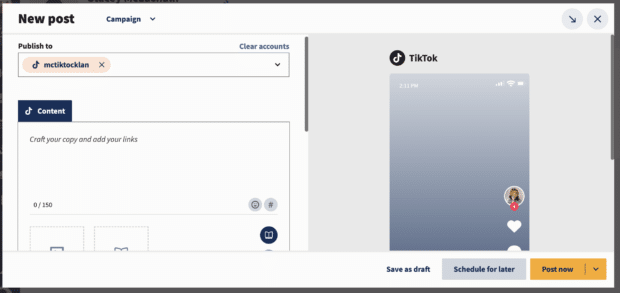
- Enhanced Workflow: Upload content directly through the "Composer" tool. Unlike the native app, these platforms often provide AI-assisted writing tools (like OwlyWriter AI) to help craft high-engagement captions.
- Control Parameters: Within these tools, you can toggle specific settings such as whether you want to allow Duets, Stitches, or comments, ensuring your brand safety standards are maintained across all posts.
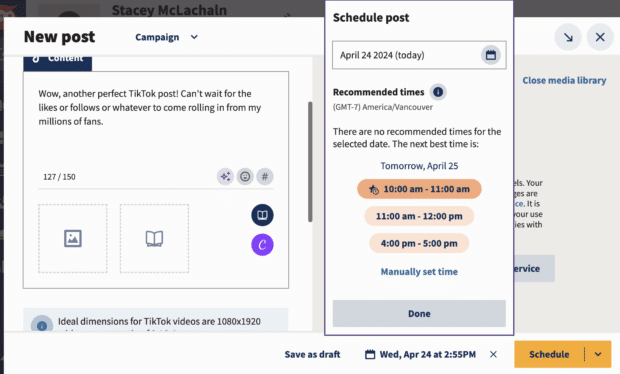
- Advanced Scheduling: Rather than guessing, use the "See Recommended Times" feature. These algorithms analyze your specific audience’s historical engagement patterns to suggest the exact minute your video will likely see the highest reach.
The Data-Driven Strategy: Optimizing Your Posting Schedule
Scheduling is not just about convenience; it is about performance optimization. To get the most out of your queue, you must align your posting frequency and timing with actual user behavior.
1. Identifying the "Goldilocks" Zone
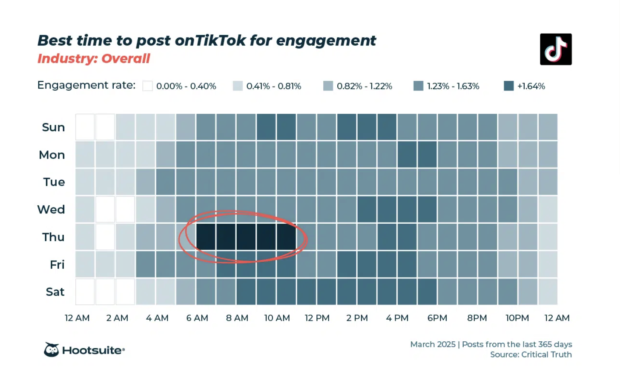
Research consistently shows that there are universal windows for engagement, but the "best" time is inherently unique to your audience. Broad data suggests that Thursday mornings (6:00 AM – 9:00 AM) and Saturday afternoons (10:00 AM – 6:00 PM) are high-traffic periods. However, relying on broad data is a rookie mistake. Use your account’s analytics—available in the Business Suite—to pinpoint when your followers are most active.

2. Posting Frequency
How much is too much? While some influencers post daily, research into business performance suggests that 3 to 5 high-quality posts per week is the "sweet spot" for most brands. Consistency is more important than raw volume. Posting 3 times a week with high-value content will almost always outperform 7 days of rushed, low-effort videos.
3. Accounting for Global Audiences
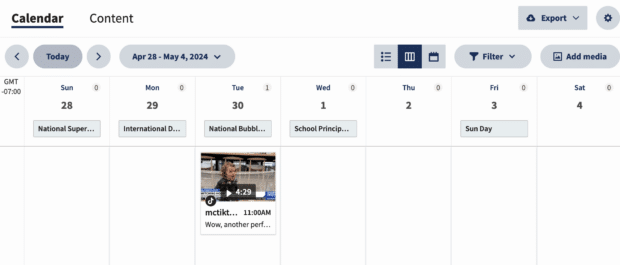
One of the most significant advantages of professional scheduling tools is the ability to account for time zones automatically. If your target demographic is in a different region, you can schedule your content to hit their peak activity hours while you are asleep. Failing to account for this is a common reason for underperforming content; a post that drops at 3:00 AM for your audience will be buried by the time they wake up.
Implications for Brands and Creators
The transition toward automated scheduling represents a broader maturation of the TikTok ecosystem. It implies that the platform is no longer just a place for "authentic, raw" content, but a legitimate pillar of a professional marketing strategy.
The Human Element
Despite the benefits of automation, there is a risk: over-scheduling. If a brand fills its feed with only evergreen, scheduled content, it risks losing the "native" feel of TikTok. The most successful accounts utilize a hybrid approach. They use scheduling for evergreen content—tutorials, product showcases, and high-production brand stories—while reserving "real-time" slots to jump on trending sounds, viral challenges, and reactive commentary.

Maintaining Authenticity
Authenticity is the currency of TikTok. Even when your content is scheduled weeks in advance, it must remain culturally relevant. Ensure your content team is reviewing the scheduled queue at least once a week to ensure that no planned content clashes with current events or shifting trends.
Final Thoughts: The Path to Growth
The ability to schedule your TikToks effectively is a hallmark of a serious content creator. It removes the stress of daily manual uploads and allows you to focus on the creative side of the business—brainstorming, filming, and engaging with your community.

By leveraging a combination of native tools for simple needs and third-party dashboards for enterprise-level scale, you can ensure your voice is heard at the exact right moment. Whether you are a small business owner or a social media manager at a global agency, the tools exist to help you reclaim your time and maximize your reach.
As you look toward your next content cycle, remember: the algorithm favors consistency, but your audience favors quality. Use your scheduling tool to balance both, and you will find yourself well-positioned for success in the evolving landscape of 2025.
Quick Summary of Best Practices
- Audit Your Analytics: Never guess your post time; let your historical data show you when your audience is awake and active.
- Batch Your Work: Use a content calendar to map out your 3–5 weekly posts at the start of the week.
- Monitor Performance: Check your post analytics 24 hours after publication to see if the scheduled time worked as intended.
- Stay Flexible: Don’t let your calendar become a cage. If a trend hits, pivot your strategy to include it, even if it means rescheduling an evergreen post.
