

Mastering Traffic Attribution: A Comprehensive Guide to Analyzing UTM Parameters in GA4
In the modern digital marketing landscape, the ability to trace the precise origin of every website visitor is not just an advantage—it is a necessity. As privacy regulations tighten and the customer journey becomes increasingly fragmented across multiple touchpoints, marketers rely heavily on Urchin Tracking Modules (UTMs) to maintain visibility. While the process of generating these parameters via URL builders has become standardized, a significant knowledge gap persists: how to effectively interpret and analyze these tags within Google Analytics 4 (GA4).

This guide serves as a professional deep dive into the mechanics of UTM attribution, the structural nuances of GA4, and the advanced analytical techniques required to transform raw link data into actionable business intelligence.

The Fundamentals of UTM Parameters: Defining the "Who, How, and What"
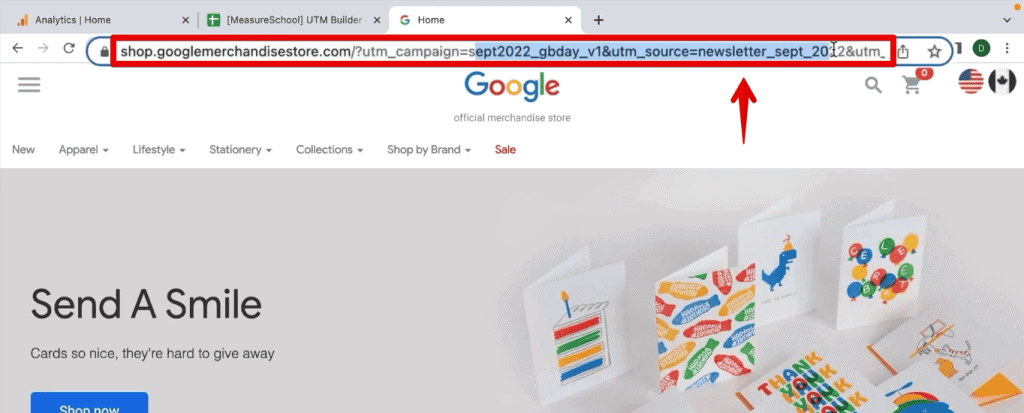
At their core, UTM parameters are simple text strings appended to the end of a URL. When a user clicks a link containing these tags, the information is transmitted to your analytics platform, allowing you to categorize traffic with surgical precision.
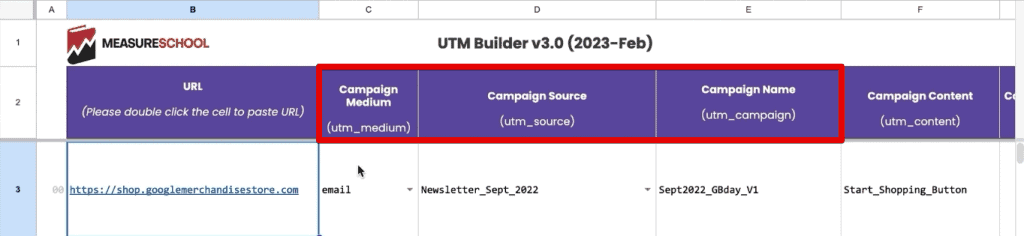
A standard tagged URL typically includes three mandatory components:
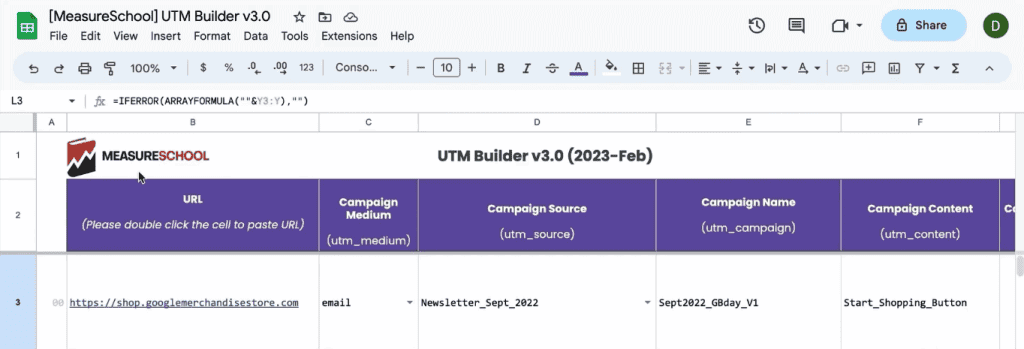
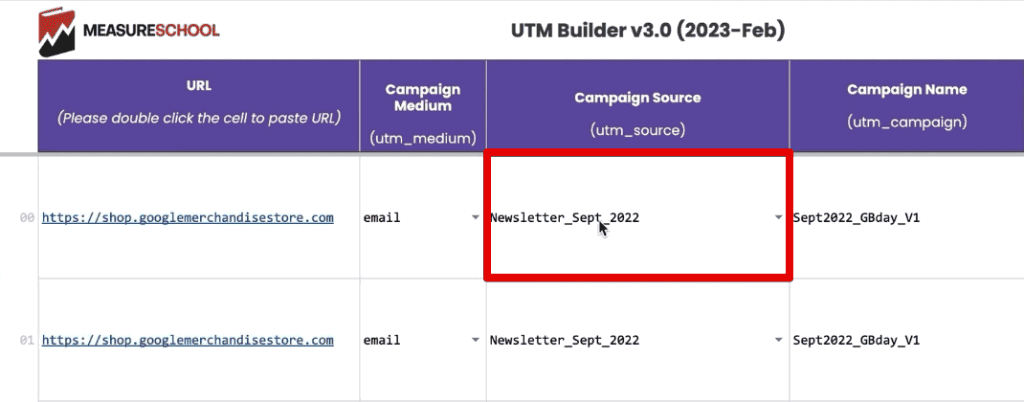
- utm_source: Identifies the platform or site where the link is placed (e.g., newsletter, facebook, linkedin).
- utm_medium: Defines the type of traffic or channel (e.g., email, cpc, social).
- utm_campaign: Denotes the specific promotion or product launch associated with the link (e.g., summer_sale_2024).
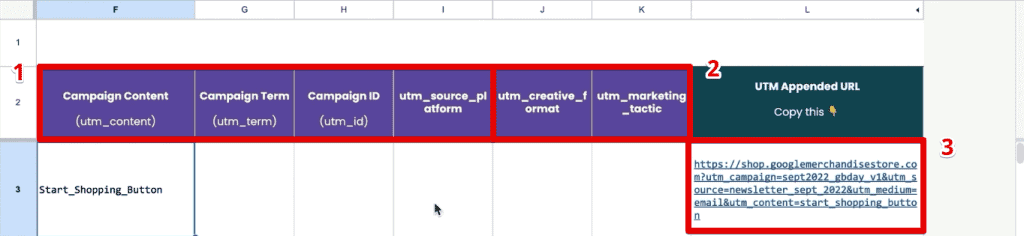
Beyond these, marketers can utilize optional fields like utm_content for A/B testing creative elements and utm_term for keyword tracking. Understanding that these parameters act as metadata for your traffic is the first step in moving beyond vanity metrics toward true performance marketing.
Chronology of Data: How GA4 Processes Your Tags
The transition from a link click to a visible report in GA4 follows a specific chronological sequence.
- The User Interaction: A user clicks a link with UTM parameters. The browser loads the landing page, and the GA4 tracking code (or Google Tag Manager snippet) identifies the query parameters in the URL.
- Session Association: GA4 attributes the session to the source/medium captured in those parameters. Unlike older versions of Analytics, GA4 uses a model that favors session-based attribution, ensuring that the initial source of a session is correctly mapped.
- Data Processing: The information is stored in GA4’s backend. Crucially, GA4 maps these to specific "Session" dimensions. For instance,
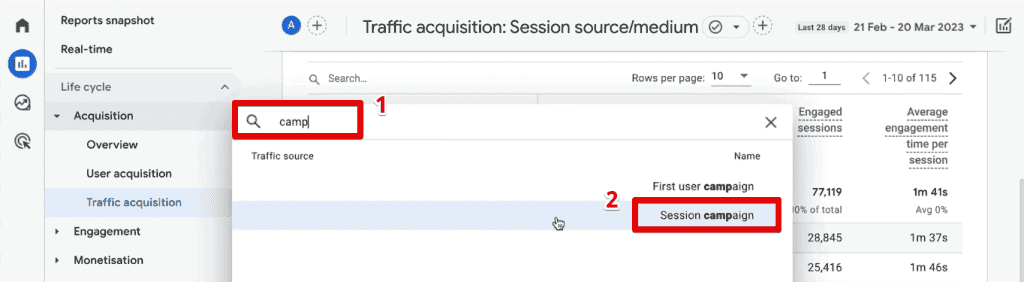
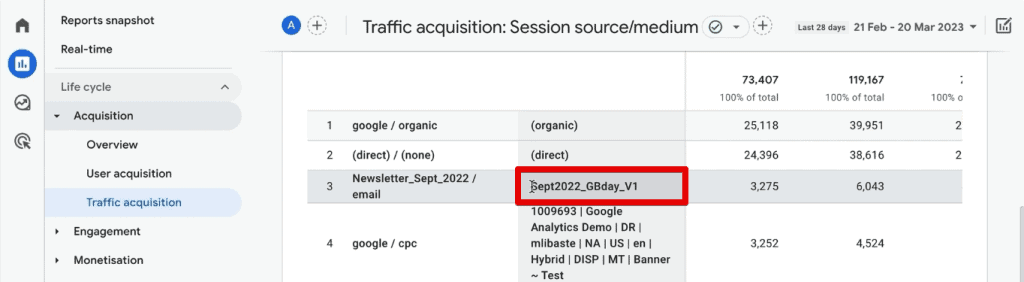
utm_sourcebecomesSession source, andutm_campaignbecomesSession campaign. - Reporting: Once processed, this data becomes available in both standard reports and the more granular "Explorations" section.
Analyzing UTM Data: Standard Reports vs. Explorations
To derive value from your UTMs, you must choose the right tool for the job.
The Standard Acquisition Report
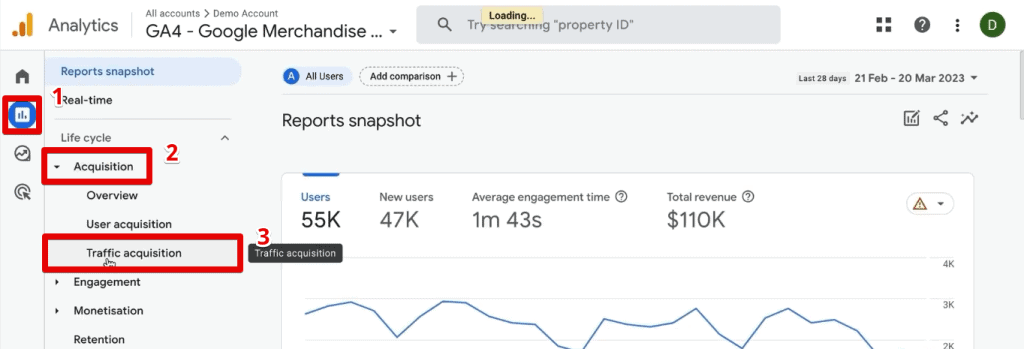
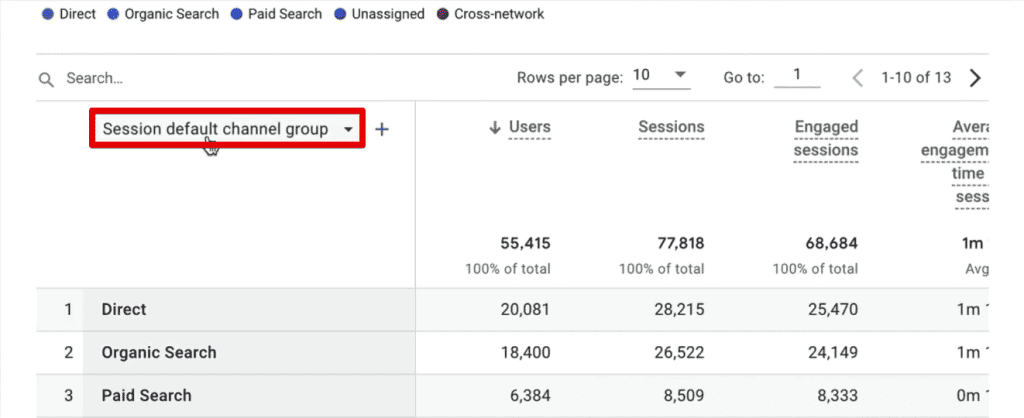
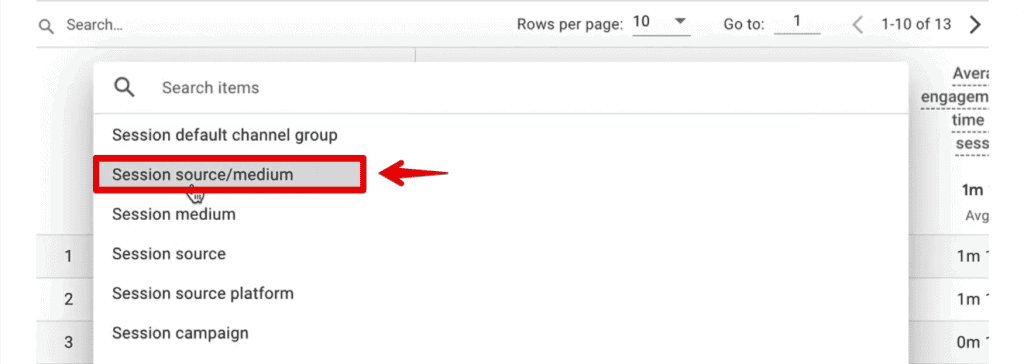
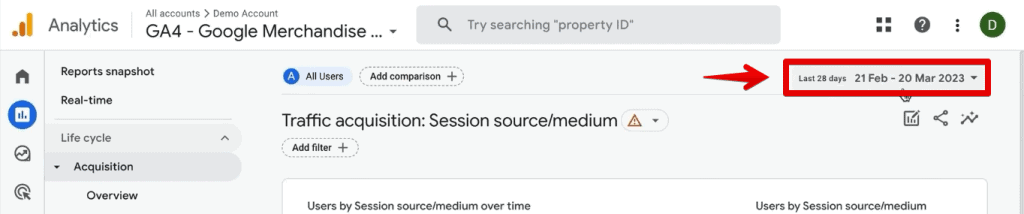
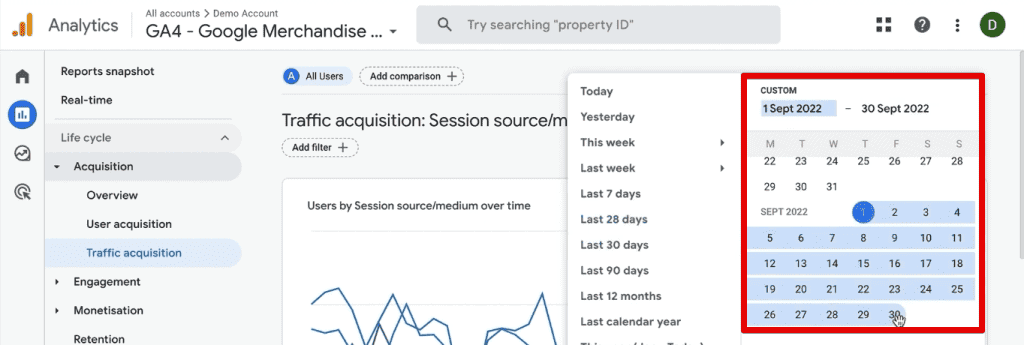
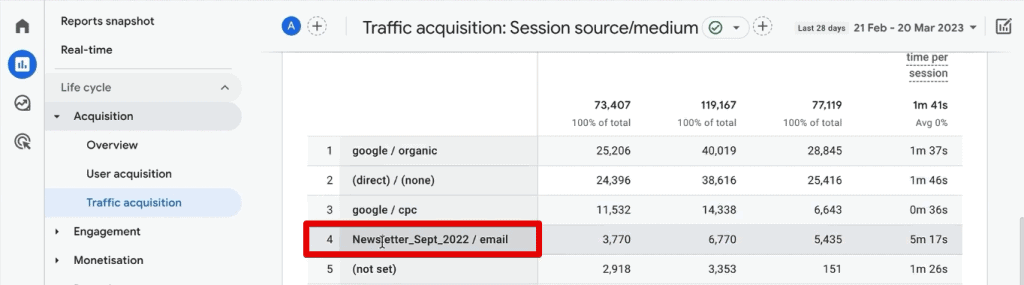
For a quick snapshot, navigate to Reports > Acquisition > Traffic Acquisition. By default, this view may show "Default Channel Grouping." By clicking this dropdown, you can select Session source/medium. This provides an immediate, aggregated view of where your traffic originated. While effective for high-level monitoring, this report is limited to two dimensions, which can obscure complex campaign structures.
The Power of Exploration Reports
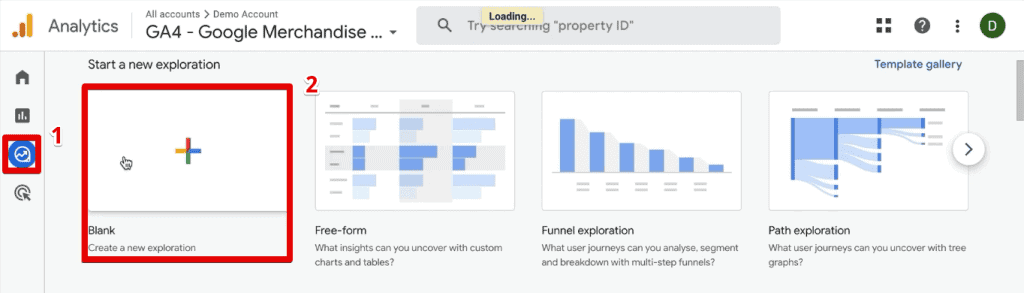
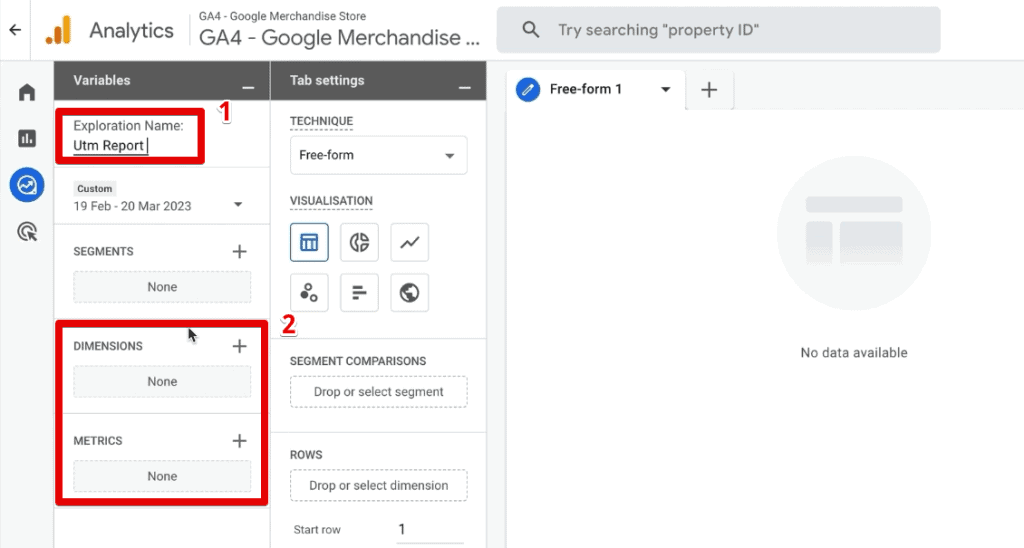
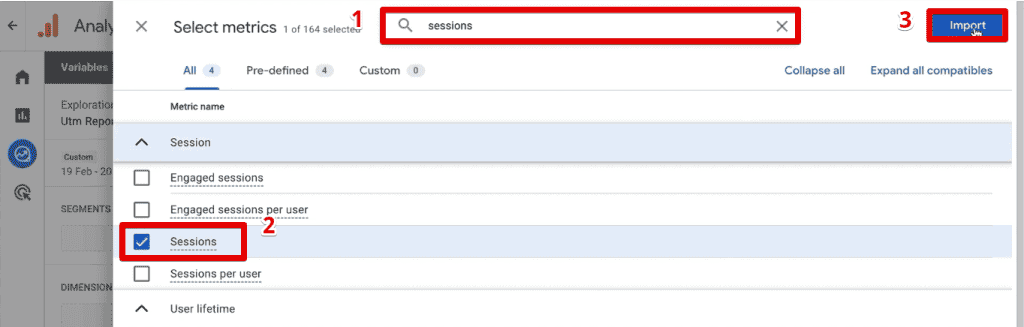
When you need to perform deep-dive analysis, the Explorations module is the professional standard. By creating a Blank Exploration, you can drag and drop specific UTM dimensions (Session source, Session medium, Session campaign, etc.) alongside key metrics like Sessions and Transactions.
| Mapping UTMs to GA4 Dimensions: | UTM Parameter | GA4 Dimension |
|---|---|---|
| utm_id | Session campaign ID | |
| utm_source | Session source | |
| utm_medium | Session medium | |
| utm_campaign | Session campaign | |
| utm_term | Session manual term | |
| utm_content | Session manual ad content |
By building these custom reports, you can isolate specific campaign versions, compare creative effectiveness (via utm_content), and determine the ROI of individual marketing initiatives.
Implications of Misattributed Traffic: The Cost of Inaccuracy
Failure to implement a rigid UTM strategy has profound implications for a business.
The "Direct Traffic" Problem
A common sign of a failing attribution strategy is an inflated "Direct" traffic bucket. When direct traffic accounts for more than 25-30% of your total volume, it is rarely because that many users are typing your URL into their browser. It is almost always a sign that your marketing links are un-tagged or improperly configured, causing GA4 to lose the "referral" context and default to Direct.
Fragmented Data
Inconsistent naming is the silent killer of marketing analytics. If one team uses "Facebook" and another uses "facebook," GA4 will treat these as two distinct sources. This fragmentation prevents you from seeing the full impact of your social media spend. Maintaining a centralized, standardized UTM builder—such as a shared spreadsheet or a dedicated internal tool—is essential for data hygiene.
Advanced Strategies: CRM Integration and Beyond
For organizations that rely on lead generation, the analysis shouldn’t stop at the website.
Capturing UTMs in CRM Tools
If you want to know which specific ad campaign generated a high-value lead, you must bridge the gap between GA4 and your CRM (e.g., Salesforce, HubSpot). This is done by capturing the UTM parameters via cookies when a user lands on the site. These cookies are then read by your web forms, which pass the data into hidden fields. When the lead submits the form, the UTM data is sent directly to your CRM, allowing your sales team to see the exact source of the lead.

Building Audiences for Remarketing
One of the most powerful features in GA4 is the ability to turn UTM-filtered data into an audience. By using the Create Segment from Selection feature in an Exploration report, you can define a specific cohort of users—such as those who clicked a specific "Start Shopping" button—and push that audience to Google Ads for highly targeted retargeting campaigns.
Official Perspective: Google’s Evolving Attribution Model
Google’s official documentation emphasizes that while UTM parameters remain the "gold standard" for manual override in attribution, GA4 is increasingly relying on machine learning for data-driven attribution. However, the company consistently advises that automated tracking is not a substitute for human-led tagging.
By utilizing the utm_source_platform, utm_creative_format, and utm_marketing_tactic parameters, marketers provide GA4 with the necessary signals to optimize its internal models. Official guidance suggests that the more granular the manual data provided, the more accurately the platform can assign credit across the path to conversion.
Summary: Elevating Your Data Strategy
Mastering UTM parameters in GA4 is not merely about technical configuration; it is about establishing a culture of accountability in your marketing spend. Whether you are using the standard traffic acquisition reports for weekly monitoring or leveraging the flexibility of the Exploration module for complex performance comparisons, the goal remains the same: to uncover the "story" behind the clicks.
To succeed, you must:
- Standardize: Enforce a naming convention across your organization.
- Verify: Regularly check for high "Direct" traffic as a proxy for missing tags.
- Integrate: Pass your UTM data into your CRM to connect marketing efforts to actual revenue.
- Explore: Move beyond standard reports and use Explorations to build custom, actionable dashboards.
As the digital ecosystem continues to shift toward privacy-first tracking, your first-party data—captured via clean, consistent, and well-analyzed UTM parameters—will become your most valuable marketing asset. By implementing the strategies outlined in this guide, you will transform your GA4 account from a simple reporting tool into a sophisticated engine for growth.
