

Mastering Regular Expressions in Google Analytics 4: A Comprehensive Guide
Digital analytics has undergone a seismic shift with the transition from Universal Analytics (UA) to Google Analytics 4 (GA4). While the platform’s architecture has changed significantly, one powerful tool has remained a constant ally for data analysts and marketers alike: Regular Expressions, or "RegEx."

RegEx is not merely a technical novelty; it is an essential skill for anyone looking to extract meaningful, granular insights from vast datasets. Whether you are filtering complex traffic reports, defining internal traffic exclusions, or creating custom event triggers, understanding RegEx allows you to do more with less effort. This guide explores the mechanics of RegEx within the GA4 ecosystem, offering a deep dive into its application, limitations, and best practices.
What is RegEx and Why Does It Matter?
At its core, a Regular Expression is a specialized sequence of characters that forms a search pattern. While it may appear intimidating to the uninitiated, it is essentially a shorthand language for matching strings of text. Before digital analytics even existed, RegEx was a cornerstone of computer science and programming, used for text manipulation, data validation, and pattern recognition.
In the context of GA4, the primary objective of RegEx is to identify patterns within your data and return only the values that meet your specific criteria. Instead of manually searching for individual items—which is impossible when dealing with thousands of dynamic URL parameters or varied source/medium tags—you can write a single, efficient pattern to capture everything you need.
The output of a RegEx query depends heavily on the match type you select. Depending on the interface, you may be looking for an exact match, a partial match, or an exclusion. By mastering these, you stop spending hours cleaning data and start spending that time deriving actual business value.
The Evolution of Match Types in GA4
Match types are the filtering conditions that dictate how GA4 processes your RegEx inputs. Even if you aren’t using RegEx, you’ve likely encountered these in standard filters. However, when using RegEx, these types become critical variables.
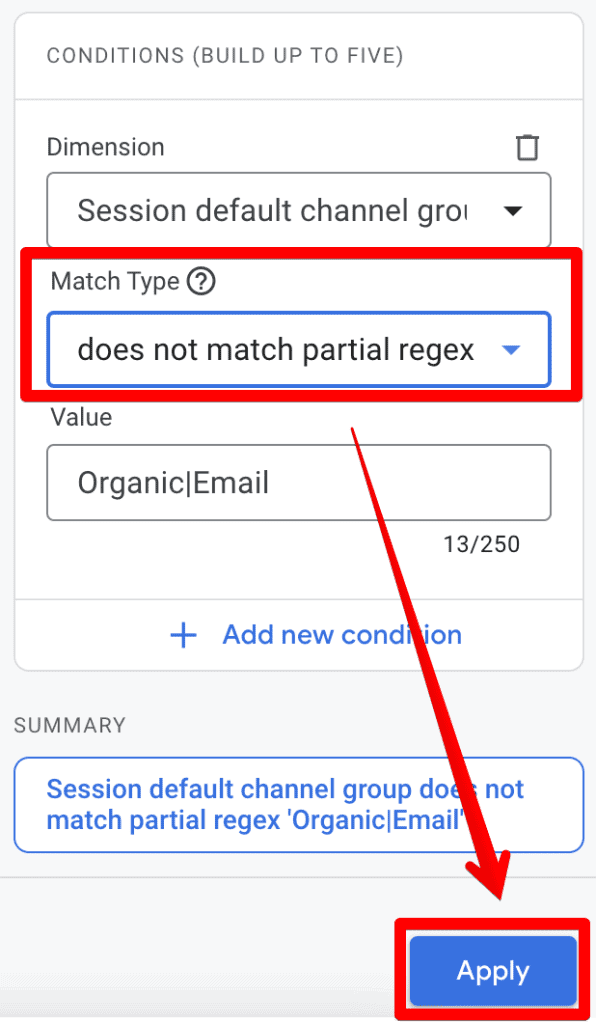
The Standard Match Types
- Matches Regex: Looks for an exact, full-string match.
- Does Not Match Regex: Excludes the pattern provided.
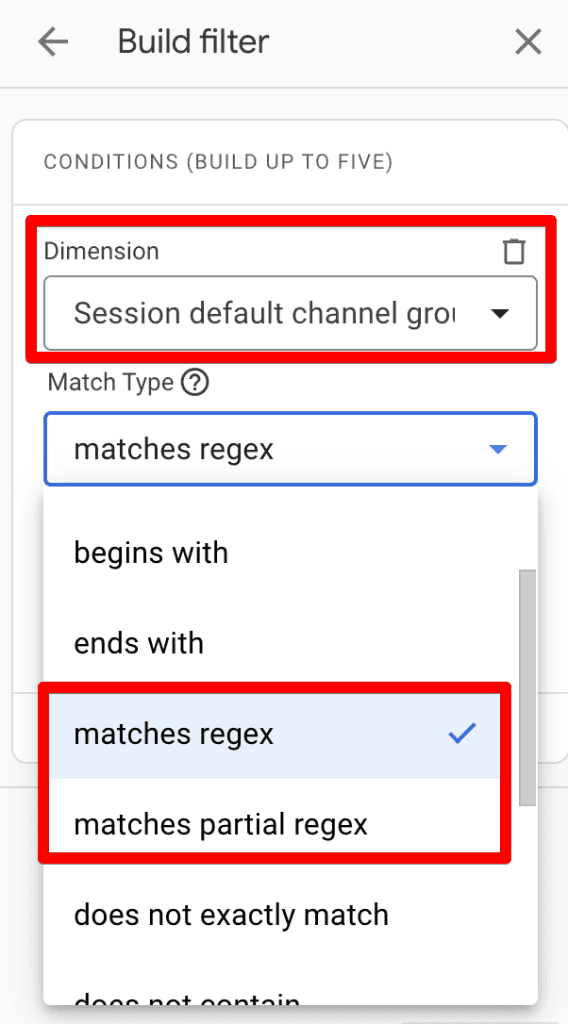
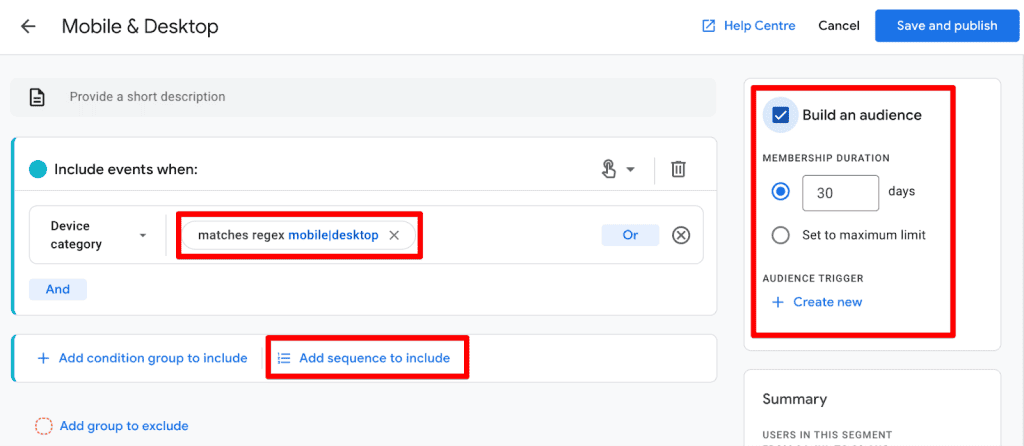
- Matches Partial Regex: A more flexible approach that identifies the string even if it is embedded within a longer value.
- Does Not Match Partial Regex: Useful for filtering out specific subsets of data from a larger group.
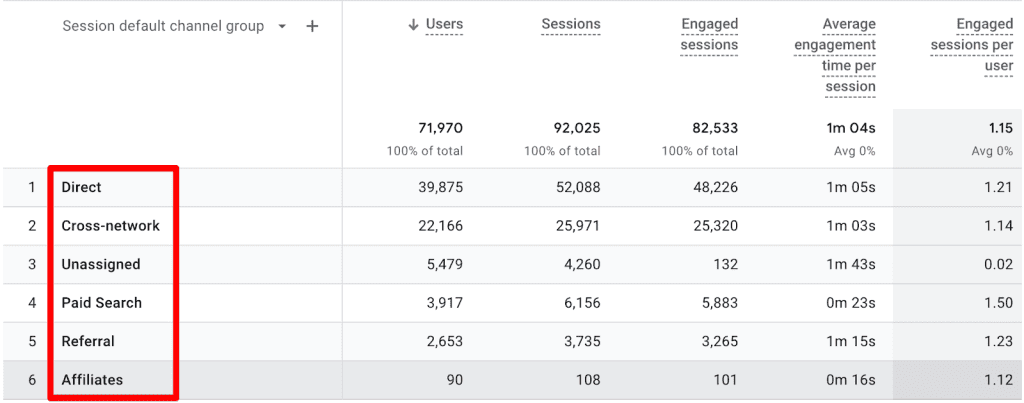
A Critical Note on Sensitivity: It is vital to remember that filter match types in GA4 are case-sensitive by default. If your data contains "organic" but you search for "Organic," the filter will return zero results. Unless you account for case variations in your pattern, you may find yourself debugging a "broken" filter that is simply suffering from a casing mismatch.
The RE2 Limitation
GA4 employs the RE2 regex syntax. While powerful, RE2 is designed for safety and performance, which means it lacks some of the more advanced, "heavy" features found in other regex engines like Perl or Python. Specifically, RE2 avoids features that could lead to "catastrophic backtracking," ensuring that your reports load quickly even when processing complex patterns. For the average analyst, this is a positive, but it is important to be aware of these constraints when writing highly complex queries.
Where to Leverage RegEx in the GA4 Interface
RegEx is not a "one-size-fits-all" feature in GA4. Its utility is gated by the specific section of the platform you are currently navigating.
1. Standard Reports: The Power of Filtering
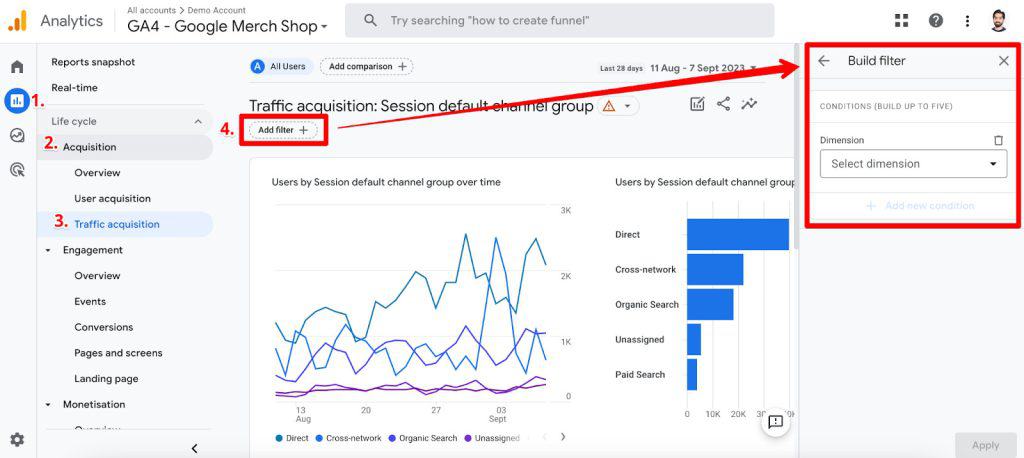
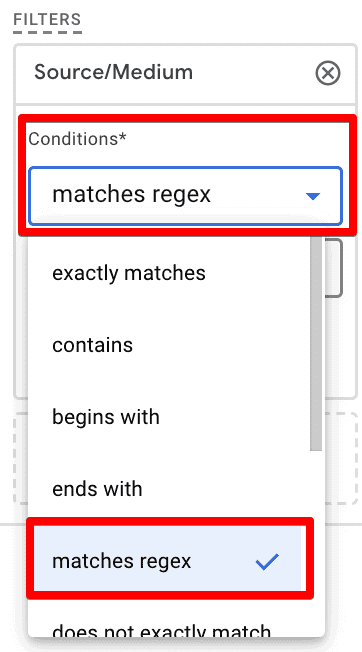
In standard, detailed reports, you will often find an "Add a filter" option at the top of the screen. This is one of the most common places to use RegEx.
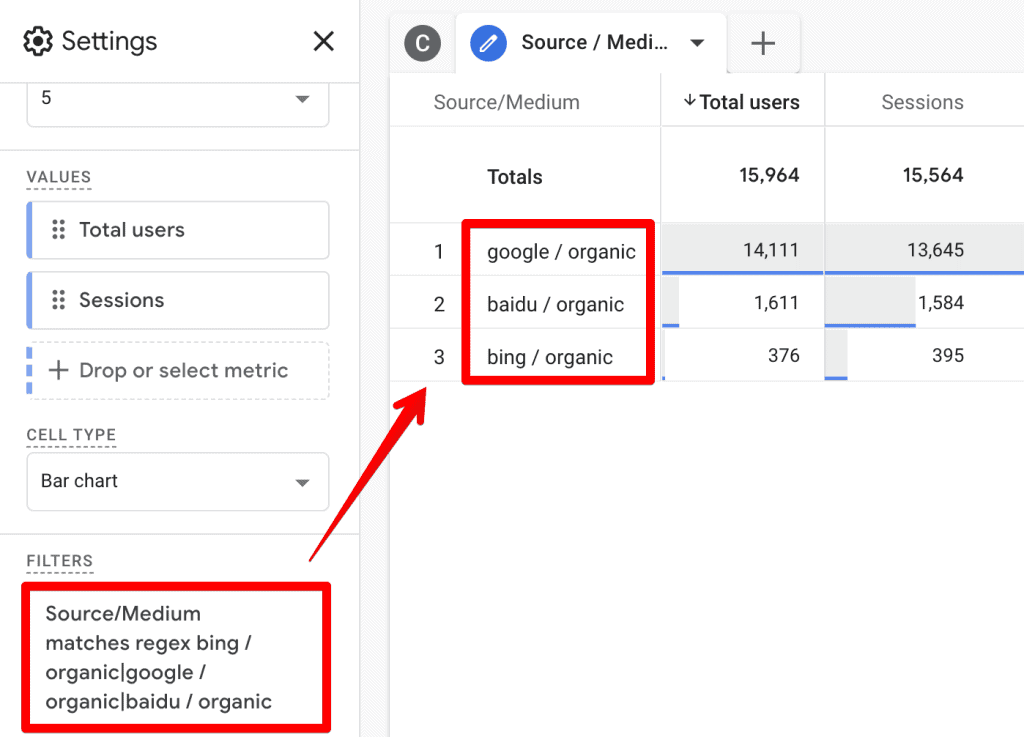
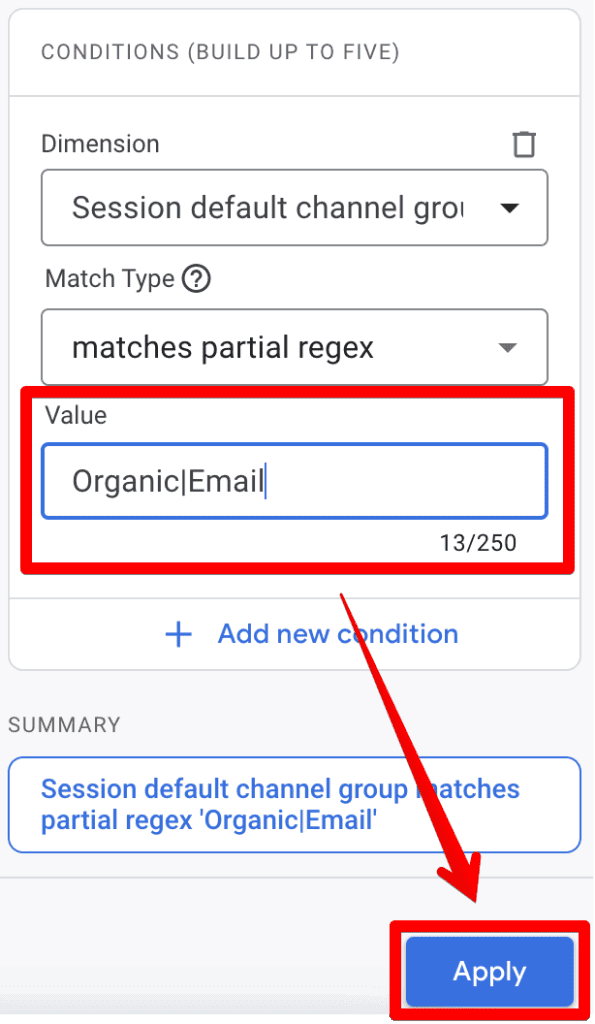
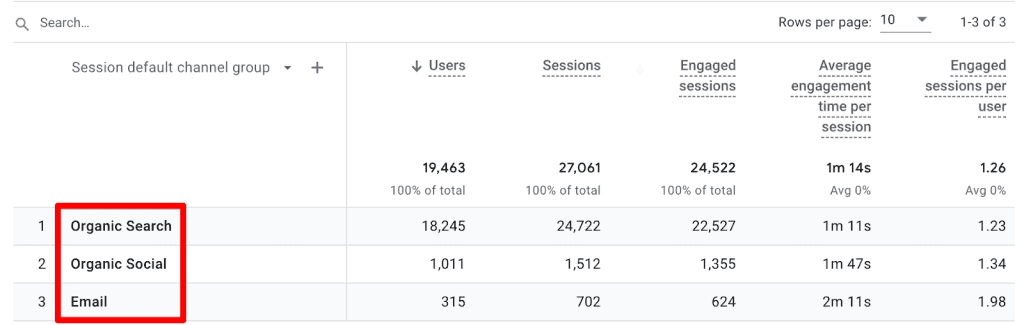
For example, if you want to analyze traffic performance for both "Organic" and "Email" channels simultaneously, you can set your dimension to "Session default channel group," choose "matches partial regex," and enter Organic|Email. The pipe (|) symbol acts as an "OR" operator, telling GA4 to return rows containing either term. This is far more efficient than building multiple individual filters.
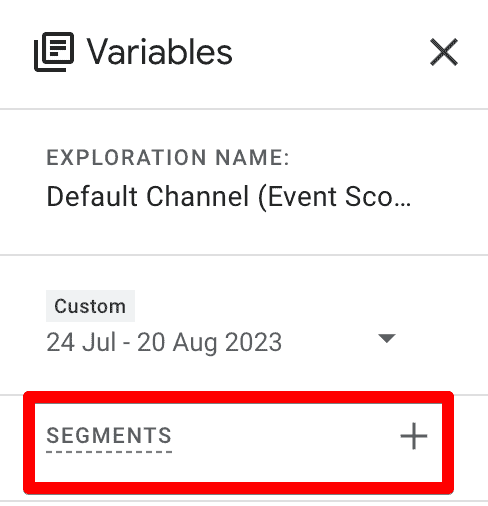
2. Explorations: Advanced Customization
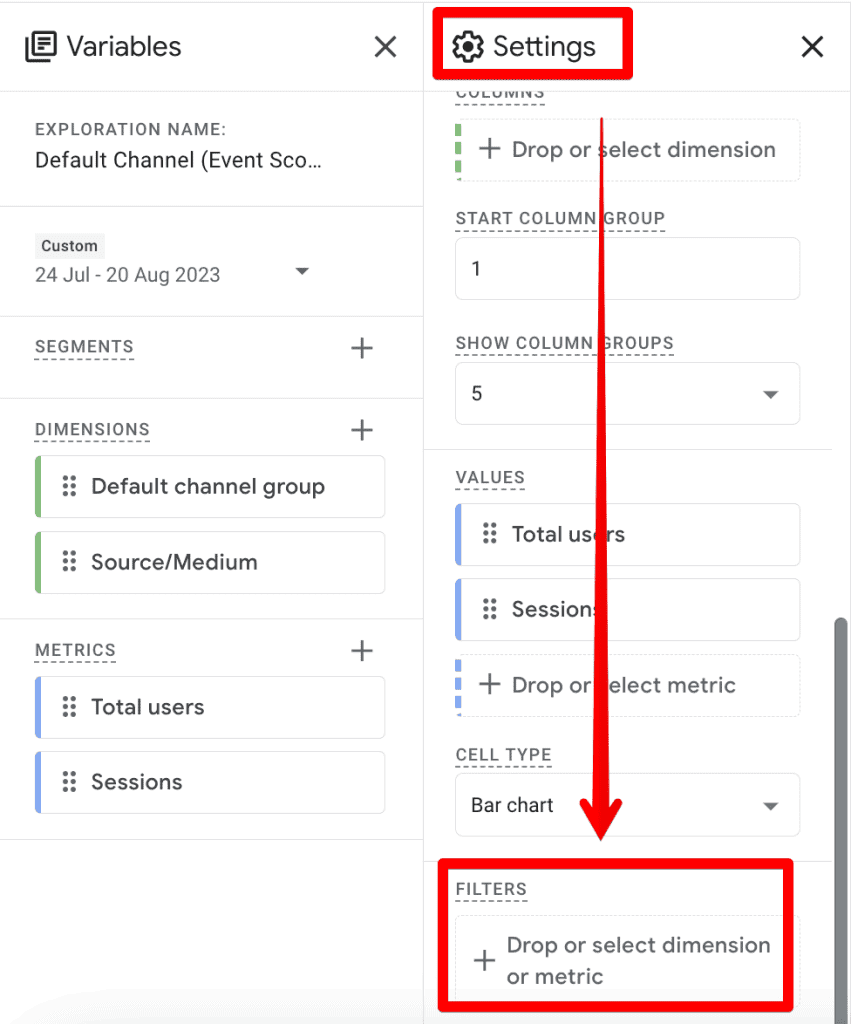
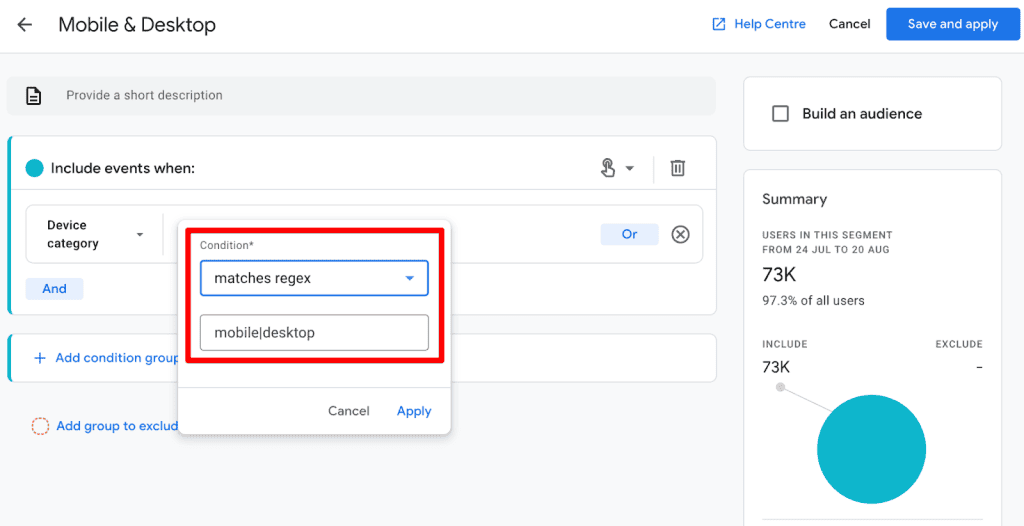
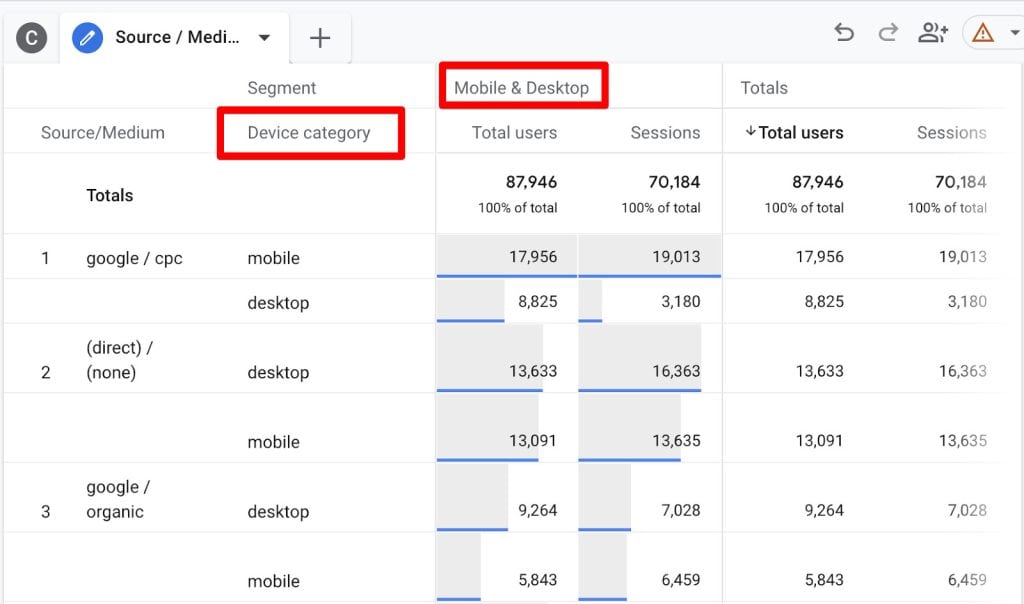
Explorations allow for deeper, ad-hoc analysis. However, the filtering logic here can be more restrictive. You will find that some sections offer "matches regex" but lack "matches partial regex." In these instances, you must be precise with your patterns, listing exact values including spaces or special characters, or your query will fail to return data.
3. Administrative Settings: Internal Traffic and Referrals
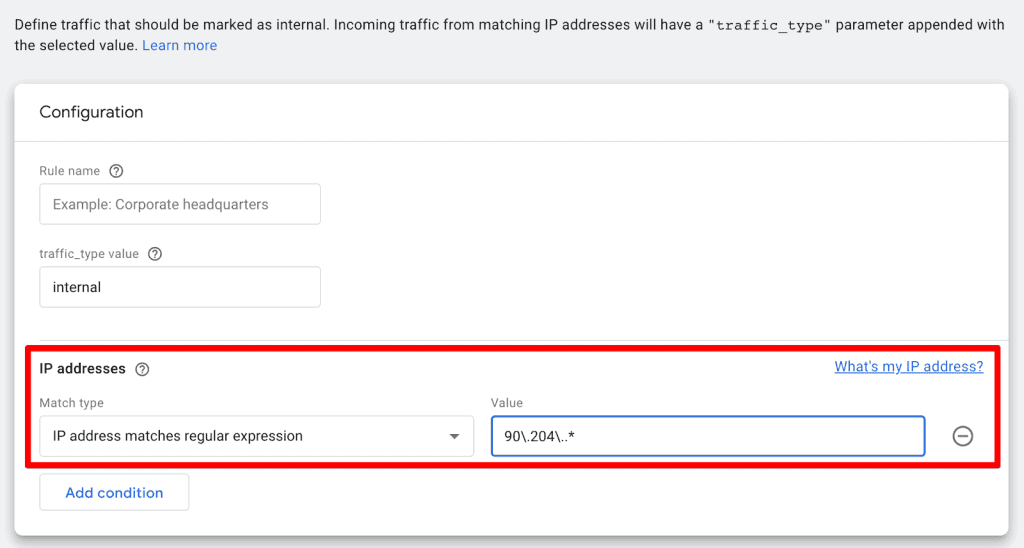
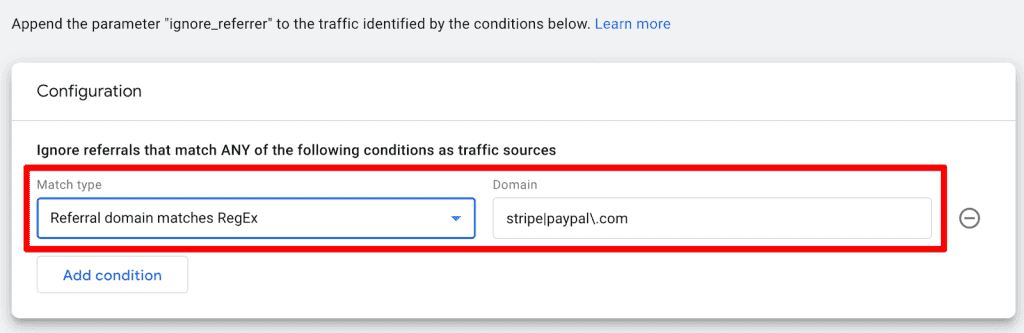
This is perhaps the most practical application for most businesses. Under Admin > Data Streams > Configure tag settings, you can define internal traffic to exclude your office or employee activity. Using "IP address matches regular expression," you can define a pattern that covers a range of IPs (e.g., 90.204.*), effectively scrubbing your data of internal noise. Similarly, you can list "unwanted referrals" using RegEx to exclude third-party payment gateways like Stripe or PayPal, ensuring your conversion data reflects actual customer behavior rather than redirect traffic.
4. Event Creation and Modification
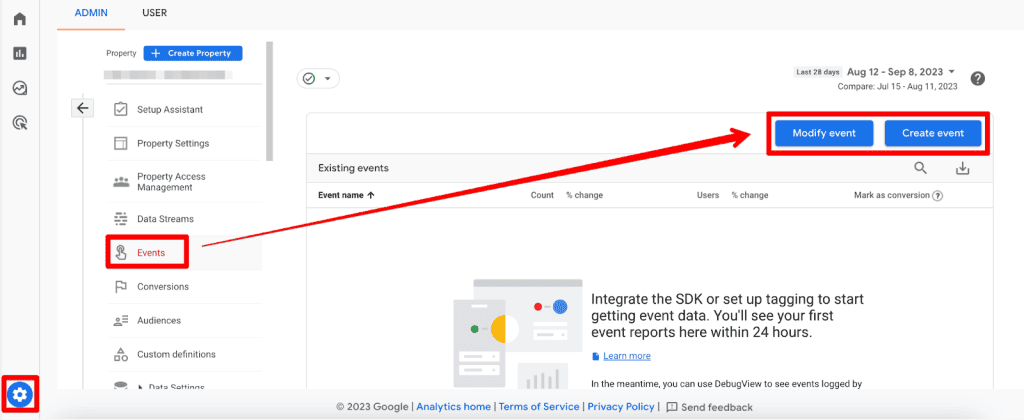
You can use RegEx to create new events based on existing ones. For instance, if you want to trigger a specific event whenever a user visits a specific URL path, you can use the "matches regular expression" condition. While Google provides a warning against over-using RegEx for events, it remains a powerful tool for cleaning up messy naming conventions or creating custom conversion events without needing to adjust the site’s source code.
Best Practices and Strategic Implementation
While mastering the full complexity of RegEx takes time, adhering to these best practices will prevent common headaches:

- Use External Testing Tools: Never write a complex RegEx pattern directly into GA4. Use sites like RegEx101.com. It allows you to test your pattern against sample data in real-time. When setting the flavor, choose "Golang" to ensure the pattern is compatible with the RE2 engine used by Google.
- Avoid Complexity Where Possible: If a simple "contains" or "begins with" filter works, use it. RegEx is a powerful tool, but like a scalpel, it should be used for precision tasks, not for every simple cut.
- Think in Patterns: The pipe (
|) is your best friend for OR logic. The dot (.) matches any character. The backslash () is essential for "escaping" special characters (like the period in a URL). - Audit Your Results: Always double-check your filtered reports. If your traffic numbers drop to zero, you likely have an issue with your RegEx pattern or a case-sensitivity error.
Implications for Digital Marketing Teams
The ability to use RegEx has profound implications for data hygiene. In an era where data privacy regulations and tracking limitations (like cookie depreciation) are making data harder to collect, the ability to accurately manipulate and categorize the data you do have is a competitive advantage.
By leveraging RegEx to clean up referral traffic, define custom channel groups, and isolate high-value user behavior, teams can ensure that their marketing dashboards reflect the reality of their business performance. It shifts the burden of data quality from the engineering team to the analyst, allowing for faster iterations and more informed decision-making.
Summary
Regular Expressions in GA4 represent the intersection of technical proficiency and strategic marketing. While the learning curve can be steep, the ability to efficiently filter, segment, and refine your data is indispensable in the modern digital landscape.
Start small. Use the pipe operator to combine channel groups, use basic patterns to exclude your office IP, and utilize external tools like RegEx101 to validate your work. As you become more comfortable, you will find that RegEx transforms GA4 from a static reporting tool into a dynamic, surgical instrument for business intelligence. The future of data analysis belongs to those who know how to ask the right questions—and with RegEx, you have the syntax to ask them precisely.
